How to automatically back up WordPress before updates
Follow these steps to activate the Premium feature of UpdraftPlus, enabling automatic backups of your WordPress site before updates to plugins, themes, or the core system.
1. Install and activate UpdraftPlus Premium
If you haven’t already, purchase UpdraftPlus Premium and follow the simple installation instructions.
2. Open the UpdraftPlus plugin
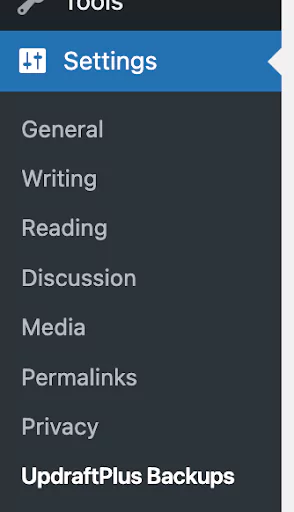
Go to the WordPress ‘Settings’ menu and open ‘UpdraftPlus Backups’.
3. Navigate to expert settings
Go to the ‘Settings’ tab within UpdraftPlus. Scroll down to the bottom of the page menu and open ‘Expert settings’

4. Turn on automatic backups before updates
Tick the box which says ‘Backup (where relevant) plugins, themes and the WordPress database with UpdraftPlus before updating’.