Best corporate WordPress themes for business sites
Your website isn’t just a digital brochure, it’s your company’s online headquarters. For a corporate site, it needs to feel trustworthy, professional, and built with purpose. The problem is that many WordPress themes only look great in the demo. Once you start adding your own content, things slow down, layouts break, and the site stops working as hard as it should.
The best corporate WordPress themes aren’t the flashiest ones. They’re the ones that load quickly, look professional, and make it easy for people to take the next step – whether that’s getting in touch, booking a call, or becoming a client.
After years of building business sites, I’ve seen which themes actually help companies grow and which just look good on the surface.
In this guide, I’ve rounded up 10 corporate WordPress themes that really deliver – fast, flexible, and built to help you make a great first impression while turning visitors into customers.
Key takeaways
Section titled Key takeaways- Choose a theme that feels professional, loads fast, and builds trust – not one that only looks good in a demo.
- Pick based on your skills, budget, and goals – simple and flexible beats overly complex.
- Speed matters. Lightweight options like Astra, GeneratePress, and Blocksy keep sites quick and reliable.
- Back up before changing themes. Use a reliable backup plugin to protect your data.
How I chose these themes
Section titled How I chose these themesBefore we dive in, I want to be transparent about how I picked these themes. To make the cut, each theme was judged against my “Corporate-Ready” 5-point checklist:
- Corporate-Readiness. This is my most important metric. Does the theme have the built-in features a corporate site needs? I’m looking for professional demo sites, layouts for services, “About Us” and “Our Team” pages, case study templates, and clear contact page designs.
- Design & Customization. How easy is it to make the theme match your brand? This scores the theme’s customizer options, page builder integration, and the ability to change colors, fonts, and layouts without writing code.
- Performance. How fast is it out of the box? I looked at the theme’s code quality, its size, and its reputation for loading quickly.
- Ease of Use. Can a beginner or a busy business owner use this theme effectively? this reflects the theme’s learning curve, the quality of its documentation, and how intuitive the setup process is.
- Future-Proof. Is this theme a good long-term investment? I check for a history of frequent, reliable updates and compatibility with the modern WordPress.
These considerations form a base of evaluation of how well the theme would match a corporate scenario. The following list will only include the themes that outperform in all of the mentioned criterias.
If you are looking for more multipurpose themes (or just starting out and want to explore), check out my round-up of the best themes for WordPress in 2025, which is a more general list.
My top picks for the best corporate WordPress themes
Section titled My top picks for the best corporate WordPress themesI’ve broken this list into two categories: the premium powerhouses that offer all-in-one solutions, and the flexible freemium themes that are amazing for free and even better when you upgrade.
Freemium themes
Section titled Freemium themesThese themes are my personal go-to for most projects. They are built on a free core theme that is lightweight, fast, and flexible. You can then add a pro plugin to unlock powerful features. This model is generally better for performance.
1. Astra
Section titled 1. AstraFreemium | Corporate-Readiness: 9/10 | Customization: 10/10 | Performance: 10/10 | Ease of Use: 10/10 | Future-Proof: 10/10 | Overall Score: 9.8/10

Astra is for everyone. It’s perfect for beginners who want to import a beautiful business or agency starter site. It’s also perfect for pros who want a fast, clean, and stable foundation to build a custom site.
Key Features
- Blazing fast performance
- A massive library of starter templates
- The Pro add-on unlocks powerful features like a mega menu, white labeling, and more header/footer options
- Deep integration with WooCommerce and LearnDash
Excellent code-free customizer options
Pros
- Incredibly fast and lightweight
- The starter template library is a massive time-saver
- Works perfectly with all major page builders and the block editor
Cons
- The free version is great but a bit basic for a full corporate site
- To get the best corporate templates and features, you really need the Pro version
Verdict
Astra is my default recommendation for 90% of WordPress users. I have featured it in almost all of my lists, and for a good reason. The combination of speed, flexibility, and the amazing starter templates library is unmatched. Get the “Essential Bundle” and you have everything you need to build a world-class corporate site.
2. GeneratePress
Section titled 2. GeneratePressFreemium | Corporate-Readiness: 8/10 | Customization: 9/10 | Performance: 10/10 | Ease of Use: 8/10 | Future-Proof: 10/10 | Overall Score: 9.0/10
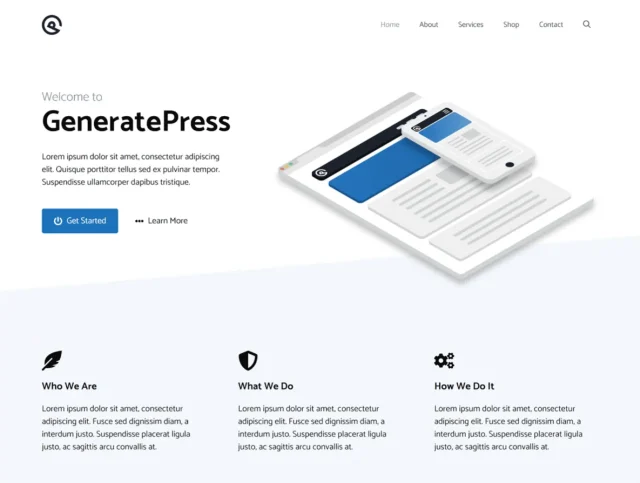
GeneratePress is for the business owner who values speed above all else, or for developers who want a clean, no-fuss theme framework to build on. It’s less visual than Divi, but much, much faster.
Key Features
- Unmatched performance and clean code. It’s tiny
- The Premium plugin adds a site library of imported demos
- Prioritizes the native WordPress block editor
- Fantastic, developer-level support
Pros
- Arguably the fastest theme on the market
- Clean, stable, and secure code
Cons
- Slightly higher learning curve than Astra; it’s more of a builder’s theme
The free version is very bare-bones - The site library is smaller than Astra’s or Divi’s
Verdict
If you’re a prosumer who understands a bit of WordPress and wants the absolute fastest foundation possible, get GeneratePress. Paired with GenerateBlocks, it’s a modern, future-proof way to build a corporate site that will be very successful.
3. Blocksy
Section titled 3. BlocksyFreemium | Corporate-Readiness: 9/10 | Customization: 10/10 | Performance: 9/10 | Ease of Use: 9/10 | Future-Proof: 10/10 | Overall Score: 9.4/10
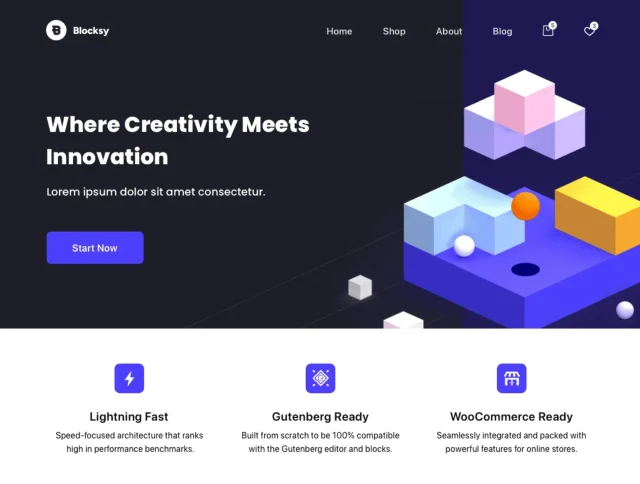
Blocksy is perfect for the modern WordPress user who is embracing the block editor. Its free version is so good, many small businesses may not even need to upgrade.
Key Features
- The most powerful free theme on the market
- An advanced header and footer builder with drag-and-drop elements
- A content blocks feature lets you hook custom blocks anywhere on your site
- Beautiful, modern starter sites
- Local Google Fonts and other great performance features
Pros
- The header/footer builder is best-in-class
- The free version is insanely generous with its features
- Modern, clean design and fantastic starter sites
Cons
- It’s a newer theme, so it doesn’t have the long-term track record of Astra or GeneratePress
- Some advanced features are Pro-only
Verdict
Blocksy is exciting. It feels like the future of WordPress themes. For a new corporate site in 2025, Blocksy is one of my top choices. The free version is amazing, and the Pro version is a fantastic value.
4. Kadence
Section titled 4. KadenceFreemium | Corporate-Readiness: 9/10 | Customization: 10/10 | Performance: 9/10 | Ease of Use: 9/10 | Future-Proof: 10/10 | Overall Score: 9.4/10
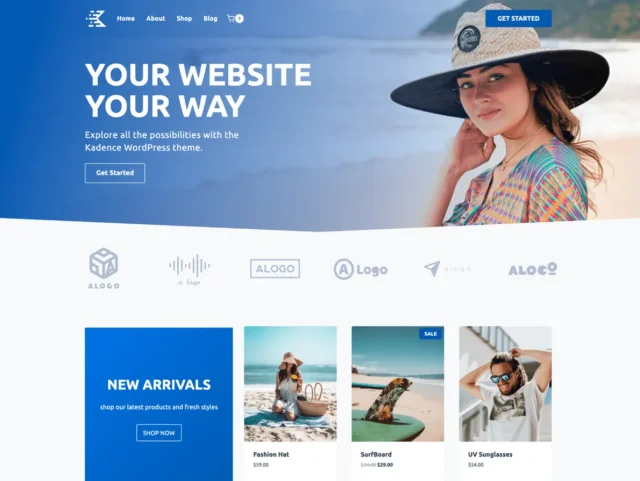
This is for the business owner who wants to build their site primarily with the native block editor. The combination of Kadence and Kadence Blocks gives you a visual building experience that rivals many dedicated page builders.
Key Features
- An advanced drag-and-drop header and footer builder
- A global color palette and typography system that makes branding easy
- Beautiful and professional starter templates
- The Pro theme adds hooked elements
- Kadence Blocks gives you layout, form, and gallery blocks
Pros
- The starter templates are stunning and very professional
- The global color palette is a huge time-saver
- Kadence Blocks is one of the best block plugins available
Cons
- Like Blocksy, it’s newer than the old-guard themes
- To get the full power, you really want both Kadence Theme Pro and
- Kadence Blocks Pro
Verdict
Kadence is a joy to use. It makes building with the block editor feel easy and powerful. Its “Agency” and “SaaS” starter templates can be adapted for any corporate site and look incredible.
5. Sydney
Section titled 5. SydneyFreemium | Corporate-Readiness: 8/10 | Customization: 7/10 | Performance: 8/10 | Ease of Use: 9/10 | Future-Proof: 8/10 | Overall Score: 8.0/10
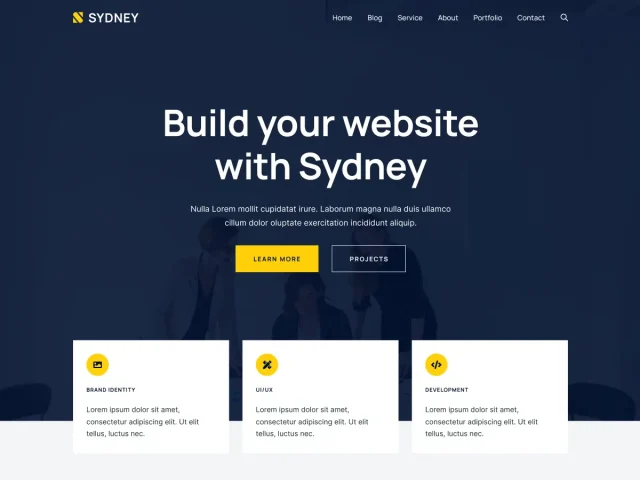
The free version of Sydney is perfect for a startup, consultant, or small business that just needs a beautiful, professional, one-page “brochure” site. The Pro version expands it for multi-page use.
Key Features
- Designed to work perfectly with Elementor
- The free version is excellent for a single-page corporate landing site
- Pro version adds more header options, video headers, and new customizer settings
- A selection of starter sites built with Elementor
Pros
- One of the best free themes for building with Elementor
- The one-page design of the main demo is very effective for corporations
- Simple and easy to set up
Cons
- Heavily reliant on Elementor, which isn’t for everyone
- Not as lightweight or modern as the block-based themes
Verdict
If you’re an Elementor fan and need a clean, professional-looking site, Sydney is a reliable and solid choice. It’s not the fastest on this list, but it’s a proven and reliable option.
6. Neve
Section titled 6. NeveFreemium | Corporate-Readiness: 8/10 | Customization: 8/10 | Performance: 10/10 | Ease of Use: 10/10 | Future-Proof: 9/10 | Overall Score: 9.0/10

Neve is a fantastic all-rounder, much like Astra. It’s great for beginners who want to import a demo and have a fast, reliable site up and running in minutes.
Key Features
- Super fast and lightweight
- Mobile-first design
- Large library of 80+ starter sites (free and pro)
- Header and footer builder
- Page-level layout controls
Pros
- Excellent performance
- Good selection of starter sites for various business niches
- Very easy to use and configure
Cons
- The free starter sites aren’t as polished as Blocksy’s or Kadence’s
- The Pro add-ons are good, but feel a bit less premium than the competition
Verdict
You can’t go wrong with Neve. It’s fast, simple, and reliable. It’s a great safe choice for any corporate site, especially if you plan to use a page builder like Elementor.
7. Hestia
Section titled 7. HestiaFreemium | Corporate-Readiness: 7/10 | Customization: 7/10 | Performance: 8/10 | Ease of Use: 9/10 | Future-Proof: 8/10 | Overall Score: 7.8/10
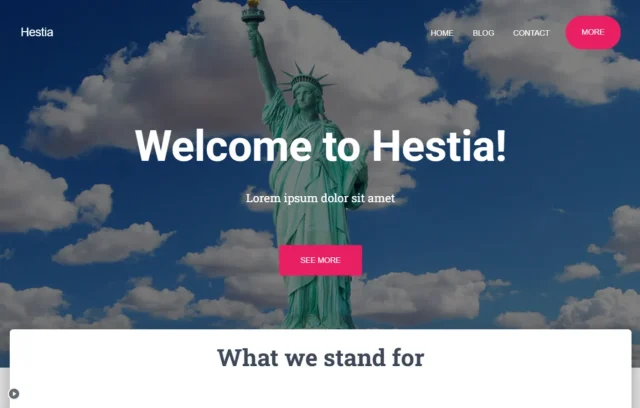
Hestia is perfect for tech startups, creative agencies, and modern businesses that want a clean, stylish, one-page website.
Key Features
- Slick, modern material design
- Excellent for one-page websites
- Live customizer for all settings
- Pro version adds a sections feature for the homepage, a portfolio, and more
- Page builder compatibility
Pros
- Beautiful, modern design out of the box
- Very easy to set up, especially for a one-page site
- Good performance
Cons
- Less flexible than a mega theme like Divi or a block-theme like Blocksy
- It’s primarily designed for one-page sites, though it supports multi-page
Verdict
If your corporate site’s goal is to be a single, impressive digital business card, Hestia is a fantastic choice. It’s elegant, simple, and gets the job done with style.
Love one of these themes? Test it safely first
Switching to a new theme can be exciting but doing it on a live site is risky. With UpdraftPlus Premium, you get free clone tokens that let you create a test copy of your site. Try out your new theme safely in a staging environment before making any changes live.
Premium corporate themes
Section titled Premium corporate themesThese themes are the all-in-one builders. You buy them once and typically get a visual page builder and a massive library of designs included.
8. Divi by Elegant Themes
Section titled 8. Divi by Elegant ThemesPremium | Corporate-Readiness: 9/10 | Customization: 10/10 | Performance: 7/10 | Ease of Use: 7/10 | Future-Proof: 10/10 | Overall Score: 8.6/10
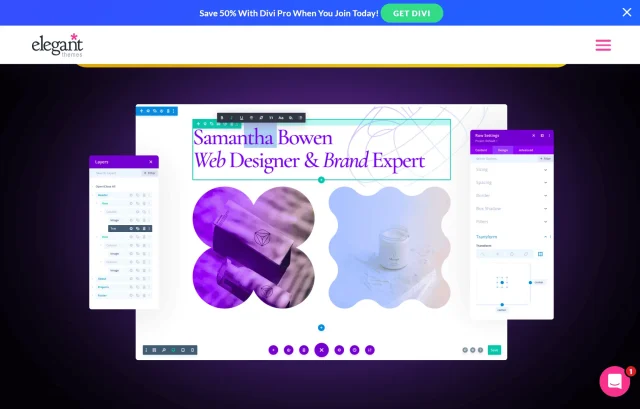
Divi is ideal for creative agencies or business owners who want total, pixel-perfect control over their design without touching code. If you have a very specific vision, Divi can probably build it.
Key Features
- A powerful, front-end visual page builder
- Hundreds of full website layout packs, including many for corporate, agency, and finance sites
- WooCommerce integration for e-commerce
- A/B split testing built-in to optimize your pages
- The Theme Builder feature lets you design your header, footer, and blog templates from scratch
Pros
- Unmatched design flexibility
- The layout library is huge and high-quality
- One license includes all Elegant Themes products for unlimited websites
Cons
- The visual builder can feel overwhelming for a true beginner
- Because it’s so feature-heavy, it can be slower than lightweight themes if not optimized properly
- You become locked-in to the Divi builder. Migrating away from it later can be difficult
Verdict
Divi is a design powerhouse. If your priority is custom design and you’re willing to spend an afternoon learning the builder, it’s an incredible value. For corporate sites, its layout packs for “Business,” “Agency,” and “Consulting” are fantastic starting points.
9. Avada
Section titled 9. AvadaPremium | Corporate-Readiness: 10/10 | Customization: 10/10 | Performance: 6/10 | Ease of Use: 7/10 | Future-Proof: 9/10 | Overall Score: 8.4/10
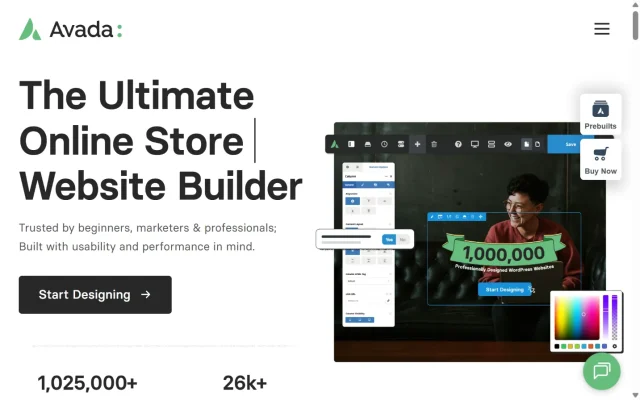
Avada is perfect for large corporate sites or businesses with complex needs. If you need a theme that has an option for everything, Avada has you covered.
Key Features
- The Avada Website Builder, a mature and powerful drag-and-drop tool
- Over 90 pre-built, importable website demos
- Includes several premium plugins like Slider Revolution
- Deep WooCommerce integration
Pros
- The number of features and demos is staggering
- Excellent, long-term track record of updates and support
Cons
- This is a heavy theme. It’s loaded with so many options that it can hurt your site speed if you’re not careful
- The options panel can be overwhelming for beginners
Verdict
Avada is a beast. It’s the “I want every feature just in case” theme. For a large corporation that needs a holistic solution, Avada is a safe bet. You just have to be mindful of performance and take the time to learn its vast options panel.
10. Ultra by Themify
Section titled 10. Ultra by ThemifyPremium | Corporate-Readiness: 8/10 | Customization: 8/10 | Performance: 8/10 | Ease of Use: 9/10 | Future-Proof: 9/10 | Overall Score: 8.4/10
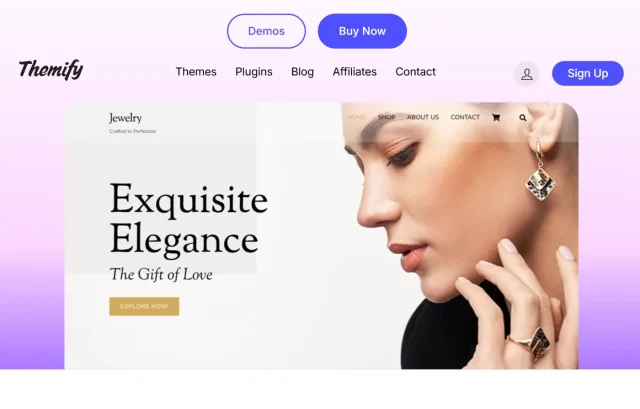
Ultra is perfect for small businesses, agencies, and freelancers who need to build beautiful, professional sites quickly.
Key Features
- Integrated Themify Builder
- Over 60 pre-designed layouts and 17 full-site demos
- Smart layout options for controlling headers, footers, and sidebars on a per-page basis
- A library of builder add-ons for things like pricing tables, countdowns, and maps
Pros
- Extremely fast and intuitive setup
- The one-click demo import is one of the best in the business
Cons
- The builder isn’t quite as powerful as Divi or Elementor
- It’s not as well-known, so the user community is smaller
Verdict
I love Ultra for its efficiency. You can go from a blank WordPress install to a fully-designed, professional corporate site in under an hour. It’s reliable, fast, and the pre-built sites look fantastic.
Comparison table for best corporate WordPress themes
Section titled Comparison table for best corporate WordPress themesHow to future-proof your business website
Section titled How to future-proof your business websiteWhen you’re running a business, your website isn’t a short-term project – it’s a long-term investment. I’ve seen so many companies pour time and money into a beautiful site, only to realize two years later that it’s painfully outdated, hard to edit, or worse, incompatible with new WordPress updates. The truth is, the web evolves fast, and the only way to stay ahead is to build with the future in mind.
Here’s what I’ve learned about future-proofing a business website so it stays secure, scalable, and easy to maintain even as design trends and WordPress technology change.
1. Pick themes with long-term developer support
Section titled 1. Pick themes with long-term developer supportBefore you fall in love with a theme’s design, check how often it’s updated and how active the developer community is. Themes like Astra, Blocksy, and Kadence are backed by strong development teams who roll out frequent updates, security patches, and performance improvements. That matters a lot, because if your theme stops evolving, your site will too.
2. Avoid theme-locked shortcodes
Section titled 2. Avoid theme-locked shortcodesSome older or overly “feature-stuffed” themes tie your design elements to proprietary shortcodes. It feels fine at first, but the moment you switch themes or upgrade to full site editing, you’re left with a mess of broken code across your pages.
3. Embrace modular, block-based design
Section titled 3. Embrace modular, block-based designWordPress’s block editor (Gutenberg) and Full Site Editing (FSE) are the future. Themes built around this system, like Kadence or Blocksy, let you customize layouts visually without relying on heavy page builders. It’s more stable, more future-ready, and often way faster. Plus, it makes it easier for your internal team to update pages later without touching code.
4. Keep your website backed up and secure
Section titled 4. Keep your website backed up and secureEven the most forward-thinking site isn’t truly future-proof if it’s not protected. Regular backups are your safety net, especially during big theme or WordPress updates. I personally rely on UpdraftPlus, because it lets you schedule automatic backups to cloud services like Google Drive or Dropbox, and restore your site in one click if anything ever goes wrong. It’s one of those plugins that quietly saves you hours (and heart attacks) when you least expect it.
Protect your new site from day one
You’re about to invest time and money into building a beautiful corporate site. Don’t let a server crash, a bad plugin update, or a hack wipe it all out. UpdraftPlus is the world’s most trusted WordPress backup plugin. Set it and forget it.
5. Stay flexible and test often
Section titled 5. Stay flexible and test oftenFinally, don’t treat your site like a finished product. Treat it like a living system. Run performance audits every few months, keep your plugins lean, and test your theme after every major update. The small habit of staying proactive today saves you a lot of reactive fixing later.
Conclusion
Section titled ConclusionChoosing a theme is a big decision, but it doesn’t have to be a permanent one. The beauty of WordPress is its flexibility.
My best advice? Don’t get stuck in analysis paralysis.
- If you want total design control, get Divi.
- If you want the fastest, most flexible, modern theme, get Astra or Blocksy.
- If you want the best free theme to start with, download Blocksy or Kadence.
The theme is just the foundation. The real value comes from your content, your brand, and the trust you build with your visitors. Whichever theme you choose, set up your backups and maintenance strategy early. UpdraftPlus gives you peace of mind knowing your site and content are safe.
FAQs
Section titled FAQsWhat is the best corporate WordPress theme for a company website?
It depends on your needs. For speed and flexibility, Astra and GeneratePress are top choices. For visual design control, Divi and Avada shine. If you want a balance of power and modern architecture, Blocksy and Kadence are excellent options for 2025 and beyond.
Are free business themes suitable for corporate websites?
Yes, as long as you choose wisely. Themes like Astra, Neve, and Blocksy (free version) offer clean designs, fast loading times, and themes with solid SEO foundations. They’re ideal for small businesses or startups. Larger companies may prefer premium upgrades for extra design templates, advanced features, and priority support.
What are the best WordPress themes for agencies or consultants?
If you run a creative, consulting, or IT-focused business, Divi, Avada, and Ultra are great for showcasing portfolios and building client trust. For something faster and easier to maintain, Blocksy and Kadence provide a professional look with less reliance on heavy page builders.
How do I know if a theme is compatible with my business plugins?
Always check the theme’s compatibility notes or documentation. Most top corporate themes (Astra, Blocksy, Kadence) are tested with popular tools like WooCommerce, Elementor, WPForms, and UpdraftPlus. You can also try their demo importers and test plugin integrations on a staging site before launching publicly.
Can I switch my theme later without losing content?
Yes, but with caution. WordPress stores your posts, pages, and media separately from your theme. What might change is your layout, widgets, or shortcodes if your old theme used proprietary design systems. To stay safe, always take a full site backup before switching themes. That way, you can restore everything instantly if something breaks during migration.
Which WordPress theme is best for startups?
For startups, themes like Neve and Blocksy are great choices. They’re fast, easy to set up, and come with modern, conversion-focused templates that help new businesses look professional without needing custom development.
About the author

Elvira Mishra
Elvira has over four years of experience creating and designing content in WordPress. Her background spans multiple digital disciplines, including marketing, SEO, user experience, and human computer interaction.
Categories
UpdraftPlus
Get all our premium features. Direct site-to-site migration, incremental backups, back up automatically before updates and a whole lot more.
From just $70 for the year.
More stories
-

Best WordPress themes for law firms
Find a professional WordPress theme for your law firm, whether you need speed, flexibility, or a ready-made legal layout.
-

How to secure a WordPress site (without overcomplicating it)
Learn how to secure your WordPress site with simple steps that protect against attacks, strengthen logins, and keep your data safe.
-
10 best WordPress themes for beauty salons
Here are the best options to help you stand out, look professional, and turn visitors into bookings.
-
Best Google Analytics alternatives for WordPress
Discover the best Google Analytics alternatives for WordPress, including privacy-friendly tools with simpler dashboards and better performance.
