Best CAPTCHA plugins for WordPress
If you run a website, you’ve probably experienced that horrible moment when you open your dashboard and see dozens of new comments or user registrations – only to realise they’re all spam. It’s frustrating, time-wasting, and in some cases, a real security risk. That’s where a reliable WordPress CAPTCHA plugin makes all the difference.
Thankfully, we’re long past the days of squinting at warped letters that looked like they came from another planet. Modern spam protection is smarter, quicker and, in many cases, completely invisible to your visitors. Whether you’re managing a small personal blog or a busy online shop, the right CAPTCHA tool works like a digital bouncer, letting real people in while keeping bots out.
In this guide, I’ll walk you through the top seven CAPTCHA plugins available right now and help you choose the one that suits your site best.
Key takeaways
Section titled Key takeaways- Traditional “puzzle-style” CAPTCHAs are fading out. Modern tools rely more on behavioural analysis and invisible checks rather than asking users to click on traffic lights
- Some CAPTCHA scripts are heavy and can slow down your site so choosing a lightweight option is crucial for SEO
- Security is holistic. A CAPTCHA plugin is just one layer so pairing it with a security suite and robust backups is the gold standard
Why you need a CAPTCHA plugin
Section titled Why you need a CAPTCHA pluginYou might be thinking, “Can’t I just delete the spam manually?” Sure, if you have infinite time. But nowadays, bots are more sophisticated than ever. They don’t just leave annoying comments. Here is why a CAPTCHA is non-negotiable:
- Brute force protection: Bots will hammer your login page with thousands of password combinations per minute. A CAPTCHA stops them after one failed attempt.
- Preventing malicious code: Some forms allow file uploads or text input. Hackers use bots to inject malicious scripts into these fields to hijack your site.
- Saving server resources: Every time a bot loads your site to leave spam, it uses your server’s processing power. Too many bots can crash your site or slow it down for real users.
- SEO reputation: If your site becomes a link farm for spammy websites, Google will penalize you. Keeping your content clean is essential for ranking.
My methodology
Section titled My methodologyBefore we dive into the list, I want to be transparent about how I selected these. For each plugin, I’ve assigned an overall spam buster score, based on three specific metrics:
- Friction factor (UX): How annoying is it for a real human?
- Implementation ease: Can a novice set it up in under 5 minutes?
- Protection power: How effective is it at stopping standard bot scripts?
Although CAPTCHA is an effective way of getting rid of fake visitors, there are many alternative methods of spam protection for your website. I highly recommend taking a look at my round up of best spam protection plugins for WordPress, that discusses even more modern methods of spam detection and prevention.
Best CAPTCHA plugins for WordPress
Section titled Best CAPTCHA plugins for WordPress1. Simple Cloudflare Turnstile
Section titled 1. Simple Cloudflare TurnstileFree | Friction: 10/10 | Ease: 8/10 | Protection: 9/10 | Overall Score: 9/10
Ideal use case: Anyone who cares about User Experience (UX) and privacy. It is perfect for e-commerce checkouts where you don’t want any friction that could cost you a sale.

This is the future trend I mentioned. Cloudflare Turnstile is a “smart” CAPTCHA that verifies visitors without asking them to solve a puzzle. It checks the browser environment and behavior. This plugin makes integrating it into WordPress a breeze.
Key features
- Replaces the “I’m not a robot” checkbox with a simple
- “Success” verification
- Privacy-first approach that doesn’t harvest data for ad retargeting
- Lightweight script that won’t drag down your page speed
Pros
- Zero annoyance for users
- Completely free
- Looks modern and professional
Cons
- Requires a Cloudflare account (free, but an extra step)
- Newer tech, so it has fewer “deep” integrations than reCAPTCHA
Verdict
This is the best “modern” choice on the market right now. If you hate clicking traffic lights, choose this. It offers the perfect balance of security and usability, ensuring your real customers never feel like they are being interrogated just to get in touch with you.
2. All In One Security (AIOS)
Section titled 2. All In One Security (AIOS)Free & Premium | Friction: 9/10 | Ease: 9/10 | Protection: 10/10 | Overall Score: 9.3/10
Ideal use case: Website owners who want a complete security overhaul, not just a band-aid for spam. It is best for those who want to lock down their login pages specifically.

Although AIOS is a full security suite, its login protection tools are genuinely standout. Instead of simply adding a visual challenge, it strengthens the login door itself. It includes smart CAPTCHA protection for login forms, Cloudflare Turnstile support in the premium version, and quiet honeypot-style checks that catch bots without bothering real users.
Key features
- Login lockdown and brute force prevention
- Smart CAPTCHA for login forms
- Cloudflare Turnstile support (Premium)
- Honeypot-style bot detection
- IP blocking and firewall features
Pros
- One plugin covers both security and CAPTCHA needs
- Works well alongside other WordPress tools
- Backed by a trusted team with regular updates
Cons
- The wide range of settings may feel overwhelming to a beginner
- More than you need if you only want a basic contact-form CAPTCHA
Verdict
AIOS is the top all-round choice. Instead of just filtering spam, it stops attackers at the door and makes a separate CAPTCHA plugin unnecessary for login security. If you want peace of mind that goes beyond blocking comment spam, this is the plugin to choose.
3. Advanced Google reCAPTCHA
Section titled 3. Advanced Google reCAPTCHAFree & Premium | Friction: 8/10 | Ease: 9/10 | Protection: 9/10 | Overall Score: 8.7/10
Ideal use case: Websites that are already deep in the Google ecosystem and want a reliable, “set it and forget it” solution that visitors instantly recognize
This is often the first stop for most users. If you want the standard Google protection but with more control than the default settings allow, this is a fantastic wrapper plugin. It allows you to implement reCAPTCHA v2 (the checkbox), v3 (invisible) and usually keeps up to date with the latest Google API changes.
Key features
- Supports v2 (checkbox) and v3 (invisible)
- Lets you hide the badge (if compliant)
- Integrates with standard login, registration, and comment forms
Pros
- Very stable and reliable
- Familiar to users (builds trust)
- Excellent protection against brute force attacks
Cons
- Google v3 can sometimes block real users if the sensitivity is too high
- Data privacy concerns regarding Google tracking
Verdict
This plugin is not flashy, but it gets the job done. If you want the industry standard that everyone knows how to use, this is your best bet. It gives you granular control over where the CAPTCHA appears, making it more flexible than many competitors.
Take control of your plugins
Managing security settings and CAPTCHA updates across multiple websites can be a headache. Save time by updating everything from one dashboard.
4. WP Armour (Honeypot Anti Spam)
Section titled 4. WP Armour (Honeypot Anti Spam)Free & Premium | Friction: 10/10 | Ease: 10/10 | Protection: 8.5/10 | Overall Score: 9.2/10
Ideal use case: Sites that want to keep a clean, professional look without “I’m not a robot” badges cluttering the design. Great for designers and agencies.
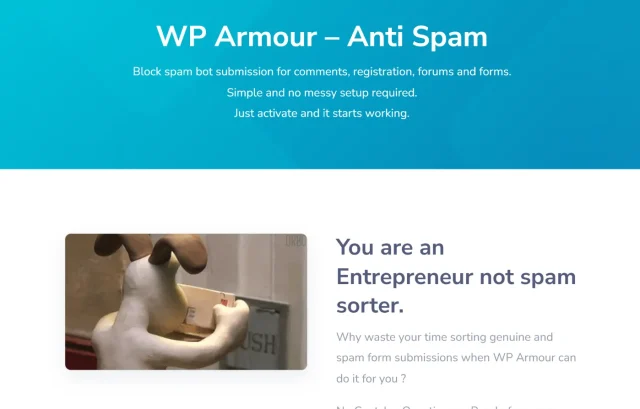
WP Armour uses a clever technique called a “honeypot.” It inserts a hidden field into your forms that only bots can see. If that hidden field is filled out, the plugin knows it’s a bot and blocks the submission. It is entirely invisible to humans.
Key features
- Honeypot technology blocks bots silently
- No API keys required (plug and play)
- GDPR compliant as it doesn’t track user data
Pros
- Zero friction for users (they don’t even know it’s there)
- Extremely lightweight code
- Works with almost all major form plugins
Cons
- Sophisticated AI bots might occasionally slip through honeypots
- No visual feedback for users (though they shouldn’t need it)
Verdict
This is the best option if you want to protect your site without impacting the visual design at all. Since it requires no user interaction, it has the highest possible conversion rate for forms. It is a brilliant “set and forget” tool for most standard websites.
5. hCaptcha for WordPress
Section titled 5. hCaptcha for WordPressFree & Premium | Friction: 7/10 | Ease: 8/10 | Protection: 9/10 | Overall Score: 8/10
Ideal use case: Privacy-conscious blogs, crypto sites, or websites operating in regions with strict data laws (like the EU) where Google’s tracking is a concern.
hCaptcha was the first big challenger to Google. It positions itself as the privacy-focused alternative. While it still uses image puzzles (which can be harder than Google’s), it focuses heavily on data privacy and security compliance.
Key features
- GDPR and CCPA compliant
- Privacy-focused (doesn’t feed ad algorithms)
- Customizable difficulty levels for puzzles
Pros
- Excellent security against advanced bots
- Transparent about data usage
- Rewards publishers (in some configurations)
Cons
- The puzzles can be genuinely difficult for humans to solve
- Slightly higher friction than Turnstile or v3
Verdict
The privacy advocate’s choice. If your audience cares about data privacy, using hCaptcha sends a strong signal that you respect them. While the user experience is slightly clunkier than the invisible options, the security trade-off is often worth it for high-risk sites.
6. Antispam Bee
Section titled 6. Antispam BeeFree | Friction: 10/10 | Ease: 9/10 | Protection: 9/10 | Overall Score: 9.3/10
Ideal use case: Bloggers who are drowning in comment spam but don’t want to use a heavy visual CAPTCHA or force users to register to comment.
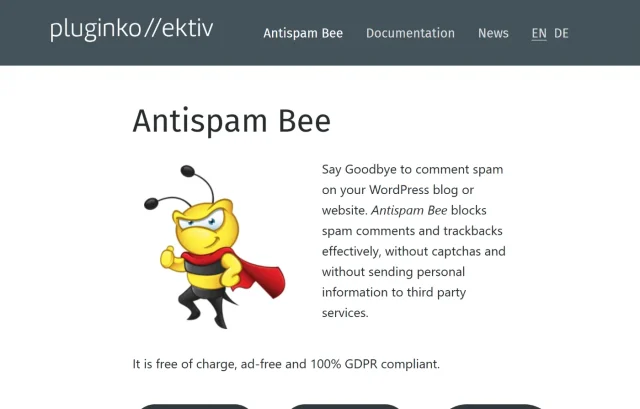
Technically, Antispam Bee isn’t a “visual” captcha plugin, but it solves the exact same problem: comment spam. It is arguably the best free solution for blog comments in the WordPress repository. It complies with European data privacy standards and works invisibly.
Key features
- Trusts local comment database (learns from your approval)
- Blocks by language and country
- Treats BBCode (often used by spammers) as spam
Pros
- Completely free (no premium version needed)
- GDPR compliant and respectful of privacy
- Highly effective without user input
Cons
- Only works for comments (not login forms or contact forms)
- No visual element to deter bots initially
Verdict
If comments are your main issue, get this and don’t look back. It is incredibly effective at filtering out the “Great post! Visit my site” spam without you ever having to lift a finger.
7. WPForms
Section titled 7. WPFormsFree & Premium | Friction: 9/10 | Ease: 10/10 | Protection: 9/10 | Overall Score: 9.3/10
Ideal use case: Users who need to build a “Contact Us” page and want spam protection integrated natively without installing a separate CAPTCHA plugin.

I’m including WPForms because sometimes the best wordpress captcha plugin is actually a form plugin with built-in protections. WPForms Lite includes options for hCaptcha, Google reCAPTCHA and Cloudflare Turnstile directly in the settings.
Key features
- Drag-and-drop form builder
- Built-in spam token protection (invisible)
- Easy integration with all major CAPTCHA providers
Pros
- You don’t need a separate plugin for the CAPTCHA
- Centralizes settings in one place
- Beginner-friendly interface
Cons
- The main focus is forms so it doesn’t protect your login page
- Advanced spam features are sometimes behind the Pro paywall
Verdict
The convenient all-rounder. Great for killing two birds with one stone. If you are building a new site, using WPForms handles your contact needs and your spam protection needs in a single, well-coded package.
Comparison table
Section titled Comparison tableDon’t let a plugin break your site
Installing new security tools can sometimes cause conflicts or lockouts. With UpdraftPlus Premium you can create an automatic backup before every update, giving you an instant “undo” button.
Conclusion
Section titled ConclusionSpam is a fact of life on the internet, but letting it overrun your WordPress site is a choice.
- For the best User Experience: Go with Simple Cloudflare Turnstile. It is the future. It’s free, private and your users won’t hate you.
- For Total Security: Use AIOS. It integrates login protection natively and hardens the rest of your site simultaneously.
- For Invisible Protection: Grab WP Armour. It blocks bots silently without cluttering your beautiful design.
Whichever route you choose, remember that adding a CAPTCHA modifies how users and bots interact with your database. Before installing any of the plugins above, ensure you have a full backup so that if something goes wrong, you can restore your site to its working state in minutes.
FAQs
Section titled FAQsWhat is the best free CAPTCHA plugin for WordPress in 2025?
For general spam protection without annoying your visitors, Simple Cloudflare Turnstile is one of the best free options right now. It works quietly in the background and doesn’t require users to solve puzzles.
If your main issue is comment spam specifically, Antispam Bee is a great lightweight choice that doesn’t rely on visual challenges at all.
Do WordPress CAPTCHA plugins slow down my site?
They can, depending on how they load scripts. Tools like Google reCAPTCHA v2 pull files from external servers, which can add a bit of load time.
To avoid this, choose faster options like Cloudflare Turnstile or WP Armour, or look for plugins that only load scripts on pages where you actually need them (e.g., your contact form). Pairing CAPTCHA with a performance-friendly security plugin such as AIOS can also reduce overhead.
Which WordPress CAPTCHA plugin is best for GDPR compliance?
If GDPR and privacy are priorities, hCaptcha and Cloudflare Turnstile are your safest bets. They collect far less user data than Google reCAPTCHA and offer compliant modes that don’t harvest information for advertising.
For broader site security with built-in GDPR-friendly settings, using CAPTCHA alongside a full security suite like AIOS works well.
How do I add CAPTCHA to Contact Form 7?
Contact Form 7 includes native support for Google reCAPTCHA. After registering your site with Google and getting your keys, you can add them under CF7’s Integration settings.
If you prefer an easier or more privacy-focused setup, many people use wrapper plugins like Advanced Google reCAPTCHA or WP Armour, which let you protect CF7 without editing shortcodes.
What’s the difference between reCAPTCHA v2 and v3?
reCAPTCHA v2 (“I’m not a robot”) requires direct interaction – ticking a checkbox or solving image grids.
reCAPTCHA v3 runs quietly in the background and gives each visitor a behaviour-based score. Low-scoring visitors are treated as suspicious.
v3 generally provides a smoother experience, but it can occasionally misclassify users if not configured properly.
Do I need CAPTCHA on my WooCommerce checkout page?
Yes, it’s strongly recommended. WooCommerce checkouts are a common target for bots running card-testing attacks or creating fake accounts.
AIOS offers a direct integration with Cloudflare Turnstile, giving you a smooth, low-friction layer of protection that won’t annoy real customers. It works seamlessly with AIOS’s wider security features and helps block automated checkout abuse without slowing down the buying experience.
Can I protect my WordPress login page without a plugin?
You technically can, via server rules, IP restrictions or .htaccess configuration but it’s not beginner-friendly.
The easier (and safer) option is to use a plugin built for this purpose, such as Login No Captcha reCAPTCHA or an all-in-one suite like AIOS, which adds login protection, brute-force blocking and additional hardening in one place.
What should I do if a CAPTCHA plugin locks me out of my site?
If a configuration error locks you out, you will need to access your site via FTP or your hosting File Manager. Navigate to wp-content/plugins and rename the folder of the CAPTCHA plugin (e.g., rename login-recaptcha to login-recaptcha-off ). This will deactivate the plugin and let you log in. Always keep a recent backup handy to restore your site quickly if files get corrupted.
About the author

Elvira Mishra
Elvira has over four years of experience creating and designing content in WordPress. Her background spans multiple digital disciplines, including marketing, SEO, user experience, and human computer interaction.
Categories
AIOS
Comprehensive, feature-rich, security for WordPress. Malware scanning, firewall, an audit log and much more. Powerful, trusted and easy to use.
From just $70 for the year.
More stories
-

Best WordPress themes for law firms
Find a professional WordPress theme for your law firm, whether you need speed, flexibility, or a ready-made legal layout.
-

How to secure a WordPress site (without overcomplicating it)
Learn how to secure your WordPress site with simple steps that protect against attacks, strengthen logins, and keep your data safe.
-
10 best WordPress themes for beauty salons
Here are the best options to help you stand out, look professional, and turn visitors into bookings.
-
Best Google Analytics alternatives for WordPress
Discover the best Google Analytics alternatives for WordPress, including privacy-friendly tools with simpler dashboards and better performance.
