Best WordPress themes for your small business
For small business owners, picking a WordPress theme can feel less like building a website and more like sifting through an endless pile of lookalike options. Every theme promises speed, responsiveness, and perfection, but you don’t have hours to test dozens – especially when so many fall apart the second you add a plugin.
I’ve built, broken, and fixed more client sites than I care to count, and if there is one thing I’ve learned, it is that a bad theme can tank your SEO, frustrate your customers, and make simple updates a nightmare.
Below, I’ve curated the top themes that should meet all the needs of a small business from all industries, irrespective of whether you have a bakery or a tech startup, based on how they perform in real-world use, not just how they look in the demo.
Key takeaways
Section titled Key takeaways- Speed is non-negotiable. In 2026, Core Web Vitals and interaction speed directly affect rankings and conversions. Lightweight themes consistently outperform flashy ones.
- Scalability matters more than appearance. You can always tweak colours and fonts, but fixing a theme that breaks when you add WooCommerce is far harder.
- Backups are essential. Switching themes is risky. Use a tool like UpdraftPlus to create a restore point before activating a new design.
- Builder compatibility is key. The best themes play nicely with Gutenberg, Elementor, or Divi without slowing things down.
My methodology
Section titled My methodologyI didn’t just pick these themes because they look nice. Small businesses operate on thin margins and tight schedules; you can’t afford a site that breaks or drives customers away. I evaluated every theme based on my “S.A.F.E.” criteria, designed specifically for the business owner doing it all.
- Speed (S): Does the theme load fast enough to keep a customer from hitting “back” and going to your competitor? We looked for clean code that pleases Google.
- Adaptability (A): Can this theme grow with you? Today you might just need a contact form, but next year you might want to sell products. We prioritized themes that scale without needing a total rebuild.
- Friendliness (F): Do you need a coding degree to use it? We scored this based on how easy it is for a non-techie owner to update business hours, change photos, or post a blog.
- Ecosystem (E): Is the developer reliable? We looked for themes with active support forums and regular updates, so you aren’t left stranded if things go wrong.
The below themes are versatile, but are tailored towards smaller business operations. If you are planning to grow in the near future, you need to keep scalable considerations in mind. Hence, you might want to look at my list of best themes for WordPress in 2026, which offers a holistic round up of themes that can be used in any possible scenario.
Don’t let a new theme break your business.
Switching themes is the #1 way to accidentally crash a site. Create a complete backup with UpdraftPlus in one click before you install anything, and secure your site.
Best WordPress themes for your small business
Section titled Best WordPress themes for your small businessAfter evaluating each theme against the S.A.F.E. framework – checking how fast it loads, how well it can grow with you, how easy it is to use, and whether the developer actually supports it, a clear set of winners emerged. These 10 themes came out on top. Here’s how they compare.
1. Astra
Section titled 1. AstraFree / Premium | Speed: 10, Adaptability: 10, Friendliness: 9, Ecosystem: 10 | Overall Score: 9.8/10
Ideal use case: Whether you are a consultant, running a local gym, or launching a generic startup, Astra has a template that gets you 90% of the way there in one click.

Astra is practically the default recommendation in the WordPress community for a reason. It is incredibly lightweight (extremely lightweight on the front end) but manages to be customizable enough that you don’t feel limited. I use this for a larger share of the small business sites I spin up because it rarely conflicts with plugins.
Key features
- Starter Templates: Over 240+ importable websites for specific niches (plumbers, lawyers, pet shops).
- Page Builder Agnostic: Works flawlessly with Elementor, Beaver Builder, and the Block Editor.
- Header Footer Builder: Drag-and-drop builder specifically for these areas, even in the free version.
- WooCommerce Integration: Features specifically designed to boost online store conversions.
Pros
- Fast performance out of the box.
- A massive library of pre-built starter sites saves dozens of design hours.
- The free version is genuinely usable for a professional site.
Cons
- The sheer number of options in the “Pro” version can be overwhelming for total beginners.
- Support can be slightly slow due to the massive user base.
Verdict
If you don’t know where to start, start here. Astra might not be the most experimental choice, but it is reliable, fast, and will run forever without complaining. It is the safest bet for a professional-looking site that won’t give you technical headaches down the road, making it arguably the best WordPress theme for small businesses that prioritise stability and dependability.
2. GeneratePress
Section titled 2. GeneratePressFree / Premium | Speed: 10, Adaptability: 9, Friendliness: 8, Ecosystem: 10 | Overall Score: 9.6/10
Ideal use case: Perfect for SEO-driven businesses and content-heavy sites. Whether you’re running a digital magazine, a niche affiliate project, or a service business that relies on strong search visibility, this theme gives you the performance framework you need.
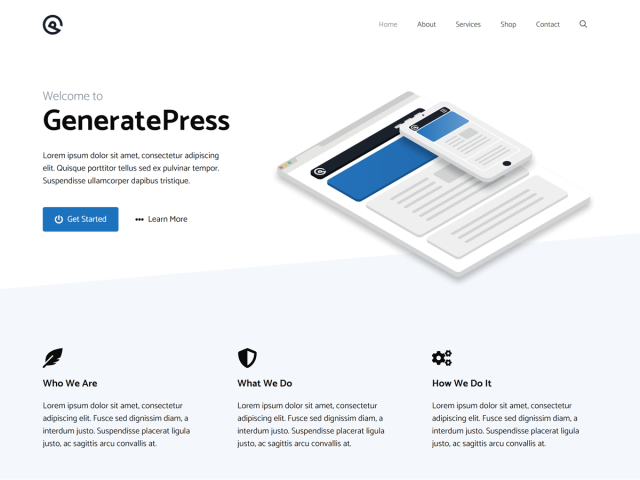
If Astra is the friendly all-rounder, GeneratePress is the performance purist’s dream. This theme focuses on stability and speed above all else. It’s my go-to SEO friendly theme for businesses that rely heavily on search, like niche affiliate sites or content-heavy local business blogs, because Google absolutely loves its clean code.
Key features
- Modular Design: You can disable features you aren’t using to keep the site light.
- Elements Feature (Pro): A powerful hook system that lets you insert content anywhere on your site without code.
- Accessibility Ready: Follows WCAG 2.0 standards strictly (crucial for legal compliance in some regions).
- Local Google Fonts: One-click option to host fonts locally for GDPR compliance and speed.
Pros
- Solid stability; updates rarely break things.
- Stellar support forum (Tom, the developer, is a legend).
- Strong PageSpeed scores are easily achievable.
Cons
- The free version is quite bare-bones compared to Astra.
- Customizing the design requires a steeper learning curve if you aren’t tech-savvy.
Verdict
It might look plain at first glance, but GeneratePress is a powerhouse under the hood. It is the theme you choose when you want a site that will still be fast and stable five years from now. If you care more about passing Core Web Vitals and having a rock-solid foundation than having flashy animations out of the box, GeneratePress is the single best investment you can make for your business’s digital longevity.
3. Divi
Section titled 3. DiviPremium | Speed: 7, Adaptability: 10, Friendliness: 10, Ecosystem: 9 | Overall Score: 9.0/10
Ideal use case: Creative agencies, portfolios, and business owners who are visually oriented and want total control over the design without hiring a developer.
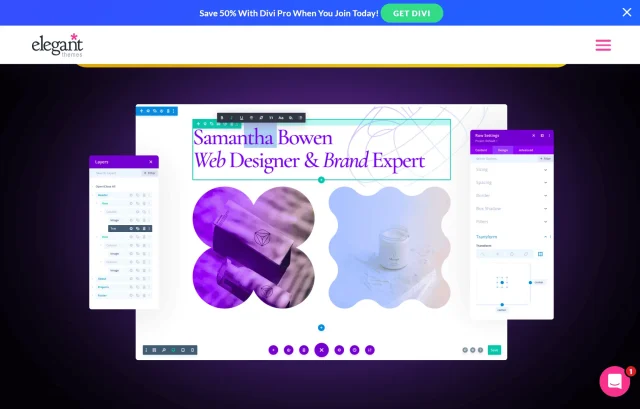
Divi is unique because it isn’t just a theme; it’s a complete visual design framework. It replaces the standard WordPress editor with a visual drag-and-drop system. I have clients who refuse to use anything else because Divi lets them “paint” their website exactly how they want it without knowing a single line of CSS.
Key features
- Visual Builder: What you see is strictly what you get. Edit text right on the page.
- Split Testing: Built-in A/B testing to see which headlines or buttons convert better.
- Layout Library: Thousands of design packs included in the price.
- Global Elements: Change a style once, and it updates across the whole site.
Pros
- Incredible design freedom.
- One-time pricing (lifetime access) offers great value compared to annual subscriptions.
- Huge community of third-party plugins and tutorials.
Cons
- The “Lock-in” Effect: Divi uses “shortcodes.” If you ever switch themes, your content might look like a mess of code until you clean it up.
- Heavier than Astra or GeneratePress; requires good hosting to run fast.
Verdict
Divi is perfect if you want to be your own web designer. Just be aware that once you marry Divi, divorce is messy. It empowers you to build stunning visuals without code, but because it changes the structure of your site significantly, it’s important to always have a backup of your site handy.
4. OceanWP
Section titled 4. OceanWPFree / Premium | Speed: 8, Adaptability: 10, Friendliness: 8, Ecosystem: 9 | Overall Score: 9.2/10
Ideal use case: E-commerce startups and retail stores. If selling products is 80% of what your website does, OceanWP provides the best shopping experience out of the box.
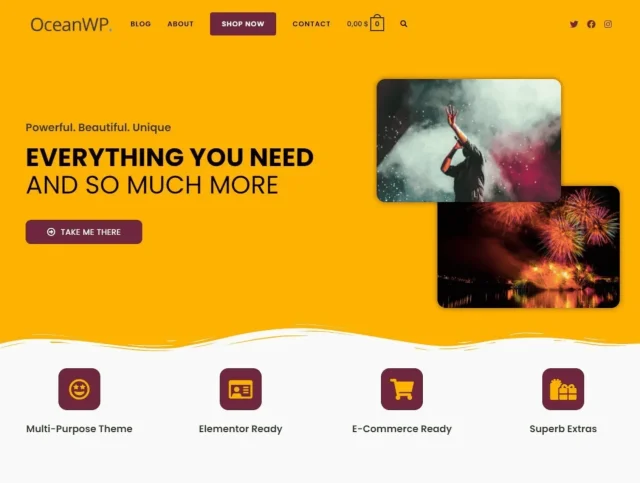
OceanWP carved out a niche by being the “WooCommerce” theme before WooCommerce themes were cool. It offers features in its free version that most other themes charge for. If you are planning to sell physical products, whether it’s handmade jewelry or car parts – OceanWP gives you a professional shop look immediately.
Key features
- Native Cart Popup: Shows a popup when items are added to the cart (usually requires a paid plugin).
- Floating Add to Cart Bar: Great for mobile conversions.
- Quick View: Lets customers see product details without leaving the listing page.
- Extension Bundle: The premium version comes with high-value extensions for sticky headers and side panels.
Pros
- Incredible value in the free version for e-commerce sites.
- Highly customizable mobile view options.
- Works very well with Elementor.
Cons
- Can feel a bit “bloated” with options if you are just running a simple blog.
- The setup wizard is helpful but can be a bit pushy with recommended plugins.
Verdict
For a small business store on a budget, OceanWP is unrivaled. It essentially saves you from buying 3-4 separate WooCommerce plugins by bundling those features directly into the theme. While it might have slightly more code weight than Astra, the trade-off is worth it for the sheer amount of e-commerce functionality you get without having to touch a line of code.
5. Neve
Section titled 5. NeveFree / Premium | Speed: 9, Adaptability: 9, Friendliness: 9, Ecosystem: 9 | Overall Score: 9.4/10
Ideal use case: Local businesses (plumbers, dentists, restaurants) where customers are looking for quick info on a phone. The one-page layout options are great for simple brochures.
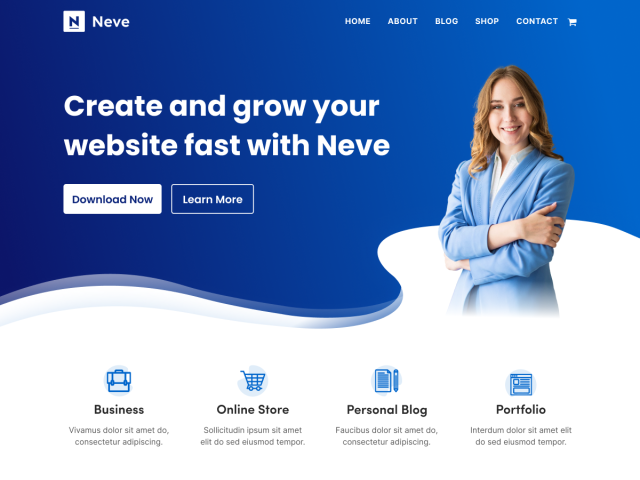
Neve takes a “mobile-first” approach. Since most of your customers will likely visit your site on their phone while standing in line or sitting in a car, this matters. It is incredibly fast and has a very modern, clean aesthetic that fits local service businesses perfectly.
Key features
- AMP Compatible: Optional AMP support for sites that still rely on it, though most businesses will be better served by strong Core Web Vitals alone.
- Header/Footer Booster: Very easy-to-use builder for custom headers.
- Layout Controls: distinct controls for boxed or full-width layouts on a per-page basis.
- One-Page Layouts: excellent support for single-page scroll websites.
Pros
- Setup is incredibly fast (under 5 minutes).
- Very clean code that Google interprets easily.
- White-label option available for agencies.
Cons
- Design style is a bit “minimalist” by default; requires work to make it look unique.
- The free version limits some header styling options.
Verdict
Neve is the pragmatist’s choice. It’s not flashy, but it works perfectly on mobile, which is where your customers are. If your primary goal is to have a site that loads instantly when a customer clicks “Call Now” from Google Maps, Neve delivers. It strips away the nonsense and focuses entirely on speed and utility, making it one of the best free WordPress themes for small business owners who need to be found locally.
When your site goes down, sales go with it
For an online store, even a short outage can mean lost revenue. Having incremental backups in place means your orders and customer data are always recoverable, without needing manual intervention.
6. Kadence
Free / Premium | Speed: 9, Adaptability: 10, Friendliness: 10, Ecosystem: 9 | Overall Score: 9.7/10
Ideal use case: Course creators, membership sites, and anyone who wants a “premium” feel without using a heavy page builder like Divi.
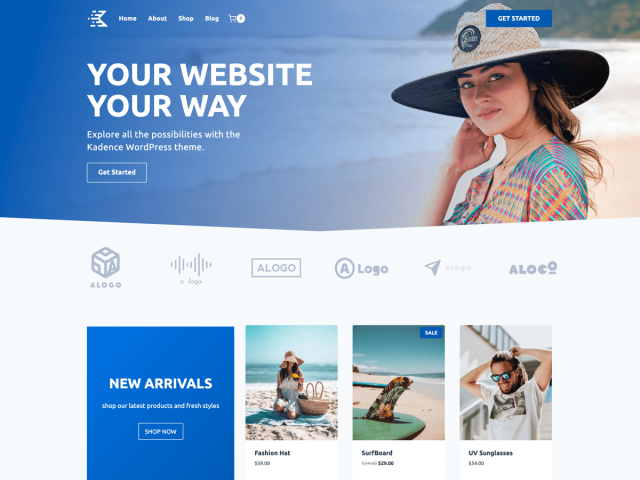
Kadence is the new cool kid on the block, and honestly, it might be my current favorite. It was built specifically for the modern era of WordPress (Gutenberg blocks). Kadence was built with the block editor in mind from the start, rather than retrofitted later. Its header builder is arguably the best in the business, free or paid.
Key features
- Drag-and-Drop Header/Footer: Intuitive and powerful, even allowing different headers for mobile vs. desktop.
- Global Color Palette: Change your brand colors in one spot, and it intelligently applies them everywhere.
- Kadence Blocks: When paired with their Blocks plugin, it rivals Elementor for design capability without the speed penalty.
- Speed: It loads almost as fast as GeneratePress but with more design features enabled.
Pros
- The free version is shockingly generous with features.
- Modern code base ensures longevity.
- Integrating custom fonts and scripts is very easy.
Cons
- The Pro version is a bit pricier than competitors.
- Slight learning curve to understand the “row/section” layout logic.
Verdict
Kadence strikes the perfect balance between fast and pretty, offering a header builder that honestly beats most paid plugins. It feels like a theme built for the future of WordPress, giving you the power of a page builder directly inside the native WordPress editor, which keeps your site lean and mean.
7. Hello Elementor
Section titled 7. Hello ElementorFree | Speed: 9, Adaptability: 8, Friendliness: 7, Ecosystem: 10 | Overall Score: 8.5/10
Ideal use case: Businesses already committed to using Elementor Pro for everything.
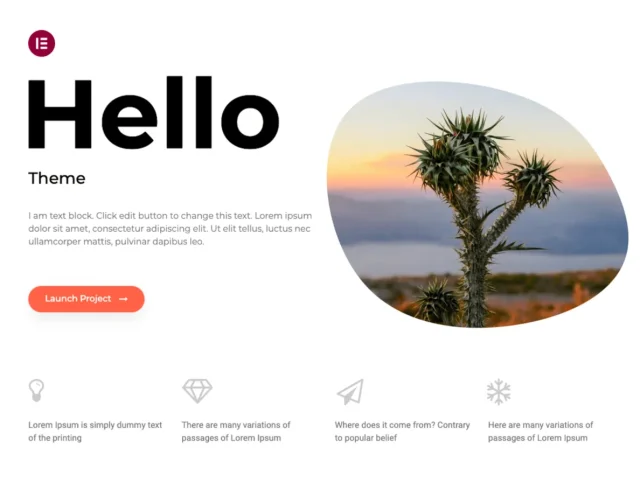
Hello is a stripped-back theme designed explicitly by the team behind Elementor. It has almost no styling of its own. It is effectively a blank canvas. This sounds boring, but if you are building your site entirely using Elementor Pro, it is exactly what you need – no theme settings to conflict with your builder settings.
Key features
- Zero Bloat: It contains only the necessary code to run WordPress and Elementor.
- Perfect Compatibility: It will never break when Elementor updates.
- Fast: Because it’s empty, it loads instantly (until you add your content).
Pros
- Completely free.
- Eliminates “Why can’t I change this header color?” frustration because the theme doesn’t control the header.
Cons
- Useless without the Elementor Page Builder plugin.
- You have to build everything (headers, footers, 404 pages) from scratch.
Verdict
Don’t use this if you want a “theme” in the traditional sense. Use this if you want a blank sheet of paper and have the skills to draw the rest. It is the ultimate choice for total control, ensuring that absolutely no theme styling interferes with your vision, but it requires you to be comfortable building every single part of your site layout manually.
8. SeedProd
Section titled 8. SeedProdPremium | Speed: 8, Adaptability: 7, Friendliness: 10, Ecosystem: 9 | Overall Score: 8.8/10
Ideal use case: Startups, product launches, and lead-generation funnels. If you need a one-page site to collect emails for a product launch, this is the best tool.
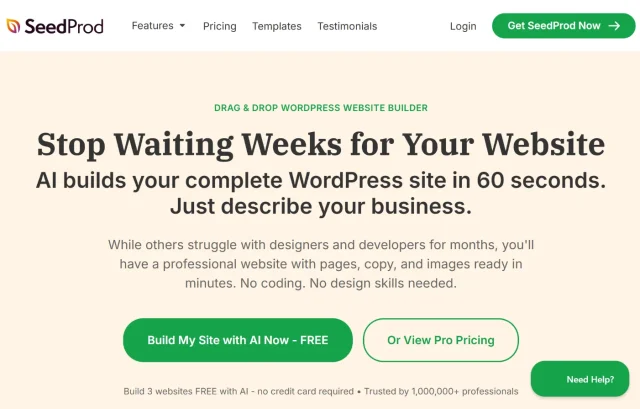
SeedProd started as a “Coming Soon” page plugin but evolved into a full website builder. It’s different from the others because it is technically a plugin that generates your theme. This is fantastic for startups that need to validate an idea quickly with a high-converting landing page before building a massive site.
Key features
- Theme Builder: Drag and drop to build headers, footers, and page templates.
- Coming Soon/Maintenance Mode: The best in the industry, built-in.
- Subscriber Management: Collect emails directly even before your site is fully live.
- Smart Sections: Pre-built headers, calls to action, and FAQ sections.
Pros
- Incredibly easy to use; no design skills needed.
- Built-in email marketing integrations (Mailchimp, ConvertKit, etc.).
- Cannot be “broken” by standard theme updates.
Cons
- Not a traditional theme, so switching away later is harder.
- Can be limiting if you want a massive blog or complex e-commerce site later.
Verdict
The best choice for the “Lean Startup” methodology where speed of implementation beats everything else. While it isn’t a traditional theme, it allows you to bypass the standard WordPress learning curve entirely. If you need to validate a business idea by next Monday, SeedProd gets a landing page up faster than anything else on this list.
9. Avada
Section titled 9. AvadaPremium | Speed: 6, Adaptability: 10, Friendliness: 7, Ecosystem: 10 | Overall Score: 8.9/10
Ideal use case: Corporate businesses, law firms, and hotels that need a “rich” look with complex layouts and don’t mind a steeper learning curve.
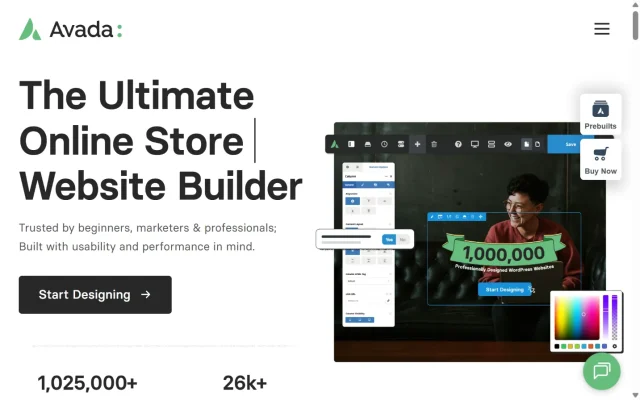
Avada is the #1 selling theme of all time on ThemeForest. It comes with its own builder, slider plugins, and seemingly infinite options. It gets a bad rap for being bloated, but for a business owner who wants a site that looks like a million bucks and comes with every feature included for one price, it’s a strong contender.
Key features
- Fusion Builder: A robust page builder included for free.
- Form Builder: Create complex contact forms without needing a plugin like Gravity Forms.
- Performance Wizard: A newer feature that helps disable unused features to speed up the site.
85+ Pre-built Websites: Industry-specific designs that look very high-end.
Pros
- You rarely need to buy extra premium plugins; Avada includes almost everything.
- One-time purchase fee.
- Very professional, “expensive” looking designs.
Cons
- Heavy code base compared to Astra or Kadence.
- The sheer number of options panel settings can be dizzying.
Verdict
If you want an all inclusive experience where everything is provided, choose Avada. It is a top-seller because it packs incredible value into a one-time price. Just be aware that with great power comes great complexity; ensure you utilize its performance wizards and good hosting to keep it running smoothly, or it can become sluggish.
10. Hestia
Section titled 10. HestiaFree / Premium | Speed: 8, Adaptability: 8, Friendliness: 10, Ecosystem: 9 | Overall Score: 9.1/10
Ideal use case: Creative agencies, freelancers, and startups wanting a modern, one-page vibe.
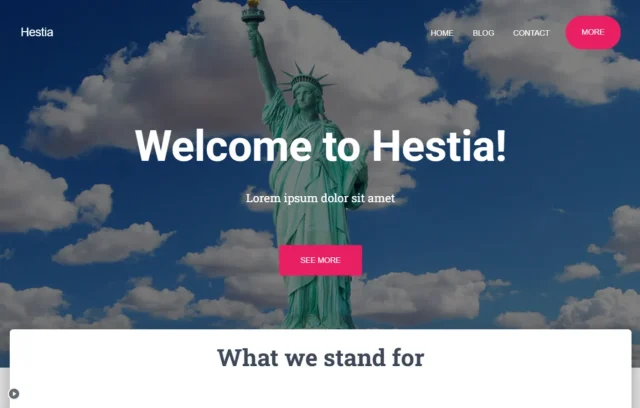
Hestia is a material design theme that looks very slick and modern right out of the gate. It is designed specifically for small businesses and startups. It works as a one-page theme where you scroll down through services, about us, and contact sections, which is a very popular format for modern agencies.
Key features
- Material Design Kit: A distinct look that stands out from the standard “bootstrap” look of other sites.
- Live Customizer: seamless integration with the WordPress customizer.
- Starter Sites: Good selection of business-focused demos.
- Translation Ready: Excellent for businesses in multi-lingual regions.
Pros
- Very easy to set up.
- Looks great on mobile devices due to the card-based design.
Integrating a blog into the one-page layout is smooth.
Cons
- The material design look is distinctive; if you don’t like that style, it’s hard to remove.
- Fewer customization options for the header than Kadence or Astra.
Verdict
A strong option if you want a clean, one-page site that looks polished without much setup. The Material Design style helps it stand out from more traditional business themes, which works well for startups that want something modern without investing in custom design work.
Comparison table
Section titled Comparison tableConclusion
Section titled ConclusionChoosing the right WordPress theme for your small business isn’t about flashy demos or trendy layouts. It’s about picking a solid foundation that supports your content, works reliably with plugins, and won’t hold you back as your site grows.
If you want a safe, flexible starting point, Astra or Kadence are hard to beat. If performance and SEO are your top priorities, GeneratePress is built for exactly that. For getting an online store live quickly, OceanWP offers a lot out of the box. And if you prefer full visual control without touching code, Divi gives you that freedom.
Whichever route you take, remember that a website isn’t a one-time project. It evolves over time, with updates, new content, and the occasional thing that goes wrong. Start with a theme you can trust, protect your work with regular backups using tools like UpdraftPlus, and you’ll end up with a site that supports your business instead of becoming another thing you have to constantly fix.
FAQs
Section titled FAQsWhat is the best WordPress theme for small businesses in 2026?
If you need a balance of features and ease of use, Astra and Kadence are currently the top choices. Both offer “Starter Templates” in their free versions that let you import a full professional business site (for plumbers, lawyers, agencies, etc.) in one click. If you are building an online store, OceanWP is the best free option due to its built-in WooCommerce features.
Do I really need to pay for a premium theme?
Not immediately. Most small businesses can launch successfully using the free version of a reputable theme like Astra or GeneratePress. You should only upgrade to Premium if you need specific advanced features (like sticky headers, mega menus, or priority support). However, buying a premium theme is often cheaper than hiring a developer to code those features for you.
How do I change my WordPress theme without losing my content?
Your text, images, and blog posts are safe—they are stored in the database, not the theme. However, your homepage layout, widgets, and custom menu locations will likely disappear or look “broken” when you switch. Before switching, always install UpdraftPlus and create a full backup. If the new theme messes up your site structure, you can restore your original site in minutes.
Which WordPress theme is best for SEO?
GeneratePress and Astra are widely considered the best themes for SEO because they are lightweight and load incredibly fast – a major ranking factor for Google. They also use clean “schema markup” code, which helps search engines understand your content better. Avoid themes that come pre-packaged with heavy animations or too many built-in plugins, as these can hurt your rankings.
What is the difference between a theme and a page builder?
Think of your theme (like Astra or OceanWP) as the structure of the house. It sets up things like the header, footer, fonts, and overall style.
A page builder (like Elementor or Divi) is more like decorating the inside. It lets you move things around, add sections, and design individual pages without touching code.
Can I use a theme that isn’t updated anymore?
There isn’t a single “best” theme for everyone, but for most small businesses, Astra and Kadence are the safest all-round choices right now. They strike a good balance between performance, flexibility, and ease of use, and both offer free starter templates you can import in one click for common business types like services, agencies, and local trades.
If you’re planning to sell products, OceanWP is still one of the strongest free options thanks to its built-in WooCommerce features, which save you from relying on lots of extra plugins.
About the author

Elvira Mishra
Elvira has over four years of experience creating and designing content in WordPress. Her background spans multiple digital disciplines, including marketing, SEO, user experience, and human computer interaction.
Categories
UpdraftPlus
Get all our premium features. Direct site-to-site migration, incremental backups, back up automatically before updates and a whole lot more.
From just $70 for the year.
More stories
-

Best WordPress themes for law firms
Find a professional WordPress theme for your law firm, whether you need speed, flexibility, or a ready-made legal layout.
-

How to secure a WordPress site (without overcomplicating it)
Learn how to secure your WordPress site with simple steps that protect against attacks, strengthen logins, and keep your data safe.
-
10 best WordPress themes for beauty salons
Here are the best options to help you stand out, look professional, and turn visitors into bookings.
-
Best Google Analytics alternatives for WordPress
Discover the best Google Analytics alternatives for WordPress, including privacy-friendly tools with simpler dashboards and better performance.
