Best hosting company for WordPress: Top providers compared
Choosing the best hosting company for WordPress directly affects your site’s speed, security, and reliability. Get it wrong, and you could be dealing with slow load times, downtime, or frustrating support when something breaks.
With hundreds of WordPress hosting providers competing for attention, it’s easy to feel overwhelmed. Pricing looks similar, features sound impressive, and every company claims to be the fastest. The reality is more nuanced.
There isn’t one “perfect” WordPress host for everyone. The right choice depends on your budget, traffic levels, technical confidence, and long-term plans. In this guide, we compare the top providers for 2026 based on speed, uptime, support quality, and real-world value, so you can choose with confidence.
Note: We are not affiliated with these providers. Rankings are based on performance testing and real-world usage.
Key takeaways
Section titled Key takeaways- Shared hosting and managed WordPress hosting solve very different problems
- Speed and support quality matter more than headline pricing
- Faster TTFB helps both user experience and SEO
- Hosting backups alone aren’t enough – you should always take your own backups
What is the best hosting company for WordPress in 2026?
Section titled What is the best hosting company for WordPress in 2026?If you’re short on time, here’s the quick answer:
- Best overall balance: SiteGround
- Best budget option: Hostinger
- Best premium managed hosting: Rocket.net
- Best for agencies: WP Engine
- Best for developers: Cloudways
There isn’t one single “best” host for everyone. The right choice depends on your budget, traffic levels, and how hands-on you want to be.
Shared vs. managed hosting
Section titled Shared vs. managed hostingBefore we dive into specific names, we need to clarify the two main categories you will encounter. This distinction is one of the biggest factors in pricing and performance.
Shared hosting (The budget choice)
Section titled Shared hosting (The budget choice)Imagine living in a large apartment complex. You have your own flat, but you share the water supply, the parking lot, and the noise with hundreds of neighbors. If one neighbor throws a massive party (gets a spike in traffic), your water pressure might drop (your site slows down).
Shared hosting is incredibly affordable, often starting under $3–$5 a month. It is fantastic for:
- Personal blogs
- Small portfolios
- First-time site owners learning the ropes
Managed WordPress hosting
Section titled Managed WordPress hostingNow imagine living in a serviced condo. You have a concierge, maintenance is handled instantly, and the infrastructure is built specifically for your lifestyle. Managed hosting providers configure their servers specifically for WordPress. They handle caching, update the PHP versions automatically, and offer tighter security.
This costs more, usually starting around $15–$30 a month, but it pays for itself in time saved and peace of mind. It is ideal for:
- Business websites
- E-commerce stores (WooCommerce)
- High-traffic blogs
- Agencies managing client sites
The methodology
Section titled The methodologyBefore I throw names and prices at you, it is important you understand how I evaluated these companies. Opinions vary, but the technical specs don’t lie. I tested each of these hosts against five critical performance standards:
- Speed (TTFB): Time to First Byte. This measures how long the server takes to “think” before sending data to a visitor’s browser. Ideally, this should be under 200ms.
- Uptime Reliability: Your site needs to be online 24/7. I looked for hosts that consistently deliver above 99.9% uptime (less than 9 hours of downtime per year).
- Support Quality: I tested this by asking technical questions. “Good” support isn’t just polite; it’s technical staff who can fix a PHP error without escalating the ticket three times.
- Ease of Use: How intuitive is the dashboard? Can a non-technical user install an SSL certificate or restore a backup without a manual?
- Price-to-Value: Not just the cheapest price, but what you get for that money. Does the $5 plan perform like a $20 plan?
If this all feels a bit technical at first, don’t worry. If you’re at the stage of choosing a hosting provider, you probably already have a clear idea of what your website is for and how you want it to look and feel and that’s most of the hard work done.
From here, it’s about picking a host that fits your site’s needs. Once that foundation is in place, you can focus on things like the best themes and plugins to shape how your site looks, works, and grows.
The best hosting company for WordPress
Section titled The best hosting company for WordPressI’ve tested and worked with a wide range of WordPress hosts over the years. Below are the six that consistently stand out for reliability, speed, and support, scored against our rigorous metrics.
1. SiteGround
Section titled 1. SiteGroundSpeed: 9/10 | Uptime: 10/10 | Support: 10/10 | Ease of Use: 9/10 | Value: 8/10 Overall Score: 9.2/10 | Price: Starts ~$2.99/mo
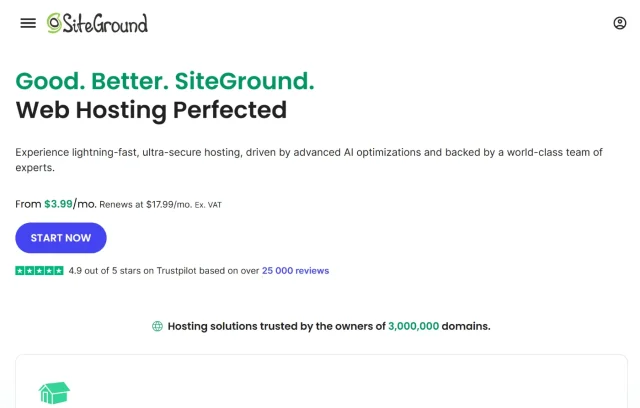
If you ask ten developers for their favorite pick for a balanced budget, most of them will likely say SiteGround. They occupy a sweet spot between shared and managed hosting, offering Google Cloud infrastructure even on their lower-tier plans. They have successfully bridged the gap between affordability and premium performance.
Key features
- Built on Google Cloud Platform for superior speed
- Custom “Site Tools” dashboard
- Free daily backups and free email accounts
- Custom Security and Speed
- Optimizer plugins pre-installed
Pros
- Support is legendary; nearly instant chat response times
- Servers are highly optimized specifically for WordPress
- Free SSL and CDN configuration is automatic
- Staging environment available on GrowBig plans and up
Cons
- Renewal prices are significantly higher (often 3x) than introductory rates
- Storage space is capped (10GB-40GB), which may limit media-heavy sites
- Strict CPU limits can temporarily take your site offline if you get a massive viral spike
Verdict
SiteGround is the safe bet. If you want a host that balances performance, ease of use, and support perfectly, this is it. It’s ideal for users who want to graduate from cheap hosting but aren’t ready for $30/month enterprise plans.
2. Hostinger
Section titled 2. HostingerSpeed: 8/10 | Uptime: 9/10 | Support: 7/10 | Ease of Use: 9/10 | Value: 10/10 Overall Score: 8.6/10 | Price: Starts ~$1.99/mo

For a long time, cheap hosting meant bad hosting. Hostinger changed that narrative. They offer incredibly low prices but manage to provide excellent speeds thanks to their use of LiteSpeed servers. They are the barrier-to-entry smashers of the industry, proving you don’t need a massive budget to launch a fast site.
Key features
- LiteSpeed Web Server technology (faster than traditional Apache)
- Automatic WordPress installation wizard
- Data centers in US, Europe, Asia, and South America
- AI Website Builder included
Pros
- Unbeatable introductory pricing for long-term contracts (48 months)
- Surprisingly fast performance for shared hosting
- Modern, clean, and intuitive custom dashboard (hPanel)
- 24/7 chat support is helpful and generally accessible
Cons
- Support can be slower to respond than SiteGround (15-20 min waits are possible)
- No phone support available; chat only
- Daily backups are locked behind higher-tier plans (Entry plan is weekly only)
Verdict
Hostinger is the best budget hosting company for WordPress. It is perfect for personal blogs, portfolios, or validating a business idea before investing heavily.
3. WP Engine
Section titled 3. WP EngineSpeed: 10/10 | Uptime: 10/10 | Support: 10/10 | Ease of Use: 8/10 | Value: 7/10 Overall Score: 9.0/10 | Price: Starts ~$20/mo
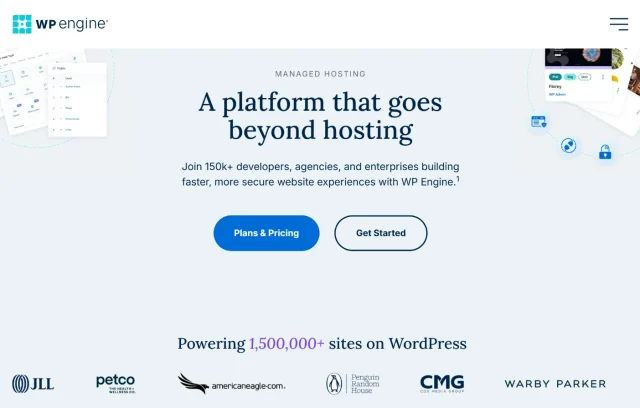
WP Engine is strictly a managed WordPress host. They don’t do email hosting or generic domain parking; they just do WordPress, and they do it exceptionally well. If your site makes money, whether through leads or e-commerce – this is the gold standard for peace of mind.
Key features
- Proprietary “EverCache” technology for massive scalability
- Threat detection and blocking at the server level
- One-click staging and development environments
- Automated WordPress and PHP updates
Pros
- Incredible speed without needing complex configuration
- If your site gets hacked, they fix it for free
- “Local” development tool makes building offline easy
- Support staff are actual WordPress experts, not just script-readers
Cons
- Expensive compared to shared hosting
- Disallows certain plugins (like some backup or caching plugins) that conflict with their system
- No email hosting included (you must pay for Google Workspace or similar separately)
Verdict
WP Engine is the premium choice. It is expensive, but it buys you time. You stop worrying about the server and focus entirely on your business.
4. Rocket.net
Section titled 4. Rocket.netSpeed: 10/10 | Uptime: 10/10 | Support: 10/10 | Ease of Use: 9/10 | Value: 9/10 Overall Score: 9.6/10 Price: Starts ~$30/mo
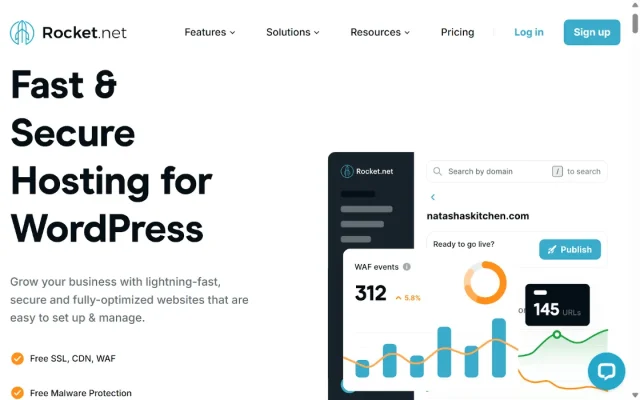
Rocket.net is the fastest-growing managed host. While many hosts talk about performance, Rocket.net integrates directly with Cloudflare Enterprise at the deepest level. This means your website isn’t just hosted on a server; it is delivered from edge networks right next to your visitors, no matter where they are in the world.
Key features
- Cloudflare Enterprise CDN built-in (usually costs $200+/mo separately)
- No strict “PHP Worker” limits
- Real-time malware protection and patching
- 20+ edge locations delivering your site instantly anywhere in the world
Pros
- Consistently the fastest TTFB in independent benchmarks
- Dashboard is incredibly simple and modern
- Support is often cited as the friendliest and most technically capable in the industry
Cons
- Higher starting price point (no “cheap” entry tier)
- Storage limits are relatively strict on lower plans
- No email hosting included
Verdict
Rocket.net is the modern alternative to the “old guard” of managed hosting. If you want the raw speed of Cloudflare Enterprise without needing a degree in server management to set it up, this is the best WordPress hosting option for high-performance sites.
Don’t gamble with your website data
Hosting backups are useful, but they shouldn’t be your only safety net. UpdraftPlus Premium lets you run automatic, off-site backups to services like Dropbox and Google Drive, and makes it easier to move your site if you ever need to change hosts.
5. Bluehost
Section titled 5. BluehostSpeed: 7/10 | Uptime: 8/10 | Support: 8/10 | Ease of Use: 10/10 | Value: 8/10 Overall Score: 8.2/10 | Price: Starts ~$2.95/mo
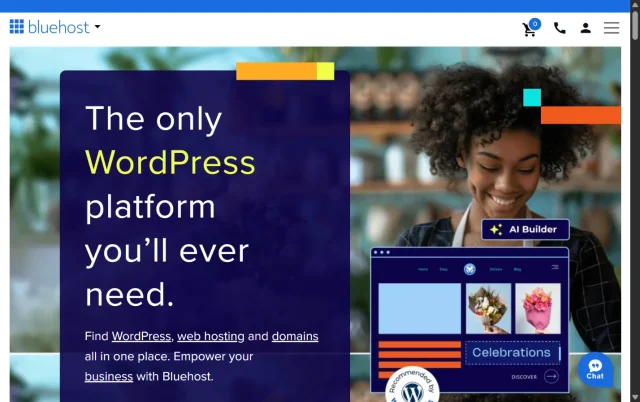
Bluehost is one of the “big 3” hosts officially recommended by WordPress.org. They have been around since the dinosaurs and power over 2 million websites. They have recently revamped their interface to be much more modern and user-friendly.
Key features
- Official WordPress.org recommendation
- WonderSuite (a set of onboarding tools to help you build a site faster)
- Free domain name for the first year
- Built-in marketplace for themes and plugins
Pros
- Incredibly easy onboarding flow; perfect for non-techies
- Integration with Google Workspace is seamless
- Very affordable introductory pricing
- 24/7 phone support is standard on all plans
Cons
- Heavily upsells add-ons during checkout
- Speed is “good enough” but generally slower than SiteGround or Hostinger
- Automated backups are not included in the basic “Choice Plus” tier (only higher tiers)
Verdict
Bluehost is where most people start because it is accessible, standard, and easy. If you just want to get a standard site up with zero friction, Bluehost is a reliable partner.
6. Cloudways
Section titled 6. CloudwaysSpeed: 9/10 | Uptime: 9/10 | Support: 7/10 | Ease of Use: 6/10 | Value: 9/10 Overall Score: 8.0/10 | Price: Starts ~$11/mo
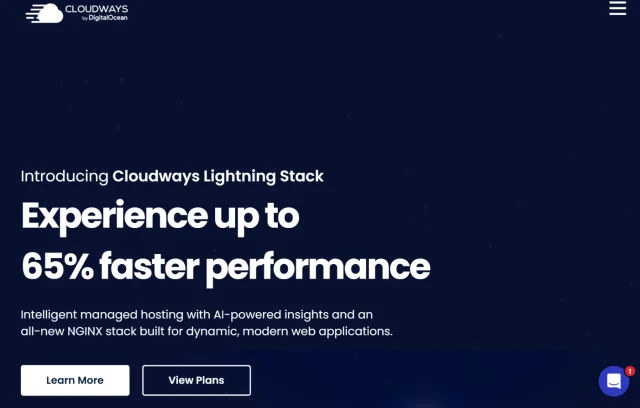
Cloudways is unique. It isn’t a host in the traditional sense; it is a control panel that lets you rent space on giant cloud providers like DigitalOcean, AWS, or Google Cloud, but without needing a degree in computer science to manage it. You get the raw power of the cloud with a friendly interface.
Key features
- Choose your infrastructure: DigitalOcean, AWS, or Google Cloud
- Pay-as-you-go pricing
- Unlimited websites on a single server
- Vertical scaling (increase server size with one click)
Pros
- Performance is often superior to shared hosting for the same price
- Transparent pricing with no massive renewal hikes
- You can host 10 small sites on one $14 server easily
- Dedicated firewalls and regular security patching
Cons
- No domain registration and no email hosting
- Slightly steeper learning curve than shared hosting
- Support is good but expects you to have some basic technical knowledge
Verdict
Cloudways is one of the strongest WordPress hosting providers for freelancers managing multiple client sites. If you run an agency and need more structured comparisons, see our full guide to the best WordPress hosting for agencies.
Comparison table
Section titled Comparison tableCrucial features you might overlook
Section titled Crucial features you might overlookWhen you are scanning the pricing tables, it is easy to miss the things that actually matter day-to-day.
1. One-Click staging
Section titled 1. One-Click stagingI mentioned this earlier, but it bears repeating. As your site grows, you will want to test new themes or major updates. Doing this on your live site is terrifying. A staging environment turns this into a risk-free playground. If a host doesn’t offer this, you will eventually regret it.
2. SSL certificates
Section titled 2. SSL certificatesIn 2026, an SSL certificate (the little padlock in the browser bar) is non-negotiable. Google punishes sites without it. All the hosts listed above include this for free. Never choose a host that charges extra for SSL.
3. Malware scanning and removal
Section titled 3. Malware scanning and removalSome hosts will tell you if you are hacked, but charge you $$$ to fix it. Others, like WP Engine, include a “hack fix guarantee” in their price. If you are not a security expert, that guarantee is worth its weight in gold.
However, prevention is always better than cure. While a host’s firewall is great, adding a layer of security at the application level helps block login attempts and brute force attacks before they even stress the server.
Lock down your login
Exposed admin pages are the easiest way in for brute force attacks. AIOS hides your login, adds two-factor authentication, and blocks repeated login attempts automatically.
Conclusion
Section titled ConclusionIt’s about matching a host’s strengths to where your site is right now and where you expect it to go next.
- Just starting out? Go with Hostinger or Bluehost. Low risk, easy entry.
- Growing a business? SiteGround is your best friend.
- Running an empire? WP Engine or Rocket.net are the heavy lifters you need.
- Tech-savvy freelancer? Cloudways offers the flexibility you crave.
Choose a hosting provider that gives you room to grow, solid support when things break, and the reliability you need to sleep soundly at night.
Whatever host you choose, one rule always applies: keep control of your own backups. A good host combined with a tool like UpdraftPlus gives you a dependable safety net, so your site isn’t tied to a single provider and you’re protected if something goes wrong.
FAQs
Section titled FAQsWhat is the difference between shared and managed WordPress hosting?
With shared hosting, your site lives on a server alongside lots of others and shares the same resources. It’s affordable and works well for smaller sites, but performance can dip if another site on the server suddenly gets busy.
Managed WordPress hosting is more hands-off. The servers are tuned specifically for WordPress, and things like caching, security, updates, and backups are handled for you. It costs more, but saves time and usually delivers more consistent performance.
Can I host a WordPress site for free?
Technically, yes. There are free hosting providers, free WordPress.com plans, and the option to run WordPress on your own server if you have the technical skills. However, free setups usually come with trade-offs like limited performance, weaker security, restricted support, or forced branding. If your site is for a business or handles important data, a reputable low-cost host is generally a more reliable and secure choice.
Which hosting provider is the fastest for WordPress?
Rocket.net and WP Engine consistently deliver the fastest Time to First Byte (TTFB) because of their premium cloud infrastructure and server-level caching. However, for a lower budget, SiteGround is surprisingly fast due to their custom PHP setup and Google Cloud integration.
Will I lose my website data if I switch hosting providers?
Not if you do it correctly. Most premium hosts like SiteGround offer free, automated migration tools to move your site without downtime. To be 100% safe, I always recommend creating your own off-site backup using a tool like UpdraftPlus before starting any move, just so you have a personal safety net.
Do all WordPress hosts include email accounts?
No, and this often surprises people. Shared hosts like SiteGround, Bluehost, and Hostinger usually include email accounts as part of the package. Managed WordPress hosts such as WP Engine don’t offer email hosting, so you’ll need a separate service like Google Workspace or Outlook.
What happens if my website gets a sudden viral traffic spike?
On shared hosting, a sudden traffic spike can slow your site down or even take it offline temporarily. Managed and cloud-based hosts like Cloudways are better equipped to handle spikes and may scale resources automatically, sometimes with a small extra charge for the increased usage.
Do I really need an SSL certificate for a small blog?
Yes. Browsers like Chrome now warn visitors when a site doesn’t use SSL, which can put people off and harm your SEO. The good news is that all the hosts mentioned here include free SSL certificates, so there’s no reason to skip it.
Is it difficult to upgrade my hosting plan later?
Not at all. Hosting companies want you to grow! Upgrading from a “StartUp” to a “GrowBig” plan is usually as simple as clicking a button in your dashboard and paying the difference. You rarely need to move files or change settings manually; the host unlocks the extra resources instantly.
What is the best hosting company for WordPress?
There isn’t a single provider that’s best for everyone. For budget sites, Hostinger offers strong value. For growing businesses, SiteGround balances performance and price. For high-traffic or revenue-driven sites, WP Engine and Rocket.net deliver premium speed and reliability. The best choice depends on your site’s size, traffic, and growth plans.
About the author

Elvira Mishra
Elvira has over four years of experience creating and designing content in WordPress. Her background spans multiple digital disciplines, including marketing, SEO, user experience, and human computer interaction.
Categories
UpdraftPlus
Get all our premium features. Direct site-to-site migration, incremental backups, back up automatically before updates and a whole lot more.
From just $70 for the year.
More stories
-

The Best WordPress plugin to clean up old themes
Unused themes can clutter your WordPress site. Here’s a simple way to remove them safely and keep things tidy.
-

World Backup Day: if your site disappeared, would you be ready?
Take five minutes to make sure your WordPress site is backed up and ready to restore.
-

Best WordPress themes for law firms
Find a professional WordPress theme for your law firm, whether you need speed, flexibility, or a ready-made legal layout.
-

How to secure a WordPress site (without overcomplicating it)
Learn how to secure your WordPress site with simple steps that protect against attacks, strengthen logins, and keep your data safe.
