Best spam protection plugins for WordPress
If you run a WordPress site, you’ve probably had this moment: you log in hoping for genuine comments or new enquiries, only to find a wall of spam waiting for you. It’s frustrating, and after a while it stops being just an inconvenience. Spam fills up your database, slows down your site, confuses your analytics, and makes your content look less trustworthy to real visitors.
The good news is that the way we deal with spam is changing. Those clunky “I’m not a robot” checkboxes are slowly disappearing, replaced by invisible tools that can spot a bot long before a human ever notices.
In this guide, I’ll walk you through the spam protection plugins that are actually worth using today. Not just a list, but a breakdown of what each plugin is good at, who it suits, and how to choose the right one for your site.
Key takeaways
Section titled Key takeaways- Modern spam protection tools now work invisibly in the background, blocking bots without interrupting genuine visitors.
- Spam affects far more than comments, so it’s important to choose tools that also protect login pages, registration forms, contact forms, and even WooCommerce checkouts.
- Many site owners are moving toward all-in-one security solutions, which combine spam protection, login security, and firewall features in one lightweight security plugin.
My methodology
Section titled My methodologyTo make this list genuinely useful, I rated each spam protection plugin on five key metrics. This way, you can see why a plugin is recommended and find the one that matches your priorities. Here are the metrics I used:
- Effectiveness: How well does it actually block spam? Does it have a high rate of false positives (blocking real comments)?
- Ease of use: Can you set it and forget it or does it require a complicated API key and constant fine-tuning?
Performance impact: Is it a lightweight, lean plugin, or is it a bloated resource hog that will slow down your site? - Privacy (GDPR): Does it process everything locally on your server (great for privacy) or does it send user IPs and comment data to an external cloud?
- Protection scope: Does it only protect comments, or does it also cover registration forms, login pages, contact forms, and WooCommerce?
Spam protection is only one part of setting up a solid WordPress site. If you’re just getting started, it’s worth taking a look at my lists of must-have WordPress plugins for blogs and recommended themes. They’ll help you cover the essentials and get everything in place from the beginning.
The best WordPress spam protection plugins
Section titled The best WordPress spam protection pluginsAlright, let’s get to the list. I’ve broken this down into the “Dedicated Spam Blockers” and the “All-in-One Security Suites” so you can find the right tool for the job.
The dedicated spam blockers
Section titled The dedicated spam blockersThese plugins have one job and one job only: to seek and destroy spam.
1. Antispam Bee
Section titled 1. Antispam BeeFree | Effectiveness: 4/5 | Ease of Use: 5/5 | Performance: 5/5 | Privacy: 5/5 | Scope: ⅖
Ideal use case: Personal bloggers, hobbyists, or any website owner in the E.U. (or with E.U. traffic) who prioritizes privacy and GDPR compliance above all else.
Antispam Bee is the plugin I recommend to all my friends with personal blogs. It’s 100% free and 100% GDPR compliant. It does all its processing locally on your server. It doesn’t send your visitors’ IP addresses or comment data to any third-party cloud. This is a massive win for privacy. It works out of the box, using a smart combination of techniques like checking comment time, BBCode, and validating IP addresses.
Key features
- Completely free for personal and commercial use
- No external servers, making it 100% GDPR compliant
- Blocks or allows comments from specific countries
- Validates the IP address of commenters
- Can trust approved commenters and commenters with a Gravatar
Pros
- The best for privacy, period
- Zero cost, forever
- Very lightweight and won’t slow your site down
Cons
- It only protects comments. It does not protect login forms, registration forms, or most contact forms.
- Its detection, while good, is not as powerful as the cloud-based engines of Akismet or CleanTalk.
Final verdict
If your main issue is comment spam and privacy is a priority, Antispam Bee is a great fit. For sites that rely on user registrations or have more complex spam points, you may want a tool that offers broader protection.
2. CleanTalk
Section titled 2. CleanTalkPremium | Effectiveness: 5/5 | Ease of Use: 5/5 | Performance: 4.5/5 | Privacy: 2/5 | Scope: 5/5
Ideal use case: Businesses, e-commerce stores, and membership sites that cannot afford to have any spam slip through.
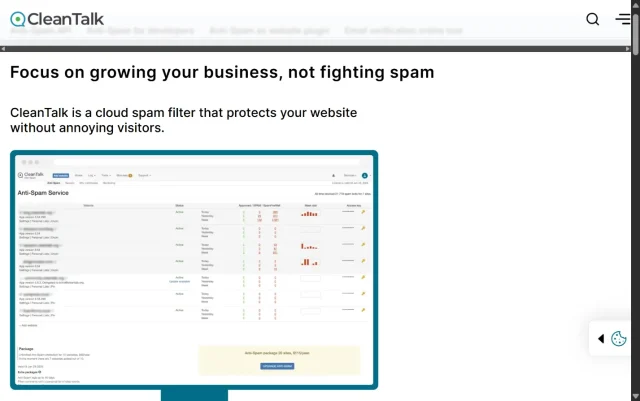
CleanTalk is my go-to premium solution when a client must stop all spam everywhere. It’s a cloud-based service that protects everything. It’s incredibly effective because it analyzes user behavior, not just content. It checks for things like form submission time (bots are too fast) and runs email, IP, and domain checks against its massive, constantly updated blacklist. It’s also completely invisible to users. No CAPTCHAs, no questions, no friction.
Key features
- Stops spam on comments, registrations, forms, and WooCommerce
- ‘SpamFireWall’ feature blocks known spambots before they even load your page, saving server resources
- Checks for existing spam comments and users
- Real-time email address validation
- Detailed logs of all blocked attempts
Pros
- Arguably the most effective spam blocker on the market
- Protects your entire site, not just one part of it
- The SpamFireWall feature is excellent for performance
Cons
- It’s a paid service
- It relies 100% on its cloud service, so it sends user data to external servers. Not ideal for strict GDPR compliance.
Final verdict
If you’re running a business site and deal with spam across multiple areas, CleanTalk is a strong option. It cuts down on manual moderation and tends to be reliable enough that you don’t have to think about spam at all. The low yearly cost is usually easy to justify for the time it saves.
3. Akismet Anti-spam
Section titled 3. Akismet Anti-spamFreemium | Effectiveness: 4.5/5 | Ease of Use: 3/5 | Performance: 4/5 | Privacy: 2/5 | Scope: ⅘
Ideal use case: Personal bloggers who don’t mind setting up a WordPress.com account and want a simple, integrated solution.

Akismet is the “OG” of spam protection. It’s made by Automattic and comes pre-installed on most WordPress setups. It works by sending every comment and form submission to its global cloud database to check it against billions of spam samples.
When it works, it works well. But it has two major drawbacks. First, it requires an API key, which you get by signing up for a WordPress.com account, which is a hassle. Second, it’s only free for personal blogs. If your site is commercial (e.g., you run ads, sell anything), you are technically required to buy a paid plan.
Key features
- Checks comments and contact form submissions
- Global database of spam learns and improves constantly
- A “discard” feature that outright blocks the worst spam to save disk space
- Integrates with major form plugins like Jetpack Forms
Pros
- The gold standard and highly effective
- Deeply integrated into the WordPress ecosystem
Cons
- The setup process (getting an API key) is annoying
- Confusing and often hidden pricing for commercial sites
- Like CleanTalk, it sends all your comment data to an external server
Final verdict
Akismet is powerful, but I find it a bit dated. For a free, privacy-focused alternative, Antispam Bee is better. For a more powerful, transparently-priced premium option, CleanTalk is better. Akismet sits in an awkward middle ground.
4. WP Armour – Honeypot Anti Spam
Section titled 4. WP Armour – Honeypot Anti SpamFree | Effectiveness: 3.5/5 | Ease of Use: 5/5 | Performance: 5/5 | Privacy: 5/5 | Scope: ⅘
Ideal use case: Anyone who wants a simple, lightweight, and invisible solution and finds that most of their spam is from basic bots.
WP Armour is a perfect example of work smarter, not harder. It uses a “honeypot,” which is one of my favorite anti-spam techniques. It works by adding an invisible field to your forms (comments, registration, etc.). Humans can’t see this field, so they leave it blank. But spam bots, which are dumb scripts, just see a list of fields and fill them all out. When the plugin sees that the invisible field has been filled in, it knows 100% it’s a bot and blocks the submission. It’s brilliant, simple, and has zero impact on your human users.
Key features
- Uses the invisible honeypot technique
- Protects comments, registrations, and popular forms
- No CAPTCHAs, no questions, no user friction
- Processes everything locally, great for performance and privacy
Pros
- Extremely lightweight and fast
- Great for user experience (completely invisible)
- Privacy-friendly (no external servers)
Cons
- It will not stop human spammers (people paid to manually fill out forms)
- Smarter bots are learning to detect and ignore honeypot fields
Final verdict
It’s a solid first layer of protection, and because it’s so lightweight, it’s an easy one to test out. It also works well alongside other spam-blocking methods if you need more coverage.
5. WordPress Zero Spam
Section titled 5. WordPress Zero SpamFree | Effectiveness: 3.5/5 | Ease of Use: 5/5 | Performance: 5/5 | Privacy: 5/5 | Scope: ⅘
Ideal use case: Site owners using multiple different form plugins (like Divi, WPForms, etc.) who want a single, invisible, lightweight plugin to protect them all.
WordPress Zero Spam is another great honeypot-style plugin, similar to WP Armour but with a few extra tricks. It uses a combination of the honeypot method and JavaScript-based validation. The idea is that most spam bots don’t render JavaScript. The plugin’s script validates the submission, and if the script doesn’t run, the submission is blocked.
Key features
- Uses honeypot and client-side JavaScript validation
- No CAPTCHAs, no moderation queues
- Integrates with dozens of popular form and membership plugins
- Blocks IPs of known spammers
Pros
- Incredibly lightweight
- Broad plugin integration
- Completely free and privacy-focused
Cons
- Useless against manual human spam
- Some caching or JavaScript optimization plugins can interfere with it if not configured correctly
Final verdict
A top-tier free option. If WP Armour doesn’t cover all your forms, WordPress Zero Spam probably will.
The All-in-One Security Suites
Section titled The All-in-One Security SuitesWhy install a dedicated plugin for just spam when you can get spam protection as part of a complete security system? This is often the smartest, most lightweight approach.
6. All-in-One Security (AIOS)
Section titled 6. All-in-One Security (AIOS)Freemium | Effectiveness: 5/5 | Ease of Use: 4/5 | Performance: 5/5 | Privacy: 4/5 | Scope: 5/5
Ideal use case: Pretty much everyone. From beginners to experts, if you want one plugin to handle all your security including spam, this is it.
AIOS is a great fit for most WordPress sites because it brings a lot of important security features together in one place. It includes a solid firewall, login and registration protection, and built-in tools to help prevent spam, which makes it a reliable all-round option if you want everything handled by a single plugin.
While tools like Akismet focus purely on filtering comments, AIOS takes a broader approach. It blocks spam comments, fake logins, and registration bots, all without adding unnecessary load to your site.
For spam, it gives you multiple tools. You can automatically block IPs that leave spam comments. You can enable invisible CAPTCHA options like Google reCAPTCHA v3 or, even better, Cloudflare Turnstile, which is the modern, privacy-first, invisible successor to reCAPTCHA. It also protects your login and registration forms from bot signups, which is a huge source of spam that dedicated comment plugins ignore.
Key features
- Comprehensive Spam Protection: Blocks comment spam, registration spam, and login spam
- Modern CAPTCHA: Integrates with invisible, privacy-first Cloudflare Turnstile
- Complete Security Suite: Includes a WAF (Web Application Firewall), login lockdown (brute force protection), file integrity scanning, and 2FA
- Lightweight: It’s designed to be a complete security solution without the bloat of other mega-suites
Pros
- Incredible value. It replaces 3-4 other plugins (firewall, login security, spam)
- Uses modern, invisible, and privacy-friendly tech (Turnstile)
- Stops spam at all entry points (comments, login, registration)
- Very lightweight for how much it does
Cons
- May feel a bit more involved to set up compared to simple, single-purpose spam plugins
Final verdict
This is the smart, efficient choice. You get best-in-class spam protection as part of a complete, lightweight security system. For anyone who wants lightweight protection that does more than just stop spam, AIOS is a solid choice.
Ready for total website security?
AIOS helps block spam, protect logins, and add firewall protection – all from one lightweight plugin.
7. WP Cerber Security, anti-spam & malware scan
Section titled 7. WP Cerber Security, anti-spam & malware scanFreemium | Effectiveness: 4.5/5 | Ease of Use: 3/5 | Performance: 3.5/5 | Privacy: 3/5 | Scope: 5/5
Ideal use case: Tech-savvy users, developers, and site admins who want granular control and detailed logs of all security and spam activity.

WP Cerber is a security-first plugin that takes spam very seriously. It has one of the most robust anti-spam and anti-bot engines out there. It protects comments, registrations, and all your forms.
It uses a combination of invisible reCAPTCHA, its own anti-spam honeypot, and advanced bot detection that analyzes user behavior. It also has a powerful “Traffic Inspector” that lets you see exactly what bots are doing on your site in real-time. It’s powerful, but it’s geared more toward a power-user or admin who likes to see the data and tweak settings.
Key features
- Advanced bot detection for comments, registrations, and forms
- Invisible reCAPTCHA and honeypot support
- Protects against brute-force and DoS attacks
- “Traffic Inspector” logs all bot and human activity
Pros
- Extremely powerful and configurable
- The Traffic Inspector is a fantastic tool for “seeing” bot traffic
- Protects all site entry points
Cons
- The interface is complex and not beginner-friendly
- Can be overkill and too resource-heavy for a simple blog
Final verdict
If you’re a developer or power user who wants to build a fortress and see every single attack, you’ll love WP Cerber. If you’re a beginner, you’ll be overwhelmed.
8. Stop Spammers
Section titled 8. Stop SpammersFreemium | Effectiveness: 4.5/5 | Ease of Use: 2/5 | Performance: 3/5 | Privacy: 3/5 | Scope: 5/5
Ideal use case: Sites under a massive and specific attack (e.g., from a certain country) that need aggressive blocking measures.
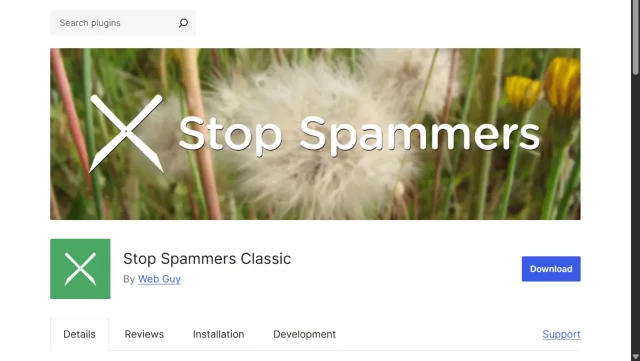
Stop Spammers is aggressive. It’s less of a scalpel and more of a hammer. It works by checking all spam attempts (comments, logins, forms) against a huge list of known spammer IPs, emails, and usernames from services like StopForumSpam. The main downside is that its aggressiveness can lead to false positives, where it blocks a real user.
Key features
- Checks against multiple third-party spammer blacklists
- Blocks spam in comments, forms, and logins
- Can block entire countries or disposable email providers
- Includes built-in honeypot and CAPTCHA options
Pros
- Highly aggressive and effective at blocking known offenders
- Very configurable for specific types of attacks
Cons
- High risk of false positives (blocking real people)
- The interface is a bit of a mess, with almost too many options
- Can be resource-intensive due to all the checks
Final verdict
This is a power tool for a desperate situation. It’s not a set it and forget it plugin. Use it if you know what you’re doing and other solutions have failed.
Comparison table
Section titled Comparison tableStop patching, start protecting
Too many plugins? AIOS combines essential protection into one lightweight solution. Secure your whole site, not just one part.
The future of WordPress spam protection
Section titled The future of WordPress spam protectionThe game of cat-and-mouse between spammers and developers is always evolving. Here’s where things are headed, and what you should be looking for in 2025 and beyond:
- The death of the CAPTCHA: Users are done proving they’re human. Visible CAPTCHAs are frustrating, slow, and bad for accessibility. The future is 100% invisible.
- The rise of invisible challenges: Invisible spam checks are becoming the norm, but not all of them work the same way. Some tools look at things like mouse movements or browsing patterns to score how “human” someone is, which can raise privacy concerns. Others, like Cloudflare Turnstile (supported in AIOS), offer invisible protection without that level of tracking. As privacy expectations grow, lighter-touch, low-data solutions are likely to lead the way.
- AI and behavioral analysis: Simple keyword filters and IP blacklists are no longer enough. The next generation of spam filters uses machine learning to analyze the context and behavior of a submission, not just the content. This is how services like CleanTalk and Akismet stay effective against new, smarter spam.
- Consolidation is key: Why have 5 separate plugins for security? The trend is moving toward lightweight, comprehensive suites like AIOS that handle your firewall, login security, and spam protection in one efficient package. It’s cleaner, faster, and easier to manage.
Conclusion
Section titled ConclusionSpam isn’t going anywhere, but choosing the right tools makes it far easier to keep your site clean and running smoothly. The best option depends on the type of site you’re running and what matters most to you:
- For personal blogs where privacy and GDPR compliance are key, Antispam Bee is a simple, lightweight choice.
- For business sites, shops, and membership platforms that can’t afford to deal with spam slipping through, CleanTalk offers broad, reliable coverage.
- But for most site owners who want the smartest, most efficient, and most future-proof solution, my top recommendation is AIOS.
AIOS stops spam at every entry point (comments, logins, and registrations), while using invisible, and privacy-friendly technology. And it does all this while also being a best-in-class firewall and login-security plugin. You don’t just get a spam-free comments section. You get a spam-free, secure, and hardened website, all from one lightweight and trusted plugin.
Good luck, and go enjoy that beautifully clean, spam-free inbox.
FAQs
Section titled FAQsDo I really need a spam plugin?
You don’t have to use one, but it makes life a lot easier. Manually clearing out spam gets old fast, and the built-in WordPress tools only help so much. Spammers adapt quickly, so a dedicated plugin does a much better job of filtering things out before they ever reach you. It saves time and keeps your site running more smoothly.
Will a spam plugin slow down my website?
It depends. A lightweight, privacy-focused plugin like Antispam Bee or WP Armour will have virtually zero impact. A heavy, cloud-based plugin can add a tiny delay, as it has to send data to an external server and wait for a response.
What’s the difference between a honeypot and a CAPTCHA?
A CAPTCHA is a visible test for a human (e.g., “What is 3+4?”). It puts the burden of proof on your visitor. A honeypot is an invisible test for a bot. It adds a hidden field that only a bot would fill out. The burden is on the bot, and your human visitor notices nothing. Honeypots are far better for user experience.
Can I use two spam plugins at once?
I strongly advise against it. Using two plugins that try to do the same job is a recipe for disaster. They can conflict, cause errors, or (in a worst-case scenario) lock both you and your users out of your site. Pick one good plugin and let it do its job.
How do I stop fake orders and checkout spam on WooCommerce?
This is a critical issue because fake orders can mess up your inventory and cost you money in payment processing fees. Most basic “comment spam” plugins do not protect WooCommerce checkout pages. An all-in-one security solution like AIOS is usually the smarter choice here, or a dedicated tool like CleanTalk that specifically monitors the checkout process and blocks bots from placing orders without interfering with paying customers.
I already have 10,000 spam comments. How do I delete them all at once?
Don’t try to delete them page by page! First, go to the Comments section in your dashboard. If you have a manageable amount, you can click the “Empty Spam” button. If you have tens of thousands, this might crash your server. In that case, install a temporary plugin like WP-Sweep or Delete All Comments to clear the database tables efficiently, then uninstall that cleanup tool and install a protection plugin to prevent it from happening again.
What are “Trackbacks” and “Pingbacks,” and why are they spamming me?
Trackbacks are an old blogging feature that was meant to notify you when another site linked to your post. These days, almost all of them are used by spammers trying to create backlinks to low-quality sites. For most modern WordPress sites, the easiest solution is simply to turn them off. You can do this in Settings → Discussion by unticking “Allow link notifications from other blogs (pingbacks and trackbacks).”
Can I just block specific IP addresses to stop spam?
You can, but it’s a game of “whack-a-mole.” Spammers rely on huge networks of constantly changing IP addresses, so blocking one only stops them briefly before they reappear from another. IP blocking can help in very specific cases, but for general spam, you’re better off with a plugin that detects bot behaviour rather than individual IPs.
About the author

Elvira Mishra
Elvira has over four years of experience creating and designing content in WordPress. Her background spans multiple digital disciplines, including marketing, SEO, user experience, and human computer interaction.
Categories
AIOS
Comprehensive, feature-rich, security for WordPress. Malware scanning, firewall, an audit log and much more. Powerful, trusted and easy to use.
From just $70 for the year.
More stories
-

Best WordPress themes for law firms
Find a professional WordPress theme for your law firm, whether you need speed, flexibility, or a ready-made legal layout.
-

How to secure a WordPress site (without overcomplicating it)
Learn how to secure your WordPress site with simple steps that protect against attacks, strengthen logins, and keep your data safe.
-
10 best WordPress themes for beauty salons
Here are the best options to help you stand out, look professional, and turn visitors into bookings.
-
Best Google Analytics alternatives for WordPress
Discover the best Google Analytics alternatives for WordPress, including privacy-friendly tools with simpler dashboards and better performance.
