Best WordPress hosting for agencies compared
If you run a WordPress agency, you know the chaos that can come from juggling multiple client sites. Performance drops, plugin conflicts, downtime, updates, and backups that never seem to run when they should. The right hosting can make or break your workflow.
Your host shouldn’t just be a place to park files. It needs to be your partner. It should provide tools that make your life easier, not harder with a one-click staging, easy handoffs, and support that actually knows what WordPress is. This guide isn’t about finding the cheapest hosting, but about finding the best value. Let’s skip the free gimmicks and focus on professional, premium platforms that will actually save you time and money.
I’ve spent years building, migrating, and managing client sites on dozens of platforms. This is my breakdown of the 9 best hosts meant for agencies. Whether you manage 3 client sites or 300, I’ll help you figure out which host fits your workflow best.
Key takeaways
Section titled Key takeaways- If you manage multiple client sites, basic shared hosting will slow you down. Look for hosting that’s designed around repeatable agency workflows, not one-off sites.
- The biggest time-savers are operational, not technical: a multi-site dashboard, one-click staging, automatic backups, and straightforward user access for clients and teammates.
- Support matters more than marketing. You want WordPress-trained support that can help fast when a client site is down -not someone reading from a general hosting script.
- As you grow, “cost per site” becomes the real number to watch. A plan that looks expensive can be better value if it cuts admin time and avoids emergencies.
- Hosting affects client satisfaction more than most agencies realise. Faster sites, fewer outages, cleaner handovers, and reliable restores = fewer awkward client calls.
What is WordPress hosting?
Section titled What is WordPress hosting?Alright, let’s get on the same page for a second. You know what web hosting is – it’s the “land” you rent to build your client’s “house” (their website).
So, WordPress hosting is just land that’s been perfectly prepped and landscaped specifically for a WordPress-shaped house.
Unlike a generic, empty plot of land (like a basic shared plan or a raw VPS) where you’re responsible for everything, WordPress hosting is optimized right out of the box. It means the host has configured their servers for one thing and one thing only: to make WordPress run fast and stay secure.
This typically includes:
- Server-side caching: The host handles caching before it even hits WordPress, which is way faster than most caching plugins.
- Proactive security: The platform has firewalls and malware scanners that are specifically tuned to block WordPress-specific attacks.
- Expert support: When you call, you get someone who actually understands the wp-admin, plugin conflicts, and WP-CLI, not a generic call center.
For this guide, I am taking it one step further. I will focus on managed WordPress Hosting for agencies, which means it includes all that plus the special tools you need, like staging sites, team dashboards, and client handoff features. It’s a service, not just a server.
My methodology
Section titled My methodologyA hosting provider that’s good for a single blogger is often terrible for an agency. My methodology is based on the features that directly impact an agency’s workflow, profitability, and client satisfaction:
Agency tools – This is the most important factor. Does the host offer a single dashboard to manage all client sites? Can you white-label the dashboard and cPanel? Do they offer tools to transfer billing to the client easily? Are there collaboration tools for your team?
Performance – This is table stakes. We’re looking at the underlying infrastructure (e.g., Google Cloud, AWS), built-in server-level caching, integrated Content Delivery Network (CDN), and the latest PHP versions.
Security – An agency is responsible for multiple sites. A breach is a nightmare. We rated hosts on their built-in security: Web Application Firewall (WAF), free SSL for all sites, automated daily backups, and free malware removal.
Support – When a client site is down, you need help now. We rated hosts on 24/7 availability, their reputation for expert WordPress support (not just basic help), and free migration services.
Scalability & value – How easy is it to add new client sites? Are the plans flexible? This isn’t about being the cheapest, but about providing the most value and agency-centric features for the price.
When you’re building and managing multiple client sites, you need more than just a solid website each time – you need repeatable workflows, reliable performance, easy hand-offs, and a strong backup and maintenance process. Part of that system is having a consistent, well-chosen plugin stack. If you’re unsure which plugins will give you the best results, check out my guide to the must-have WordPress plugins for every site.
Best WordPress hosting for agencies
Section titled Best WordPress hosting for agenciesHere’s the breakdown of the best providers, what they do best, and who they’re for.
1. WP Engine
Section titled 1. WP EnginePremium | 9.4 Performance | 9.1 Scalability | 9.0 Collaboration | 8.7 Backup | 7.8 Cost | 9.4 Support
Pricing: From $20/month per site, Agency plans from $245/month (25 sites).
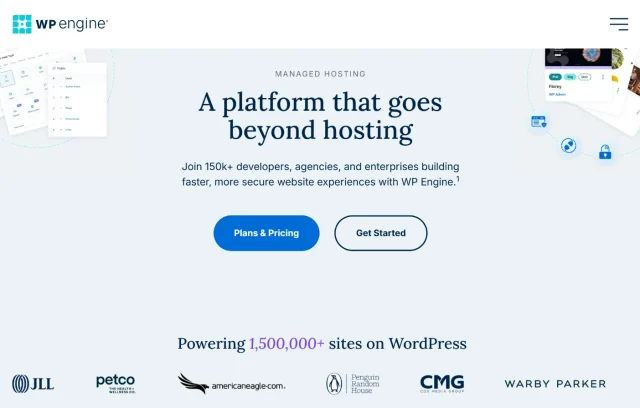
WP Engine practically invented managed WordPress hosting. Their agency program gives you free dev sites, client-transfer tools, and priority support.
Key features
- Proprietary caching (EverCache)
- Genesis Framework access
- Automated backups, staging, and free SSL
- StudioPress themes for client projects
Pros
- Developer-friendly workflow
- Premium themes included
- Excellent documentation and partner support
Cons
- Higher renewal costs
- Storage limited on lower tiers
Verdict
WP Engine is the strong all-round option for technical agencies and wins on raw developer tools. The 3-tier environments and Git integration are built for teams that follow a strict dev-to-prod workflow. It’s an enterprise-grade solution that can handle anything, making it the host you choose when a client has complex technical requirements and a budget to match.
2. Cloudways
Section titled 2. CloudwaysPremium | 9.3 Performance | 9.6 Scalability | 8.8 Collaboration | 8.9 Backup | 9.4 Cost | 8.5 Support
Pricing: Pay-as-you-go model, from $11/month (DigitalOcean) or $36/month (AWS/GCP).
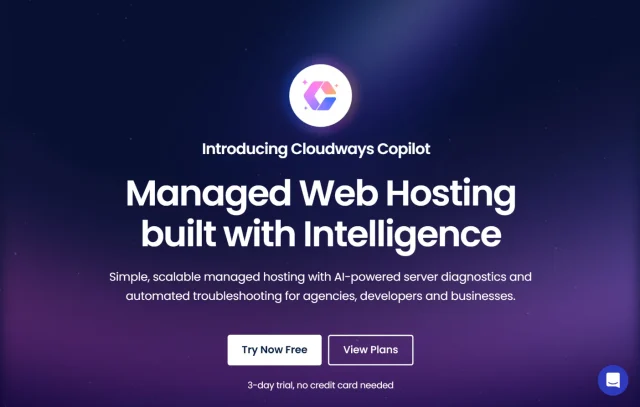
Cloudways gives you total freedom to pick your cloud provider, scale servers as needed, and host unlimited sites. Perfect for tech-savvy agencies that want flexibility without server headaches.
Key features
- Choice of DigitalOcean, Vultr, AWS, GCP
- 1-click staging and cloning
- Team management and project grouping
Pros
- Extremely scaleable
- Transparent pricing
- Excellent performance tuning options
Cons
- Slight learning curve
- Email hosting requires add-on
Verdict
Cloudways is a great option if you want strong performance without the premium price tag. You get the kind of speed you’d normally expect from a much more expensive VPS, but at a lower cost. The trade-off is that you don’t get the same level of hands-on support you’d find with more generic hosts, however you have a bit more control, and a bit more responsibility. If your team is comfortable with basics like SFTP and light server management, Cloudways can be a really cost-effective way to deliver fast hosting for clients.
Don’t let a bad backup ruin your client relationship
Host backups are a safety net – not a strategy. UpdraftPlus Premium keeps independent, off-site backups of every site, ready when you need them.
3. Flywheel
Section titled 3. FlywheelPremium | 9.2 Performance | 8.9 Scalability | 9.6 Collaboration | 8.8 Backup | 8.2 Cost | 9.1 Support
Pricing: Agency Growth Suite starts at $135/month for up to 30 sites.
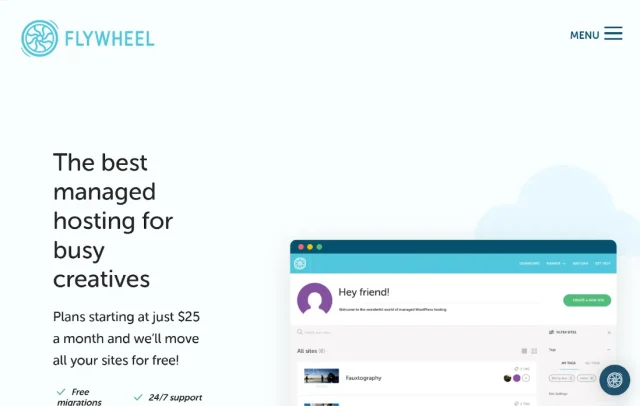
Flywheel was built from the ground up for designers and creative agencies, and it shows. Their entire platform is built around your workflow. Their dashboard is beautiful and their agency tools are second to none.
Key Features
- Client billing and subscription management
- Blueprints for reusing site setups
- Staging + nightly backups
- Built on Google Cloud
Pros
- Incredible for non-technical agencies
- Built-in reporting and billing
- Very intuitive dashboard
Cons
- Limited to WordPress only
- Not ideal for large enterprise clients
Verdict
For most creative-focused agencies, Flywheel is my number one pick. They simply get your workflow. The platform is designed to make you look professional to your clients and make your own life easier. The “Blueprints” feature saves hours on new builds, and the “Growth Suite” with client billing transfer is the single best agency tool on the market. It’s less for heavy-dev and more for designers and agencies who want to build, launch, and hand off sites beautifully.
4. SiteGround
Section titled 4. SiteGroundPremium | 8.9 Performance | 8.5 Scalability | 8.7 Collaboration | 8.6 Backup | 9.3 Cost | 8.9 Support
Pricing: From $4.99/month per site, scalable business tiers available.
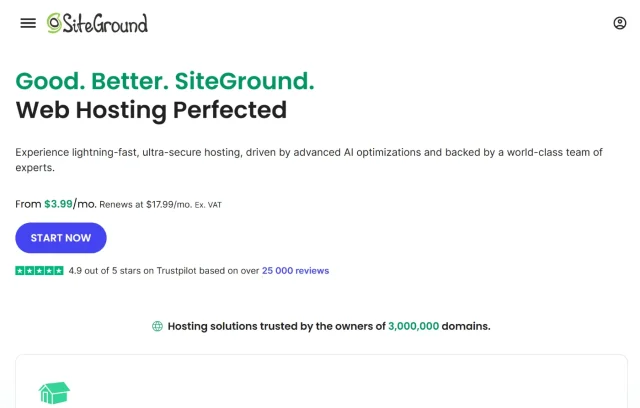
SiteGround combines affordability with strong technical ability. It’s also officially recommended by WordPress.org.
Key Features
- Free daily backups + Cloudflare CDN
- Collaboration tools with site roles
- Ultra-fast PHP and dynamic caching
- Built-in staging and security
Pros
- Affordable yet reliable
- Great support
- Simple multi-site tools
Cons
- Storage caps on lower tiers
- Renewal pricing rises sharply
Verdict
SiteGround is the best first step for a growing agency. It’s the perfect bridge from cheap shared hosting to a professional, managed environment. You get 80% of the agency features (like white-labeling and client collaboration) for 20% of the price of a top-tier host. The support is fantastic, and the performance is solid. Just be mindful of the renewal pricing after the intro period ends. It’s the smart, budget-conscious choice for getting started.
5. Pressable
Section titled 5. PressablePremium | 9.1 Performance | 9.0 Scalability | 8.8 Collaboration | 8.7 Backup | 8.3 Cost | 9.2 Support
Pricing: Agency plan starts at $135/month (20 sites).
Pressable is owned by Automattic, the same company behind WordPress.com and WooCommerce. This gives them a unique advantage: they know WordPress inside and out. They are built on the same rock-solid infrastructure as WordPress.com VIP.
Key Features
- Jetpack Security Daily included
- Free migrations + expert support
- Client hand-off tools
- Automatic backups and restore
Pros
- Tight WordPress ecosystem integration
- Excellent uptime
- Friendly onboarding
Cons
- Slightly higher per-site cost
- No email hosting
Verdict
Pressable is a reliable choice, with an uptime guarantee backed by a formal service-level agreement that agencies can confidently point to when setting expectations with clients. This makes it a fantastic choice for mission-critical corporate sites or high-volume WooCommerce stores where any downtime is a disaster.
6. Hostinger
Section titled 6. HostingerPremium | 8.8 Performance | 8.4 Scalability | 8.6 Collaboration | 8.7 Backup | 9.5 Cost | 8.5 Support
Pricing: Agency plan from $24.99/month (100 websites).

Hostinger has aggressively moved into the agency space with dedicated Agency Hosting plans that offer incredible value. They combine top-tier performance specs with a modern, easy-to-use dashboard at a price that is almost impossible to beat.
Key Features
- 100 sites on one account
- Free daily backups + CDN
- Team access with role control
- Git integration
Pros
- Extremely cost-efficient
- Simple UX
- Excellent for early-stage agencies
Cons
- Slightly slower than WPEngine
- Limited advanced dev tools
Verdict
Hostinger has become a serious contender for agencies on a budget. You get the speed of LiteSpeed and NVMe, plus a dashboard that’s a joy to use, for a rock-bottom price. While you’re waiting for true white-labeling, the client access manager works well. It’s the ideal choice for agencies that want to maximize profit margins without sacrificing performance.
7. Rocket.net
Section titled 7. Rocket.netPremium | 9.6 Performance | 9.0 Scalability | 8.9 Collaboration | 9.2 Backup | 8.1 Cost | 9.0 Support
Pricing: From $30/month per site, agency plans scale flexibly.
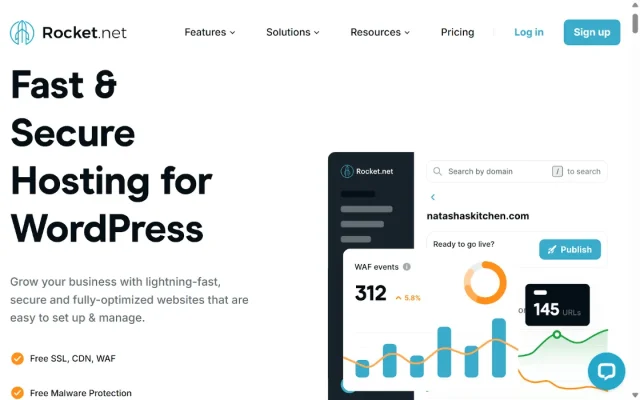
Rocket.net is a newer player that is built for pure, unadulterated speed. Their entire platform is built with a full-page, enterprise CDN (Cloudflare Enterprise) at its core. This means your sites are served from the edge by default, making them incredibly fast, globally.
Key features
- Global CDN edge caching
- Automatic image optimization
- Daily backups
- Malware protection
Pros
- Noticeably quick load times
- Secure, pre-optimized setup
- 24/7 support
Cons
- Premium pricing per site
- No email or domain registration
Verdict
Rocket.net is a speed specialist. If your agency’s main selling point is building fast websites, this is a big advantage. The value of the included Cloudflare Enterprise is massive, and it delivers incredible global performance right out of the box with zero tweaking. While its agency workflow tools aren’t as mature as Flywheel’s, its all-in-one speed and security stack is a compelling and simple solution for agencies that want to promise and deliver top-tier speed.
8. Nexcess (by Liquid Web)
Section titled 8. Nexcess (by Liquid Web)Premium | 9.0 Performance | 8.9 Scalability | 8.7 Collaboration | 8.9 Backup | 8.2 Cost | 9.1 Support
Pricing: From $21/month, with agency-ready tiers.
Nexcess is the managed WordPress and WooCommerce arm of Liquid Web. Their big differentiator is performance and flexibility for e-commerce. They are famous for auto-scaling PHP workers, which is huge for handling sudden traffic spikes on client sites.
Key Features
- Auto-scaling for traffic spikes
- Visual comparison staging tool
- Plugin performance monitor
- Daily backups
Pros
- Developer tools baked in
- Excellent uptime
- Fair pricing
Cons
- Slightly dated dashboard UI
- No white-label tools
Verdict
If your agency’s niche is WooCommerce, Nexcess should be at the top of your list. Their entire platform is built to solve the unique challenges of e-commerce, like cart-abandonment spikes and query-heavy membership sites. The “auto-scaling PHP workers” feature is a lifesaver, handling sudden traffic from a flash sale without a site crashing. It’s less focused on a pretty UI and more on the under-the-hood power that makes e-commerce sites fast and profitable.
9. A2 Hosting (Now Hosting)
Section titled 9. A2 Hosting (Now Hosting)Premium | 8.7 Performance | 8.8 Scalability | 8.5 Collaboration | 8.6 Backup | 9.0 Cost | 8.4 Support
Pricing: From $17.99/month, multiple site tiers available.
A2 Hosting‘s reputation is built on one thing: speed. Their Turbo plans are quite legendary, using LiteSpeed servers and NVMe storage to deliver some of the fastest speeds in the shared/managed space. For agencies, their offering is more traditional, focusing on performance-packed managed plans or a cPanel/WHM reseller model.
Key Features
- Turbo Boost for 20x speed
- Free daily backups
- Unlimited email accounts
- Staging and cloning
Pros
- Great value for price
- Excellent dev flexibility
- Email included
Cons
- Interface not as sleek as Flywheel
- Slightly slower support
Verdict
A2 Hosting is a performance-first choice. However, you’re sacrificing the modern agency workflow. There’s no unified dashboard, no simple client billing transfer, and no white-labeling. This is for the tech-savvy agency that wants to manage powerful servers and is comfortable in cPanel, not the creative agency that wants a simple, beautiful workflow.
Best WordPress hosting for agencies comparison table
Section titled Best WordPress hosting for agencies comparison tableMoving clients between hosts?
UpdraftPlus Premium makes cloning and migrating WordPress sites straightforward, so switching hosting doesn’t disrupt your workflow or your client relationships.
Conclusion
Section titled ConclusionChoosing your agency’s hosting stack is one of the most important decisions you’ll make. It affects your efficiency, your reputation, and your bottom line.
Stop fighting with $3/month hosts. Stop being the “IT guy” for server issues. It’s time to partner with a host that provides the tools that you need, so you can get back to what you do best: building amazing websites for your clients. Whether you’re starting out and need the incredible value of Hostinger, or you’re managing enterprise clients on WP Engine, the right host will feel less like a utility and more like a partner.
After testing and managing sites across dozens of setups, a few patterns are clear:
- Cloudways stands out for scalability and infrastructure control
- Flywheel excels at client experience and collaboration
- Hostinger Pro and SiteGround offer solid value for growing agencies
- Rocket.net is built for agencies where performance is non-negotiable
Whichever host you choose, it’s worth thinking beyond the server itself. Hosting solves one part of the puzzle, but agencies still need a reliable way to protect and move client sites when things change. Keeping independent, off-site backups gives you flexibility – whether you’re recovering from an issue, migrating a site, or simply making sure your work isn’t tied to a single provider. It’s a small extra layer that quietly supports a more resilient, professional workflow.
FAQs
Section titled FAQsWhat is the best WordPress hosting for agencies in 2026?
The best WordPress hosting for agencies in 2026 depends on your workflow and client volume. WP Engine are top choices for large agencies needing enterprise-level speed and scalability, while Cloudways and Hostinger Pro offer flexibility and great value for growing teams. If client experience is your priority, Flywheel’s Growth Suite stands out for its white-label and billing tools.
Which WordPress host is best for managing multiple client sites?
For agencies managing multiple sites, Cloudways, Flywheel, and Hostinger Pro are top contenders. They offer centralized dashboards, one-click staging, and team access, so you can update, clone, or migrate client sites without logging into each individually.
Is managed WordPress hosting worth it for agencies?
Yes. Managed WordPress hosting saves agencies hours every week by automating updates, caching, and server optimization. It lets your team focus on client deliverables instead of troubleshooting performance or plugin conflicts. For agencies that handle sensitive client data, managed hosting also includes built-in security and daily backups.
Which hosting is best for global agencies serving international clients?
If your agency handles clients across continents, Rocket.net and Cloudways perform best. They use cloud infrastructure (Google Cloud, Cloudflare Enterprise) and multiple data centers worldwide, ensuring fast load times no matter where your client’s audience is.
What’s the most affordable WordPress hosting option for agencies?
Hostinger Pro and SiteGround are the best budget-friendly choices. You can host multiple websites, get free backups, and access staging features for under $30/month. They’re ideal for new or small agencies that want reliability without high recurring costs.
What’s the difference between reseller hosting and agency hosting?
Reseller hosting is about reselling hosting space to clients under your own brand. Agency hosting, on the other hand, focuses on managing multiple WordPress sites efficiently with tools like staging, client billing, white-label dashboards, and automated updates. If your main business is building and maintaining client sites (not selling hosting), agency hosting is the better fit.
How can I migrate client sites between hosts safely?
You can migrate manually or use plugins like UpdraftPlus which allows site cloning and migration in a few clicks. Many managed hosts like WP Engine also offer free expert migrations – but having your own tool ensures you can move client sites anytime, without waiting for support.
Is there a free WordPress hosting option for agencies?
Free hosting is not recommended for agencies, as it’s too risky. Most free hosts lack uptime guarantees, SSL certificates, and backups. If cost is your concern, opt for Hostinger Pro or SiteGround StartUp both are low-cost but fully secure.
How do I choose the right hosting for my agency?
Start by defining:
- The number of sites you manage
- The performance needs of your clients (corporate sites vs. eCommerce)
-
Your team’s technical expertise
Then match your needs: - For scalability → Cloudways
- For white-label billing → Flywheel
- For affordability → Hostinger Pro
About the author

Elvira Mishra
Elvira has over four years of experience creating and designing content in WordPress. Her background spans multiple digital disciplines, including marketing, SEO, user experience, and human computer interaction.
Categories
UpdraftPlus
Get all our premium features. Direct site-to-site migration, incremental backups, back up automatically before updates and a whole lot more.
From just $70 for the year.
More stories
-

The Best WordPress plugin to clean up old themes
Unused themes can clutter your WordPress site. Here’s a simple way to remove them safely and keep things tidy.
-

World Backup Day: if your site disappeared, would you be ready?
Take five minutes to make sure your WordPress site is backed up and ready to restore.
-

Best WordPress themes for law firms
Find a professional WordPress theme for your law firm, whether you need speed, flexibility, or a ready-made legal layout.
-

How to secure a WordPress site (without overcomplicating it)
Learn how to secure your WordPress site with simple steps that protect against attacks, strengthen logins, and keep your data safe.
