Best WordPress themes for artists and creative portfolios
The best WordPress themes for artists in 2026 include Salient, Kalium, Oshine, Astra, and Divi. These themes combine strong visual presentation with fast performance and flexible portfolio layouts, making them well suited for showcasing creative work online.
Choosing the right theme is one of the most important steps when building an online portfolio. A well-designed layout helps your artwork stand out, loads quickly for visitors, and makes it easy to explore galleries, projects, or commissions.
Many themes come with impressive demos, but not all of them handle high-resolution artwork well or provide the flexibility artists need to organise their portfolios effectively.
In this guide, we compare the top WordPress themes for artists and creative portfolios in 2026, looking at design quality, performance, ease of use, and built-in portfolio features. Whether you are a painter, illustrator, photographer, or digital artist, these themes can help you create a professional website that showcases your work clearly while keeping your site fast and reliable.
Key takeaways
Section titled Key takeaways- The best themes for artists prioritise clean layouts and fast loading times so your artwork remains the focus.
- A good portfolio theme should include gallery layouts, project organisation, and high-resolution image support.
- Flexibility matters: choose a theme that can grow with your portfolio and adapt as your work evolves.
- Performance and reliability are just as important as design, especially if your website represents your business or creative brand.
The methodology
Section titled The methodologyTo identify the best options, I reviewed and tested dozens of WordPress themes commonly used for artist portfolios. Each theme was evaluated across four key criteria and scored out of ten.
- Visual Impact: How well the theme showcases high-resolution imagery and modern grid layouts.
- Performance: Real-world speed benchmarks, specifically focusing on “First Contentful Paint.”
- Ease of Use: How quickly a non-technical artist can achieve a professional look.
- Portfolio Tools: Built-in features like lightboxes, categorisation, and client galleries.
If you’re building your portfolio website for the first time, WordPress is a great place to start. It offers a huge range of plugins that can help improve your site’s performance, security, and overall functionality. With so many options available though, it can feel a bit overwhelming figuring out which ones you actually need. Starting with a few essential plugins can make managing your site much easier and help keep everything running smoothly as your portfolio grows.
Top 10 WordPress themes for artists in 2026
Section titled Top 10 WordPress themes for artists in 2026Below are ten of the best WordPress themes for artists in 2026. The right choice depends on your budget, design preferences, and how much time you want to spend customising your site.
1. Salient
Section titled 1. SalientPremium | Visual Impact: 9.8 | Performance: 8.2 | Ease of Use: 9.3 | Portfolio Tools: 9.6 | Overall: 9.2
Ideal use case: Creative agencies or independent designers who want a high-gloss, interactive portfolio.
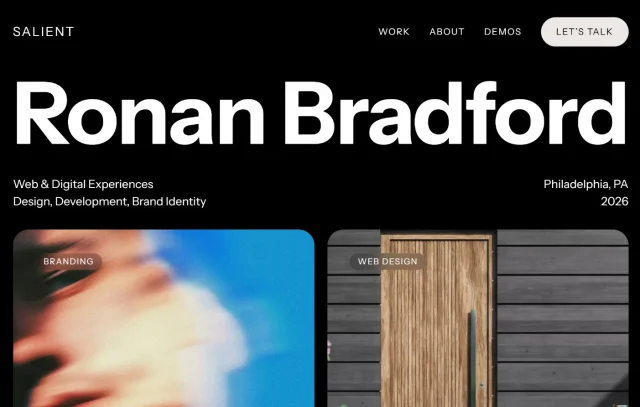
Salient is often considered one of the most visually impressive themes available.
It includes custom icons and elements specifically designed for creative agencies. Its Lottie animation support is a standout feature.
Key features
- 400+ professionally designed section templates
- Full Lottie animation integration for interactive art
- Ultra-smooth parallax effects that don’t jitter
- Custom “Nectar” slider for high-impact homepages
Pros
- Unmatched visual polish and motion design features
- Massive library of “ready-to-go” creative layouts
- Regular, high-value updates from the developer
Cons
- Can be complex to set up initially
- Requires optimization to maintain high performance
Verdict
Salient is the gold standard for high-end creative portfolios. It offers a level of visual sophistication that is hard to match with any other theme, especially if you want to incorporate modern motion design. If you want your site to look like it was built by a top-tier digital agency, Salient is your best tool.
2. Kalium
Section titled 2. KaliumPremium | Visual Impact: 9.7 | Performance: 8.4 | Ease of Use: 8.9 | Portfolio Tools: 9.5 | Overall: 9.1
Ideal use case: High-end photographers and agency-level designers who want their site to look like a digital fashion magazine.
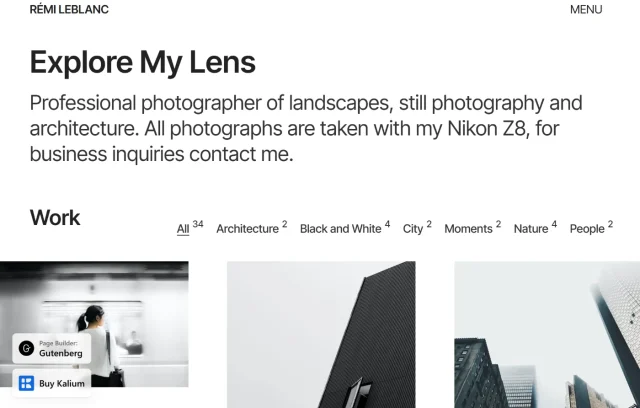
Kalium has long been a darling of the professional design world because it feels “boutique.” It uses a unique “Portfolio Live Arrange” feature that lets you see exactly how your grid looks as you move pieces around in real-time.
Key features
- High-end typography options with Typekit integration
- Custom hover effects for portfolio thumbnails
- Sophisticated “Lazy Loading” tailored for large art files
- Unique project sub-pages for storytelling
Pros
- Stunning typography that elevates the brand feel
- Unique layouts that stand out from standard templates
- Highly responsive support team
Cons
- Higher learning curve due to advanced features
- Slightly slower than ultra-minimalist themes
Verdict
Kalium is for the artist who believes the medium is the message. Every element of this theme feels intentional and high-end, which helps justify premium pricing for your own work. While it takes a little longer to master, the visual payoff is a site that looks like it costs thousands of dollars to custom-code.
3. Oshine
Section titled 3. OshinePremium | Visual Impact: 9.5 | Performance: 8.1 | Ease of Use: 9.0 | Portfolio Tools: 9.8 | Overall: 9.1
Ideal use case: Niche artists (like 3D modelers or architects) who want a very specific, high-concept visual layout.
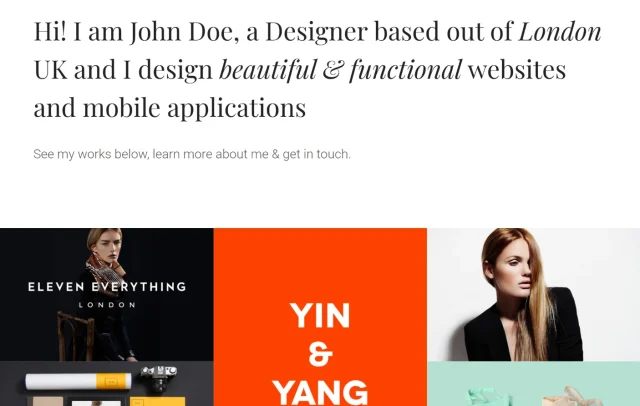
Oshine is a beast when it comes to portfolio variety. With over 50 demos, it covers everything from architecture to tattoo artistry. Its Tatsu builder is surprisingly intuitive for those who find the default WordPress editor a bit clunky.
Key features
- 50+ professionally designed creative demos
- High-quality Slider Revolution included for free
- Unique “Ghost” headers and floating navigation
- Advanced AJAX loading for smooth page transitions
Pros
- Incredible diversity in portfolio display options
- High visual polish that feels very modern
- Includes premium plugins that save you money
Cons
- The theme “weight” requires a good hosting plan
- Can be overwhelming for total novices
Verdict
Oshine is the best choice if you want your website to provide an “experience” rather than just a list of images. Its use of white space and smooth transitions makes browsing a portfolio feel like a journey. It is a powerful tool for artists who want to leave a lasting impression on potential clients.
Keep your artwork safe
A website crash, bad update, or plugin conflict can happen at any time. UpdraftPlus Premium creates automated and incremental backups so you can quickly restore your site and keep your artwork safe.
4. Astra
Section titled 4. AstraFree & Premium | Visual Impact: 8.8 | Performance: 9.6 | Ease of Use: 9.2 | Portfolio Tools: 8.5 | Overall: 9.0
Ideal use case: Multi-disciplinary artists who need a fast, reliable site that can easily scale into a high-traffic professional shop.
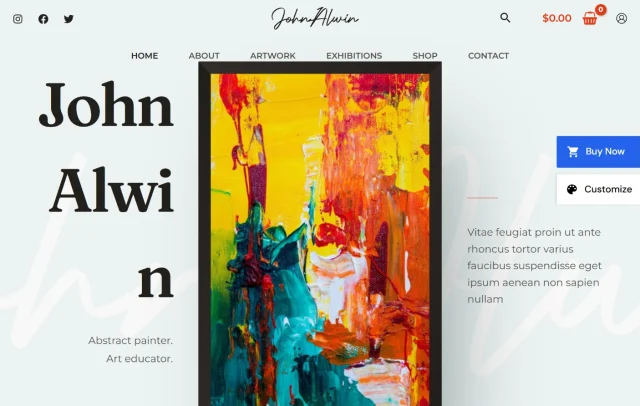
Astra remains the heavyweight champion for a reason. It is incredibly lightweight, which is vital because high-res art files already weigh your site down. In 2026, their “Artist” and “Illustrator” starter templates were updated with Neo-minimalist designs that look stunning out of the box.
Key features
- One-click demo imports specifically for creative niches
- Deep integration with the Spectra block editor
- Dedicated header and footer builder for unique branding
- Self-hosted Google Fonts for improved privacy and speed
Pros
- Blazing fast load times even with multiple plugins
- Massive library of pre-built creative designs
- Excellent documentation and community support
Cons
- Most advanced portfolio layouts require the Pro version
- Default styling can feel a bit generic without customization
Verdict
Astra is the safe bet that never fails to deliver. It provides the perfect balance between raw speed and design flexibility, making it ideal for artists who want to focus on their craft rather than troubleshooting their website. If you plan on growing your traffic significantly in 2026, Astra’s foundation is the most stable choice you can make.
5. Divi
Section titled 5. DiviPremium | Visual Impact: 9.2 | Performance: 8.0 | Ease of Use: 9.8 | Portfolio Tools: 8.8 | Overall: 8.9
Ideal use case: Artists and designers who want total creative control over every single pixel of their site.
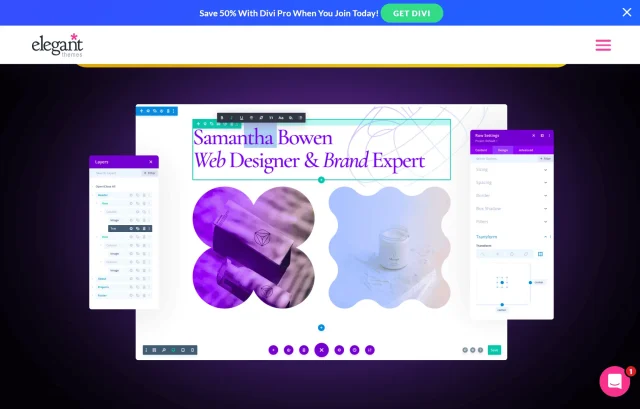
Divi is more than a theme; it is a visual design system. For artists who want to “draw” their website, Divi’s front-end builder allows you to move elements with pixel-perfect precision without ever looking at code.
Key features
- Real-time visual drag-and-drop builder
- Global elements and styles for site-wide updates
- Built-in A/B testing for landing pages
- Huge library of “layout packs” for every creative niche
Pros
- Unmatched flexibility in layout and design
- Huge community of designers sharing templates
- Frequent updates and new feature rollouts
Cons
- Can be “heavy” and slow if not optimized properly
- Proprietary shortcodes make switching themes difficult later
Verdict
Divi is perfect for the “control freak” artist who wants a bespoke look without the need for a developer. The ability to see your changes in real-time as you drag elements across the screen is incredibly empowering. Just be sure to use a good caching plugin to keep it snappy for your visitors.
6. Inspiro
Section titled 6. InspiroFree & Premium | Visual Impact: 9.4 | Performance: 8.6 | Ease of Use: 8.3 | Portfolio Tools: 9.2 | Overall: 8.8
Ideal use case: Videographers, motion designers, and animators who need high-fidelity video playback.
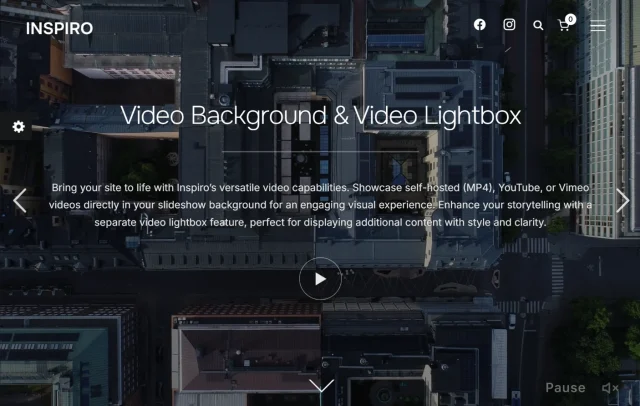
If your art involves movement, such as video, animation, or film – Inspiro is one of the strongest multimedia themes available. It handles video backgrounds and fullscreen sliders better than almost any other theme on the market.
Key features
- Native video headers with autoplay support
- High-performance video lightbox for YouTube and Vimeo
- Portfolio reordering tool for easy curation
- Integration with the Elementor page builder
Pros
- Professional video handling that doesn’t lag
- Slick, modern aesthetic out of the box
- Excellent focus on visual storytelling
Cons
- Customization is more restricted than multipurpose themes
- Some of the best video features are Pro-only
Verdict
Inspiro fills a very specific niche perfectly. If your portfolio relies on video content, this theme will save you hours of technical headaches by providing native support for the most common video formats. It is a polished, professional solution for anyone working in time-based media.
7. Blocksy
Section titled 7. BlocksyFree & Premium | Visual Impact: 8.5 | Performance: 9.5 | Ease of Use: 9.1 | Portfolio Tools: 8.4 | Overall: 8.8
Ideal use case: Illustrators and digital artists who want a modern site that includes an integrated shop.
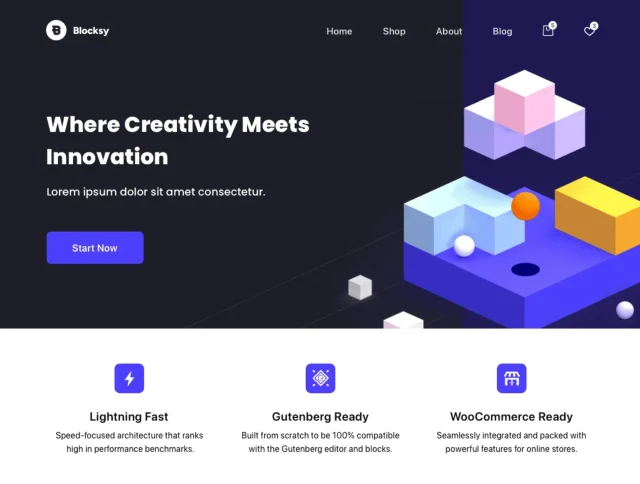
Blocksy is the new kid on the block that has quickly become a favorite for its modern feel. It is built specifically for the Gutenberg editor and features a dark mode toggle that is one of the best in the business.
Key features
- Real-time preview within the WordPress customizer
- Advanced header and footer builders
- Native dark mode support for late-night viewers
- Deep WooCommerce integration for selling prints
Pros
- Extremely modern and intuitive user interface
- The free version is exceptionally powerful
- Very clean code that prioritises speed
Cons
- Fewer “artist-specific” templates than older competitors
- Some advanced header options are locked behind Pro
Verdict
Blocksy is a breath of fresh air for WordPress users. It feels much more like a modern app than a traditional theme, and the level of detail in its customization options is impressive. It’s a fantastic all-rounder that will keep your portfolio looking current for years to come.
8. GeneratePress
Section titled 8. GeneratePressFree & Premium | Visual Impact: 7.8 | Performance: 9.9 | Ease of Use: 9.4 | Portfolio Tools: 7.5 | Overall: 8.6
Ideal use case: Expert users who want to build a custom, lightning-fast portfolio using the native Gutenberg editor.
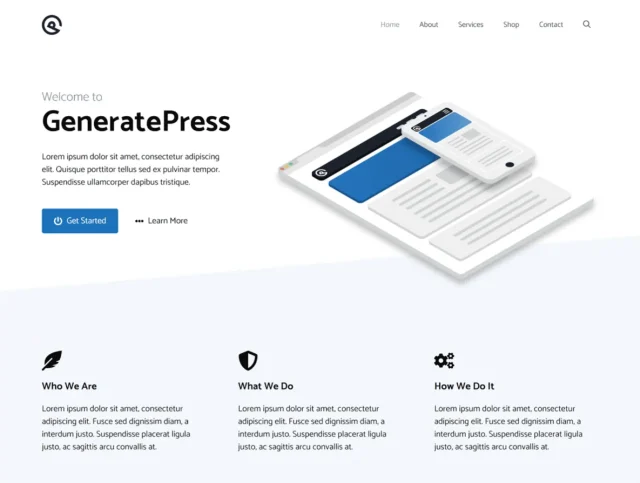
If you are a bit of a “techie” artist, you will love GeneratePress. It is a blank canvas. It doesn’t come with flashy galleries by default, but it is so well-coded that you can build whatever you want on top of it without the usual bloat.
Key features
- Extreme focus on performance and accessibility
- Modular design allowing you to disable unused features
- Deep integration with GenerateBlocks for custom grids
Industry-leading support for Core Web Vitals
Pros
- The gold standard for clean, efficient code
- Incredible documentation and user forums
- Lifetime pricing options available
Cons
- Requires more design “legwork” to look artistic
- No built-in portfolio post types in the free version
Verdict
GeneratePress is the choice for longevity and site health. It won’t give you a flashy gallery with one click, but it gives you a rock-solid foundation that will still be fast and secure in five years. For the artist who wants to build their own unique design system, there is no better starting point.
9. Neve
Section titled 9. NeveFree & Premium | Visual Impact: 8.2 | Performance: 9.8 | Ease of Use: 8.5 | Portfolio Tools: 8.0 | Overall: 8.6
Ideal use case: Social media-driven artists who need their portfolio to load instantly for visitors coming from mobile apps.

Neve is built for the mobile-first era. Since most people will view your portfolio on their phones while scrolling Instagram, Neve’s ability to render galleries instantly on small screens is a massive competitive advantage.
Key features
- Mobile-first approach with AMP support
- Global color palettes for instant branding changes
- Extremely small file size (less than 30KB)
- Native support for the new WordPress “Style Book”
Pros
- One of the fastest-loading themes currently available
- Very beginner-friendly interface
- Reliable updates and security patches
Cons
- Portfolio designs are functional but fairly standard
- Customizing complex grids requires extra block plugins
Verdict
Neve is the workhorse of the WordPress world, prioritizing performance over flashiness. It is an excellent choice for artists who want a clean, no-nonsense gallery that works perfectly every single time. If you find yourself frequently updating your site on the go, Neve’s compatibility with the mobile block editor is a life-saver.
10. Hello Elementor
Section titled 10. Hello ElementorFree | Visual Impact: 7.0 | Performance: 9.9 | Ease of Use: 9.5 | Portfolio Tools: 7.0 | Overall: 8.3
Ideal use case: Designers who are already committed to the Elementor ecosystem and want to build from scratch.
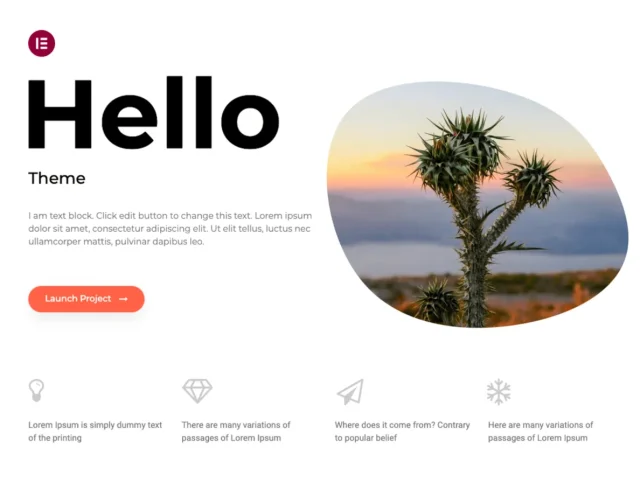
Hello is essentially a blank sheet of paper. It is designed specifically to be used with the Elementor Pro Page Builder. On its own, it does very little, but for an artist who uses Elementor, it provides the fastest possible foundation.
Key features
- Zero unnecessary code for maximum speed
- Perfect 1:1 compatibility with Elementor Pro
- Responsive by default
- Developer-friendly for custom hooks and filters
Pros
- Fastest possible load times for a builder-based site
- No theme-level conflicts with your design
- Completely free with no “upsell” inside the theme
Cons
- Requires a page builder to look like a website
- Not suitable for beginners who want a pre-made template
Verdict
Hello Elementor is the ultimate utility theme. It gets out of your way so that your builder can do all the heavy lifting. If you are comfortable designing your own layouts from a white screen, this theme ensures your site stays lean and fast despite the weight of a page builder.
Keep your portfolio running fast
High-resolution artwork can quickly slow down a website. WP-Optimize helps maintain performance with automatic image compression and database optimisation.
Comparison table
Section titled Comparison tableWhat to look for in artist portfolios
Section titled What to look for in artist portfoliosWhen you are browsing for the theme that suits your needs, do not just look at the demo photos. Those photos are professionally edited and curated. Instead, look for:
- Lazy Loading for Images: Ensure the theme supports native lazy loading so your page doesn’t hang while loading high-res pieces.
- SVG Support: Crucial for illustrators who want their logos and icons to stay sharp on Retina displays.
- Social Integration: Can you easily pull your Instagram or ArtStation feed into your site? In 2026, your social presence and your website should be a loop.
- E-commerce Readiness: Even if you aren’t selling now, you might want to sell prints later. Look for “WooCommerce Ready” labels.
Conclusion
Section titled ConclusionChoosing the best WordPress theme for artists ultimately comes down to how you want to present your work online. Some artists prefer lightweight themes like Astra or GeneratePress that focus on speed and flexibility, while others may prefer visually rich themes such as Salient or Kalium that create a more immersive portfolio experience.
The most important step is simply getting your work online. Start with a theme that fits your style, upload your strongest pieces, and refine your site as your portfolio grows.
Finally, remember that your website represents your creative work and time investment. Keeping your site backed up and secure ensures that your portfolio stays protected and recoverable if something ever goes wrong.
FAQs
Section titled FAQsWhat is the best WordPress theme for artists?
The best WordPress theme for artists combines clean design, fast performance, and flexible portfolio layouts. Popular options like Salient, Astra, and Kalium are often chosen because they showcase high-resolution artwork well while keeping websites fast and easy to manage.
Can I use a free WordPress theme for an artist portfolio?
Yes. Many free WordPress themes provide enough features to create a professional portfolio. Themes such as Blocksy or Astra offer modern layouts and good performance. As your site grows, you may decide to upgrade to a premium version for additional design options and support.
How do I protect my artwork on a WordPress website?
There are several ways to protect your artwork online. Some artists add watermarks to images or disable right-click downloads. It is also important to secure your website with a security plugin and keep regular backups so your portfolio remains safe and recoverable.
Will high-resolution images slow down my portfolio website?
Large images can slow down a website if they are not optimised properly. Using image compression, lazy loading, and a performance plugin can help keep your portfolio fast while still displaying high-quality artwork.
Do I need coding skills to customise a WordPress theme?
No. Most modern WordPress themes include visual editors or block-based tools that allow you to customise layouts, colours, and typography without writing code. This makes it easy for artists to create a professional website without technical experience.
How often should I back up my portfolio website?
If you update your portfolio regularly, it is a good idea to back up your website daily or weekly. Automated backups ensure you can restore your site quickly if something goes wrong during an update or migration.
Can I sell artwork or prints through my WordPress site?
Yes. Many WordPress themes support WooCommerce, which allows you to add an online store to your portfolio. This makes it possible to sell prints, original artwork, or digital downloads directly from your website.
About the author

Elvira Mishra
Elvira has over four years of experience creating and designing content in WordPress. Her background spans multiple digital disciplines, including marketing, SEO, user experience, and human computer interaction.
Categories
UpdraftPlus
Get all our premium features. Direct site-to-site migration, incremental backups, back up automatically before updates and a whole lot more.
From just $70 for the year.
More stories
-

How to secure a WordPress site (without overcomplicating it)
Learn how to secure your WordPress site with simple steps that protect against attacks, strengthen logins, and keep your data safe.
-

10 best WordPress themes for beauty salons
Here are the best options to help you stand out, look professional, and turn visitors into bookings.
-
Best Google Analytics alternatives for WordPress
Discover the best Google Analytics alternatives for WordPress, including privacy-friendly tools with simpler dashboards and better performance.
-
Best hosting company for WordPress: Top providers compared
We tested top providers for speed, uptime, support, and pricing to help you choose the right host.
