Best Google Analytics alternatives for WordPress
I remember the day I opened Google Analytics 4 for the first time. I stared at the screen, clicking through “Engagement,” “Monetization,” and “Events,” and thought: I just want to know how many people read my blog post yesterday.
The shift to GA4 has been a massive headache for millions of WordPress site owners. It is powerful, sure, but it feels over-engineered for 90% of us. Add to that the constant worry about GDPR compliance, cookie banners that annoy your visitors, and data privacy concerns, and it becomes clear why so many of us are hunting for Google Analytics alternatives.
You really should not need a degree in data science to understand your website traffic. Here are some of the best google analytics alternatives for WordPress available right now. Whether you are a total beginner building your first portfolio or a developer managing fifty client sites, I have tested these tools so you don’t have to. We will look at privacy-focused analytics options, self-hosted plugins, and powerful SaaS dashboards that actually make analytics fun again.
Key takeaways
Section titled Key takeaways- Many Google Analytics alternatives focus on simplicity, offering clear dashboards that show your most important traffic metrics without complex menus.
- Privacy-first analytics tools often work without cookies, helping WordPress sites stay GDPR compliant without intrusive consent banners.
- Self-hosted analytics plugins allow you to own and control your data instead of sending it to Google’s servers.
- Lightweight tracking scripts can improve site speed and Core Web Vitals compared with Google Analytics.
- WordPress-native analytics tools can display insights directly inside your dashboard, making traffic data easier to access and understand.
Why WordPress users are switching from Google Analytics
Section titled Why WordPress users are switching from Google AnalyticsBefore we dive into the specific tools, let’s understand why you are actually here. The search for Google Analytics alternatives is usually driven by three massive pain points that I see business owners struggle with every day.
1. The complexity barrier
Section titled 1. The complexity barrierGoogle Analytics used to be fairly intuitive. Universal Analytics (UA) had a learning curve, but it made sense. GA4, however, is an event-based model. This is great for app developers tracking button clicks across devices, but terrible for a blogger who just wants to see which post is viral. If you have to watch a 20-minute YouTube tutorial just to find your “Bounce Rate,” the tool is failing you.
2. The privacy nightmare
Section titled 2. The privacy nightmareWe live in an era where users care about their data. Google’s business model is built on data. This conflict has led to regulators in several EU countries have ruled certain implementations of Google Analytics to be non-compliant with GDPR. To use GA4 legally in many regions, you need complex cookie banners that degrade the user experience. Many alternative solutions are “cookie-less,” meaning they track trends without storing personal data. No personal data means no intrusive banners.
3. Site speed and performance
Section titled 3. Site speed and performanceGoogle Analytics relies on external scripts and multiple requests, which can affect performance and page load times. It connects to third-party servers, downloads code, and fires tags. Every millisecond of load time counts for your SEO and user experience. Self-hosted alternatives often run much lighter code, keeping your Core Web Vitals healthy.
Our review methodology
Section titled Our review methodologyThere are hundreds of analytics plugins available for WordPress, but popularity alone doesn’t guarantee quality. To build this list, I evaluated each tool against four practical criteria that matter most to website owners today. These metrics focus on real-world usability, privacy protection, performance impact, and data ownership – the factors that determine whether an analytics tool is genuinely useful for a modern WordPress site.
Each platform was assessed using the following criteria:
- Ease of use (Setup & UI): Can a beginner install it and understand the data in under 5 minutes without reading documentation?
- Privacy compliance: Is it GDPR/CCPA compliant out of the box? Does it require complex cookie banners?
- Performance impact: How “heavy” is the script? Does it bloat the database or slow down page load speeds (Core Web Vitals)?
- Data ownership: Do you own the data 100%, or is it stored on a third-party server where it could be mined or lost?
Top 5 Google Analytics alternatives for WordPress (2026)
Section titled Top 5 Google Analytics alternatives for WordPress (2026)1. Burst Statistics
Section titled 1. Burst StatisticsEase of Use: 10/10 | Privacy: 10/10 | Performance: 9/10 | Data Ownership: 10/10 Overall Score: 9.8/10 Pricing: Free (Pro plans start at $29/year)
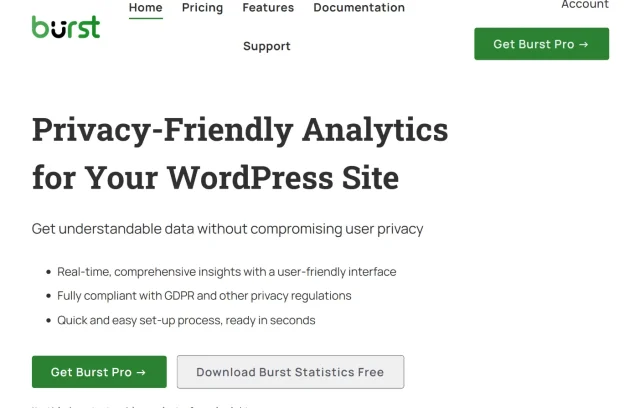
If you are looking for a solution that feels like it belongs in WordPress, Burst Statistics is, in my opinion, the top contender. It is a self-hosted, privacy-friendly plugin that lives directly in your WordPress dashboard. The code is clean, it is well-maintained, and it understands how to handle data without bloating your database.
Key features
- Cookieless tracking: Automatically compliant with GDPR, removing the need for consent banners.
- Custom dimensions: Easily track authors, categories, or tags to see what content performs best.
- Heatmaps (Pro): Visual overlay showing exactly where users click on your pages.
- Database optimization: Built to store data efficiently so it doesn’t slow down your site over time.
Pros
- Incredibly simple setup (plug and play).
- Data stays 100% on your server.
- Lightweight code impact.
- Trusted developer team.
Cons
- Being a newer plugin, it has fewer third-party integrations
Final verdict
Burst Statistics is the best balance of power and simplicity for the vast majority of WordPress users. It strips away the complexity of GA4 while keeping the insights you actually need. You install it, and 5 minutes later you have beautiful graphs showing you exactly what matters.
Ditch the GA4 headache
Stop wasting hours watching tutorials just to find your pageviews. Burst gives you the metrics that matter in a clean, single-page dashboard right inside WordPress.
2. Plausible Analytics
Section titled 2. Plausible AnalyticsEase of Use: 9/10 | Privacy: 10/10 | Performance: 10/10 | Data Ownership: 9/10 Overall Score: 9.5/10 Pricing: Starts at $9/month (14-day free trial, no free tier)

Plausible has gained a cult following among developers and privacy advocates. It is a SaaS tool, meaning you log into their website to see your stats, but you integrate it with a simple snippet or plugin. It is famous for its clean, minimalist aesthetic.
Key features
- Lightweight script: Weighs less than 1KB (45x smaller than Google Analytics).
- Email reports: Weekly or monthly traffic summaries sent to your inbox.
- Public dashboards: Option to share your stats publicly (great for transparency).
- Goal tracking: Simple setup for tracking signups or button clicks.
Pros
- Zero impact on site speed.
- Beautiful, clutter-free interface.
- Strictly privacy-focused (no cross-site tracking).
Cons
- No free plan
- Data is stored on their servers
Final verdict
Plausible is the premium choice for those who can afford a monthly subscription. It is arguably the most beautiful analytics tool on the market. If budget is not an issue and you prefer a dashboard outside of WordPress, this is the one to beat.
3. Independent Analytics
Section titled 3. Independent AnalyticsEase of Use: 8/10 | Privacy: 9/10 | Performance: 9/10 | Data Ownership: 10/10 Overall Score: 9.0/10 Pricing: Free (Pro features available)
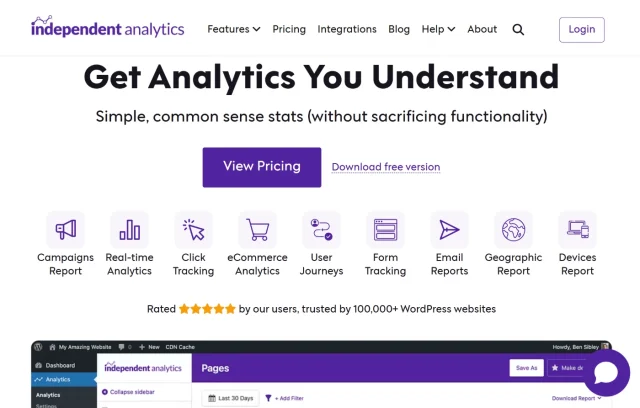
A newer player on the block, Independent Analytics is a plugin that runs entirely on your WordPress install. It differentiates itself by integrating deeply with WordPress data structures, allowing you to slice data in ways external tools can’t.
Key features
- Deep WP integration: Filter traffic by Post Type, Author, or Category automatically.
- Referrer spam blocking: Built-in filters to stop bot traffic from skewing stats.
- No external requests: Runs entirely locally, ensuring GDPR compliance.
Pros
- Very fast load times.
- Excellent for multi-author blogs (see which writer gets the most views).
- Totally free core version.
Cons
- The interface feels a bit more like a spreadsheet/data table than a visual dashboard.
- Lacks the long-term track record of more established teams.
Final verdict
Independent Analytics is a strong tool for publishers and content-heavy sites. If your main goal is to analyze performance by author or category, this tool shines. However, the interface is less visual and friendly than Burst or Plausible.
4. Matomo (formerly Piwik)
Section titled 4. Matomo (formerly Piwik)Ease of Use: 6/10 | Privacy: 10/10 | Performance: 7/10 | Data Ownership: 10/10 Overall Score: 8.3/10 Pricing: Free (Self-hosted) / Cloud starts at ~$23/month
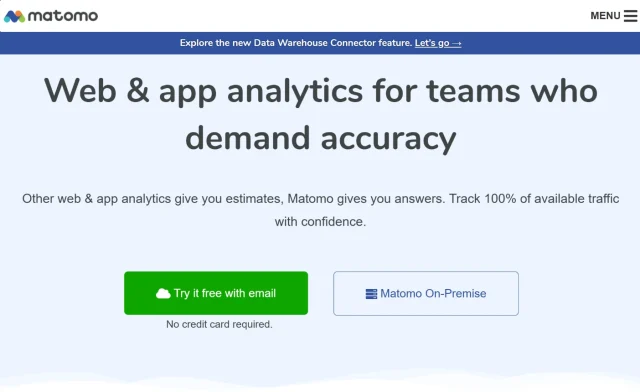
Matomo is the heavyweight champion of the open-source analytics world. It is the closest feature-for-feature clone of the old Google Analytics, but with you in control. It offers immense power but comes with a steep learning curve.
Key features
- Complete data ownership: You host it, you own it.
- Importer: Can import historical Google Analytics data.
- Advanced features: Heatmaps, session recordings, A/B testing, and form analytics.
Pros
- The most feature-rich alternative on this list.
- No data sampling (100% accurate data).
- Highly customizable.
Cons
- Complex setup: Self-hosting requires technical knowledge.
- Heavy resource usage: Can slow down your server/database if you have high traffic.
- The interface is dense and can be overwhelming for beginners.
Final verdict
Matomo is for the power user or enterprise that wants to leave Google but isn’t willing to sacrifice advanced features like funnels and detailed segmentation. It is likely overkill for a standard blog or portfolio site.
5. MonsterInsights
Section titled 5. MonsterInsightsEase of Use: 8/10 | Privacy: 5/10 | Performance: 6/10 | Data Ownership: 2/10 Overall Score: 5.3/10 Pricing: Free (Lite) / Pro starts at $99.50/year

If you search for Google Analytics alternatives for WordPress, you will inevitably find MonsterInsights. However, it is important to clarify: MonsterInsights is not a replacement for Google Analytics; it is a wrapper for it. It connects your site to GA4 but shows stats in your dashboard.
Key features
- GA4 dashboard: Brings Google’s data inside WordPress.
- eCommerce tracking: Strong integration with WooCommerce (in Pro version).
- File download tracking: Automatically tracks file clicks.
Pros
- Easy way to view Google stats without logging into Google.
- Good for users who must use Google Analytics for corporate reasons.
Cons
- Not a true alternative: You are still feeding data to Google; privacy concerns remain.
- Bloat: The plugin is heavy, and the free version is filled with aggressive upsell ads.
- Expensive: The Pro plans are significantly pricier than competitors.
Final verdict
We only recommend MonsterInsights if you are forced to use Google Analytics by a client or boss but want a slightly easier interface. If you are looking for privacy or independence from Google, this is not the tool for you.
Comparison table
Section titled Comparison tableConclusion
Section titled ConclusionThe era of Google Analytics being the default choice is over. The learning curve of GA4, combined with the rising demand for privacy, has opened the door for simpler and more privacy-focused tools.
You don’t need a complex enterprise tool to run a successful WordPress site. You need data you can trust, presented in a way you can understand. Whether you choose the privacy-focused minimalism of Plausible or the deep power of Matomo, you are making a move toward owning your own data.
However, for the vast majority of WordPress users from freelancers to business owners – the best balance is a native, integrated solution like Burst Statistics. You want a tool that respects your visitors, loads instantly, and is built by developers who understand the importance of reliability.
Ready to own your data?
Join the thousands of WordPress site owners switching to a simpler, safer alternative. Install in 2 minutes and without sending your analytics data to Google.
Which is the best Google Analytics alternative for WordPress?
Based on our metrics of ease of use, privacy, and performance, Burst Statistics is the best all-around choice for most WordPress users. It offers native integration, a zero-cost entry point, and reliability from a trusted team. For users who need deep, enterprise-level features and have technical skills, Matomo is the strongest runner-up.
Why are “native” WordPress analytics plugins often better than external dashboards?
Native plugins like Burst consolidate your tech stack. You get a unified login (no new passwords to remember) and better data context. For example, the plugin understands the difference between a “Product” and a “Post,” whereas external tools just see a URL. Plus, they are often built by teams who understand how to optimize for WordPress databases.
How do I switch from Google Analytics without losing my data?
You usually cannot “merge” old data into a new tool, but you won’t lose it. We recommend running your new plugin side-by-side with GA4 for 30 days. Once you are comfortable with the new dashboard, export your old GA4 data to a CSV file for safekeeping and then remove the Google tracking script.
Will installing an analytics plugin slow down my site?
It depends on the plugin. Cloud-based solutions have zero impact on your server but add a small script download. Optimized native plugins like Burst are designed to be extremely lightweight on the database. However, heavy self-hosted options can slow down your backend if you have massive traffic on cheap hosting.
Are these Google Analytics alternatives truly free?
Google Analytics is “free” because they use your data. True privacy alternatives usually have to make money somewhere. Burst Statistics offers a generous free version because they have a premium tier with advanced features. Plausible charges a monthly fee. Matomo is free if you host it yourself but charges for the cloud version.
Do I still need a cookie banner if I switch?
In many cases, no! If you use a tool like Burst Statistics in “cookieless mode,” no personal data is stored on the device. This often exempts you from the requirement to display a GDPR consent banner for analytics, which can significantly improve your user experience and conversion rates.
Note: Always check with your legal counsel regarding your specific compliance needs.
About the author

Elvira Mishra
Elvira has over four years of experience creating and designing content in WordPress. Her background spans multiple digital disciplines, including marketing, SEO, user experience, and human computer interaction.
Categories
Burst Statistics
Unlock advanced insights for your WordPress site. GDPR-friendly tracking, real-time analytics, custom dashboards, and a full set of powerful reporting tools.
More stories
-

Best WordPress themes for law firms
Find a professional WordPress theme for your law firm, whether you need speed, flexibility, or a ready-made legal layout.
-

How to secure a WordPress site (without overcomplicating it)
Learn how to secure your WordPress site with simple steps that protect against attacks, strengthen logins, and keep your data safe.
-
10 best WordPress themes for beauty salons
Here are the best options to help you stand out, look professional, and turn visitors into bookings.
-
Best WordPress themes for artists and creative portfolios
Discover the best WordPress themes for artists to showcase portfolios and display artwork beautifully.
