Best wordpress CDN plugins for images
If you’ve landed here, your website probably feels slower than it should.
You’ve taken the time to upload high-quality photos, build product galleries, or showcase your work properly and now every page takes a beat too long to load. It’s frustrating, and it’s something almost every WordPress site owner runs into at some point.
The problem is that images do most of the heavy lifting visually, but they’re also one of the biggest reasons a site slows down. When they’re not handled properly, those same images that are meant to attract customers end up working against you. Pages feel sluggish, visitors lose patience, and search engines take note too.
And speed isn’t a “nice to have” anymore. It’s the baseline. Most people are browsing on mobile, often on slower connections, and they won’t wait around for heavy pages to load. Slow images hurt the experience and quietly chip away at your SEO.
This is where two things matter: how your images are prepared, and how they’re delivered.
Before images ever reach a CDN, they should be properly compressed and optimised. That’s the job of an optimization plugin, which reduce image file sizes, clean up unnecessary data, and help your site run leaner overall. Getting this step right makes everything that follows faster and more reliable.
Once your images are optimised, a CDN becomes incredibly effective. A CDN stores copies of your images on servers around the world, so visitors load them from a nearby location instead of waiting for files to travel across continents. For image-heavy sites, the speed difference can be dramatic.
In this guide, I’m not just listing image CDN plugins and calling it a day. I’ll walk you through how to evaluate them properly, explain the different types available, and highlight where each option makes sense. By the end, you’ll know which setup fits your site and how to keep your images loading quickly in 2026 and beyond.
Key takeaways
Section titled Key takeaways- Oversized images are one of the most common reasons WordPress pages feel slow, and they directly affect both user experience and search visibility.
- Image optimisation works best before images ever reach a CDN. Compressing and resizing them locally keeps file sizes down from the start, which is where tools like WP-Optimize are particularly useful.
- Not all image plugins do the same job. Some all-in-one image CDN plugins focus on simplicity, while CDN connectors offer more control and scale for larger sites.
- Modern image solutions now support next-gen formats like WebP and AVIF, which deliver smaller files without sacrificing visual quality.
My methodology
Section titled My methodologyI didn’t want this to be just another list of plugins, so I put together a clear framework to properly compare them.
These are the four key metrics I focused on:
- Optimization power. This is the core of it all. Can the plugin actually make images smaller and smarter? I look for critical features like:
- Lossy/Lossless Compression
- Does it automatically convert images to WebP or AVIF? This is a huge factor for future-proofing
- Does it serve a smaller image to mobile users and a larger one to desktop users? (This is often done with AI and device detection)
- CDN performance & reach. This measures the “delivery” part of the CDN.
- How many Points of Presence (servers) does it have around the world? More is generally better
- Is it a dedicated, high-performance CDN (like Bunny.net or CloudFront) or a simpler, bundled feature?
- Based on third-party tests and user reports, is it actually fast and does it have good uptime?
- Ease of use. A powerful tool is useless if it’s impossible to configure.
- How easy is it to get started? Is it a “one-click” setup or does it require creating accounts and managing API keys?
- Once it’s set up, does it just work? Does it automatically optimize and serve new images from the CDN?
- Value. This isn’t just about being cheap; it’s about what you get for your money.
- What can you get for free? Some offer a generous free tier based on bandwidth, while others are a hard paywall
- Is it a flat monthly fee or pay-as-you-go?
- Overall ROI
A CDN is just one part of improving your site’s speed and reach. It works best when it’s paired with other essentials, like solid accessibility practices, good SEO foundations, reliable hosting, and clear customer support paths. When all of these pieces work together, your site doesn’t just load faster, it becomes easier to use, easier to find, and easier to trust.
All-in-One (AIO) image CDN plugins
Section titled All-in-One (AIO) image CDN pluginsThese are my top recommendations for beginners, bloggers, and small business owners. These plugins are designed for simplicity. They typically bundle image optimization (compression, WebP conversion) and a CDN into a single, easy-to-use plugin. You install it, activate it, and it starts working.
Many of these plugins take care of image optimisation, but they won’t handle things like page caching or database optimization. If you want your whole site to feel faster, not just the images, you’ll need an all-in-one performance plugin like WP-Optimize that covers those areas.
Don’t put a fast CDN on a slow foundation
A CDN can only deliver what it’s given. WP-Optimize helps by caching your pages, cleaning your database, and compressing your images so the files your CDN serves are as light and fast as possible.
1. Optimole
Section titled 1. OptimolePremium | Optimization: 10/10 | CDN: 9/10 | Ease of Use: 10/10 | Value: 8/10 | Overall : 9.25
Ideal use case: Anyone who wants the absolute best in image optimization without ever wanting to touch a setting. It’s perfect for bloggers, small e-commerce stores, and agencies that value their time.
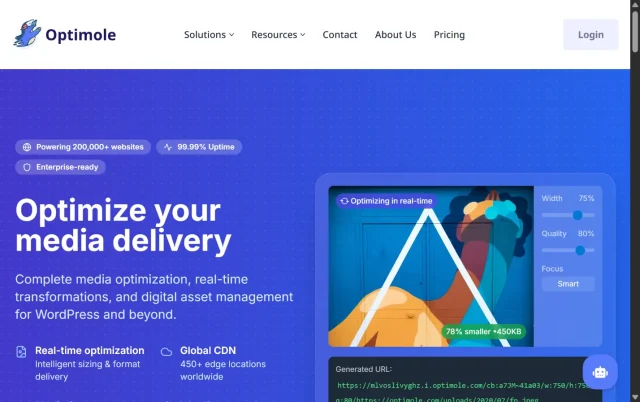
Optimole is the king of the AIO solutions. It’s a cloud-based, fully automated service. The moment you activate it, it automatically detects all your images, compresses them, creates WebP (or AVIF) versions, and starts serving them from its own CDN (powered by Amazon CloudFront).
Key features
- Fully automated, set-it-and-forget-it
- AI-powered adaptive image resizing
- Automatic WebP and AVIF conversion
- Uses a fast global Amazon CloudFront CDN
- Lazy loading included
- Adds a watermark if you need one
Pros
- The automation is flawless
- Device-aware resizing is a game-changer for mobile scores
Includes AVIF support, which is very forward-thinking - Generous free plan (for up to 5k monthly visitors)
Cons
- It’s a subscription. If you stop paying, your images revert to the un-optimized originals
- The free plan is based on visitors, not bandwidth, which can be limiting for some
Final verdict
If you just want your images to be fast and look great on all devices with zero effort, get Optimole. It’s the best for image optimization – it just works, and it works beautifully. The free plan is perfect for small blogs to try it out.
2. ShortPixel Adaptive Images (SAI)
Section titled 2. ShortPixel Adaptive Images (SAI)Freemium | Optimization: 9/10 | CDN: 9/10 | Ease of Use: 9/10 | Value: 9/10 | Overall : 9.0
Ideal use case: Site owners who want a powerful AIO solution but prefer a more flexible pricing model than a hard monthly subscription. The one-time credit bundles are perfect for sites that don’t add new images every day.
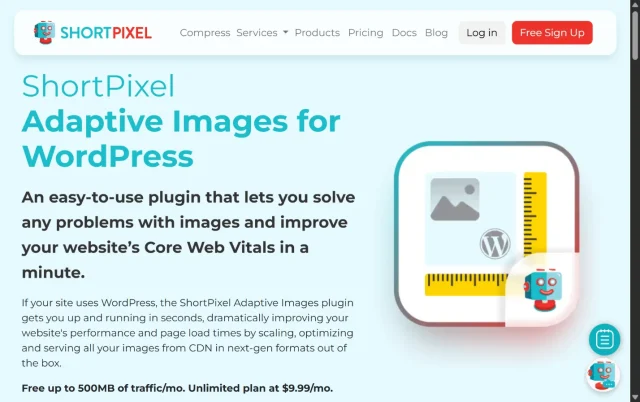
ShortPixel grabs your images, optimizes them in the cloud, and serves them from its own global CDN. It also does smart-cropping, device detection, and next-gen format conversion. The main difference is in the pricing. ShortPixel uses a credit system, where 1 credit = 1 optimized image. You can buy monthly plans or one-time credit bundles, which I find incredibly flexible. Their CDN is fast and reliable.
Key features
- On-the-fly image optimization and delivery
- Automatic WebP and AVIF conversion
- Smart cropping feature
- Serves from its own global CDN
- Flexible credit-based pricing (monthly or one-time)
Pros
- Excellent optimization quality
The pricing is very flexible and scalable - One-time bundles mean you don’t have to have another subscription
- Great documentation and support
Cons
- The credit system can be confusing at first
- The plugin interface isn’t quite as slick as Optimole’s
Final verdict
ShortPixel Adaptive Images is a top-tier contender that competes directly with Optimole. I often recommend it to clients who have a large, existing media library. They can buy a big one-time bundle, optimize everything, and then just pay for what they need. It’s a fantastic value.
3. Smush
Section titled 3. SmushFreemium | Optimization: 7/10 | CDN: 8/10 | Ease of Use: 9/10 | Value: 8/10 | Overall : 8.0
Ideal use case: The free version is for bloggers who want good local optimization without a CDN. The pro version is for people already in the WPMU DEV ecosystem or who want a simple, reliable CDN from a trusted name.
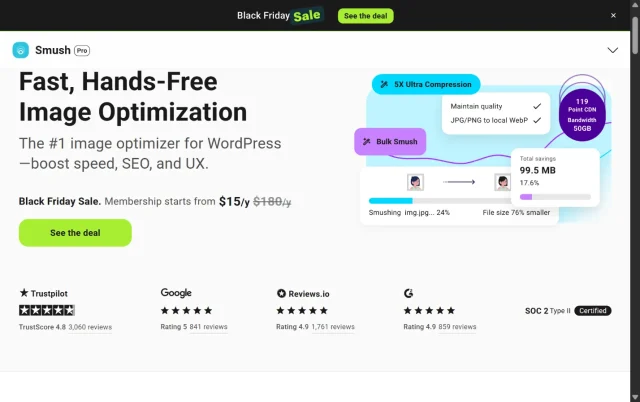
Smush is one of the most popular optimization plugins on the WordPress repository, and for good reason. It’s made by the team at WPMU DEV and has a super-friendly interface. The free version of Smush does local optimization (on your server) and includes features like lazy loading.
Key features
- Free: Lossless compression, lazy loading, local WebP conversion
- Pro: Global CDN (45 PoPs), automatic image resizing, background optimization
- User-friendly setup and dashboard
- Bulk-smush an entire library
Pros
- The free version is very capable for local optimization
- Incredibly easy to use; great for beginners
- Part of a larger, trusted ecosystem of plugins
- The Pro CDN is fast and stable
Cons
- The free version’s CDN is not a true image CDN (it’s a basic file CDN)
- You must be on the Pro plan for the real image CDN features
- Optimization isn’t as advanced as rivals (no AVIF, less aggressive compression)
Final verdict
Smush is a dependable option, especially for beginners. The free version does a good job with basic image optimisation. If you’re looking for a CDN, the Pro version works well, though in my experience Optimole and ShortPixel tend to offer more advanced optimization features for around the same cost.
4. Jetpack Site Accelerator (formerly Photon)
Section titled 4. Jetpack Site Accelerator (formerly Photon)Free | Optimization: 6/10 | CDN: 7/10 | Ease of Use: 10/10 | Value: 10/10 : Overall : 8.25
Ideal use case: Hobby bloggers, personal sites, and anyone on a zero-dollar budget who needs something better than nothing. It is genuinely a massive step up from self-hosting images.

This is probably the most-used image CDN on this list because it’s 100% free and unlimited. It’s part of the Jetpack plugin. You flip one switch labeled “Site accelerator,” and Jetpack starts serving your images from the massive WordPress.com CDN.
Key features
- 100% free with unlimited bandwidth
- Serves images from the global WordPress.com CDN
- Also serves core CSS and JS files
- One-click setup
Pros
- Completely free
- Unlimited
- Absurdly easy to set up (it’s one toggle)
- Takes a huge load off your server
Cons
- Zero configuration or control
- Optimization is very basic
- Can have a “cache lag” where old images are served for a while after you update them
- Requires installing the Jetpack plugin, which many users find “bloated” (though you can now install just the modules you want)
Final verdict
You really can’t go wrong with something that’s free and unlimited. If you’re working with no budget and your site feels sluggish, switching this on is an easy win. It’s not the strongest performer on this list, but in terms of value, it’s hard to beat.
5. EWWW Image Optimizer
Section titled 5. EWWW Image OptimizerFreemium | Optimization: 9/10 | CDN: 8/10 | Ease of Use: 7/10 | Value: 8/10 | Overall : 8.0
Ideal use case: The power user who wants an AIO solution. If you’re the kind of person who likes to tweak every single setting for compression, resizing, and delivery, EWWW gives you that control.

EWWW (Easy WebP) Image Optimizer is a long-time favorite for performance-focused users. It’s packed with features. The free version does excellent local optimization, including WebP conversion. To get the CDN, you need their premium “Easy IO” plan. This plan works like Optimole, offering on-the-fly optimization, adaptive resizing, and serving from a fast global CDN (powered by Bunny.net, which we’ll discuss later). It’s extremely powerful but also has a lot of settings, which can be overwhelming for beginners.
Key features
- Free: Excellent local compression and WebP conversion
- Premium (Easy IO): All-in-one adaptive optimization
- Uses the very fast Bunny.net CDN
- Supports AVIF conversion
- Tons of advanced settings for power users
Pros
- Extremely powerful and flexible
- Premium plan (Easy IO) is top-tier in performance
- Uses the excellent Bunny.net infrastructure
- The free version is one of the best for local optimization
Cons
- The interface and sheer number of settings can be intimidating
- Setup is more complex than with Optimole or Smush
Final verdict
EWWW is not as simple as Optimole, but it’s incredibly fast and customizable if you’re willing to dive into the settings. I’m a big fan of its premium offering.
Most of your visitors are on mobile, and often on patchy 4G. That gorgeous 2MB hero image might load instantly on your office Wi-Fi, but for them, it’s a long wait and a quick reason to tap ‘back.’ An adaptive image CDN isn’t just about speed; it’s about keeping people on your site long enough to actually see what you made.
CDN service & connector plugins
Section titled CDN service & connector pluginsThis category is really aimed at power users, big e-commerce stores, and high-traffic sites. These aren’t “all-in-one” plugins, they’re full CDN services that you connect to WordPress with a lightweight helper plugin.
The trade-off is simple: you get more control and more power, but you’ll need to set things up yourself. That usually means creating an account with the CDN provider, configuring a pull zone, and then linking it to WordPress.
One thing to keep in mind: these CDNs only handle delivery. They don’t optimize your images or speed up your site on their own. They work best when your images are already compressed and your site is already fast, so pairing them with a optimization tool gives you a much stronger foundation before your files ever reach the CDN.
6. Bunny.net
Section titled 6. Bunny.netPremium | Optimization: 10/10 | CDN: 10/10 | Ease of Use: 6/10 | Value: 10/10 | Overall : 9.0
Ideal use case: Perfect for anyone who’s obsessed with performance and wants top-tier speed without spending a fortune. It’s the option that speed enthusiasts tend to gravitate toward.

Bunny.net (formerly BunnyCDN) is my personal favorite in this category. It is fast, has 128+ PoPs, and is incredibly affordable. Its pricing is pay-as-you-go, and it’s so cheap it’s almost free.
Key features
- Blazing-fast global CDN (128+ PoPs)
- Extremely affordable pay-as-you-go pricing
- Optional “Optimizer” for real-time resizing and WebP/AVIF
- “Perma-cache” stores your images indefinitely
- Great, simple-to-use dashboard
Pros
- Incredible speed-to-price ratio. I
- t’s the best value in performance
- The Optimizer feature is as powerful as any AIO plugin
- Total control over your caching and settings
- Scales from a tiny blog to a massive enterprise
Cons
- Requires manual setup: you have to create an account, set up a pull zone, and configure the plugin
- It’s not “set it and forget it” like Optimole
Final verdict
In my experience, pairing Bunny.net with WP-Optimize creates a really strong setup. WP-Optimize takes care of the on-site caching and database cleanup, while Bunny.net handles the fast global delivery and edge-level image optimisation. It does take a little more effort to set up compared to an all-in-one plugin, but the performance payoff is genuinely impressive.
7. Cloudflare
Section titled 7. CloudflareFreemium | Optimization: 8/10 | CDN: 10/10 | Ease of Use: 5/10 | Value: 10/10 | Overall : 8.25
Ideal use case: Everyone. Honestly, every website should be on Cloudflare’s free plan, even if it’s just for the security and DNS speed. It’s the baseline. The Pro plan is for businesses that want to add powerful image optimization to that stack.

Cloudflare is… well, Cloudflare. It’s one of the biggest players on the internet, acting as a reverse proxy, a Web Application Firewall (WAF), and a huge global CDN with hundreds of PoPs. The standout part? Its core CDN and security features are completely free.
Cloudflare isn’t an image-specific CDN by default, it caches your whole site. If you want its more advanced image features, you’ll need the Pro plan ($25/month), which unlocks Polish (automatic WebP conversion and compression) and Mirage (adaptive image loading for mobile devices). The free plan is still excellent, but the Pro plan is where the real image optimisation kicks in.
Key features
- Free: Massive global CDN, top-tier security, DDoS protection
- Pro: “Polish” for automatic WebP and compression, “Mirage” for adaptive resizing
- Official WordPress plugin for easy cache management
- Caches your entire site, not just images
Pros
- The free plan is an incredible gift to the internet
- Unmatched global network and security features
- The official plugin makes it easy to purge the cache from WordPress
- The Pro plan’s “Polish” is excellent
Cons
- Setup is the most complex on this list. It requires changing your domain’s nameservers, which is a big step for beginners
- Its image optimization is a paid add-on (Pro plan)
- Can be too complex, with settings that can break your site if misconfigured
Final verdict
Cloudflare is an easy win. The free plan alone gives you a fast global CDN and solid security, so it’s a great starting point for almost any site. If you want to take image optimisation further, the Pro plan (with Polish and Mirage) is excellent value. And if you’re using a caching tool alongside it, you’ll get even better results, since Cloudflare works best when your site is already optimised at the source.
8. KeyCDN
Section titled 8. KeyCDNPremium | Optimization: 7/10 | CDN: 9/10 | Ease of Use: 7/10 | Value: 9/10 | Overall : 8.0
Ideal use case: Site owners who want a pure, no-nonsense, pay-as-you-go CDN. The choice between KeyCDN and Bunny.net often comes down to personal preference on the dashboard or which one is minutely faster in your target region.
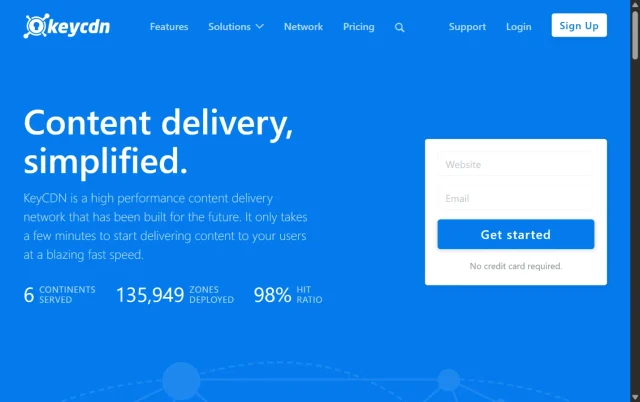
KeyCDN is another major player in the pay-as-you-go CDN market, competing directly with Bunny.net. It’s known for its reliability, straightforward dashboard, and great features. You connect to it using a simple plugin like CDN Enabler. Like Bunny, it has an on-the-fly image optimizer. You can enable WebP conversion, resize, and compress images just by changing the URL parameters. It’s very powerful and extremely affordable.
Key features
- Pay-as-you-go pricing
- Fast global network (40+ PoPs)
- Simple, powerful dashboard
- On-the-fly image optimization (WebP, resizing)
- Use with their simple “CDN Enabler” plugin
Pros
- Very low-cost, pay-as-you-go model
- Simple and reliable
- CDN Enabler plugin is lightweight and easy
- Good image optimization features
Cons
- Smaller network than Bunny.net or Cloudflare
- Requires manual setup (account creation, pull zone)
Final verdict
KeyCDN is a fantastic, reliable, and cheap CDN. I’ve used it on many projects and never had an issue. It’s a rock-solid choice for anyone who wants to move beyond an AIO plugin and get more control.
9. NitroPack
Section titled 9. NitroPackPremium | Optimization: 10/10 | CDN: 10/10 | Ease of Use: 9/10 | Value: 7/10 | Overall : 9.0
Ideal use case: The business owner or blogger who is completely non-technical, has a budget, and will pay to make the slow website problem go away today.
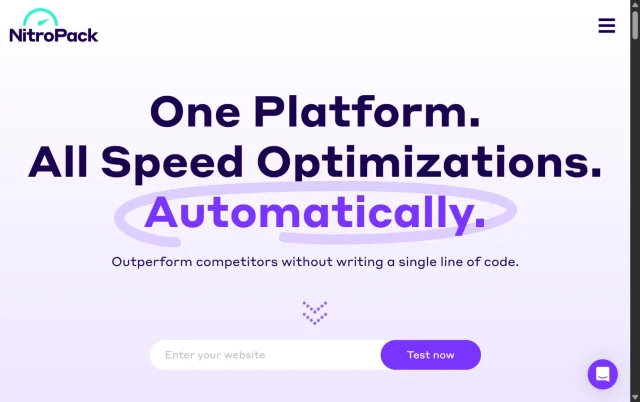
NitroPack can be a bit of a divisive option because it’s very aggressive in how it works, but there’s no denying that it delivers serious speed. It’s not just an image CDN, it’s a full, all-in-one performance tool that essentially takes over your site’s front-end optimization.
It handles everything for you: advanced caching, minifying code, optimizing fonts, lazy loading, and smart image delivery through its CloudFront-powered CDN. Once you install it, NitroPack pretty much runs the whole show, which is why it’s known for producing 95+ PageSpeed scores without much tweaking.
Key features
- All-in-one speed solution
- Advanced image optimization (WebP, AVIF, adaptive)
- Global CloudFront CDN included
- Aggressive code and script optimization
- Almost-guaranteed 90+ PageSpeed scores
Pros
- The easiest way to get an incredibly fast site
- Its image optimization is world-class
- It’s a true “set it and forget it” solution
- Generous free plan (for 5k visits/mo)
Cons
- It’s expensive. The paid plans get costly
- It can be too aggressive and can break complex sites (especially e-commerce)
- You are “locked in” to their system. Turning it off means you lose all optimizations
Final verdict
NitroPack is a blunt but powerful tool. If your site is struggling with speed and you want fast results without building a custom optimisation stack, it can feel almost effortless, especially on simpler sites.
That said, it’s not always the best long-term fit for complex or highly customised setups. For those, a more controlled approach using dedicated performance plugins often makes more sense. But as a quick, low-effort speed boost, NitroPack is hard to ignore.
10. Amazon CloudFront
Section titled 10. Amazon CloudFrontPremium | Optimization: 5/10 | CDN: 10/10 | Ease of Use: 2/10 | Value: 8/10 | Overall: 6.25
Ideal use case: Enterprise-level websites, massive e-commerce stores, and developers who need 100% control and are comfortable inside an AWS dashboard.
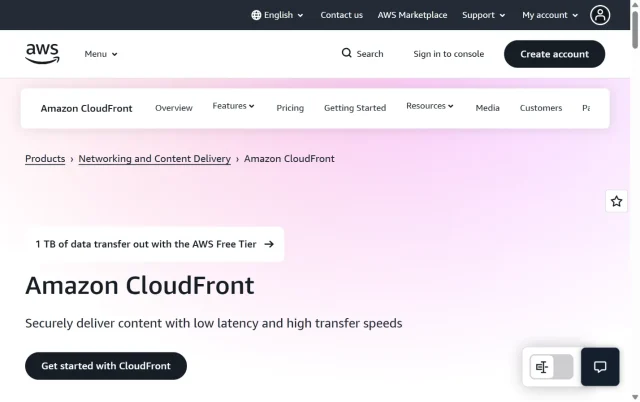
This is the expert-only option. Amazon CloudFront powers a lot of the services mentioned in this guide (including Optimole), and it’s one of the largest, fastest, and most configurable CDNs available. In most setups, you’d pair it with a caching plugin to handle compression and page caching, and let CloudFront focus purely on delivery. It’s a more advanced, enterprise-style setup, but incredibly powerful when configured well.
Key features
- The actual AWS global infrastructure
- Infinitely scalable
- Pay-as-you-go (and very cheap for bandwidth)
- Total control over everything (caching, security, headers)
Pros
- Unmatched scale and reliability
- Potentially the cheapest option for high-bandwidth sites
- The ultimate in-control
Cons
- Extremely difficult to set up. You can easily misconfigure it
- The AWS dashboard is terrifying for newcomers
- Doesn’t do any image optimization out of the box
Final verdict
Don’t use this unless you are a developer or system administrator. For the 99% of users, this is total overkill. For the 1% who need it, it’s the industry standard.
A CDN alone won’t make your site fast
A CDN helps deliver files quickly, but it doesn’t fix what’s slowing your site down. WP-Optimize tackles performance at the source, with page caching and image compression that speed things up before content ever reaches the CDN.
Comparison table
Section titled Comparison tableConclusion
Section titled ConclusionAfter all of this, the real question isn’t which tool is best, but which setup makes the most sense for you. That usually comes down to how hands-on you want to be and how much control you’re comfortable having.
If you’re a beginner or running a smaller site
Section titled If you’re a beginner or running a smaller siteOptimole is a great place to start. It handles image optimisation automatically, and once it’s set up, it quietly does its job in the background. Pairing it with a performance plugin like WP-Optimize helps make sure the rest of your site is taken care of too — things like caching and database cleanup, not just images.
If you’re more experienced or running a growing, high-traffic site
Section titled If you’re more experienced or running a growing, high-traffic siteThe combination of WP-Optimize Premium and Bunny.net is hard to beat. WP-Optimize focuses on making your site fast at the source – cleaning up the database, caching pages, and compressing images before they’re served. Bunny.net then takes over for fast, global delivery and modern image formats at the edge. It’s a setup that gives you more control and scales very well as your traffic grows.
This kind of hybrid approach works because it tackles performance from both sides: your site is lean and efficient on the server, and your content is delivered quickly to visitors wherever they are.
Whichever route you take, the important thing is not letting heavy images quietly slow everything down. And it’s worth remembering that a CDN isn’t a magic fix on its own — it’s just one piece of the puzzle.
A fast site starts at home. That’s why WP-Optimize is usually the first performance plugin I install. It creates a solid, optimised foundation so everything else you add – CDN included, can actually do its job properly.
FAQs
Section titled FAQsWhat is a WordPress CDN plugin?
A WordPress CDN plugin delivers your images from servers closer to your visitors. This reduces load times, saves bandwidth, and improves overall performance. Some plugins also handle features like compression and next-gen formats (WebP, AVIF).
Do I really need a CDN for my WordPress images?
You don’t need one, but most sites benefit from it, especially if your audience is spread across different countries. A CDN reduces the distance your images travel, which leads to faster load times and better user experience.
What’s the difference between an image optimization plugin and a CDN plugin?
Image optimization plugins compresses and convert images locally on your site, reducing file size.
A CDN plugin then delivers those optimised images from servers closer to your visitors.
For best results, use both: optimise images first with tools like WP-Optimize, then serve them through a CDN like Optimole or Bunny.net for faster global loading.
Which is the best free CDN plugin for WordPress images?
If you’re just starting out, Jetpack Site Accelerator is a solid free option. It is easy to set up and handle basic image delivery. For more control and features like WebP conversion and adaptive resizing, Optimole’s free plan is a great middle ground.
How can I make my CDN even faster?
Start by optimising your images locally and making sure your site is cached and tidy. A lighter site means your CDN has less work to do, which leads to faster delivery.
Will a CDN improve my Google PageSpeed Insights score?
es. A CDN helps reduce latency and deliver files faster, which can help improve Core Web Vitals, including metrics like Largest Contentful Paint (LCP) and First Contentful Paint (FCP). Just remember that CDNs work best when your images are properly optimised before they’re served.
How do I know if my CDN is working?
You can check using browser developer tools or performance tests like GTmetrix, Pingdom, or Google PageSpeed Insights. Look at the image URLs, if they point to your CDN domain (e.g., cdn.yoursite.com or your CDN provider’s domain), it’s active.
Will a CDN affect my image SEO or alt tags?
No, a CDN only changes the delivery URL, not the metadata. Your alt tags, titles, and SEO attributes remain intact. Just ensure your CDN isn’t blocking search crawlers and that canonical URLs point to your main site domain.
Is Cloudflare a good CDN for WordPress images?
Yes, Cloudflare is one of the best general-purpose CDNs for WordPress. However, it’s not image-specific by default. Pairing Cloudflare with an image-focused plugin (like Optimole or Smush) gives you both speed and smart image handling.
What’s the best setup for overall image performance?
A strong setup usually looks like this:
- Optimise images locally with WP-Optimize to reduce file sizes and clean up your database.
- Use an image CDN like Optimole or Cloudflare to deliver those images quickly around the world.
- Enable browser caching and lazy loading so images only load when they’re needed.
- Check the results using tools like GTmetrix or Google PageSpeed Insights.
This approach keeps your pages lightweight and helps them load fast for visitors, no matter where they’re browsing from.
About the author

Elvira Mishra
Elvira has over four years of experience creating and designing content in WordPress. Her background spans multiple digital disciplines, including marketing, SEO, user experience, and human computer interaction.
Categories
WP-Optimize
Get all our premium features. Lazy loading, pre-load key requests, Cloudfare integration. Optimize individual tables, delete unused images and more.
From just $49 for the year.
More stories
-

How to secure a WordPress site (without overcomplicating it)
Learn how to secure your WordPress site with simple steps that protect against attacks, strengthen logins, and keep your data safe.
-

10 best WordPress themes for beauty salons
Here are the best options to help you stand out, look professional, and turn visitors into bookings.
-
Best Google Analytics alternatives for WordPress
Discover the best Google Analytics alternatives for WordPress, including privacy-friendly tools with simpler dashboards and better performance.
-
Best WordPress themes for artists and creative portfolios
Discover the best WordPress themes for artists to showcase portfolios and display artwork beautifully.
