Best WordPress plugins for food bloggers
Running a successful food blog today is about more than just great recipes. It also comes down to the technical side of things. Your site needs to load quickly for mobile users, your recipes need to appear correctly in Google’s rich results, and your high-resolution photos should look sharp without slowing everything down. From building and managing multiple WordPress sites, I’ve learned that the right mix of plugins is often what separates a hobby blog from one that actually makes money.
In this guide, I’ll walk you through the essential setup for a professional food blog – the tools that quietly handle the technical side so you can focus on developing recipes and creating content.
Key takeaways
Section titled Key takeaways- If you’re not using a proper recipe plugin, you’re probably leaving search traffic on the table. Google needs clear recipe structure – not just pretty formatting.
- Food blogs are image-heavy by default, so speed problems sneak up quickly. Compression and caching aren’t optional once your library grows.
- Backups feel boring… until the day you really need one. Seasonal spikes and plugin updates are when things tend to break.
- Pinterest still drives serious traffic in this niche. Your setup should support vertical pins and custom descriptions without wrecking your layout.
- You don’t need 30 plugins. You need a small stack that works well together and doesn’t slow everything down.
My methodology
Section titled My methodologyFood blogs aren’t built like most other websites. They’re less like opinion pieces and more like organised collections of instructions. Every post has structured ingredients, timings, step-by-step photos, and usually a lot of media. On top of that, traffic can spike hard at very predictable times of year – think Thanksgiving, Christmas, or any big food holiday.
Because of that, a plugin that works fine on a generic blog can feel awkward on a food site. If it slows things down, clashes with your recipe card, or adds unnecessary clutter, it becomes more of a headache than a help.
So when putting this list together, I kept it practical.
First, it had to be easy to use. Most food bloggers don’t want to spend hours digging through technical settings. If a tool feels complicated straight away, it’s probably not the right fit.
Second, it had to solve a real problem. Things like recipe schema, Pinterest compatibility, and image-heavy layouts matter a lot more in this niche than flashy extra features.
In short, I looked for plugins that quietly make running a food blog easier, not ones that add more things to manage.
I ranked each plugin based on the following weighted criteria:
- Ease of use: Can you set this up while waiting for a timer to go off, or do you need a developer’s degree? Food bloggers are creators first, not IT managers. I prioritized plugins with intuitive interfaces and “set it and forget it” capabilities.
- Functionality & specificity: Does it solve a specific pain point for food content creators? General tools are fine, but tools that understand recipe schema, Pinterest compatibility, and image-heavy layouts scored higher.
- Performance impact: This is critical. Food blogs are naturally heavy due to images. I evaluated how much “bloat” each plugin adds.
- Support & longevity: Is there a reliable team behind it? You are building a business; you cannot rely on abandoned software.
- Value: Is the feature set worth the price tag?
Ready to secure your hard work?
Don’t wait for a crash to think about backups. Get the premium protection your recipes deserve.
The best WordPress plugins for food bloggers
Section titled The best WordPress plugins for food bloggersBelow are the tools I rely on and recommend. They each serve a different purpose, but they work well together as a complete setup.
1. WP Recipe Maker
Section titled 1. WP Recipe MakerFreemium | Ease: 9 | Features: 10 | Support: 10 | Overall Score: 9.8/10
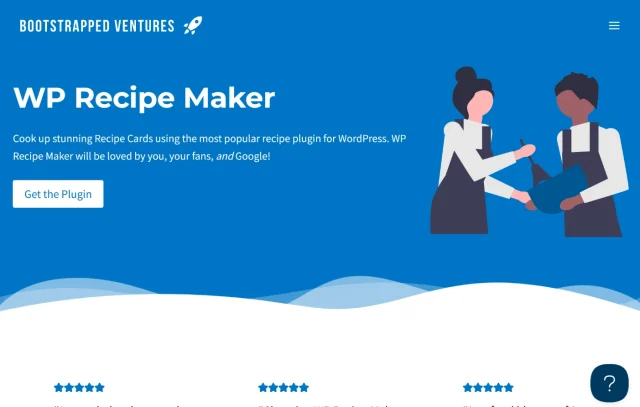
If you install only one plugin from this list, make it this one. WP Recipe Maker is the gold standard for food bloggers for a reason. It handles the most critical technical aspect of food blogging: JSON-LD Schema metadata. This is the code that tells Google “this is a recipe” and allows your post to display the star rating, cooking time, calorie count, and photo directly in the search results. Without this, your recipe is just text to Google, and you will struggle to rank.
Key features
- Workflow: An incredibly smooth workflow that lets you add recipes to any post or page using a dedicated block or shortcode.
- SEO: Automatic JSON-LD metadata that is fully compatible with Google Recipe search. It updates automatically as Google changes its requirements.
- User Interaction: Features allow visitors to adjust serving sizes (dynamic amounts) and print recipes with a clean, ad-free layout.
- Pinterest: Custom Pin buttons and metadata specifically for recipe images, ensuring the right image gets pinned.
Pros
- The free version is generous and fully functional; you can run a pro blog on the free version for years.
- The template editor lets you match the recipe card to your brand colors and fonts perfectly.
- It includes a “Jump to Recipe” button automatically, which improves user experience on mobile devices significantly.
Cons
- Some advanced features like unit conversion and ingredient links (for affiliate revenue) are locked behind the premium wall.
- The sheer number of settings can be slightly overwhelming for a total novice
Final verdict
It is the market leader for a reason, and remains the most robust option available. While there are other recipe plugins, WP Recipe Maker stands out for its rock-solid reliability and frequent updates. If you are serious about ranking in Google’s recipe carousel, this isn’t just a plugin; it is a necessity. The investment in the premium version is easily justified by the time you save on formatting and the potential affiliate revenue from ingredient links.
2. UpdraftPlus
Section titled 2. UpdraftPlusFreemium | Ease: 10 | Reliability: 10 | Value: 10 | Score: 9.9/10

Picture this: it’s the week before a major holiday and your traffic is about to spike. You update a plugin, and something breaks. It happens. Without a recent backup, fixing it can quickly turn into a stressful scramble.
UpdraftPlus acts as a safety net, especially for food bloggers with large media libraries and databases full of structured recipe data. When your site is content-heavy, having reliable backups isn’t optional – it’s peace of mind.
Key features
- Automated Schedules: Set it to back up your files and database automatically every day, week, or month depending on your posting schedule.
- Cloud Storage: With UpdraftPlus Premium you can send your backups directly to Dropbox, Google Drive, Amazon S3 so your data is safe off-site. This is crucial, as a backup stored on your server is useless if the server fails.
- One-Click Restore: If things break, you can restore the site to a previous version with a single click from the dashboard.
Pros
- It is the world’s most trusted backup plugin with millions of active installs for a reason.
- Separates file and database backups, which is smart for resource management (you can back up your database more frequently than your images).
- The restore function actually works reliably (which isn’t true for all backup plugins I have tested).
Cons
- The interface is purely functional, though it is very easy to navigate.
- Advanced reporting and incremental backups (which save server resources) require the premium version.
Final verdict
When your site holds hundreds of recipes, images, and comments, you need a reliable way to roll things back if something breaks.
UpdraftPlus makes that process straightforward. It’s dependable, widely trusted, and easy to automate. For me, it’s one of the first tools I install on any new site because it removes a lot of unnecessary stress from updates and changes.
3. WP-Optimize
Section titled 3. WP-OptimizeFreemium | Ease: 9 | Speed: 9 | Value: 10 | Score: 9.4/10
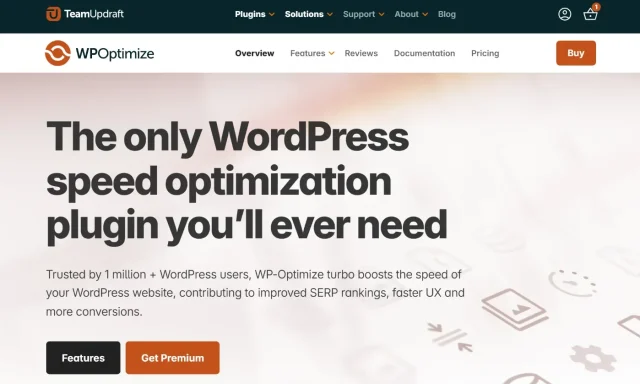
Speed isn’t just about caching pages; it is about keeping your database clean. As a food blogger, you are constantly updating posts, saving revisions of recipes, and moderating comments. This creates “database bloat” that slows down your backend. WP-Optimize is unique because it handles caching and database optimization in one plugin. It keeps your kitchen floor (the database) scrubbed clean so the service (the website) runs smoothly.
Key features
- Database Cleaning: Removes unnecessary data like trash comments, post revisions, and transient options that clog up your site.
- Page Caching: Generates static HTML files just like the premium competitors, ensuring your recipe pages load instantly.
- Image Compression: Built-in integration to compress your food photos (though dedicated tools like ShortPixel are still good, having this built-in is a bonus).
Pros
- It is an all-in-one solution that reduces the need for multiple performance plugins.
- The caching feature is surprisingly robust for a free plugin, including device-specific caching.
- It is from the same team as UpdraftPlus, so you know the code quality and reliability are top-tier.
Cons
- Database cleaning is powerful, so you must back up your WordPress site before running it (luckily, it integrates with UpdraftPlus).
- The image compression is good but maybe less specialized than a dedicated photography tool if you have very specific needs.
Final verdict
WP-Optimize is arguably the best “bang for your buck” performance plugin for blogs on the market because the core features are free. While other plugins focus solely on caching, WP-Optimize attacks speed from two angles: the frontend (caching) and the backend (database). For a food blog that grows over years with thousands of revisions and comments, the database cleaning feature is the secret ingredient that keeps your site fast long-term.
Serve your recipes while they’re hot
Hungry readers won’t wait for slow pages to load. Cache your high-res food photos and scrub your database clean to ensure your site is as fast as your service.
4. ShortPixel Image Optimizer
Section titled 4. ShortPixel Image OptimizerFreemium | Ease: 10 | Quality: 9 | Value: 9 | Score: 9.2/10
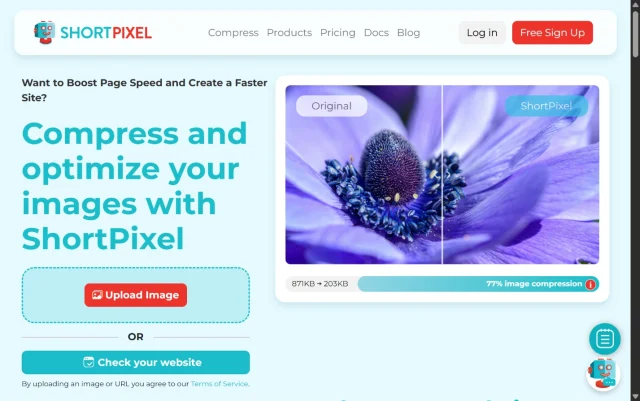
Your photos are your main selling point, but raw camera files are massive. If you upload a 5MB image directly from your camera, your reader on a 4G connection will bounce before the page loads. ShortPixel compresses your images automatically as you upload them, reducing file size by up to 90% without a visible loss in quality.
Key features
- Compression Levels: Offers Lossy, Glossy, and Lossless compression options. “Glossy” is perfect for high-quality food pics.
- WebP Conversion: Automatically creates WebP versions of images, a modern format that Google prefers.
- Bulk Optimization: Can process your entire existing media library in one go with a single click.
Pros
- “Glossy” mode is specifically designed for photographers who care about quality.
- The free plan gives you 100 credits a month, which is enough for hobbyists or those posting once a week.
- It works in the background silently; you upload as normal, and it handles the rest.
Cons
- If you have a massive existing library (thousands of photos), you might need to buy a one-time credit pack to optimize them all.
- The original backups take up server space (though you can delete them via settings).
Final verdict
This is essential. Unoptimized images are the number one killer of food blog speed. ShortPixel fixes this problem on autopilot. The visual difference between the original and the “Glossy” compressed version is imperceptible to the human eye, but the file size difference is massive. For a genre that relies entirely on visuals, ShortPixel strikes the perfect balance between aesthetics and performance.
5. Rank Math SEO
Section titled 5. Rank Math SEOFreemium | Ease: 8 | Features: 10 | Value: 10 | Score: 9.6/10

For a long time, Yoast SEO was the only name in the game. But recently, Rank Math has taken over as the favorite for many experts. It offers features in its free version that others charge for. It helps you write content that Google understands, suggesting keywords and analyzing your readability.
Key features
- Content Analysis: Gives you a score out of 100 for your post’s SEO optimization right in the editor.
- Schema Generator: Built-in support for Article, Recipe (though use your Recipe card plugin for this), and How-To schema.
- 404 Monitor: Tracks if visitors are hitting broken links on your site so you can fix them.
Pros
- Extremely lightweight code compared to competitors; it won’t bloat your site.
- Visual interface is modern and easy to understand.
- Integrates with Google Search Console directly in your dashboard to show you ranking data.
Cons
- The sheer number of modules can be intimidating; you need to know what to turn off (e.g., if you use WP Recipe Maker for schema, turn off Rank Math’s schema).
- Aggressive marketing within the dashboard can be annoying to some users.
Final verdict
Rank Math is one of the best SEO plugins available for free. It gives you the data you need to compete with the big food publishers without costing a dime. The “content analysis” tool acts like a coach, guiding you to write better titles and descriptions. While switching SEO plugins can be a pain, starting with Rank Math (or switching early) gives you a significant toolkit advantage over competitors using basic setups.
6. Tasty Pins
Section titled 6. Tasty PinsPremium | Ease: 9 | Specificity: 10 | Value: 8 | Score: 9.0/10

Pinterest is not social media; it is a visual search engine. For food bloggers, it is often a bigger traffic driver than Google. The problem is that the description you write for SEO (Google) is different from the description you want for Pinterest. Tasty Pins lets you set hidden Pinterest-specific descriptions and images so your readers can pin the perfect vertical image while your blog post displays the horizontal one.
Key features
- Hidden Images: Force users to pin a tall, optimized image even if it isn’t visible on the page.
- Pin Descriptions: Write copy specifically for the Pinterest algorithm, including hashtags, which Google hates but Pinterest loves.
- Disable Pinning: Prevent users from pinning low-quality step-by-step shots or ingredients photos.
Pros
- Solves the “alt text vs. Pin description” conflict perfectly.
- Lightweight and does not slow down the site.
- Adds a “Pin” hover button to your images that looks professional.
Cons
- It is a paid plugin with no free version.
- It is a niche tool; if you don’t use Pinterest, you don’t need it.
Final verdict
If you are serious about Pinterest strategy, this plugin pays for itself in increased traffic. It allows you to maintain the aesthetic integrity of your blog (by not cluttering it with massive vertical pins) while still feeding Pinterest the content it craves. It bridges the gap between a beautiful user experience and aggressive social marketing, making it a must-have for the Pinterest-driven food blogger.
7. All-In-One Security (AIOS)
Section titled 7. All-In-One Security (AIOS)Freemium | Ease: 8 | Security: 10 | Value: 10 | Score: 9.5/10
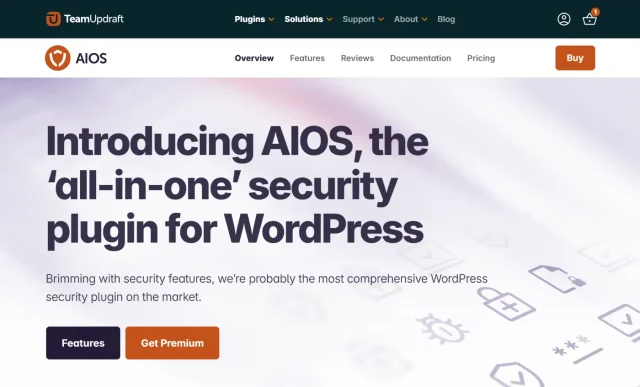
A hacked site can be incredibly disruptive. Food blogs are surprisingly common targets for bots that scrape content or attempt “brute force” login attacks to hijack your site.
AIOS adds a strong layer of protection without making things complicated. It goes beyond basic spam filtering by helping secure your login page, setting up firewall rules, and blocking suspicious IP addresses before they cause problems.
Key features
- Login Lockdown: Protects against “Brute Force” attacks by instantly locking out anyone who tries to guess your password multiple times.
- Firewall (6G): Activates a firewall with 6G blacklist rules to block known malicious requests and bots from ever reaching your site’s content.
- Spam Security: While primarily a security plugin, it includes robust comment spam IP monitoring to block repeat offenders automatically.
Pros
- It offers “premium” level security features completely for free.
- The visual dashboard gives you a security strength score, so you can see exactly how safe your site is at a glance.
- It is incredibly lightweight and won’t slow down your page load times despite the heavy protection.
Cons
- Security plugins can be powerful; if you configure it too aggressively without reading the instructions, you can accidentally lock yourself out (though recovery is easy).
- The interface has a lot of options, which can be slightly intimidating for non-technical users initially.
Final verdict
Security might not be the most exciting part of running a food blog, but it’s one of the most important. Even smaller sites get targeted by automated bots, and having basic protection in place makes a real difference.
AIOS offers a strong set of security features in its free version. Simple changes like renaming your login URL and enabling firewall rules can dramatically reduce automated attacks without adding complexity to your workflow.
It’s the kind of plugin that works quietly in the background, and that’s exactly what you want from a security tool.
Keep your recipes protected
AIOS adds a strong layer of security without complicating your workflow, helping you block common attacks before they become a problem.
8. WPForms
Section titled 8. WPFormsFreemium | Ease: 10 | Features: 9 | Value: 9 | Score: 9.3/10
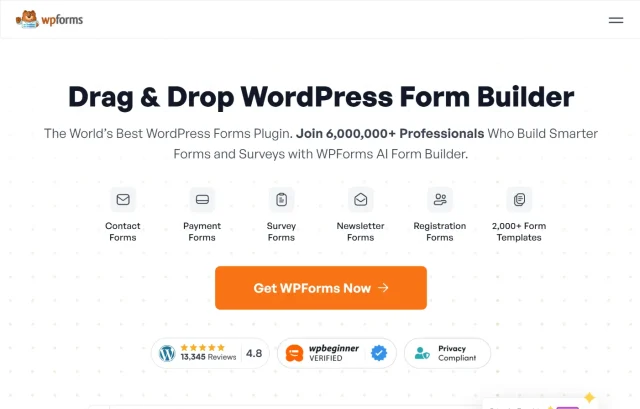
You might think you just need an email address on your site, but as you grow, brands will want to contact you for sponsorships. A professional contact form protects your email from scrapers and makes you look established. WPForms is the most beginner-friendly drag-and-drop builder out there.
Key features
- Drag & Drop Builder: Create forms in minutes without coding.
- Spam Protection: Integrated hCaptcha and Google reCAPTCHA prevent bots from flooding your inbox.
- Instant Notifications: Get an email the second someone submits a form.
Pros
- The free version (Lite) is more than enough for a standard contact form.
- It is incredibly fast and responsive on mobile, so brands can contact you from anywhere.
- Pre-built templates save time; you don’t need to design anything from scratch.
Cons
- Advanced features like file uploads (useful for guest posts) or payment integration are in the Pro version.
- Styling the forms to match your theme exactly might require a little CSS if you are very picky about design.
Final verdict
It is the standard for forms for a reason. Simple, effective, and reliable. A plain email link looks amateur and invites spam; a WPForms contact block looks professional and signals to brands that you are open for business. The user experience is seamless, and for the vast majority of food bloggers, the free version covers every need you will have.
9. Smash Balloon Social Photo Feed
Section titled 9. Smash Balloon Social Photo FeedFreemium | Ease: 9 | Aesthetics: 10 | Value: 9 | Score: 9.1/10
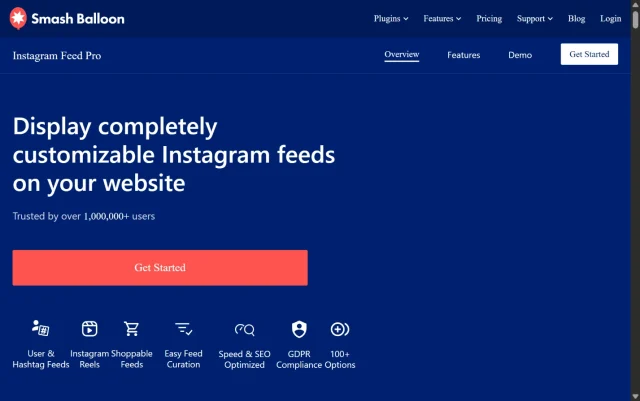
Food is visual. Your Instagram is likely full of beautiful shots that can keep visitors on your site longer. Smash Balloon lets you display your Instagram feed directly on your blog, usually in the footer or sidebar. It adds color, social proof, and encourages cross-platform following.
Key features
- Customizable Feeds: Display photos from multiple Instagram accounts or specific hashtags.
- Load More Button: Infinite scroll capability for your feed keeps users engaged.
- Reliability: It uses a smart caching system so the feed doesn’t break even if Instagram changes their API temporarily.
Pros
- It actually works reliably (many Instagram plugins break constantly due to API changes).
- Responsive layout looks great on mobile phones, adapting the grid automatically.
- Easy to set up with a “Connect” button; no complex API key handling needed.
Cons
- The free version is great, but lightbox (popup) viewing requires the Pro version.
- It adds a few extra requests to your page load, so use it sparingly (e.g., only on the homepage).
Final verdict
The best way to integrate your social media presence directly into your website design. It makes your site look alive and updated even if you haven’t posted a blog entry in a week. By showing your Instagram content, you provide fresh visuals instantly. Smash Balloon is robust enough to handle Instagram’s frequent platform changes, making it the only social feed plugin I recommend for long-term use.
10. Social Warfare
Section titled 10. Social WarfareFreemium | Ease: 8 | Features: 9 | Value: 8 | Score: 8.8/10

You want people to share your recipes. If the buttons are hard to find or ugly, they won’t. Social Warfare adds beautiful, fast-loading sharing buttons that can float along the screen as the user scrolls, serving as a constant reminder to share that delicious brownie recipe.
Key features
- Floating Bars: Keeps sharing buttons visible as readers scroll through the recipe instructions.
- Custom Tweets: Pre-write the tweet text so it includes your handle and the recipe name perfectly.
- Share Counts: Displays social proof (e.g., “1.2k shares”) which encourages more sharing.
Pros
- It is lightweight and doesn’t drag down page speed like some social plugins.
- Recover share counts if you change your permalink structure (a huge feature if you ever move to SSL or change domains).
- Looks professional out of the box with minimal configuration.
Cons
- The interface is a bit dated compared to newer plugins.
- Some advanced features are locked in the Pro version.
Final verdict
Solid, reliable, and essential for growth. You need to make sharing as easy as one click. While there are newer, flashier social plugins, Social Warfare (and its competitor Grow) focuses on performance and data recovery. The ability to recover share counts alone makes it worth the installation; losing your “10k shares” social proof because you changed a URL is a nightmare this plugin prevents.
Overview table
Section titled Overview tableConclusion
Section titled ConclusionTo wrap this up, let’s keep it simple. You don’t need to install every single plugin on the market to be successful. However, the difference between a hobby blog and a professional publishing business often comes down to just a few key technical decisions.
If you’re feeling overwhelmed, it can help to start with a small core setup – think of it as the “holy trinity” of plugins that cover the basics.
- WP Recipe Maker gives your recipes the structure Google expects and makes them easier for readers to follow. It’s the simplest way to ensure your content is recognised as proper recipe content.
- UpdraftPlus takes the stress out of updates and design changes. When you’re preparing for busy periods or testing new plugins, having reliable backups means you can experiment without worrying about losing data.
- All-In-One Security (AIOS) and Rank Math work quietly in the background. One helps keep bots and unwanted traffic at bay, while the other makes it easier for new readers to discover your recipes through search.
At its core, a food blog is a content platform. It needs to be fast, secure, and easy to find. Once these essentials are in place, you can spend far less time worrying about technical issues and more time doing what you enjoy most, creating food your readers actually want to cook and eat.
Don’t let a crash burn your cookbook
You’ve spent years perfecting your recipes and photography. Don’t let one bad plugin update wipe out your entire library. Secure your hard work in the cloud automatically.
FAQs
Section titled FAQsDo I really need a dedicated recipe plugin for my food blog?
Yes, absolutely. You cannot simply type your recipe into a standard text block. Google requires specific code called JSON-LD Schema to understand which text is the “ingredient” and which is the “cook time.” Without a plugin like WP Recipe Maker, your recipes will not display the rich snippets (photos, star ratings, calories) in search results, effectively making your blog invisible to new readers.
How can I speed up my food blog without losing image quality?
Food blogs are visually heavy, which can hurt your Core Web Vitals score. WP-Optimize helps by compressing images without visible quality loss, serving WebP files, and caching pages so they load faster. Lazy loading ensures images only appear when needed, keeping your site quick without sacrificing photo quality.
What is the best SEO plugin for ranking recipes on Google?
While Yoast is popular, Rank Math SEO is currently widely considered the best SEO plugins for food bloggers. It offers built-in schema support, integrates with Google Search Console, and provides detailed suggestions for improving your content’s readability – all within its free version. It works seamlessly alongside dedicated recipe card plugins.
How often should food bloggers backup their WordPress site?
Because food blogs often have high daily traffic and frequent comment activity, you should backup your database daily. Your full site files (themes, plugins, and media uploads) should be backed up at least weekly. Using UpdraftPlus, you can automate this schedule so it happens while you sleep, sending the data to a secure cloud storage location like Dropbox or Google Drive.
Do recipe plugins affect SEO?
Yes – but not in the way most people think.
A recipe plugin adds structured recipe schema, which helps Google recognise your content as a recipe. That’s what allows your post to appear in rich results with ratings, cook time, and images.
It won’t automatically boost your rankings, but it does improve how your recipe shows up in search. It works alongside your SEO plugin, not instead of it.
Can I use more than one recipe plugin?
You can, but it’s not recommended.
Most recipe plugins add structured recipe schema. Running two can create duplicate or conflicting markup, which may confuse search engines and affect how your recipes appear in rich results.
It’s usually best to choose one reliable recipe plugin and use it consistently. If you’re switching, migrate properly rather than running both long term.
What slows down a food blog the most?
In most cases, it comes down to three things:
1. Uncompressed images.
Food blogs rely heavily on high-resolution photography. Uploading large image files straight from a camera without compression is one of the biggest causes of slow load times.
2. Too many heavy plugins.
It’s not about the number of plugins, it’s about what they’re doing. Plugins that duplicate features (like multiple schema generators or overlapping caching tools) can add unnecessary weight.
3. Database clutter over time.
Recipe revisions, comments, and plugin data build up in your database. If it’s never cleaned, your backend can start to feel sluggish.
For most food bloggers, improving image optimisation and enabling proper caching makes the biggest difference almost immediately.
About the author

Elvira Mishra
Elvira has over four years of experience creating and designing content in WordPress. Her background spans multiple digital disciplines, including marketing, SEO, user experience, and human computer interaction.
Categories
UpdraftPlus
Get all our premium features. Direct site-to-site migration, incremental backups, back up automatically before updates and a whole lot more.
From just $70 for the year.
More stories
-

Best WordPress themes for artists and creative portfolios
Discover the best WordPress themes for artists to showcase portfolios and display artwork beautifully.
-
Best hosting company for WordPress: Top providers compared
We tested top providers for speed, uptime, support, and pricing to help you choose the right host.
-

What are XSS attacks on WordPress and how to stop them
Learn what a WordPress XSS attack is, how it works, and how to prevent it before it compromises your site.
-
Best WordPress theme for construction companies
Find the best WordPress theme for construction companies, built for speed, portfolios, and quote requests.
