Black Friday tech purchases you’ll probably regret and what to buy instead

Black Friday has a way of making a projector, a smart mug and three AI subscriptions feel like perfectly reasonable additions to your working day. The projector is half price. The mug has an app. The subscriptions will apparently give you your Fridays back.
Some of those purchases might be useful. Others will spend January in a drawer, next to the cables you’re keeping just in case. If you’re deciding what to buy on Black Friday, start with the problem you want to solve. This guide covers six tempting tech purchases, when they make sense and what might serve you better if they don’t. The aim is to buy something you’ll still appreciate after the sale stops.
Key takeaways
- Don’t buy hardware based on headline specs alone. Check sustained performance, compatibility, cooling, and whether it actually suits your workload.
- Think twice about novelty gadgets that replace simpler, cheaper solutions. An app, a charger and a maintenance routine are quite a commitment for a mug.
- Test AI subscriptions before committing to annual plans. Overlapping features, usage limits, and recurring fees can turn a bargain into another forgotten expense.
- Check WordPress theme and plugin bundles for useful features, active maintenance and reliable support. A hundred things you won’t use are still a hundred things you won’t use.
- Check the actual cost of a Black Friday deal. Price history, accessories, renewals, warranties, and compatibility matter more than the advertised discount.
- Start with a problem you already have. A discount is a good reason to buy something you need, but a fairly expensive way to discover that you don’t.
Why a good discount can lead to a bad purchase
Section titled Why a good discount can lead to a bad purchase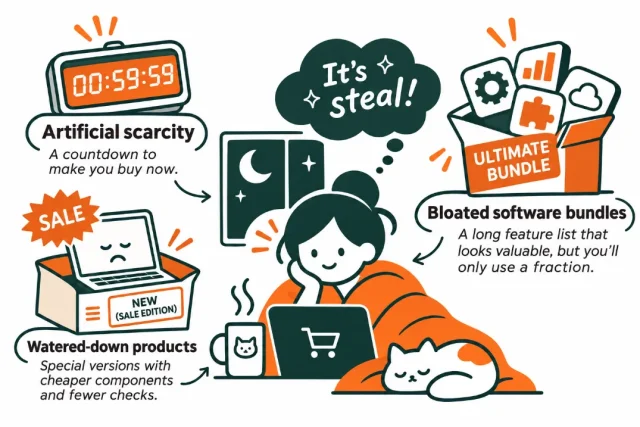
A countdown timer is very good at making a decision feel urgent. It is less good at telling you whether a laptop has enough memory or whether you’ll use that software after the first week. When the percentage saving becomes the main attraction, the actual product can get surprisingly little attention.
We’re running a Black Friday sale ourselves, so we’re hardly going to suggest that every offer is a trap. But a long feature list, a crossed-out price and a reassuringly large discount aren’t enough on their own. The useful question is what you’re getting, what it will cost over time and whether you need it.
Hardware deals worth a closer look
There’s nothing wrong with upgrading your workspace. A better screen or a more comfortable keyboard can make a real difference. Just make sure you’re improving your working day, rather than recreating someone else’s desk from an advert.
1. Black Friday laptop and monitor deals with impressive headline specs
Section titled 1. Black Friday laptop and monitor deals with impressive headline specs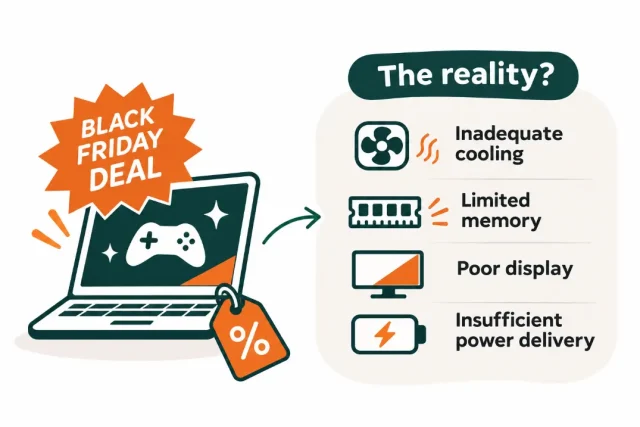
For designers, developers and anyone working with demanding applications, a discounted laptop, GPU, monitor or RAM kit can be tempting. Before buying, look at the whole system. One impressive component doesn’t tell you how the machine will handle your work.
A laptop with an impressive graphics card may still have inadequate cooling, limited memory, a poor display, or insufficient power delivery. Similarly, buying a powerful GPU for an older system may expose CPU, RAM, or storage limitations.
Hardware purchases to check carefully
Section titled Hardware purchases to check carefully- Laptops with weak cooling: A machine that performs well for a short benchmark may slow down during sustained work.
- Entry-level GPUs marketed around gaming performance: Gaming benchmarks may not represent rendering or application performance.
- RAM kits with incompatible specifications: Compatibility depends on the motherboard, CPU, and supported memory configuration.
- Monitors with impressive refresh rates but poor colour accuracy: Gaming specifications don’t necessarily make them suitable for design work.
- External GPUs and upgrade accessories: Check compatibility, connection bandwidth and support before assuming they’ll extend your computer’s useful life.
What to buy instead
Section titled What to buy insteadStart by identifying what is actually slowing you down.
For example:
Compare benchmarks for the applications you use and look at sustained performance, not just gaming frame rates or headline specifications. A balanced system is usually more useful than an expensive component waiting for everything else to catch up.
2. Novelty gadgets with very short careers
Section titled 2. Novelty gadgets with very short careers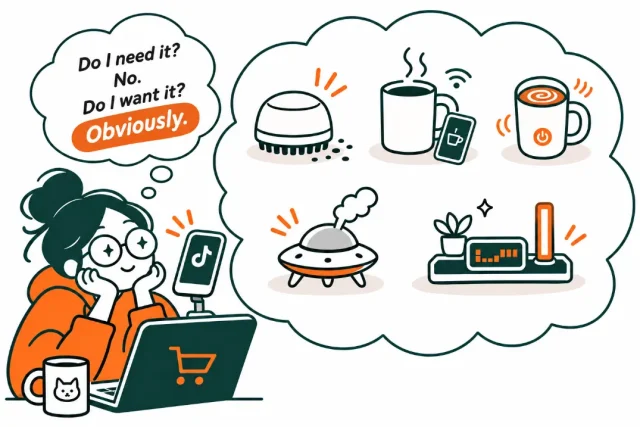
The desk vacuum. The automatic stirring cup. The miniature humidifier that looks like a spaceship. There’s an entire category of technology devoted to making a desk look productive, whether any work happens there or not.
These gadgets are often cheap enough to feel like harmless additions to the basket. A few harmless additions can add up.
Why the novelty can wear off
Section titled Why the novelty can wear offBefore giving another gadget a permanent address on your desk, check whether:
- It replaces something simpler that already works.
- It needs more charging, cleaning or maintenance than its usefulness justifies.
- It depends on an app or connection that may eventually stop working.
- It can be repaired when a small component fails.
- You’ll still use it once you’ve shown it to everyone.
A smart mug might be useful if your coffee regularly goes cold before you finish it. An insulated mug may solve the same problem without adding another item to the charging rota.
Similarly, a desk vacuum can be entertaining, but a simple cleaning brush or handheld vacuum may be more effective.
What to buy instead
Section titled What to buy insteadFor a workspace, prioritise things that improve comfort or remove a small, recurring annoyance:
- A reliable desk lamp with adjustable brightness.
- A comfortable mouse or keyboard that suits the way you work.
- A properly rated USB hub or docking station.
- A monitor arm that frees up desk space.
- An insulated bottle or mug that doesn’t require an app.
- A good power strip with appropriate safety certification.
These purchases aren’t particularly exciting to unbox, but they’re useful every working day.
3. Smart home devices that make simple things complicated
Section titled 3. Smart home devices that make simple things complicated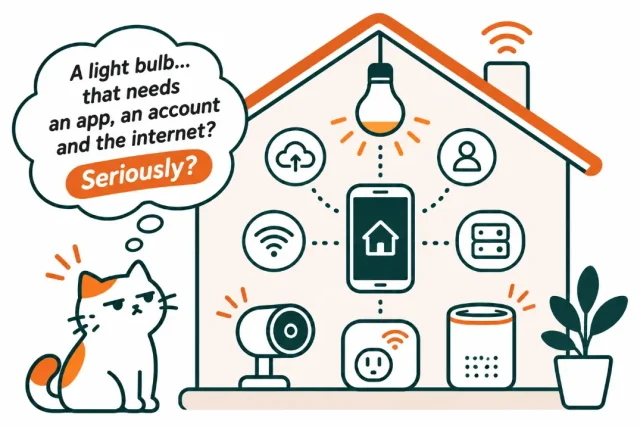
Smart home technology can be useful. Automating the lights is convenient; spending an evening reconnecting a light bulb to the internet is less so. Before buying, check how much extra work your new convenience will create.
A smart bulb might require a cloud account, a specific app, a particular Wi-Fi frequency, and a server connection to perform a function that a conventional switch handles perfectly well. The same concern applies to smart plugs, inexpensive security cameras, connected appliances, and novelty home automation products.
What to check before buying
Section titled What to check before buying- Does the product work locally, or does it depend on the manufacturer’s cloud?
- Does it support a widely used smart home standard?
- What happens if the company shuts down its servers?
- Are security updates available?
- Can you use the product without creating an account?
- Does it support the Wi-Fi network you actually have?
- Is there a clear privacy policy and an established manufacturer?
For security cameras, pay particular attention to data storage, account security and whether recordings are sent to a third-party cloud.
What to buy instead
Section titled What to buy insteadChoose devices with a documented update policy, a clear support history and compatibility with the setup you already have. Local controls are useful if the internet connection or cloud service stops working.
For simple functions, conventional products remain perfectly reasonable. A reliable lamp, timer, or switch doesn’t become obsolete because a software company changes its business model.
Black Friday software deals that need to earn their place
Software doesn’t take up desk space, which makes it remarkably easy to keep buying. The costs still accumulate, along with the updates, settings and subscriptions you need to manage. Start with the job you need done.
4. AI subscriptions that promise to do absolutely everything
Section titled 4. AI subscriptions that promise to do absolutely everything
An AI subscription can look like a shortcut through the least enjoyable parts of your working day.
Writing, coding, research, image creation, meeting notes: there are tools for all of them. The difficulty is working out which one will actually help with your tasks.
Some tools will earn their monthly fee. Others may duplicate features you already pay for. Before committing, try the product on a real piece of work, including the checking and editing needed afterwards.
AI subscription traps to avoid
Section titled AI subscription traps to avoid- Paying for overlapping features: If an existing subscription covers the task well, another similar tool may simply mean another bill.
- Buying an annual plan before testing it: Check output quality, export options and how well the tool handles your actual requirements before paying for twelve months.
- Ignoring usage limits: Check what the advertised allowance covers, including limits on particular models, image generation, video processing and high-volume tasks.
- Assuming AI-generated work needs no checking: For WordPress content, AI can help with research, outlining, editing, and repetitive tasks. It doesn’t eliminate the need to check accuracy, update outdated information, verify sources, or make sure the content reflects the site’s actual expertise. Regular WordPress maintenance tasks remain important regardless of how much AI you use.
- Buying what everyone is talking about: Popularity doesn’t tell you whether a tool fits your workflow.
What to buy instead
Section titled What to buy insteadIdentify the task you want to improve, then compare tools against that requirement.
For example:
Test a free tier or short subscription before committing to an annual plan. Check whether your existing software already does the job. The best subscription is one you use regularly, rather than one you rediscover on your bank statement.
5. Theme bundles with more choice than you need
Section titled 5. Theme bundles with more choice than you need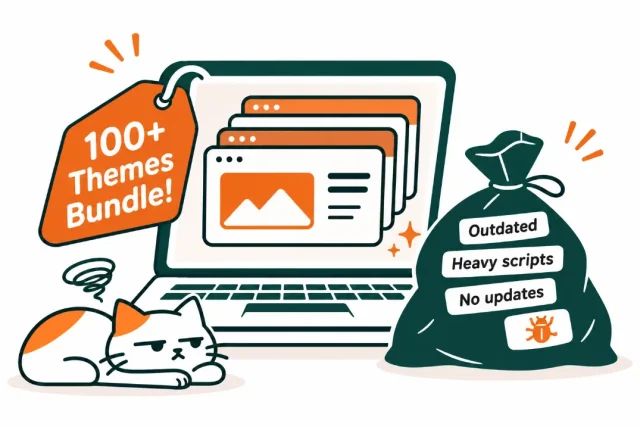
Fifty premium themes for the price of one sounds useful, especially if you build websites for clients. It is worth asking how many you’ll use, though. Most projects need one good theme, not a very large downloads folder.
Check when the themes were last updated, which builders they depend on and what support is included. Poorly maintained themes can create compatibility and security problems, while unnecessary features can make a site harder to manage. Be particularly cautious about nulled WordPress themes: a low price isn’t much comfort if the code creates problems for your website.
Theme purchases to check carefully
Section titled Theme purchases to check carefully- Massive theme bundles with dozens of barely maintained designs: Quantity doesn’t guarantee quality, compatibility, or continued support.
- Themes dependent on outdated page builders: Switching builders later can leave behind broken layouts or shortcode-heavy content. Before committing to a theme or plugin, you can test WordPress themes and plugins without going live.
- Abandoned premium themes: No updates means potential compatibility problems with newer WordPress versions, PHP releases, or plugins.
- Multipurpose themes packed with unnecessary features: Extra functionality can increase complexity and make performance optimisation harder.
- Themes with restrictive licensing: Check how many websites you can use them on and whether updates and support are included.
What to buy instead
Section titled What to buy insteadChoose a lightweight, actively maintained theme with reliable support and the customisation options your project needs. Our guide to the best WordPress themes is a useful place to compare options, including Astra. One theme you know well can be more useful than a bundle you never get around to opening.
Before changing themes, test on a staging copy and take a fresh backup. UpdraftPlus Premium can automatically back up your site before updates, giving you a way back if an update goes wrong. The backup won’t choose your fonts, but it can make experimenting rather less stressful.
If your backup arrangements could do with less optimism and more preparation, there’s a 40% UpdraftPlus Premium offer below.
6. Plugin bundles that promise to do everything
Section titled 6. Plugin bundles that promise to do everything
A plugin promising SEO, security, caching, analytics, backups and everything else can sound like an efficient purchase. But fewer plugins don’t automatically mean a better website. What matters is how well the tools do the jobs you need, and whether they work together.
Buying an oversized plugin simply because it has an impressive feature list can introduce unnecessary complexity. You may end up with overlapping functionality, configuration conflicts, or a troubleshooting nightmare when something goes wrong. Plugin conflicts in WordPress can also affect how your website functions. And if one plugin handles everything, replacing it later becomes considerably more complicated.
Plugin purchases to check carefully
Section titled Plugin purchases to check carefully- Plugins promising every optimisation feature under one roof: Check whether the individual features are genuinely good and actively maintained.
- Overlapping security and caching plugins: Running multiple tools that perform the same functions can create conflicts.
- Bundles with features you’ll never use: You’re paying for functionality that may add unnecessary complexity.
- Plugins with unclear update schedules: Regular updates and compatibility with current WordPress versions matter more than a long feature list.
- Tools with restrictive export or migration options: Check whether you can easily move your settings and data if you switch providers.
What to buy instead
Section titled What to buy insteadA bundle of 40 plugins is impressive. Until you realise you only needed three, and the other 37 were mostly there to make the sales page longer.
Start with the jobs your website needs doing. That might mean dependable backups, quicker pages or stronger login protection. For a shop, it could be less paperwork. For a growing blog, better internal links. Check what your existing tools cover, then fill the gaps.
The suggestions below come from the TeamUpdraft family. We’re fond of them, as families tend to be. But each has a specific job, and you don’t need to take all eight home.

UpdraftPlus Premium – 40% off
That small website change was supposed to take five minutes. Now the layout has disappeared, the checkout isn’t working and you’re trying to remember exactly what you clicked.
This is when having a backup of your WordPress site becomes considerably more interesting than another collection of features.
UpdraftPlus Premium gives you automated backups, remote storage and straightforward restoration, with incremental backups and migration tools for bigger jobs. A sensible purchase if your current recovery plan involves hoping you won’t need one.
The Black Friday deal: 40% off the first year of an eligible annual UpdraftPlus Premium licence. Excludes Gold.
Coupon code: BFTPBLOG
Offer ends: 2 December 2026.

WP-Optimize Premium – 40% off
You’ve spent ages getting your website looking right. It would be a shame if visitors left before it finished loading.
Before adding another feature, give the pages you already have a chance to arrive on time.
WP-Optimize Premium combines caching, image compression and database optimisation to tackle common causes of slow WordPress websites. It won’t rescue every hosting problem, but it can help with the everyday build-up that makes a site feel sluggish.
The Black Friday deal: 40% off the first year of an eligible annual WP-Optimize Premium licence.
Coupon code: BFTPBLOG
Offer ends: 2 December 2026.

All-In-One Security Premium – 75% off
The website looks fine. You’ve got plenty of other things to do. Reviewing your security settings can wait until next week.
It’s an understandable plan. Unfortunately, automated login attempts don’t consult your calendar.
All-In-One Security Premium helps strengthen login protection and reduce common WordPress threats. Use it alongside updates, secure accounts and backups. No plugin can guarantee an incident-free website, but “we haven’t had a problem yet” isn’t much of a security policy.
The Black Friday deal: 75% off the first year of an eligible annual All-In-One Security Premium licence.
Coupon code: BFTPBLOG
Offer ends: 2 December 2026.

Burst Statistics Pro – 40% off
You’ve published the post, rearranged the homepage and spent longer than you’d like to admit choosing the button colour. Did any of it help?
That’s a useful thing to know before spending another afternoon improving something visitors barely notice.
Burst brings privacy-friendly analytics into your WordPress dashboard. The free version covers plenty; Pro adds campaign and revenue tracking, plus automated reports. Useful when you want to see which efforts brought in business, rather than simply which ones kept you busy.
The Black Friday deal: 40% off the first year of Burst Pro for new purchases across all plans, plus 40% off upgrades for existing customers.
Coupon code: BF26TU
Offer ends: 2 December 2026.

WP Overnight – 40% off
If you don’t run a WooCommerce shop, you can skip this one. Owning a website doesn’t oblige you to collect every plugin available for it.
For store owners, every sale comes with a little paperwork. Get enough sales and that little paperwork starts making plans for your afternoon.
WP Overnight’s WooCommerce plugins help generate PDF invoices, packing slips and other order documents. You can spend less time preparing the same paperwork and more time looking after the people placing the orders.
It’s a practical upgrade to the shop you already run. Much easier to justify than a feature you’re hoping will inspire a business idea.
The Black Friday deal: 40% off WP Overnight plugins, excluding the Peppol credits bundle.
Coupon code: TUCYBER40
Offer ends: 2 December 2026.

Easy Updates Manager Pro – 30% off
An update notification is a small request for your attention. Across several websites, it becomes more of a group project.
Easy Updates Manager Pro lets you control which WordPress core, plugin and theme updates happen automatically, schedule them and keep logs of what changed.
That gives you a more manageable routine than checking every site by hand or remembering that updates exist when something stops working. Keep testing and backups in that routine too.
The Black Friday deal: 30% off your first year of Easy Updates Manager Pro.
Coupon code: BLACKFRIDAY30
Offer ends: 2 December 2026.
Take back control of my updates

Internal Link Juicer Pro – 30% off
That useful article you wrote last year is still useful. It’s just become rather difficult to find beneath everything you’ve published since.
Internal Link Juicer connects relevant content using the keywords and rules you set, helping readers find related pages without making you revisit every old post by hand.
Pro adds more control, including links to categories, tags and custom fields, plus limits to keep things sensible. You still choose what deserves a link. The plugin handles more of the remembering.
A useful purchase for a growing content library. Less urgent if your entire blog fits on one screen.
The Black Friday deal: 30% off Internal Link Juicer Pro.
Coupon code: BLACKFRIDAY30
Offer ends: 2 December 2026.
Get 30% off Internal Link Juicer Pro

WPGetAPI Pro – 30% off
“Can we show that data on the website?” sounds like a small request. Sometimes the answer involves a surprisingly large number of browser tabs.
WPGetAPI connects WordPress to external APIs, so you can retrieve and display information or send data between systems. Pro adds tools such as automated API calls and response caching.
Worth considering when you have a specific integration to build. If you don’t, you’re allowed to finish Black Friday without acquiring one.
The Black Friday deal: 30% off the first year of an annual WPGetAPI Pro plan.
Coupon code: BLACKFRIDAY30
Offer ends: 2 December 2026.
The small print, in big print
Section titled The small print, in big printThe UpdraftPlus, WP-Optimize and AIOS offers apply to qualifying first-year annual licences for new customers and existing customers who haven’t held a paid licence for the relevant product in the previous 12 months. Renewals are excluded, standard renewal pricing applies after the discounted year, and UpdraftPlus Gold is not included. Burst’s purchase and upgrade offer is listed separately above.
Use each coupon on the product’s own website and check that the discount appears before paying. The family shares a name, not a checkout. Separate terms apply to the other offers above.
How to tell whether Black Friday tech deals are worth it
Before checking out, give the product a little more thought than the countdown timer would prefer. These six checks work for hardware, software and most things currently sitting in your basket.
- Step 1: Identify the problem it solves. Start with a specific need, such as:
- My laptop runs out of storage during projects.
- My website backups take too long.
- I need better lighting for video calls.
- My WordPress maintenance workflow involves repetitive tasks.
- I need a monitor with better colour accuracy.
If you can’t name the problem, it may be worth leaving the product where it is.
- Step 2: Check the actual price. Compare the offer with the usual selling price, including:
- Price history, where available.
- Prices from competing retailers.
- Any conditions attached to cashback, trade-ins or payment offers.
- Shipping and additional charges.
- Subscription renewal costs.
- Accessories required for the product to work.
The final price matters more than the percentage displayed on the banner.
- Step 3: Calculate the total cost. For software, include renewals, usage limits and the cost of switching later. For hardware, check accessories, warranty coverage, repair options and upgrades. A £50 device that needs £30 in extras may be worse value than a £70 one with everything included.
- Step 4: Think a year ahead. Ask:
- Will it receive software updates?
- Can it be repaired or replaced?
- Does it work with your existing equipment?
- What support does the manufacturer commit to providing?
- Does it depend on a cloud service?
- Can you export your data if you stop using it?
This matters particularly for AI subscriptions, smart home devices, and cloud-connected electronics.
- Step 5: Read reviews from people who use it. Look beyond the specifications for:
-
- How the product performs after several weeks or months.
- What limitations become noticeable during regular use.
- Whether customer support responds to problems.
- Whether the product works as advertised.
- Whether the reviewer would purchase it again.
Look for recurring complaints across several sources. One bad experience may be unusual; repeated reports of the same problem deserve a closer look.
- Step 6: Let yourself skip the deal. If it doesn’t solve a useful problem or offer a meaningful saving, you can leave it in the basket. There is no prize for completing Black Friday with the most parcels.
Buy technology you’ll still appreciate next year
There’s nothing wrong with an exciting purchase. But a gadget you barely use, a laptop that struggles with your work or a subscription you forget to cancel isn’t much of a bargain. Spend on the things that make your day easier, even if they’re less impressive to unbox.
For a WordPress website, that might mean reliable backups, better performance, stronger security or analytics you can actually use. None is likely to become the highlight of a dinner-party conversation. That doesn’t make them any less useful.
The best deal fits your setup, solves a real problem and still makes sense once you’ve read the renewal price. The discount can help you decide when to buy it. It shouldn’t have to explain why.
And if you don’t need anything this year, that’s a perfectly good result too.
Looking for a specific WordPress offer? Our roundup of WordPress Black Friday deals covers more plugins, hosting and themes, with the prices, codes and conditions in one place.
Black Friday tech buying FAQs
Section titled Black Friday tech buying FAQsWhat are the best things to buy on Black Friday?
The best purchases solve a problem you already have at a genuinely lower total price. For tech, that might be a laptop suited to your workload, a better monitor, a comfortable keyboard or software you’ve tested and will use. Compare the exact model, recent prices, support and ongoing costs before choosing. A large discount won’t make an unsuitable product useful.
What should you avoid buying on Black Friday?
Be cautious about hardware with unclear specifications, gadgets that add work instead of saving it, untested annual subscriptions and poorly maintained theme or plugin bundles. None of these categories is automatically a bad purchase. The warning sign is being able to explain the saving much more easily than what you’ll use the product for.
Are Black Friday deals worth it?
They can be, if the offer reduces the cost of something you need. Compare price history and other sellers, then include delivery, accessories, renewals and any paid features required for your intended use. Check the return or cancellation terms too. The useful saving is against a realistic alternative, not simply the crossed-out price on the page.
Is Cyber Monday better than Black Friday for electronics?
Neither day guarantees the best price on a particular device. Compare the exact model and its price history, and check return terms and any published price-match policy. Waiting may bring another offer, but it can also mean missing the configuration you wanted. Choose on the strength of the product and price, rather than assuming Monday will be cheaper.
Is Black Friday a good time to buy a laptop?
Yes, if you’ve identified the specifications you need and the discounted model meets them. Check the exact processor, memory, storage, display, ports and warranty, along with independent reviews of cooling and battery life. For demanding applications, look for relevant performance tests. A more powerful graphics card won’t compensate for every other compromise.
What should you check before buying Black Friday software deals?
Test the software on a real task before committing. Check renewal prices, licence duration, site or user limits, update and support terms, compatibility and export options. For a lifetime deal, establish what “lifetime” includes. With WordPress plugins, check whether your host or existing tools already cover the same job, and take a backup before making changes
Are WordPress plugin bundles better value than individual plugins?
Only if you need enough of the included features and the tools work well with your website. Compare the cost of the plugins you’d actually use, including renewals and support. Individual tools can be better value when you have a specific gap, such as backups, invoicing or analytics. Neither a smaller plugin count nor a longer feature list guarantees a better site.
When is Black Friday 2026 and when do these offers end?
Black Friday falls on Friday 27 November 2026, followed by Cyber Monday on Monday 30 November. The plugin offers listed in this article end on 2 December 2026. Other retailers and software providers set their own deadlines, so check the individual offer before relying on the calendar.
About the author

Elvira Mishra
Elvira has over four years of experience creating and designing content in WordPress. Her background spans multiple digital disciplines, including marketing, SEO, user experience, and human computer interaction.
Categories
Boring deals. Brilliant savings.
Backups, speed and security.
Not exactly thrilling, but rather useful.
Save up to 75%
On our Premium WordPress plugins this Black Friday.
Ends 2 December.
More stories
-

Best WordPress Black Friday deals 2026: The offers actually worth your money
Discover the best WordPress Black Friday deals for 2026, including discounts on plugins, themes, hosting and more. Compare offers, savings and end dates.
-

How to Migrate Part of a WordPress Site
Learn how to migrate specific pages, posts, media and other content from one WordPress site to another without moving the entire website.
-
3 WordPress Database Backup Mistakes That Could Break Your Website
Even small WordPress database backup mistakes can lead to lost data, failed restores or website downtime. Discover three common pitfalls and how to avoid them before they cause problems.
-
WordPress update broke your site? Here’s how to fix it
Has a WordPress update broken your website? Learn how to identify the problem, fix common update errors and safely restore your site.