Best AI Website Builders Compared

AI website builders can now turn a short prompt into a working website in minutes, but that doesn’t mean every tool is equally useful. Some can produce surprisingly polished sites that are easy to customise and publish. Others look impressive at first but become frustrating once you start editing the design, adding functionality or trying to move your site elsewhere.
The AI itself isn’t necessarily the most important thing to consider. You also need to think about how much control you’ll have once your site has been generated, how easy it is to customise and whether the platform can meet your longer-term needs around SEO, performance and maintenance.
For WordPress users in particular, there’s another important question: does the AI builder work with WordPress, or will it lock your website into its own platform?
In this guide, we’ll compare some of the best AI website builders available, looking at what each one does well, where it falls short and which options make the most sense if you want the flexibility of WordPress.
Key takeaways
Section titled Key takeaways- AI website builders can significantly reduce the time it takes to create a new website, generating layouts, content and design ideas from a simple prompt.
- Some AI website builders are hosted platforms, while others work with WordPress or can be used as part of a WordPress workflow.
- WordPress-based AI tools can speed up tasks such as creating layouts, writing content and customising designs without giving up the flexibility of WordPress.
- AI-generated websites should still be reviewed before publishing, particularly for content accuracy, SEO, accessibility, performance and user experience.
- The best AI website builder depends on what happens after your site is generated, not just how quickly the AI can create the first version.
What is an AI website builder?
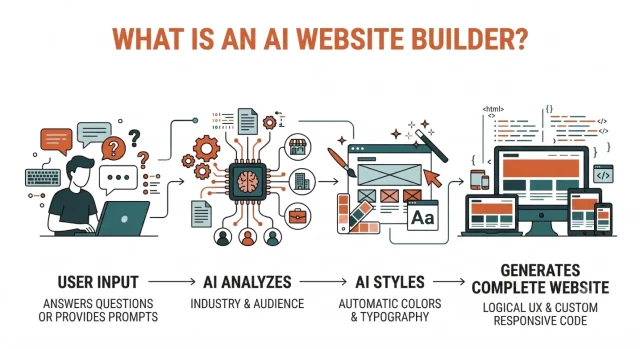
Section titled What is an AI website builder?An AI website builder is a tool that uses artificial intelligence to help create and design a website. Instead of starting with a blank page or manually choosing every element, you typically answer a few questions about your website or describe what you want using a text prompt.
The builder can then generate a starting point based on your instructions, which might include page layouts, navigation, colours, images and written content. Depending on the platform, you can then customise the generated website using a visual editor or continue working on it within WordPress.
The biggest advantage is speed. AI can take care of much of the initial setup, giving you a website or design to work from rather than requiring you to build everything from scratch. However, the amount of control you have over the finished site varies considerably between platforms.
How AI website builders work
Section titled How AI website builders workThe exact process varies between platforms, but most AI website builders start by asking you for information about the site you want to create. This might include your industry, target audience, preferred style, brand colours and the pages or features you need.
Based on those instructions, the AI can help to:
- Generate an initial website structure and page layouts
- Suggest colours, fonts and other design elements
- Create draft copy and, in some cases, images
- Build common sections such as hero banners, service areas, testimonials and calls to action
- Adapt layouts for different screen sizes
You can then review the generated site and customise the content and design before publishing. How much you can change – and how you make those changes – depends on the builder you choose.
Why AI website builders matter for WordPress users
Section titled Why AI website builders matter for WordPress usersIf you already use WordPress, an AI website builder might sound unnecessary. After all, WordPress already gives you enormous flexibility over how your website looks and functions.
But AI doesn’t have to replace WordPress. Used well, it can simply make parts of the website creation process faster.
For example, freelancers and agencies can use AI to quickly explore different layouts or create an initial site for a client before refining it themselves. WordPress users can also use AI-powered tools within their existing workflow to help create layouts, draft content, generate images or speed up repetitive design tasks.
The important distinction is what happens after that first AI-generated version. If you want to retain the flexibility to customise, optimise, back up and move your website as it grows, it’s worth considering how much control your chosen platform gives you from the outset.
AI website builders are excellent at getting a site off the ground, but the first version is rarely the finished product. The real value comes from using AI to handle repetitive work while keeping human control over the content, design, performance and user experience.
Standalone AI website builders vs WordPress AI tools
Section titled Standalone AI website builders vs WordPress AI toolsOne of the biggest differences between AI website builders is where your finished website actually lives.
Some are fully hosted platforms that provide the builder, hosting and website management tools in one ecosystem. Others work with WordPress, either by generating a WordPress site for you or adding AI functionality to your existing WordPress setup.
Understanding that difference is important because it can affect how you manage, customise and move your website in the future.
Standalone AI website builders
Section titled Standalone AI website buildersHosted platforms such as Wix and Squarespace provide the website builder, hosting and other tools within their own ecosystems. This can make getting started particularly straightforward because you don’t need to arrange hosting or manage WordPress separately.
The trade-off is portability. Your website is built around that platform’s tools and infrastructure, so moving to another CMS or hosting environment later may require considerably more work than migrating an existing WordPress site.
WordPress AI tools
Section titled WordPress AI toolsWordPress-focused AI tools take several different forms. Some help generate a new WordPress website, while others work as plugins or features within an existing WordPress setup to help with tasks such as creating layouts, writing content or generating code.
The main advantage is that you can combine the speed of AI with the flexibility of WordPress. You’re still working within an open-source CMS, with the ability to choose your own hosting, install plugins and themes, manage your site’s files and database, and migrate your WordPress site when needed.
Standalone vs WordPress AI website builders at a glance
Section titled Standalone vs WordPress AI website builders at a glanceExperiment without the risk
Trying new AI tools on an existing WordPress site is much easier when you have a reliable fallback. UpdraftPlus can automatically back up your site before updates, giving you a restore point if an AI-generated change, plugin update or design experiment causes problems.
How we compared the best AI website builders
Section titled How we compared the best AI website buildersTo compare the tools in this guide, I looked beyond how quickly each one could generate an attractive first draft. I tested them by creating a typical small business website and considered how practical each platform was once the initial AI generation was complete.
Each AI website builder was assessed across three main areas:
- Speed: How quickly could I go from an initial prompt to a usable website or design?
- SEO: What tools and controls were available to help optimise the finished website for search engines?
- Ease of use: How straightforward was the process of generating, editing and managing the website?
I also considered factors such as design flexibility, WordPress compatibility, portability and how much manual editing was needed after the initial generation.
The overall scores provide a quick way to compare the builders, but they shouldn’t be the only factor in your decision. A beginner creating their first website will have very different priorities from a freelancer or agency building and managing WordPress sites for clients.
The 9 best AI website builders available right now
Section titled The 9 best AI website builders available right nowI have tested the most popular tools on the market to see how they actually perform in real-world scenarios. Here are my top recommendations based on our established metrics.
1. 10web ai builder
Section titled 1. 10web ai builderPremium | Speed: 8/10 | SEO: 8/10 | Ease of Use: 8/10 | Overall Score: 8/10
Best for: Small business owners, freelancers and WordPress users who want to create a site quickly while staying within the WordPress ecosystem.
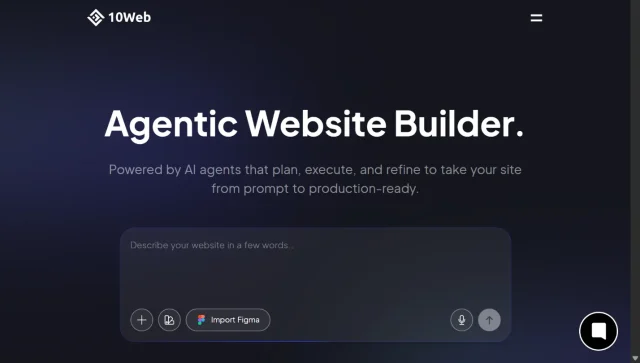
10Web combines AI website generation with WordPress, making it an interesting option if you want to speed up the initial build without switching to a completely separate website platform.
You start by providing some information about your business and the type of website you want to create. 10Web then generates a WordPress website that you can customise using Elementor. This gives WordPress users a familiar environment for making further changes and adding plugins or functionality as the site develops.
Key features
- Generates complete WordPress websites using AI
- Uses Elementor for further design and customisation
- Can recreate the structure and design of an existing website using AI
- Works within the WordPress ecosystem
Pros
- Combines AI website generation with the flexibility of WordPress
- Plenty of scope to customise the generated site after creation
- Compatible with WordPress plugins and other WordPress functionality
- Suitable for freelancers and agencies that need to create initial site designs quickly
Cons
- More to learn and manage than with a fully hosted website builder
- You’ll still need to consider WordPress maintenance, including plugin and theme updates
- Some features and functionality depend on your 10Web plan
Verdict
10Web is a strong option for anyone who likes the speed of an AI website builder but wants their finished site to be built on WordPress. It’s particularly useful for freelancers, agencies and small businesses that want AI to handle some of the initial setup while retaining the flexibility to customise and develop the site further.
2. Wix AI
Section titled 2. Wix AIFreemium | Speed: 9/10 | SEO: 7/10 | Ease of Use: 10/10 | Overall Score: 8.6/10
Best for: Beginners who want to get a professional-looking website online quickly without managing hosting or technical setup themselves.
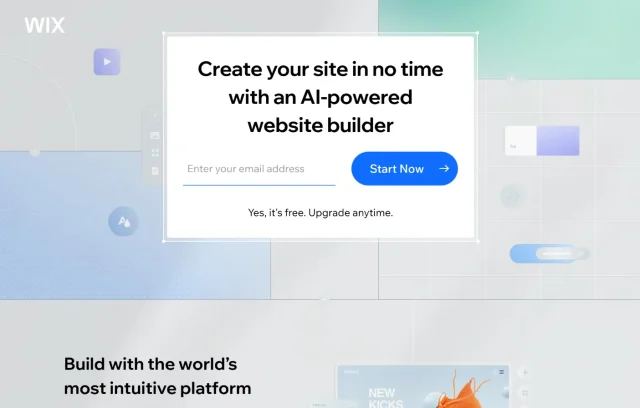
Wix is an established all-in-one website builder with AI tools designed to make the initial setup particularly straightforward. Its AI website builder uses a conversational interface to learn about your business, goals and requirements before generating a website based on your answers.
Once the initial site has been created, you can use the Wix editor to customise the layout, text, images and other elements. Hosting is managed as part of the platform, so there’s no need to set up WordPress, arrange separate hosting or manage the technical side of maintaining a website yourself.
Key features
- Conversational AI website creation process
- Visual editor for customising AI-generated designs
- Built-in tools for e-commerce, bookings and other business requirements
- Managed hosting and website infrastructure
Pros
- Beginner-friendly setup and editing experience
- Hosting and much of the technical maintenance are handled for you
- Wide range of built-in features and third-party apps
- Suitable for getting a relatively simple business website online quickly
Cons
- Less flexibility over hosting and the underlying platform than with WordPress
- Moving a Wix website to WordPress isn’t as straightforward as migrating between WordPress hosts
- Users who need extensive customisation may find a self-hosted WordPress setup more flexible
Verdict
Wix is a good option for beginners who prioritise simplicity and want their website builder, hosting and business tools in one place. The trade-off is flexibility: if you expect to move between hosting providers or want greater control over how your website is built and managed, a WordPress-based option may be a better long-term fit.
3. Elementor AI
Section titled 3. Elementor AIPremium | Speed: 7/10 | SEO: 9/10 | Ease of Use: 7/10 | Overall Score: 7.6/10
Best for: Designers and developers who already use WordPress and want AI tools to speed up their existing workflow.
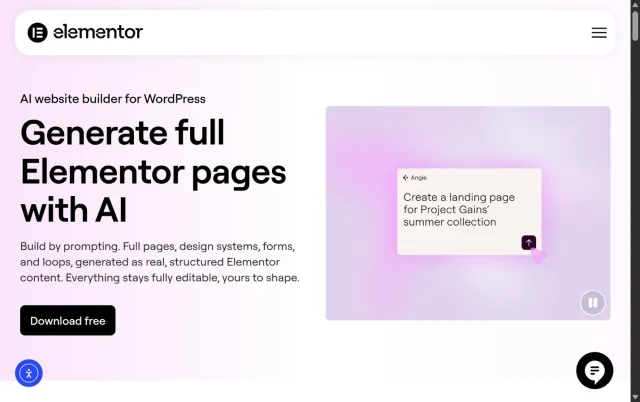
Elementor is a little different from some of the other tools on this list. Rather than taking you away from WordPress to build your site elsewhere, it brings AI tools directly into the Elementor editor.
If you already use Elementor, that makes it a fairly natural addition to your existing workflow. You can use AI to draft content, generate images, create custom CSS and code, or help build and refine sections of a page without constantly switching between different tools.
It’s particularly useful for speeding up the smaller jobs that can eat into your time when you’re building a site, while still leaving you in control of the final design.
Key features
- Generates text, custom code and CSS within Elementor
- Helps create and refine layouts and page sections
- Generates and edits images within your website-building workflow
Pros
- Works directly within a familiar WordPress page builder
- Can save time on repetitive content, design and coding tasks
- Gives you plenty of scope to edit and refine what the AI produces
- Useful for freelancers and agencies working across multiple WordPress projects
Cons
- You’ll get the most value from it if you already use Elementor
- It’s more of an AI-assisted website-building experience than a completely hands-off site generator
- AI-generated content, code and designs still need to be reviewed before publishing
Verdict
Elementor AI makes the most sense if Elementor is already part of the way you build WordPress sites. It won’t suddenly do the whole job for you, but that’s arguably part of its appeal. You can use AI to speed up some of the more repetitive parts of building a site, then step in and fine-tune the result yourself.
4. Zipwp website creator
Section titled 4. Zipwp website creatorFreemium | Speed: 10/10 | SEO: 8/10 | Ease of Use: 9/10 | Overall Score: 9/10
Best for: Freelancers and agencies that want to quickly create WordPress sites or initial concepts for clients, then customise them further.
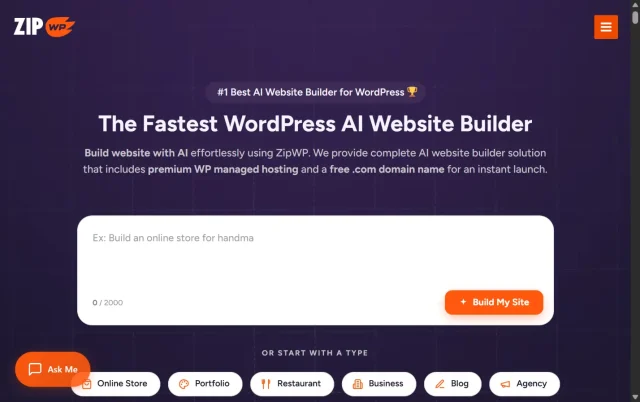
ZipWP is built specifically around WordPress and is designed to take you from a short description of your website to a working first draft very quickly. Tell it what kind of site you’re creating and it can generate the pages, layouts, content and imagery needed to give you a starting point.
For freelancers and agencies, this can be particularly handy when you need to get an initial idea in front of a client without spending hours building it from scratch. Because the generated site is built on WordPress, you can then customise it further rather than treating the AI-generated version as the finished product.
Key features
- Generates complete WordPress websites from a short description
- Creates initial page layouts, content and imagery
- Uses the WordPress block editor and compatible tools for further customisation
- Lets you move the finished site to your preferred WordPress hosting
Pros
- Very quick way to create a starting point for a WordPress website
- Useful for client concepts, prototypes and new site builds
- You can continue customising the site using familiar WordPress tools
- Removes much of the repetitive setup involved in starting a new site
Cons
- AI-generated designs can still need plenty of personalisation before they’re ready to publish
- You’ll need to review generated copy and imagery rather than assuming they’re ready to use
- Some features and usage limits depend on the plan you choose
Verdict
ZipWP is a particularly useful option for freelancers and agencies that already work with WordPress. Instead of starting every new project with a blank site, you can use AI to get the foundations in place quickly and spend more of your time refining the design, content and functionality that actually make the site unique.
5. Framer AI
Section titled 5. Framer AIFreemium | Speed: 9/10 | SEO: 7/10 | Ease of Use: 6/10 | Overall Score: 7.3/10
Best for: Designers and creatives who want to build visually striking portfolios and landing pages without needing lots of complex functionality.
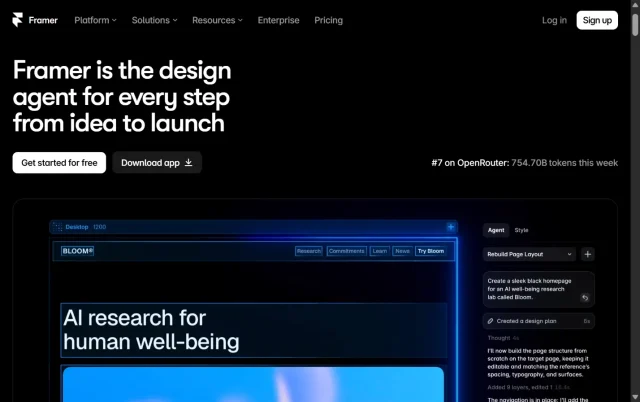
Framer takes a more design-led approach to AI website building. Originally created as a prototyping tool, it has developed into a website builder that’s particularly well suited to portfolios, landing pages and other sites where visual design plays a big part.
Its AI tools can help you get started with a page from a prompt, while the editor gives you much more control over details such as typography, layouts, animations and interactions. If you’re familiar with design tools like Figma, the interface may also feel more familiar than a traditional website builder.
Key features
- AI tools for generating initial page layouts and content
- Detailed control over animations, interactions and responsive layouts
- Flexible typography and design options
- Built-in hosting and publishing tools
Pros
- Plenty of creative control once the initial design has been generated
- Particularly well suited to portfolios and visually led landing pages
- Strong animation and interaction options
- Useful for designers who prefer a visual editing environment
Cons
- Can take longer to learn if you’re new to web design
- Less suited to users who specifically want to build and manage their site with WordPress
- More complex websites may require functionality beyond what Framer is designed for
Verdict
Framer is worth considering if design is one of your biggest priorities. It gives you plenty of freedom to take an AI-generated starting point and make it your own, particularly for portfolios and landing pages. For WordPress users, though, it’s a different proposition from tools like 10Web or ZipWP because you’re choosing Framer as the platform your site will live on, rather than using AI to speed up a WordPress build.
6. Durable AI
Section titled 6. Durable AIFreemium | Speed: 10/10 | SEO: 6/10 | Ease of Use: 10/10 | Overall Score: 8.6/10
Best for: Small business owners and service providers who want to get a simple website online quickly without dealing with much of the technical setup.
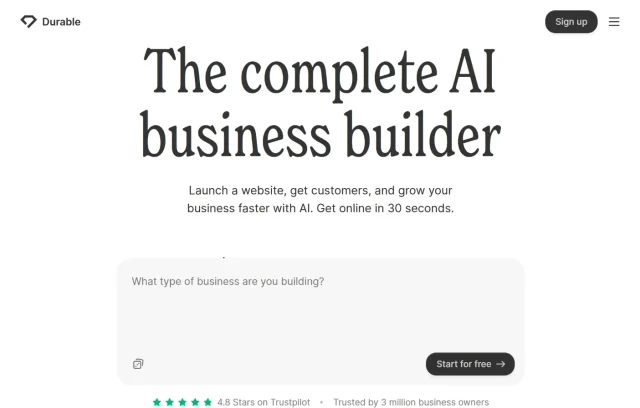
Durable is aimed squarely at small business owners who want to create a website without spending hours designing one. Give it some basic information about your business and the AI generates a starting site with relevant sections, copy and images that you can then customise.
What makes Durable slightly different from some of the other builders on this list is its focus on running a small business, rather than website design alone. Alongside the website builder, it offers tools for tasks such as managing contacts, invoicing and other day-to-day admin.
Key features
- Generates a small business website from a few initial details
- AI-assisted content and website creation
- Built-in CRM and business management tools
- Hosting included as part of the platform
Pros
- Quick and straightforward setup for beginners
- Little technical knowledge needed to get started
- Website and business management tools are available in one place
- Particularly suited to simple service-based business websites
Cons
- Less design flexibility than more advanced website builders
- Not designed for users who want to build and manage their site with WordPress
- Moving away from the platform may involve rebuilding parts of your website elsewhere
Verdict
Durable makes the most sense for someone who simply wants to get their business online without becoming a website expert in the process. A plumber, consultant or other local service provider could use it to create a straightforward site and start taking enquiries relatively quickly.
If you already know you’ll want more control over your site’s design, hosting, plugins or functionality as it grows, a WordPress-based option is likely to give you more room to work with.
7. Dorik AI
Section titled 7. Dorik AIFreemium | Speed: 8/10 | SEO: 8/10 | Ease of Use: 8/10 | Overall Score: 8/10
Best for: Freelancers, designers and small businesses that want to create landing pages or content-focused websites quickly, with plenty of room to customise the result.
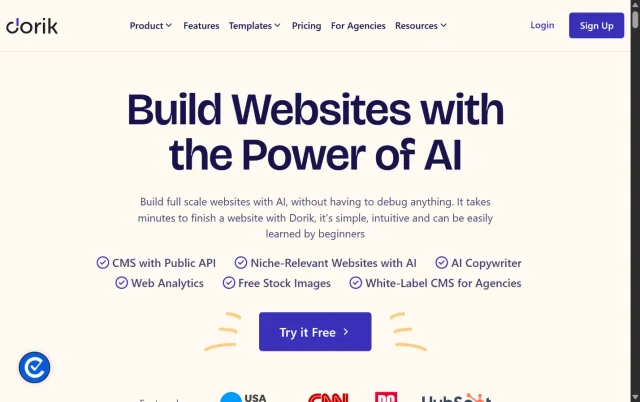
Dorik sits somewhere between a straightforward website builder and a more flexible CMS. Its AI tools can generate pages from a text prompt, giving you a starting layout and content that you can then edit using its visual builder.
There’s also a built-in CMS, so you’re not limited to creating one-off landing pages. You can use Dorik for blogs and other content-focused websites too, making it a useful option if you want something relatively simple to get started with but still need room for your site to grow.
Key features
- Generates website layouts and content using AI
- Visual editor for customising generated pages
- Built-in CMS for blogs and content-heavy websites
- Code export available on eligible plans
Pros
- Straightforward way to create an initial website or landing page
- Plenty of flexibility to customise the generated design
- Built-in CMS makes it suitable for more than simple static sites
- Code export gives developers additional flexibility on supported plans
Cons
- The editor may take a little time to get used to if you’re completely new to website builders
- Smaller ecosystem than platforms such as WordPress
- If you want to manage your site with WordPress, you’ll need to consider that before building it on another platform
Verdict
Dorik is a useful middle ground if you want the simplicity of an AI website builder without being limited to a basic one-page site. The built-in CMS gives you room to add more content over time, while its customisation options make it easier to move beyond the initial AI-generated design.
For WordPress users, the main question is whether those benefits outweigh starting with a WordPress-based AI builder and keeping the rest of your existing workflow in one place.
8. Squarespace blueprint AI
Section titled 8. Squarespace blueprint AIPremium | Speed: 7/10 | SEO: 8/10 | Ease of Use: 9/10 | Overall Score: 8/10
Best for: Artists, photographers, creatives and small businesses that want a polished, design-led website with built-in e-commerce options.
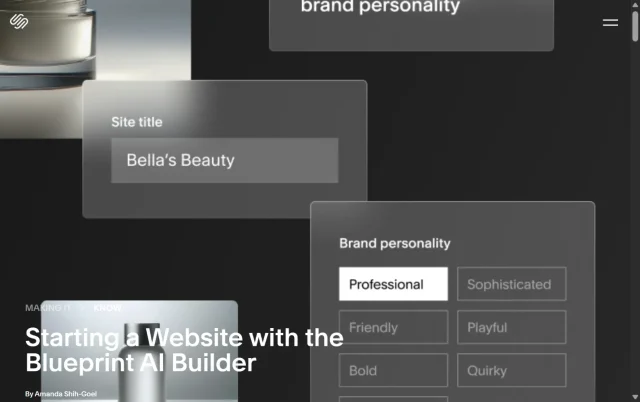
Squarespace takes a slightly different approach to some of the prompt-based builders on this list. Rather than asking you to describe an entire website and simply generating the finished design, it guides you through a series of choices to help shape the initial site.
You can choose things like your preferred layout, colour palette and typography, with AI helping to bring those decisions together. It’s a more hands-on approach, but that can be useful if you have a clear idea of how you want your site to look and don’t want the AI making every design decision for you.
Key features
- Guided AI website creation process
- Choice of layouts, colours and typography
- Built-in e-commerce and marketing tools
- Hosting and website management included
Pros
- Gives you plenty of input into the initial look and feel of your site
- Strong focus on visual design and presentation
- E-commerce functionality is available within the same platform
- Hosting and technical website management are handled for you
Cons
- The guided setup may take a little longer than builders that generate a site from a single prompt
- Less flexibility over hosting and the underlying platform than with WordPress
- Moving a Squarespace site to another platform can require more work than migrating an existing WordPress site
Verdict
Squarespace Blueprint AI is a good fit if you care about design but don’t necessarily want AI making every decision for you. The guided process gives you more say over the direction of the site while still using AI to speed things up.
It’s particularly appealing for portfolios, creative businesses and smaller online stores. As with Wix, though, you’re choosing an all-in-one platform rather than building on WordPress, so it’s worth thinking about how much flexibility you’ll want as your site grows.
9. Webflow AI for advanced developers
Section titled 9. Webflow AI for advanced developersFreemium | Speed: 6/10 | SEO: 10/10 | Ease of Use: 5/10 | Overall Score: 7/10
Best for: Developers and experienced designers who want to use AI to speed up more complex client builds without giving up detailed control.
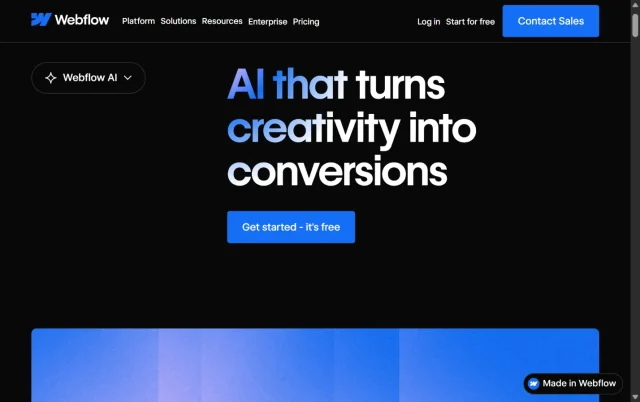
Webflow is aimed more at designers and developers who want detailed control over how a website looks and behaves. Its AI features fit into that existing workflow, helping with parts of the design and development process rather than simply generating a finished website and leaving you there.
That makes Webflow quite different from beginner-focused tools like Wix or Durable. There’s more to learn, but in return you get much finer control over layouts, interactions and CMS-driven websites. The AI tools can help speed up parts of that process, making them more useful for experienced users who already know what they want to build.
Key features
- AI assistance within the Webflow website-building workflow
- Tools to help generate and refine website content and page sections
- Flexible CMS for creating structured, content-driven websites
- Detailed visual control over responsive layouts and interactions
Pros
- Plenty of design and development control for experienced users
- Well suited to more complex, custom website projects
- Flexible CMS and visual development tools
- AI can help reduce some of the repetitive work involved in building a site
Cons
- Takes more time to learn than beginner-focused AI website builders
- May be more than you need for a simple website
- Not designed for users who specifically want to build and manage their site with WordPress
Verdict
Webflow makes the most sense for experienced designers and developers who want AI to speed up parts of their existing workflow rather than take over the entire build.
It’s not the easiest option on this list, and that’s really the point. You get more control over the finished site, but you’ll need to spend more time learning how to use it. For WordPress users, the decision ultimately comes down to whether that design control is worth moving your website onto a different platform.
AI website builders compared
Section titled AI website builders comparedHere’s a quick comparison of the AI website builders we’ve covered, based on the scores and criteria used in our testing.
How to write a good prompt for an AI website builder
Section titled How to write a good prompt for an AI website builderThe quality of the site an AI website builder creates will depend partly on the instructions you give it. A vague prompt such as “make a website for my plumbing business” gives the AI very little to work with, so you’re more likely to end up with something generic.
Instead, give it the kind of information you’d include in a brief for a designer. Explain what your business does, who the website is for, how you want it to look and what you want visitors to do once they arrive.
The more useful context you provide at the beginning, the less time you’re likely to spend correcting or completely reworking the first version.
A simple AI website builder prompt formula
Section titled A simple AI website builder prompt formulaA useful starting point is:
Business + Industry + Target audience + Visual style + Required pages + Primary goal
Here’s a template you can copy and adapt:
“Create a website for my [type of business, product or organisation] called [business name]. Our main audience is [target audience].
The visual style should feel [e.g. modern, clean and trustworthy]. Use [brand colours or colour preferences] and [font or typography preferences].
The website should include [e.g. Homepage, About, Services, Blog and Contact] pages.
For the homepage, include a hero section with a clear headline, an introduction to our main services, customer testimonials and a prominent call to action that says [CTA text].
The main goal of the website is to [e.g. generate enquiries, sell products, encourage bookings or showcase our work].”
You can also add any requirements that are particularly important to your project, such as mobile usability, accessibility, e-commerce functionality or specific sections you want included.
Why giving the AI more context helps
Section titled Why giving the AI more context helps- It gives the design some direction: Sharing your preferred colours, typography and overall style reduces the amount of guesswork involved.
- It defines the site structure: Listing the pages you need gives the builder a clearer idea of how your website should be organised.
- It provides a starting point for the homepage: Specifying important sections can reduce the amount of restructuring you’ll need to do afterwards.
- It explains what the website needs to achieve: A clear goal helps the AI understand whether the site should prioritise enquiries, bookings, purchases or another action.
Don’t worry about writing the perfect prompt on your first attempt. Treat the initial result as a starting point, review what the AI has produced and then refine your instructions. A couple of specific follow-up prompts will often get you closer to what you had in mind than trying to squeeze every requirement into one enormous prompt.
Moving an AI-generated site to WordPress
Section titled Moving an AI-generated site to WordPressWhat if you’ve created a site with an AI website builder but ultimately want to manage it with WordPress? How straightforward that is depends largely on the tool you’ve chosen.
If your AI builder creates a WordPress site from the outset, moving it to your preferred hosting provider can be relatively straightforward. With a standalone platform, you may need to rebuild some or all of the site in WordPress instead.
Moving a site created with a WordPress-based AI builder
Section titled Moving a site created with a WordPress-based AI builderIf you’ve used a WordPress-based tool such as ZipWP or 10Web, the process will typically look something like this:
- Generate your initial WordPress site using your chosen AI builder.
- Review and customise the generated design before moving it.
- Set up WordPress with your preferred hosting provider.
- Migrate your WordPress site, including its files and database, to the new hosting environment.
- Test the migrated site carefully before pointing visitors to the new version.
If you haven’t moved a WordPress site before, our step-by-step WordPress migration guide explains the process in more detail, including how to prepare your site, complete the migration and check everything is working afterwards.
Ready to move your AI-built WordPress site?
If your AI builder creates a WordPress site, UpdraftPlus Premium can help you move it to a new host or domain without rebuilding it from scratch.
Moving from a standalone AI website builder to WordPress
Section titled Moving from a standalone AI website builder to WordPressMoving from a standalone platform is usually a different process. Because the site isn’t built on WordPress, you may not be able to migrate the entire website in the same way you would move an existing WordPress installation.
Instead, you may need to:
- Choose a WordPress hosting provider and set up your new site.
- Install a theme or page builder that suits the design you want to recreate.
- Export or download any content and images your existing platform allows you to take with you.
- Recreate your pages and add your content to the new WordPress site.
- Check your URLs, internal links, metadata and redirects before switching over to the new site.
The exact process will depend on the platform you’re moving from and what it allows you to export. If there’s a chance you’ll want to move to WordPress later, it’s worth checking a builder’s export and migration options before committing to it. Starting with a WordPress-based AI builder can make things simpler if flexibility and portability are important to you.
Conclusion
Section titled ConclusionThere isn’t one AI website builder that’s right for everyone. If you want to get a simple site online quickly without worrying about hosting or maintenance, a hosted platform like Wix or Durable may be the easiest option. If you already use WordPress, or want more flexibility over how your site is built and managed, tools such as 10Web, ZipWP or Elementor AI may be a better fit.
Whichever route you choose, think of the AI-generated website as a starting point rather than the finished product. Take the time to review the content, design, SEO, accessibility and performance before you publish, and make sure the site is something you’ll be comfortable managing as it grows.
If you’re experimenting with AI tools on an existing WordPress site, it’s also worth having a recent backup before making significant changes. UpdraftPlus can automate your WordPress backups and gives you the option to restore, migrate or clone your site when needed.
AI can make building a website much faster, but speed isn’t everything. The best AI website builder is ultimately the one that gives you the right balance of simplicity, flexibility and control for the site you actually want to build.
FAQs
Section titled FAQsWhat is the best AI website builder?
The best AI website builder depends on what you want to create and how much control you need afterwards. ZipWP is a strong option for quickly creating a WordPress site, while Wix is particularly beginner-friendly if you want an all-in-one hosted platform. Elementor AI is better suited to existing WordPress users who want to add AI to their current website-building workflow.
Can I build a website with AI without coding?
Yes. Most AI website builders are designed to work without coding knowledge. You can describe the website you want and use AI to generate an initial layout, content and design. You’ll still need to review and customise the result, but you don’t necessarily need development experience to get started.
Do I still need a web developer if I use an AI website builder?
Not necessarily. AI website builders can handle much of the initial work involved in creating a relatively straightforward website. However, a developer can still be valuable if you need custom functionality, complex integrations, bespoke development or help solving technical problems that fall outside the builder’s standard features.
Can an AI-generated website rank on Google?
Yes. Using AI to help build a website doesn’t automatically prevent it from ranking in search results. What matters is the quality of the finished site and whether it provides a useful experience for visitors. You’ll still need to pay attention to areas such as helpful content, technical SEO, site structure, accessibility, mobile usability and performance rather than assuming the AI-generated version is ready to rank as soon as it’s published.
Can I use images generated by an AI website builder?
It depends on the platform and the image-generation service it uses. Rights and usage terms can vary, particularly when AI-generated images are being used commercially. Check the terms of your chosen website builder before publishing generated images, and don’t assume that every platform gives you the same usage rights.
Are AI website builders free?
Some AI website builders offer free plans or trials, but the features included vary considerably. A free option may be enough to generate and test a site, while features such as connecting a custom domain, removing platform branding, accessing additional AI tools or adding e-commerce functionality may require a paid plan. Check what’s included before choosing a builder based on price alone.
How do I use an AI website builder with WordPress?
There are a couple of ways to use an AI website builder with WordPress. Tools such as ZipWP and 10Web can help you generate a new WordPress website from a prompt, while tools like Elementor AI bring AI features into your existing WordPress workflow.
Typically, you’ll start by describing the type of website you want to create, including your business, audience, preferred design and the pages you need. The AI will generate a starting point that you can then customise in WordPress. Before publishing, review the content, design, links, SEO and performance rather than relying on the AI-generated version as-is.
About the author

Elvira Mishra
Elvira has over four years of experience creating and designing content in WordPress. Her background spans multiple digital disciplines, including marketing, SEO, user experience, and human computer interaction.
Categories
UpdraftPlus
Get all our premium features. Direct site-to-site migration, incremental backups, back up automatically before updates and a whole lot more.
From just $70 for the year.
More stories
-

Direct WordPress site-to-site migration: A step-by-step guide
Learn how direct WordPress site-to-site migration works and how to move your website between hosts or domains without manually transferring files.
-

5 WordPress Web Design Tips to Improve Your Website
Good web design is about more than appearance. Explore practical WordPress web design tips to improve your website's layout, navigation, mobile responsiveness, accessibility and performance, helping you create a better experience for your visitors.
-

How incremental backups save time and storage in WordPress
Incremental backups only save the changes made since your last backup, helping you reduce storage usage, speed up backups and lower server load. Learn how they work and why they're an essential part of an efficient WordPress backup strategy.
-
Best WordPress Website Builders Compared
Discover the best WordPress website builders for every skill level. Compare features, ease of use, pricing and performance to choose the right builder for your blog, business or online store.
