10 Best WordPress Plugins for Agencies in 2026
A WordPress plugin might work perfectly on one website, but managing that same plugin across 100 client sites is a different story. Suddenly, licensing costs, compatibility, updates and ongoing maintenance become just as important as the features themselves.
For agencies, choosing the right plugins isn’t just about what they can do. It’s about finding reliable tools that make managing multiple websites easier, save time on repetitive tasks and don’t create more work further down the line.
In this guide, i’ll explore ten of the best WordPress plugins for agencies, covering everything from backups and security to performance, SEO and development. We’ll look at what each plugin does well, where it might fall short and whether it deserves a place in your core WordPress plugin stack or is better suited to specific client projects.
Key takeaways
Section titled Key takeaways- Build a reliable core plugin stack for everyday agency needs, including site management, backups, security and performance.
- Use centralised management tools to save time on updates, backups and ongoing maintenance across client websites.
- Choose specialist plugins like ACF Pro and Gravity Forms based on individual project requirements, rather than installing them on every site.
- Check agency and unlimited-site licensing options before committing. Per-site costs can quickly eat into your maintenance margins.
- Stick with plugins your team can confidently configure, maintain and troubleshoot across different client websites.
Overview table
Section titled Overview tableI also considered whether a plugin belongs in an agency’s standard stack or is better treated as a project-specific tool. You may not need all ten plugins on every website.
The essential plugin stack for agencies
Section titled The essential plugin stack for agenciesA good agency stack usually has two layers.
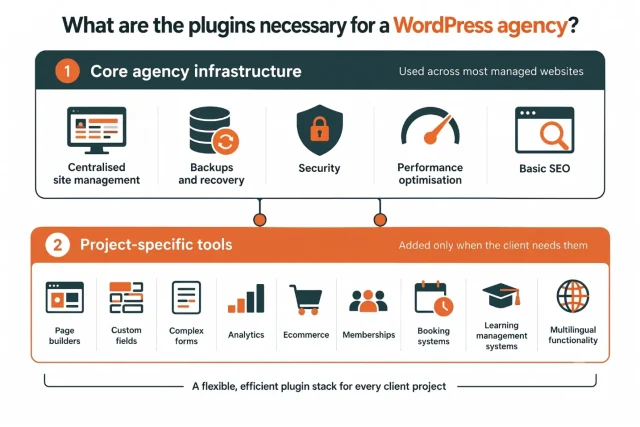
Core agency infrastructure
Section titled Core agency infrastructureThese are the tools you may use across most managed websites:
- Centralised site management
- Backups and recovery
- Security
- Performance optimisation
- Basic SEO
Project-specific tools
Section titled Project-specific toolsThese depend on what the client actually needs:
- Page builders
- Custom fields
- Complex forms
- Analytics
- Ecommerce
- Memberships
- Booking systems
- Learning management systems
- Multilingual functionality
This approach prevents plugin bloat while still giving developers the flexibility to build different types of websites.
How I chose the best WordPress plugins for agencies
Section titled How I chose the best WordPress plugins for agenciesA plugin can be excellent for an individual website and still be a poor choice for an agency.
For this list, I considered the following factors:
The real test is not whether a plugin works well on one site, but whether the team can configure and support it consistently across the whole portfolio. We look closely at licensing, reliability and feature overlap before making any tool part of our standard stack.
The 10 best WordPress plugins for agencies
Section titled The 10 best WordPress plugins for agenciesHere’s how each plugin fits into an agency workflow.
1. UpdraftCentral
Section titled 1. UpdraftCentralPremium | Overall score: 9.5/10
Best for: Agencies that manage multiple WordPress websites and want a central dashboard for routine maintenance.
Logging into separate admin panels adds unnecessary work as an agency’s client list grows. UpdraftCentral addresses this by bringing client sites into one dashboard. This gives the team one place to oversee its portfolio.
You can update plugins, themes and WordPress core across connected client sites in bulk, making WordPress maintenance much easier to manage at scale. This makes routine maintenance easier to track and reduces the risk of important updates being missed.
You can also manage backups and user access from the same place, reducing repetitive site-by-site administration.
Key features
- Single dashboard for managing multiple WordPress sites
- Bulk updates for plugins and themes across all client properties
- Centralized backup control and schedule management
- You can create pages/pages for individual sites directly through the UpdraftCentral dashboard, no more logging in and out of multiple sites to update your content
Pros
- Reduces manual administration across multiple sites
- Highly secure connection using public and private key encryption
- Self-hosted option keeps your data entirely under your control
Cons
- Requires a bit of initial setup for each connected site
- Requires the UpdraftPlus plugin to work
Verdict
UpdraftCentral is a strong option for agencies that want to centralise routine maintenance. It reduces repetitive work and gives teams more time for client projects.
Spend less time on routine site maintenance
UpdraftCentral Premium brings connected client sites into one dashboard and supports bulk plugin, theme and WordPress core updates. That means fewer repetitive logins and a clearer view of which sites still need attention.
2. Complianz
Section titled 2. ComplianzFreemium | Overall score: 8.8/10
Best for: Agencies needing automated, region-specific cookie consent and privacy compliance for their client sites.
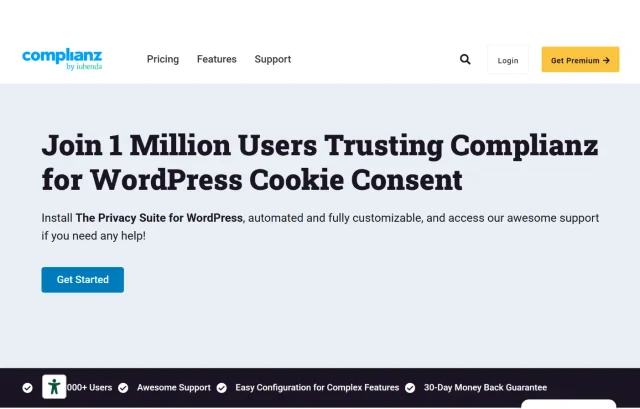
Data privacy laws are becoming stricter globally. Managing cookie banners manually for every region is impossible, especially when you manage dozens of client sites. Complianz automates this massive legal headache by scanning the site and generating the appropriate consent banner based on the visitor location.
Instead of configuring manual scripts for GDPR, CCPA and other regional laws, this tool handles the legal heavy lifting. It identifies all active cookies on your WordPress installation and automatically blocks third-party scripts until the user provides explicit consent. This keeps your clients protected from aggressive compliance audits and fines.
The plugin provides a wizard that guides you through generating accurate privacy policies and cookie declarations. Having an automated compliance tool in your agency stack proves to your clients that you take their legal safety seriously.
Key features
- Automatic cookie scan and comprehensive policy generation
- Region-specific consent banners that adapt to user locations
- Integrates seamlessly with local analytics tools like Burst Statistics
- Automatic blocking of third-party scripts before consent is given
Pros
- Keeps clients legally compliant without tedious manual work
- Auto-updates cookie policies as laws change globally
- Proof of consent records help during legal audits
Cons
- The premium version is needed for GEO IP localization features
- The initial setup wizard can be lengthy for highly complex sites
Verdict
Complianz protects your clients from compliance fines and removes the headache of writing manual cookie policies. It is a necessary safeguard for any agency operating in the current climate.
3. UpdraftPlus
Section titled 3. UpdraftPlusFreemium | Overall score: 9.3/10
Best for: Agencies that need scheduled backups, restoration, migration and staging across client websites.
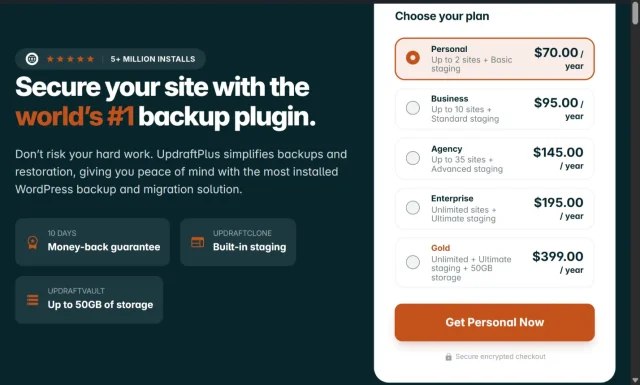
A backup plugin becomes particularly important when your agency is responsible for dozens of client websites. A failed update, hosting problem or human error can quickly become an agency support issue. UpdraftPlus supports scheduled backups, restoration and migration, with multiple remote storage options. Its current Premium plans include an Agency option and Enterprise for unlimited sites.
Key features
- Scheduled database and file backups
- Multiple remote storage destinations
- Restoration
- Website migration
- Incremental backups
- Cloning via purchasable tokens
- Site staging
- Multisite support
Pros
- Mature and widely used backup solution
- Straightforward backup scheduling
- Good choice for client maintenance packages
- Scalable agency licensing
- Free version covers many basic backup requirements
Cons
- Advanced agency features require Premium, such as incremental backups, database encryption, multisite support and advanced reporting
- Large sites may require careful configuration of storage and backup schedules
- Backup storage still needs to be planned rather than treated as unlimited. Only a small quote (2 GB is included with premium). For agencies, this will not be enough. You will need to purchase additional remote storage
Verdict
For an agency, I would treat backups as infrastructure rather than an optional plugin. UpdraftPlus is particularly useful when you want the same backup workflow across many client sites.
Make recovery part of every update workflow
UpdraftPlus Premium can create automatic backups before updates and store copies in multiple remote locations. If a change causes a problem, your team has a recent recovery point ready rather than having to investigate without one.
4. All-In-One Security
Section titled 4. All-In-One SecurityFreemium | Overall score: 9.1/10
Best for: Agencies that want to apply a consistent baseline of WordPress security controls across client sites.
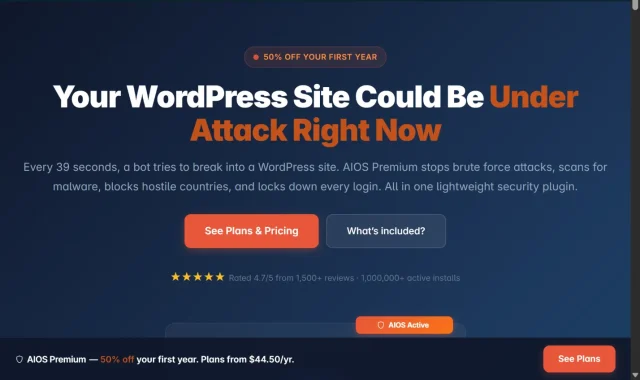
All-In-One Security, or AIOS, is particularly interesting for agencies because its 2026 pricing was redesigned with multi-site users in mind.
The Agency plan covers up to 35 sites at $249 per year, while Enterprise covers unlimited sites at $349 per year. New customers currently receive 50% off the first year.
Key features
- Malware scanning
- Firewall protection
- Two-factor authentication
- Country blocking
- Login security
- CAPTCHA protection
- Brute-force protection
- Automatic updates on Premium plans
Pros
- Strong agency licensing structure
- Wide range of security controls
- Beginner-friendly interface
- Unlimited Enterprise option
- Good fit for recurring maintenance packages
Cons
- Security settings need to be configured carefully. If you are not careful about which options you select, you can get looked out
- Some advanced features may be unnecessary for smaller client sites
- Agencies should avoid running overlapping security plugins
Verdict
AIOS makes sense as part of a standardised security stack. The unlimited licensing is particularly useful once your client portfolio becomes large enough that per-site security pricing starts eating into maintenance margins.
5. Yoast SEO
Section titled 5. Yoast SEOFreemium | Overall score: 8.6/10
Best for: Great for agencies offering ongoing marketing services that need proven reliable SEO tools and built-in client readability analysis.
Yoast SEO has been a staple in the WordPress community for a long time and remains a widely used option for professionals. It provides tools for managing how client sites appear in search results, including XML sitemaps and schema features.
The setup process is intuitive and guides you through essential site configurations quickly. You can automate image alt tags, manage redirects and build advanced schema markup directly from the post editor. The readability analysis can also help clients who write their own posts identify sentences that may need simplifying.
It also includes a redirect manager in the Premium version, which is useful for agencies migrating old sites to new domains. You can easily map old URLs to new ones and reduce avoidable 404 errors during a migration. Careful redirect mapping can help preserve existing search visibility when a redesigned site launches.
Key features
- Advanced schema generator for rich search results
- Built in redirection manager for handling site migrations
- Content readability analysis tool providing actionable writing tips
- Automatic XML sitemap generation for faster search engine indexing
Pros
- Highly reliable with a massive community for troubleshooting support
- Modular design lets you integrate with other powerful marketing platforms
- Excellent training academy available for your clients and junior team members
Cons
- The interface can feel slightly cluttered compared to newer alternatives
- Some of the most useful features require an expensive premium license
Verdict
Yoast SEO combines several common technical and on-page SEO tools in one package. Its established user base and documentation make it a practical agency standard, although no plugin can guarantee higher rankings.
6. WP-Optimize
Section titled 6. WP-OptimizeFreemium | Overall score: 9.0/10
Best for: Agencies looking for one plugin that covers caching, database optimisation, image compression and asset minification.
WP-Optimize is useful because agencies often need to solve several performance problems on the same client site. Instead of using separate plugins for database cleanup, image optimisation and caching, WP-Optimize brings those functions together.
The Premium version includes advanced caching, image optimisation, database optimisation and minification. Its current Enterprise plan supports unlimited sites for $194 per year.
Key features
- Page caching
- Database cleanup
- Image compression
- WebP conversion
- Lazy loading
- CSS and JavaScript minification
- GZIP compression
- Cloudflare integration
- Scheduled database cleanup
- WP-CLI support in Premium
Pros
- Covers several common performance tasks
- Strong database cleanup functionality
- Useful agency licensing
- Good balance between beginner controls and advanced settings
- Can reduce the number of separate optimisation plugins required
Cons
- Performance settings need testing on complex sites
- It should not be combined blindly with another full caching plugin
- Aggressive database cleanup can be risky without backups
- Does not offer object cache
Verdict
WP-Optimize is a practical option for agencies that want a broad performance toolkit without assembling several separate plugins. I would use it as the main optimisation layer rather than stacking it with another caching plugin.
Schedule performance maintenance across client sites
WP-Optimize Premium combines advanced scheduling with caching, image compression, database clean-up and minification. Agencies can automate recurring optimisation work instead of relying on someone to run each task manually.
7. Advanced Custom Fields Pro
Section titled 7. Advanced Custom Fields ProPremium | Overall score: 9.0/10
Best for: Development agencies creating custom content structures and controlled editing experiences.
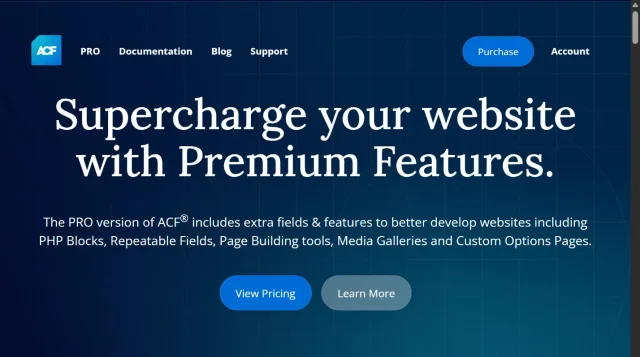
WordPress is fundamentally a blogging platform out of the box. Advanced Custom Fields Pro (ACF) adds tools for building more structured content models. It allows developers to create specific input fields for client content.
If you are building a real estate website you can create fields specifically for price, square footage and agent contacts. The client simply fills out a clean form in the backend and the site’s templates display that data on the front end. This prevents clients from having to format complex layouts themselves.
It can reduce accidental changes to layouts and design settings. You give them exactly the inputs they need and restrict access to the underlying structure.
Key features
- Repeater fields for creating infinite rows of custom data
- Flexible content fields for building modular page layouts
- Options pages for global site settings and API keys
Pros
- Creates a more controlled editing experience for clients
- Flexible developer API for custom integrations
- Can be lightweight when implemented carefully
Cons
- Requires PHP knowledge to output the fields on the front end
- The learning curve is steep for beginner developers
Verdict
ACF Pro is useful for agencies that need structured content without exposing clients to the underlying layout. It gives developers flexibility while keeping the editing experience focused.
8. Gravity Forms
Section titled 8. Gravity FormsPremium | Overall score: 8.6/10
Best for: Agencies building complex data-capture systems, payment forms or multi-step applications.
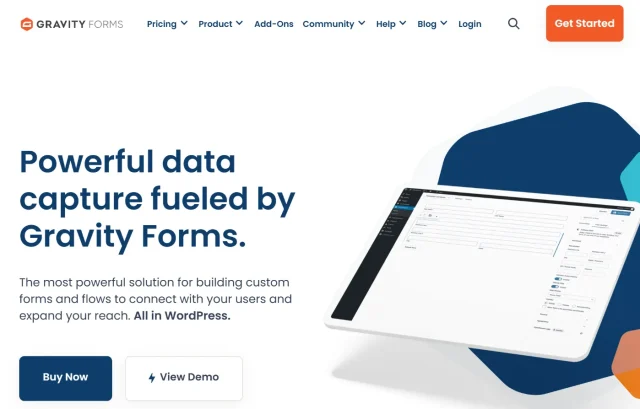
Many client sites need forms for enquiries, registrations, payments or applications. Gravity Forms supports more complex workflows, including user registrations, payment processing and complex conditional logic.
When a client asks for a job application form that changes based on the user input Gravity Forms can handle that logic. You can route notifications to different departments based on dropdown selections.
There is also a broad ecosystem of add-ons. You can connect forms directly to external CRMs, email marketing platforms and accounting software using official integrations.
Key features
- Advanced conditional logic to show or hide form fields
- Secure payment gateway integrations for taking deposits
- Extensive routing options for email notifications
Pros
- Established form-processing platform
- Large library of official and third-party add-ons
- Saves form entries to the database automatically
Cons
- No free version is available for testing
- The form styling requires custom CSS to look modern
Verdict
Gravity Forms is a capable option for complex data capture. It is particularly useful when client sites need conditional forms, application workflows or payment integrations.
9. Adminimize
Section titled 9. AdminimizeFree | Overall score: 8.2/10
Best for: Agencies that want to simplify the WordPress dashboard and reduce accidental changes by clients.
The default WordPress admin panel is cluttered and confusing for business owners. When a client logs in and sees updates, plugin settings and theme options they often click things they should not. Adminimize allows you to hide specific menu items based on user roles.
You can create a custom client role and remove the plugins, appearance and settings tabs entirely. They only see the posts, pages and custom fields they need to manage their business.
A simpler dashboard can reduce avoidable support requests and give clients a clearer editing experience.
Key features
- Role based access control for every admin menu item
- Ability to hide specific meta boxes on the post editor
- Global settings application across the entire network
Pros
- Simplifies the dashboard for non-technical users
- Prevents accidental deletion of critical plugins or settings
- Completely free tool available in the repository
Cons
- The settings interface is quite dated and text heavy
- Requires patience to configure correctly the first time
Verdict
Adminimize can make the final client handover smoother by presenting a cleaner dashboard and reducing the amount of training required.
10. Burst Statistics
Section titled 10. Burst StatisticsFreemium | Overall score: 8.4/10
Best for: Agencies that want straightforward website analytics inside WordPress.
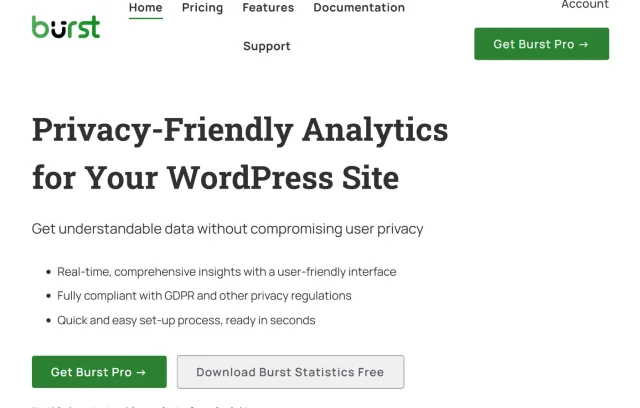
Many clients feel overwhelmed by the complexity of enterprise analytics platforms. They simply want to know how many people visited their site and which pages are popular. Burst Statistics brings straightforward traffic data into the WordPress dashboard.
Burst is designed with privacy in mind and can store analytics data locally on the website’s server. However, agencies still need to review its configuration, privacy notices and consent requirements for the client’s jurisdiction.
The interface gives clients a quick view of traffic and popular content without requiring a separate analytics platform.
Key features
- Local data storage ensuring strict privacy compliance
- Clear dashboard widgets for quick traffic overviews
- Essential metrics tracking including page views and referrers
Pros
- No complex setup or tracking pixel installation required
- Simple visual presentation for clients
- Does not share visitor data with advertising networks
Cons
- Lacks the deep granular reporting of enterprise analytics tools
- High traffic sites will use some local database storage for logs
Verdict
Burst Statistics is a useful option when clients need a simple analytics view inside WordPress. It covers common traffic metrics without the complexity of a larger analytics platform.
How to build an agency WordPress plugin stack
Section titled How to build an agency WordPress plugin stackA “best plugins” list should not become an installation checklist. Rather than adding all ten plugins to every client site, divide the stack into layers.
1. Core agency infrastructure
Section titled 1. Core agency infrastructureThese are the tools most likely to belong across your managed portfolio:
- UpdraftCentral – centralised site management
- UpdraftPlus – backups and recovery
- AIOS – security
- WP-Optimize – performance
- Yoast SEO – SEO, where it is your agency standard
These tools address recurring operational problems.
2. Development tools
Section titled 2. Development toolsKeep these available to developers rather than automatically installing them everywhere:
- ACF Pro – structured content
- Complianz – compliance related
- Adminimize – client dashboard control
The right combination depends on how your team builds and maintains websites.
3. Project-specific tools
Section titled 3. Project-specific toolsInstall these when the client actually needs them:
- Gravity Forms – complex forms and data capture
- Burst Statistics – simple website analytics
- Ecommerce plugins
- Membership plugins
- Booking systems
- LMS plugins
- Multilingual plugins
The principle is simple: standardise recurring operational work and tailor project-specific functionality to the client.
What agencies should check before installing a plugin
Section titled What agencies should check before installing a pluginBefore adding a plugin to a client site, I would check these seven things:
- Does the site actually need it? A plugin should solve a defined problem.
- Does it overlap with something already installed? Overlap can create conflicts, duplicated functionality and confusing maintenance.
- What happens when you have 30 client sites? A plugin that is affordable for one site may become expensive or difficult to manage across a large portfolio.
- Is it actively maintained? Check recent updates, WordPress compatibility, documentation and support.
- Can your team support it? The agency is ultimately responsible for the tools it standardises.
- What happens if the plugin fails? Consider whether you can:
-
- Restore a backup
- Disable the plugin
- Roll back an update
- Contact support
- Recover without access to the WordPress dashboard
- Does it add unnecessary complexity? More functionality isn’t automatically better.
Conclusion
Section titled ConclusionThe best WordPress plugins for agencies aren’t necessarily the ones with the longest feature lists. They’re the ones your team can rely on, manage efficiently and use consistently across client websites.
Start with a core set of plugins that cover your everyday needs, from backups and security to performance and site management. Keep your setup consistent, document what works and introduce specialist tools when a project calls for them. As your client portfolio grows, having the right tools and processes in place can make a real difference to the time spent on maintenance.
That’s where centralised management becomes particularly valuable. Tools like UpdraftCentral let you manage updates, backups and other routine WordPress tasks from one dashboard, rather than logging into every client website individually. Less time spent on repetitive maintenance means more time for the work that matters to your clients.
FAQs
Section titled FAQsDoes an agency need a dedicated management dashboard?
Once an agency manages more than a handful of sites, logging into each one for routine maintenance becomes inefficient. UpdraftCentral provides bulk updates from one dashboard, helping the team identify and update affected sites more consistently.
How can I prevent clients from breaking their websites?
Limit client accounts to the content and controls they genuinely need. Structured fields in Advanced Custom Fields and role-based menu controls can reduce accidental changes without preventing clients from updating their own content.
What is the best way to handle client backups?
Keep an independent backup as well as any backup supplied by the host. UpdraftPlus can schedule backups to remote storage such as Amazon S3 or Google Drive, giving the agency another recovery option if the server is unavailable.
What are the best WordPress plugins for agencies?
Prioritise plugins that solve recurring problems across several client sites and that the team can support consistently. UpdraftCentral can centralise routine management, while UpdraftPlus, AIOS, and WP-Optimize cover backups, security and performance. Add development and client-management tools only where the project calls for them.
How many plugins should an agency install on a WordPress website?
There is no useful universal limit. Each plugin should solve a defined problem, be actively maintained and work with the rest of the stack. Remove redundant tools rather than aiming for an arbitrary number.
Should an agency use both WP-Optimize and WP Rocket?
Running two full caching and optimisation systems can cause duplicated work or conflicts. Choose one primary performance plugin and test its configuration carefully. WP-Optimize combines caching with database and image optimisation, while WP Rocket focuses on caching and broader performance features. Choose according to the site’s requirements rather than running both by default.
About the author

Elvira Mishra
Elvira has over four years of experience creating and designing content in WordPress. Her background spans multiple digital disciplines, including marketing, SEO, user experience, and human computer interaction.
Categories
UpdraftPlus
Get all our premium features. Direct site-to-site migration, incremental backups, back up automatically before updates and a whole lot more.
From just $70 for the year.
More stories
-

Direct WordPress site-to-site migration: A step-by-step guide
Learn how direct WordPress site-to-site migration works and how to move your website between hosts or domains without manually transferring files.
-

5 WordPress Web Design Tips to Improve Your Website
Good web design is about more than appearance. Explore practical WordPress web design tips to improve your website's layout, navigation, mobile responsiveness, accessibility and performance, helping you create a better experience for your visitors.
-
Best AI Website Builders Compared
AI website builders can help you design, write and launch a website in minutes. Compare the best AI-powered website builders based on ease of use, features, customisation, pricing and performance to find the right solution for your next project.
-

How incremental backups save time and storage in WordPress
Incremental backups only save the changes made since your last backup, helping you reduce storage usage, speed up backups and lower server load. Learn how they work and why they're an essential part of an efficient WordPress backup strategy.