Best SEO tools for agencies in 2026: Tested and compared
Category Guides and resources
Topics Performance optimization, Tips and tricks, WordPress,

Managing a digital agency isn’t just about rankings anymore. You’re juggling data, technical fixes, client expectations, and now, AI-driven search results that are changing how visibility works altogether.
In 2026, finding the best SEO tools for agencies isn’t just about keyword tracking. It’s about building a stack that helps you scale across multiple clients, prove ROI clearly, and stay visible in both traditional search and AI-generated results.
If you’re working with WordPress sites, there’s an extra layer too: performance, security, and database health all directly impact rankings.
In this guide, we’ll break down the leading SEO tools used by agencies today, focusing on how they actually fit into real workflows – covering large-scale audits, AI visibility, and white-label reporting. Whether you’re a solo consultant or scaling an agency, this will help you choose tools that genuinely support client growth.
Most agencies don’t fail because they lack tools, they struggle because their setup doesn’t scale.
Key takeaways
Section titled Key takeaways- Diversified data sources: Some tools are starting to track both traditional rankings and AI-driven visibility.
- WordPress integration: Your tools should work well with WordPress to support performance, technical SEO, and site health.
- White-label reporting: Clear, automated reports are essential for retaining clients and proving value.
- Scalability: Managing multiple clients from one dashboard isn’t optional, it’s a requirement.
Why you as an agency should care about SEO
Section titled Why you as an agency should care about SEOFor agencies, SEO isn’t just a service – it’s one of the most reliable ways to deliver long-term results for clients.
In simple terms, SEO is about increasing visibility in search results. But in 2026, that now includes appearing in AI-generated answers across platforms like ChatGPT, Gemini, and Google AI Overviews.
This shift means your strategy needs to go beyond rankings and consider how your clients show up in AI summaries too.
The real value of SEO is that it compounds over time. Unlike paid ads, where traffic stops as soon as the budget runs out, SEO builds a long-term asset that continues to bring in qualified leads.
The challenge? Doing this at scale across multiple clients without the right tools is almost impossible.
The right tools allow agencies to:
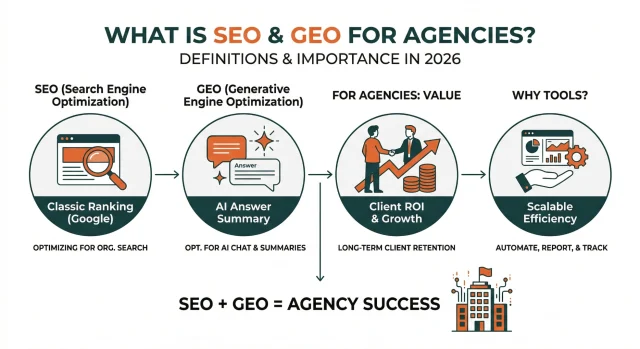
- Automate repetitive tasks: Auditing hundreds of pages manually is inefficient.
- Provide proof of work: Data-backed reports translate abstract efforts into tangible ROI for business owners.
- Identify hidden opportunities: Tools uncover “content gaps” where competitors are winning, giving you a roadmap for client growth.
Methodology for evaluating the SEO tools
Section titled Methodology for evaluating the SEO toolsTo keep things consistent, each tool has been evaluated using four core criteria that reflect real agency needs – where time, scalability, and accuracy matter most.
- Relevant features: White-labeling, multi-user access, and client dashboards
- Data depth: Size and accuracy of keyword + backlink data
- AI readiness: Ability to track AI visibility and provide content insights
- WordPress compatibility: Integrations, plugins, or features for WordPress sites
Overview table
Section titled Overview tableIf you’re building or refining your agency’s online presence, your SEO stack is just one part of the picture. From choosing the best theme for your agency to selecting plugins and comparing hosting options, everything plays a role in performance and scalability.
Protect your client sites before making SEO changes
Before running audits or making technical updates, you need a safety net. UpdraftPlus lets you create full backups or clones of your client’s site, so you can test changes without risking downtime or data loss.
Best SEO tools of 2026
Section titled Best SEO tools of 2026Semrush
Section titled SemrushOverall Score: 9.6/10 | Agency Features: 10/10 | Data Depth: 10/10 | AI Readiness: 9/10 | WordPress Compatibility: 8/10
Pricing tiers
- Pro: $139.95/mo (Standard features for smaller teams)
- Guru: $249.95/mo (Includes Content Marketing Toolkit and historical data)
- Business: $499.95/mo (API access, extended limits, and voice of customer data)
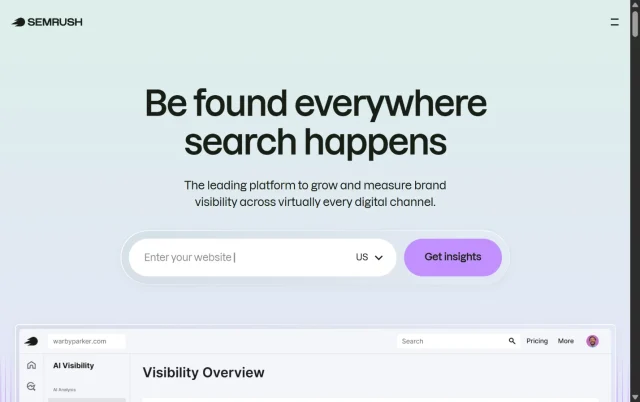
Semrush is one of those tools most agencies end up using at some point, mainly because it covers so much in one place. From keyword research and site audits to competitor analysis and reporting, it’s built to handle pretty much every part of an SEO workflow.
Over the past year, it’s also started leaning more into AI-driven insights, helping agencies understand how content performs in changing search environments. For most agencies, the Guru or Business plans make the most sense, as they unlock historical data and more advanced reporting.
Key features
- Reporting & client dashboards: Create branded reports and track performance across multiple clients
- Keyword Magic Tool: Huge keyword database with intent data built in
- Position tracking & reporting: Track performance across locations and send automated reports to clients
Pros
- Covers almost everything you need in one platform
- Reporting is strong and easy to automate for clients
- Solid for agencies handling a mix of SEO, PPC, and content
Cons
- Can feel overwhelming at first
- Costs add up quickly with extra users or add-ons
Final verdict
If you want one tool that does (almost) everything, Semrush is a safe choice. It’s especially useful once you’re managing multiple clients and need reporting and workflows in one place.
Ahrefs
Section titled AhrefsOverall Score: 9.2/10 | Agency Features: 8/10 | Data Depth: 10/10 | AI Readiness: 8/10 | WordPress Compatibility: 7/10
Pricing Tiers
- Lite: $129/mo (Basic access to essential tools)
- Standard: $249/mo (Best for small SEO teams)
- Advanced: $449/mo (Includes Site Audit and more data credits)
- Enterprise: $14,990/yr (Customizable plan for massive agencies)

If your agency leans heavily into technical SEO or link building, Ahrefs is hard to beat. It’s known for having one of the most reliable backlink databases, which makes it especially useful for competitor analysis and outreach work.
It’s a bit more focused than Semrush, but that’s also part of the appeal, it does a few things really well without trying to be everything.
Key features
- Site Explorer: Deep dive into traffic, backlinks, and top pages
- Content Gap Tool: Find keywords your competitors rank for that you don’t
- Rank Tracker: Track positions across locations and devices
Pros
- Excellent backlink data and link analysis
- Clean, straightforward interface
- Great for spotting link-building opportunities
Cons
- Credit-based pricing can get expensive
- Reporting isn’t as client-friendly out of the box
Final verdict
Ahrefs is a go-to for agencies focused on technical SEO and links. If that’s your edge, it’s one of the best tools you can have.
Don’t let site speed hold your SEO back
Even the best SEO strategy won’t perform if your site is slow. WP-Optimize helps keep your database clean, images compressed, and load times fast, so your client sites don’t fall behind.
SE Ranking
Section titled SE RankingOverall Score: 8.9/10 | Agency Features: 9/10 | Data Depth: 8/10 | AI Readiness: 9/10 | WordPress Compatibility: 8/10
Pricing Tiers
- Core: $129/mo (Standard tools for freelancers)
- Growth: $279/mo (Best for small agencies with white-labeling)
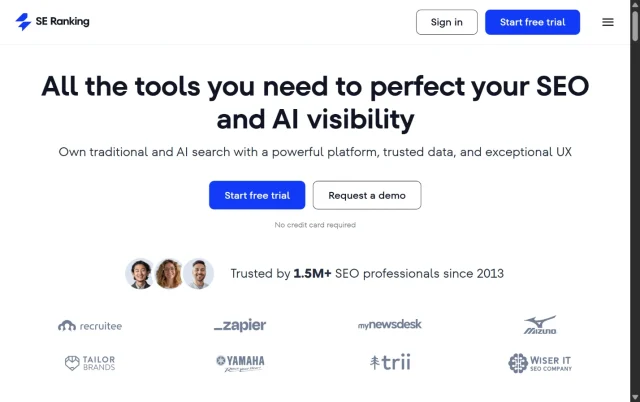
SE Ranking is a solid option for mid-sized agencies that need a full suite of tools without the enterprise price tag of Semrush or Ahrefs. It gives you a good balance of features without the higher cost, including a powerful site audit tool and social media management.
Key features
- White Labeling: Full customization of the platform’s interface and reports with your agency’s branding.
- On-Page SEO Checker: Provides detailed, actionable advice for optimizing specific pages on a WordPress site.
- AI Content Creator: Helps draft SEO-optimized articles based on real-time SERP data.
Pros
- Significantly more affordable than the industry “big two” while offering 90% of the same features.
- The white-labeling features are included in lower tiers compared to competitors.
- User-friendly interface that is easy to train new staff on.
Cons
- Keyword and backlink databases are not as large as Semrush or Ahrefs.
- Some data updates can take longer to reflect in the dashboard.
Final verdict
SE Ranking is the best choice for growing agencies that need a professional, white-labeled platform while maintaining a healthy profit margin.
AgencyAnalytics
Section titled AgencyAnalyticsOverall Score: 8.7/10 | Agency Features: 10/10 | Data Depth: 6/10 | AI Readiness: 7/10 | WordPress Compatibility: 9/10
Pricing Tiers
- Freelancer: $79/mo (For individuals looking for basic reporting to track client performance and share results.)
- Agency: $239/mo (For agency teams looking to scale reporting and improve client experience.)
- Agency Pro: $479/mo (For strategic agencies looking for data-driven insights to improve client results.)
- Enterprise: Custom pricing (For large agencies with high campaign counts)
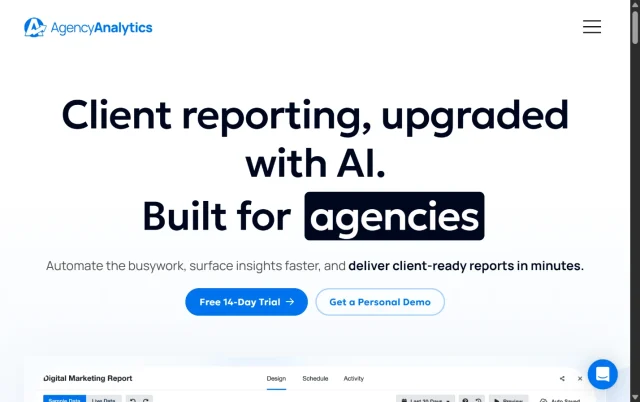
AgencyAnalytics is less of an SEO tool and more of a reporting layer that sits on top of your stack. It pulls data from multiple platforms into one place, making it much easier to show clients what’s going on.
Key features
- Automated Client Reporting: Schedules professional PDF or live reports to be sent to clients automatically.
- 85+ Integrations: Pulls data from Google Ads, Facebook, Shopify, and even WordPress directly.
- Staff Management: Assign specific clients to specific team members with custom permissions.
Pros
- Saves immense amounts of time by consolidating data from multiple tools.
- The dashboards are highly visual and easy for clients to understand.
- Excellent for agencies that offer multi-channel marketing beyond just SEO.
Cons
- You often need other tools (like Ahrefs) to provide the data that AgencyAnalytics displays.
- Costs can scale quickly as you add more client campaigns.
Final verdict
AgencyAnalytics is an essential addition for any agency that wants to automate their reporting workflow and impress clients with professional dashboards.
BrightLocal
Section titled BrightLocalOverall Score: 8.8/10 | Agency Features: 9/10 | Data Depth: 7/10 | AI Readiness: 7/10 | WordPress Compatibility: 9/10
Pricing Tiers
- Single Business: $39/mo (For up to 3 locations)
- Multi Business: $49/mo (Best for growing local agencies)
- SEO Pro: $59/mo (Includes white-labeling and citation tracking)
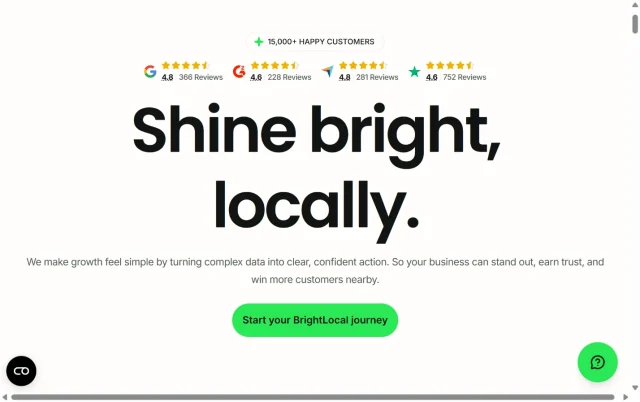
If your agency focuses on local businesses, BrightLocal is a more focused tool built specifically for local SEO. It is designed to manage Google Business Profiles and local citations, which are the primary ranking factors for local search.
Key features
- Local Search Grid: Visualizes how a business ranks in different parts of a city on a map.
- Reputation Manager: Automates the process of asking for and responding to customer reviews.
- Citation Tracker: Finds and fixes incorrect business listings across the web.
Pros
- Very affordable pricing for agencies managing multiple local locations.
- White-label reporting that is specifically tailored to local business metrics.
- Works well alongside WordPress-based workflows.
Cons
- It is not useful for national or international e-commerce SEO campaigns.
- It lacks deep backlink analysis compared to Ahrefs.
Final verdict
BrightLocal is the best choice for agencies that specialize in helping local businesses dominate their specific geographic area.
Yoast SEO
Section titled Yoast SEOOverall Score: 8.4/10 | Agency Features: 5/10 | Data Depth: 6/10 | AI Readiness: 9/10 | WordPress Compatibility: 10/10
Pricing Tiers
- Free: Basic technical SEO and one keyword focus.
- Premium: $118.80/yr (Includes redirects, social previews, and AI features)
- Agency (Bulk): Discounted rates available for multiple licenses.
Yoast SEO is one of the most widely used WordPress SEO plugins, and most agencies will have worked with it at some point. It’s particularly useful for on-page SEO and helping content teams follow best practices.
For agencies, it’s less of a full SEO tool and more of an implementation layer—something you use directly on the site alongside tools like Semrush or Ahrefs.
Key features
- On-page SEO analysis (readability + keyword optimisation)
- Schema support for structured data
- Internal linking suggestions (premium)
- Redirect manager (premium)
Pros
- Very easy for clients and content teams to use
- Stable and well-integrated with WordPress
- Good for maintaining consistency across content
Cons
- Per-site pricing can add up quickly
- Limited compared to tools like Rank Math in some areas
Final verdict
Yoast is a solid choice if you’re working with content-heavy sites or clients who want simple, guided SEO recommendations directly in WordPress.
Conclusion
Section titled ConclusionChoosing the best SEO tools for your agency really comes down to how you work and who you’re working with. If you need everything in one place, Semrush is hard to beat. If your focus is more on technical SEO and backlinks, Ahrefs is still one of the strongest options out there. SE Ranking is a great middle ground if you want solid features without the higher price tag, and BrightLocal makes the most sense if you’re working with local clients.
That said, tools are only part of the picture. What really matters is how everything fits together across your workflow and your client sites.
If you’re working on WordPress, things like backups, performance, and general site health have a direct impact on how well your SEO work performs. Using a backup plugin like UpdraftPlus means you can make changes without worrying about breaking anything, and WP-Optimize helps keep your sites running fast – which, as you know, makes a real difference to rankings.
At the end of the day, the best SEO tools for agencies aren’t just about having more data. They’re about helping you do better work, more efficiently, and actually show your clients the results. Get the setup right, and everything else becomes a lot easier to scale.
FAQs
Section titled FAQsWhich SEO tools do agencies actually use?
Most agencies don’t rely on just one tool, they build a stack that covers different parts of the job. Tools like Semrush and Ahrefs are usually used for research, audits, and competitor analysis, while platforms like SE Ranking offer a more affordable all-in-one option.
On top of that, agencies often use reporting tools like AgencyAnalytics to keep clients in the loop, along with WordPress plugins like Yoast or Rank Math for on-site SEO. And behind the scenes, tools like UpdraftPlus and WP-Optimize help keep client sites stable and fast, which is just as important when you’re managing SEO at scale.
What is the best SEO tool for managing multiple client websites?
If you’re managing multiple client sites, you need something that helps you stay organised as much as anything else. Tools like Semrush and SE Ranking are popular because they let you track performance, automate reports, and manage multiple projects from one place.
In practice, most agencies combine these with WordPress plugins for on-site implementation. For day-to-day site management, something like UpdraftCentral can also be really useful, as it gives you a central place to manage multiple WordPress sites without constantly logging in and out of each one.
There isn’t really one “best” tool, it’s more about having a setup that works smoothly together and actually saves you time as you scale
Do I need different SEO tools for WordPress sites?
In most cases, yes. Tools like Semrush or Ahrefs are great for research and tracking, but they don’t actually make changes to your site.
For WordPress, you’ll still need a plugin like Yoast, Rank Math, or SEOPress to handle things like metadata, schema, and on-page SEO. It’s also worth thinking about performance and maintenance – using tools like WP-Optimize can help keep your site fast and efficient, which directly supports your SEO efforts.
How do agencies report SEO results to clients?
Most agencies send monthly reports that focus on key metrics such as organic traffic, keyword rankings, conversions, and goal completions. The aim is to show progress clearly without overwhelming clients with unnecessary data. Tools such as Burst Statistics, Google Analytics, and Looker Studio can help agencies track performance, build reports, and demonstrate the impact of SEO work over time.
Many agencies also use live dashboards through tools like AgencyAnalytics or built-in reporting in platforms like Semrush, so clients can check performance whenever they want. It’s really about making the data easy to understand and tying it back to business results.
What are white-label SEO reports?
White-label SEO reports are reports you can brand as your own. Instead of showing the tool’s branding, you can add your agency’s logo, colours, and messaging.
This helps create a more professional experience for clients and keeps your agency front and centre, rather than the software you’re using behind the scenes.
How important is site speed and performance for SEO?
Site speed and performance play a big role in SEO. Search engines take things like load time and user experience into account, and slower sites tend to struggle with both rankings and conversions.
For WordPress sites, this often comes down to keeping things clean and lightweight. Tools like WP-Optimize can help by reducing database bloat, compressing images, and improving load times, small improvements that can make a noticeable difference over time.
Can website downtime or security issues affect SEO?
Yes, and it’s something a lot of people underestimate. If a site goes down regularly, gets hacked, or becomes inaccessible, it can quickly impact rankings and damage trust with both users and search engines.
That’s why monitoring and protection are so important. Tools like AIOS (All-In-One Security) help by securing your site and monitoring uptime, so you’re aware of issues before they become bigger problems.
Most agencies also pair this with regular backups using tools like UpdraftPlus, so if something does go wrong, the site can be restored quickly without losing valuable SEO progress.
Do SEO tools help with AI search results?
Some tools are starting to offer insights into how content appears in AI-driven search experiences, but it’s still early days.
Traditional rankings are still important, but it’s becoming more useful to understand how your content is being surfaced in things like AI summaries. Most agencies are starting to keep an eye on this, even if it’s not a core reporting metric yet.
How do I choose the right SEO tools for my agency?
It usually comes down to how you work. If you want everything in one place, an all-in-one platform like Semrush or SE Ranking makes sense. If you focus more on technical SEO or link building, something like Ahrefs might be a better fit.
In reality, most agencies end up using a mix of tools that work together. When you combine that with a solid WordPress setup – keeping sites backed up, secure, and running fast, it becomes much easier to deliver consistent results for your clients.
About the author

Elvira Mishra
Elvira has over four years of experience creating and designing content in WordPress. Her background spans multiple digital disciplines, including marketing, SEO, user experience, and human computer interaction.
Categories
WP-Optimize
Get all our premium features. Lazy loading, pre-load key requests, Cloudfare integration. Optimize individual tables, delete unused images and more.
From just $49 for the year.
More stories
-

How incremental backups save time and storage in WordPress
Incremental backups only save the changes made since your last backup, helping you reduce storage usage, speed up backups and lower server load. Learn how they work and why they're an essential part of an efficient WordPress backup strategy.
-

Best WordPress Website Builders Compared
Discover the best WordPress website builders for every skill level. Compare features, ease of use, pricing and performance to choose the right builder for your blog, business or online store.
-

How to Schedule WordPress Backups
Learn how to schedule WordPress backups, choose the right frequency, and keep copies ready when you need to restore your site.
-

Best plugins for affiliate marketers
Build a smarter affiliate site using WordPress plugins for link management, analytics, conversions, speed, security and programme growth.
