Best WordPress cache plugins to speed up your site
Category Guides and resources
Topics Performance optimization, Plugin comparison,

If your WordPress site feels slow, caching is usually one of the first things worth looking at.
A good cache plugin can dramatically improve loading times, reduce server strain, improve Core Web Vitals, and create a noticeably smoother experience for your visitors. In some cases, enabling caching properly can cut page load times by several seconds almost instantly.
And speed matters more than ever now.
A slow website doesn’t just frustrate visitors. It can affect:
- Search rankings
- Conversion rates
- Mobile usability
- Bounce rates
- WooCommerce performance
- Overall user experience
The problem is that there are now lots of WordPress caching plugins available, and not all of them work in the same way.
Some focus purely on page caching. Others include things like:
- Minification
- Database cleanup
- Lazy loading
- Browser caching
- CDN integration
- Image optimisation
- Script optimisation
We’ve tested and compared some of the best WordPress cache plugins available right now to help you choose the best option to speed up your WordPress site, whether you run a blog, WooCommerce store, business website, or high-traffic WordPress site.
Why caching matters for WordPress performance
Section titled Why caching matters for WordPress performanceWordPress is dynamic by default.
Every time somebody visits your website, WordPress has to:
- Query the database
- Process plugins
- Load theme files
- Generate the page
- Deliver it to the browser
That all takes time and server resources.
Caching works by storing ready-made versions of your pages so your server doesn’t need to rebuild everything from scratch every single visit.
The result?
- Faster page load times
- Reduced server strain
- Better mobile performance
- Improved Core Web Vitals
- Better user experience
Caching also works best when combined with other optimisation techniques like:
It’s also worth understanding that caching alone won’t fix everything. Large images, bloated plugins, poor hosting, and excessive scripts can still slow your website down. If that sounds familiar, our guide on why your WordPress site is slow breaks down the most common causes.
Best WordPress cache plugin comparison table
Section titled Best WordPress cache plugin comparison tableIf you just want a quick overview before diving into the full reviews, here’s a side-by-side comparison of some of the best WordPress cache plugins available right now.
WP-Optimize
Section titled WP-Optimize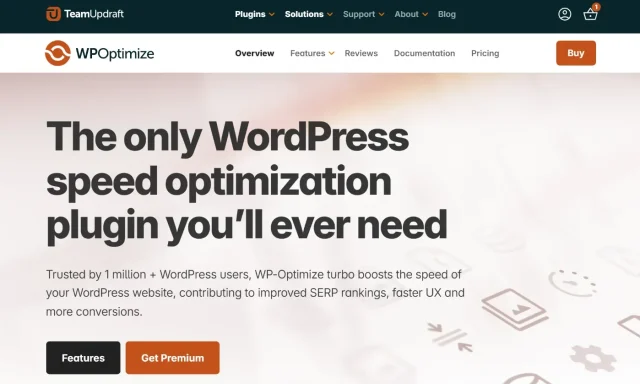
WP-Optimize is one of the best all-in-one WordPress cache plugins for users who want more than just basic page caching.
Instead of relying on multiple separate optimisation plugins, WP-Optimize combines:
into a single plugin.
That makes it especially useful for WordPress users who want a cleaner, easier-to-manage performance setup.
Key features
Section titled Key features- Fast page caching
- Browser caching
- Gzip compression
- Cache preloading
- CSS and JavaScript minification
- Lazy loading
- Database cleanup
- Built-in image optimisation
- WebP support
- WooCommerce compatibility
Performance impact
Section titled Performance impactWP-Optimize can dramatically improve loading times, especially on WordPress sites suffering from database clutter, oversized images, or poor caching setups.
Because it combines several optimisation features in one plugin, it also reduces the need for multiple separate performance plugins running simultaneously.
Sites using WP-Optimize often see improvements in:
- Core Web Vitals
- Largest Contentful Paint (LCP)
- Mobile performance
- Server response times
The plugin is also beginner-friendly compared to some more technical caching solutions.
Pricing
Section titled PricingWP-Optimize includes a generous free version with:
- Page caching
- Database optimisation
- Image compression
- Basic minification
Premium plans start from $58.80/year and include advanced features like:
- Lazy loading
- Multisite support
- Advanced scheduling
- Enhanced optimisation controls
The verdict
Section titled The verdictWP-Optimize stands out as one of the best WordPress caching plugins because it goes beyond caching alone.
Instead of only improving page delivery, it tackles several of the most common performance problems WordPress sites face, including bloated databases, oversized images, and unnecessary scripts.
For users who want an all-in-one performance plugin that’s beginner-friendly but still powerful, WP-Optimize is one of the strongest overall choices available
WP Rocket
Section titled WP Rocket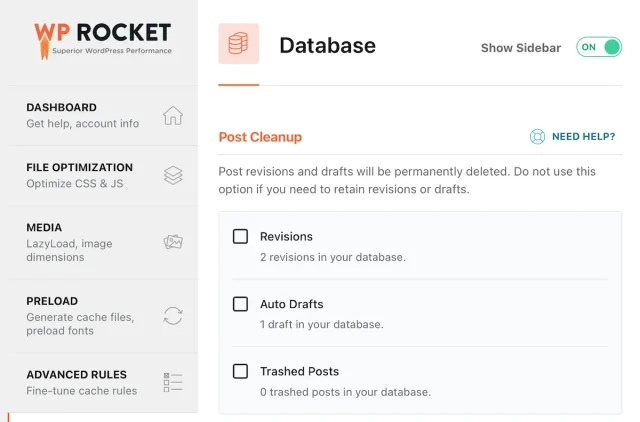
WP Rocket is one of the most popular premium-only WordPress cache plugins on the market.
A big part of its popularity comes from how beginner-friendly it is. Many performance settings work immediately after activation, which makes it appealing for users who don’t want to spend hours configuring cache rules.
Key features
Section titled Key features- Page caching
- Browser caching
- Cache preloading
- File minification
- Delay JavaScript execution
- Lazy loading
- Database cleanup
- CDN integration
Limitations
Section titled LimitationsWP Rocket does not offer a free version, which may put it out of reach for some smaller websites.
Some advanced optimisation settings can also conflict with themes or plugins if enabled aggressively.
Pricing
Section titled PricingWP Rocket starts at $59/year for a single site license.
The verdict
Section titled The verdictWP Rocket is one of the easiest caching plugins to use and delivers strong performance improvements with very little setup required.
However, because it’s premium-only, some users may find all-in-one alternatives like WP-Optimize provide better overall value.
You can also compare them directly in our full guide: WP-Optimize vs WP Rocket.
LiteSpeed Cache
Section titled LiteSpeed CacheLiteSpeed Cache is an incredibly powerful caching plugin, especially for websites hosted on LiteSpeed servers.
It includes advanced server-level caching alongside a huge range of optimisation features.
Key features
Section titled Key features- Server-level caching
- Object caching
- Image optimisation
- CDN integration
- CSS/JS optimisation
- Database cleanup
- QUIC.cloud support
Limitations
Section titled LimitationsLiteSpeed Cache works best on LiteSpeed servers. While some features still function elsewhere, the plugin’s biggest strengths rely heavily on LiteSpeed hosting infrastructure.
If you’re unsure whether your hosting setup supports LiteSpeed properly, our guide on web hosting vs WordPress hosting explains the differences between hosting environments in more detail.
The sheer number of settings can also feel overwhelming for beginners.
Pricing
Section titled PricingLiteSpeed Cache itself is free, although some QUIC.cloud services may involve usage costs.
The verdict
Section titled The verdictLiteSpeed Cache is extremely powerful for advanced users and high-performance hosting setups.
For beginners, though, the setup process can feel much more technical than alternatives like WP-Optimize or WP Rocket.
W3 Total Cache
Section titled W3 Total CacheW3 Total Cache has been around for years and remains one of the most advanced caching plugins available.
It supports a huge number of caching methods and optimisation settings.
Key features
Section titled Key features- Page caching
- Database caching
- Object caching
- Browser caching
- CDN support
- Minification
- Fragment caching
Limitations
Section titled LimitationsW3 Total Cache is powerful, but it’s not particularly beginner-friendly.
The interface can feel overwhelming, and incorrect settings can sometimes create conflicts or even slow websites down further.
This is especially true when features like CSS or JavaScript minification are configured too aggressively. If you run into issues, our guide on common WordPress caching mistakes explains some of the most common problems to watch out for.
Pricing
Section titled PricingA free version is available, with premium features starting at $99/year.
The verdict
Section titled The verdictW3 Total Cache is best suited to advanced users who want fine-grained control over caching behaviour and server optimisation.
For simpler setups, many users will probably prefer more streamlined alternatives like WP-Optimize or WP Rocket.
Compare WP-Optimize vs W3 Total Cache in more detail.
WP Fastest Cache
Section titled WP Fastest CacheWP Fastest Cache focuses on simplicity and ease of use.
It’s lightweight, beginner-friendly, and offers straightforward caching improvements without too much complexity.
Key features
Section titled Key features- Page caching
- Browser caching
- Minification
- Gzip compression
- CDN support
- Cache timeout controls
Limitations
Section titled LimitationsSome advanced features are locked behind the premium version, and the plugin doesn’t offer the same all-in-one optimisation approach as WP-Optimize.
Pricing
Section titled PricingFree version available. Premium starts from $49.
The verdict
Section titled The verdictWP Fastest Cache is a solid choice for users who want simple page caching without lots of advanced configuration.
If you want a closer look at how the two plugins compare, see our guide to WP-Optimize vs WP Fastest Cache.
Cache Enabler
Section titled Cache EnablerCache Enabler is a lightweight caching plugin built with simplicity in mind.
It’s particularly appealing for smaller websites that want basic caching without unnecessary extras.
Key features
Section titled Key features- Lightweight page caching
- WebP support
- Minimal configuration
- Simple cache clearing
Limitations
Section titled LimitationsIt lacks many of the advanced optimisation features offered by larger performance plugins.
If your website starts growing over time, you may eventually need additional tools for things like image optimisation, database cleanup, or lazy loading.
Pricing
Section titled PricingFree.
The verdict
Section titled The verdictCache Enabler is a good option for smaller websites wanting very lightweight caching, but larger or more complex WordPress sites may outgrow it fairly quickly.
Final verdict: What is the best WordPress cache plugin?
Section titled Final verdict: What is the best WordPress cache plugin?When comparing the best WordPress cache plugins in 2026, WP-Optimize stands out as the strongest overall option for most users.
Here’s why:
- Beginner-friendly setup
- Strong caching performance
- Built-in image optimisation
- Database cleanup tools
- Lazy loading support
- Minification features
- Excellent value
- Free version available
Many cache plugins only focus on page caching alone.
WP-Optimize takes a broader approach by improving multiple areas of WordPress performance together, which is often what actually moves the needle when it comes to speed.
That’s especially important now that Google places such heavy emphasis on:
- Core Web Vitals
- Mobile performance
- User experience
- Real-world loading speed
If you’re trying to improve overall site speed rather than simply install “another cache plugin,” WP-Optimize is one of the best all-in-one choices available.
Essential features to look for in a WordPress cache plugin
Section titled Essential features to look for in a WordPress cache pluginPage caching
Section titled Page cachingThis is the core feature most cache plugins provide.
It stores static versions of your pages so visitors can load them faster. If you’re new to caching, our WordPress caching guide explains how it works in more detail.
Browser caching
Section titled Browser cachingBrowser caching allows returning visitors to reuse previously downloaded files instead of loading everything again.
This can help improve repeat visits and reduce unnecessary requests being made to your server.
Minification
Section titled MinificationMinification reduces the size of CSS and JavaScript files.
If you’re unfamiliar with it, our guide on what minification is explains how it improves performance.
Lazy loading
Section titled Lazy loadingLazy loading delays offscreen images and videos until users scroll down the page.
Our guide on how lazy loading improves user experience explains why this matters, especially for mobile performance and image-heavy pages.
CDN compatibility
Section titled CDN compatibilityCDNs help deliver files faster across different locations.
If your site is image-heavy, these WordPress CDN plugins for images are worth exploring.
Common WordPress caching mistakes
Section titled Common WordPress caching mistakesCaching can dramatically improve performance, but incorrect settings can sometimes create new problems too.
Some common caching mistakes include:
- Over-aggressive minification
- Caching dynamic WooCommerce pages
- Poor mobile cache handling
- Combining incompatible optimisation plugins
- Forgetting to clear cache after updates
Conclusion
Section titled ConclusionA good caching plugin can dramatically improve your WordPress site’s speed, user experience, and overall performance.
But the reality is that caching works best as part of a broader optimisation strategy. Things like oversized images, slow hosting, heavy plugins, database clutter, and poor mobile performance can still create bottlenecks even with caching enabled.
That’s why many WordPress users now prefer all-in-one optimisation plugins like WP-Optimize. Instead of managing multiple separate performance plugins, you can handle caching, image compression, database optimisation, lazy loading, and more from a single dashboard.
Keeping your optimisation setup simpler can also help avoid plugin conflicts and overlapping settings that sometimes end up slowing sites down instead of speeding them up.
If your site still feels slow after enabling caching, it’s worth looking deeper at the overall health of your website. Our guides on speeding up WordPress, improving mobile performance, and understanding why WordPress sites slow down over time can help you identify the real cause.
The good news is that most WordPress performance issues are completely fixable once you know where to look.
Frequently asked questions
Section titled Frequently asked questionsWhat is the best WordPress cache plugin?
The best WordPress cache plugin depends on your website, hosting setup, and how much control you want over optimisation settings.
For most users, WP-Optimize is one of the best all-in-one options because it combines caching, image optimisation, database cleanup, lazy loading, and minification in a single plugin.
Advanced users may prefer tools like LiteSpeed Cache or W3 Total Cache, while beginners often gravitate towards simpler plugins like WP Rocket or WP Fastest Cache.
What is the best free cache plugin for WordPress?
Several WordPress cache plugins offer strong free versions, including WP-Optimize, LiteSpeed Cache, WP Fastest Cache, and W3 Total Cache.
WP-Optimize stands out because the free version includes not just page caching, but also database optimisation and image compression tools, making it a strong all-round performance plugin.
Do I really need a cache plugin for WordPress?
In most cases, yes.
Without caching, WordPress has to dynamically generate pages every time somebody visits your website, which increases server load and slows down performance.
A cache plugin helps serve faster static versions of your pages, improving load times, Core Web Vitals, and overall user experience.
If you’re new to caching, our WordPress caching guide explains how it works in more detail.
Can a cache plugin improve Core Web Vitals?
Yes. A good cache plugin can help improve several Core Web Vitals metrics, especially Largest Contentful Paint (LCP) and overall page responsiveness.
However, caching is usually only one part of the picture. Large images, heavy scripts, poor hosting, and bloated plugins can still affect performance.
Our guide on improving Core Web Vitals in WordPress covers this in more detail.
Which cache plugin is best for WooCommerce?
WooCommerce websites need careful caching because certain pages like carts, checkouts, and customer accounts should not be cached incorrectly.
Plugins like WP-Optimize, WP Rocket, and LiteSpeed Cache all offer WooCommerce-friendly caching features and exclusion settings.
If your WooCommerce store feels slow, our guide on how to speed up WooCommerce may help.
Can cache plugins break WordPress sites?
Sometimes, yes – especially if optimisation settings are configured too aggressively.
Features like JavaScript combining, CSS minification, or incorrect cache exclusions can occasionally create layout issues or plugin conflicts.
That’s why it’s important to test changes carefully and clear your cache after updates.
What’s the difference between page caching and browser caching?
Page caching stores pre-built versions of your website pages so WordPress does not need to generate them dynamically for every visitor.
Browser caching works differently. It stores static files like images, CSS, and JavaScript inside a visitor’s browser so they don’t need to be downloaded again every time someone revisits your site.
Most modern WordPress cache plugins include both.
Why is my WordPress site still slow even with caching enabled?
Caching helps, but it won’t solve every performance issue on its own.
Some reasons your WordPress site may still feel slow include:
- Large unoptimised images
- Heavy plugins
- Slow hosting
- Too many external scripts
- Poor mobile optimisation
- Database clutter
About the author

Jelena Janić
Jelena is the Product Manager for UpdraftPlus and WP-Optimize. With seven years of experience, she’s taken on many roles – from tester to developer and now product manager. Along the way, she noticed a disconnect between how products are built and what customers need, sparking a passion for steering products toward solutions that truly serve the people who use them. Today, she ensures every WP-Optimize development decision is geared toward boosting WordPress website performance, enhancing usability, and increasing customer satisfaction.
Categories
WP-Optimize
Get all our premium features. Lazy loading, pre-load key requests, Cloudfare integration. Optimize individual tables, delete unused images and more.
From just $49 for the year.
More stories
-

How incremental backups save time and storage in WordPress
Incremental backups only save the changes made since your last backup, helping you reduce storage usage, speed up backups and lower server load. Learn how they work and why they're an essential part of an efficient WordPress backup strategy.
-

Best WordPress Website Builders Compared
Discover the best WordPress website builders for every skill level. Compare features, ease of use, pricing and performance to choose the right builder for your blog, business or online store.
-

How to Schedule WordPress Backups
Learn how to schedule WordPress backups, choose the right frequency, and keep copies ready when you need to restore your site.
-

Best plugins for affiliate marketers
Build a smarter affiliate site using WordPress plugins for link management, analytics, conversions, speed, security and programme growth.
