10 best WordPress survey plugins to gather feedback

Finding the best WordPress survey plugin shouldn’t feel harder than creating the survey itself… but it often does.
There are loads of options out there. Some are simple and built for WordPress users, others rely on external tools, and a few try to do everything (while quietly slowing your site down in the process).
Whether you want to ask a quick question, run a customer feedback survey, or understand why visitors are leaving your site, the right plugin makes a big difference.
To help you choose, I tested the most popular WordPress survey tools properly, not just by reading feature lists, but by actually building and running surveys. Here’s what stood out.
Key takeaways
Section titled Key takeaways- WPForms and Fluent Forms are the most reliable choices for most WordPress users
- Forminator is the best free option if you want powerful features without paying
- UserFeedback works well for quick, on-page questions without interrupting users
Gravity Forms and - Formidable Forms are better suited to advanced setups
- Some survey plugins can impact performance and database size, so it’s worth choosing carefully
What to look for in a survey plugin
Section titled What to look for in a survey pluginIf you’ve used WordPress for a while, you’ll know not all plugins are created equal.
Here’s what actually matters when choosing a survey plugin:
- Easy setup: You should be able to create and publish a survey without needing a tutorial
- Smart questions: Conditional logic helps you avoid asking irrelevant questions
- Performance: A good plugin won’t load unnecessary scripts across your whole site
- Clear results: You want to understand responses quickly, not dig through raw data
- Where your data lives: Some tools store everything in WordPress, others rely on external platforms
A lot of this comes down to how you like working in WordPress. If you prefer keeping everything inside your dashboard, some tools will feel much more natural than others.
My methodology
Section titled My methodologyTo make this genuinely useful, I tested each plugin hands-on.
I created surveys, explored the settings, tested conditional logic, and checked how each plugin affected page load speed.
Each one was scored across:
- Ease of Use: How long does it take a user with zero coding experience to install the plugin and publish a functional survey? A score of 10/10 means the interface is intuitive, drag-and-drop, and requires no documentation to get started.
- Logic Capability: Surveys are useless if they aren’t smart. I tested conditional logic features, specifically, the ability to show/hide questions based on previous answers (branching logic) and the ability to perform calculations (scoring/grading).
- Performance Impact: Site speed is a ranking factor. Plugins that load scripts only on the pages where they are needed received higher scores; those that loaded assets globally received lower scores.
- Data Reporting: Collecting data is half the battle; understanding it is the other. I evaluated the dashboard analytics: Are there visual graphs? Can you export to CSV/PDF? Does it integrate with Google Sheets or CRMs?
- Price-to-Value: Does the free version offer enough utility for most users? Is the premium pricing competitive with the market? A high score indicates a generous free tier or a reasonably priced premium license rich in features.
Overall scores are based on a weighted average of the five criteria, with slightly more emphasis on ease of use and performance.
If that sounds a bit technical, you can ignore the scoring and just focus on which plugin fits what you need.
If you’re looking to improve other areas of your site too, you might find this guide to the best WordPress plugins useful.
Before you start collecting responses
Surveys are great, but they do add data to your site, sometimes a lot of it.
Before running anything important, it’s worth making sure your site is backed up properly so you don’t risk losing responses if something goes wrong.
Top 10 WordPress survey plugins to gather feedback
Section titled Top 10 WordPress survey plugins to gather feedbackBelow are some of the best plugins that shone through for feedback collection. There are many options, so you can have your pick.
1. WPForms
Section titled 1. WPFormsFreemium | Ease of Use: 10/10 | Logic: 8/10 | Performance: 8/10 | Reporting: 9/10 | Value: 9/10 | Overall: 9.5/10
Ideal use case: This is the perfect tool for small to medium businesses and bloggers who need a reliable solution. If you need to spin up a customer satisfaction survey or a post-purchase feedback form in minutes, this is your best bet.
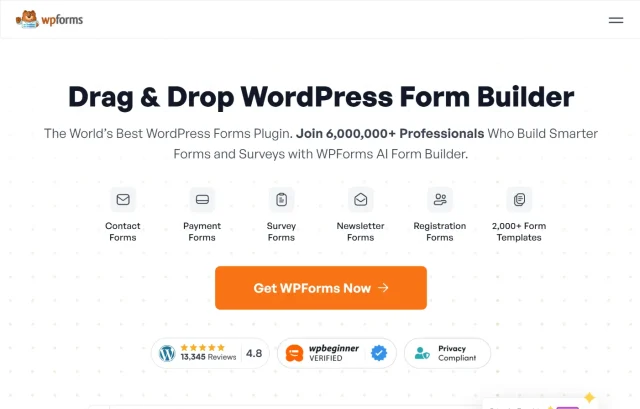
WPForms is widely considered the gold standard in the WordPress ecosystem, and for good reason. It strikes a near-perfect balance between being accessible to absolute beginners and powerful enough for power users.
Key features
- Drag-and-Drop Builder: Arguably the most intuitive interface on the market; you can see exactly what your form looks like as you build it.
- Surveys and Polls Addon: The Pro version transforms standard inputs into interactive fields like Likert scales, star ratings, and Net Promoter Scores (NPS).
- Smart Conditional Logic: Easily hide irrelevant questions based on previous answers to keep surveys short and relevant.
- Instant Notifications: Send survey responses immediately to your email or team members.
Pros
- Incredibly easy to use with zero coding knowledge required.
- Real-time insights display survey results in beautiful, color-coded graphs directly in the WordPress dashboard.
- Huge library of pre-made templates saves setup time.
Cons
- The free version (WPForms Lite) is excellent for contact forms but lacks the dedicated survey fields and reporting features found in the Pro version.
Verdict
If you want a plugin that delivers a smooth experience and professional-looking results without any learning curve, WPForms is the clear winner. It handles the essentials effortlessly and grows with you as your requirements expand. While it’s an excellent choice for most users, it’s not the best fit if you need advanced calculations or highly complex multi-step branching logic.
2. Gravity Forms
Section titled 2. Gravity FormsPremium | Ease of Use: 7/10 | Logic: 10/10 | Performance: 9/10 | Reporting: 9/10 | Value: 8/10 | Overall: 9.0/10
Ideal use case: This is the ideal choice for agencies, developers, and large corporations. If you need to build a multi-page survey that saves progress, requires user login, or performs advanced calculations based on user input, Gravity Forms is the industry leader.
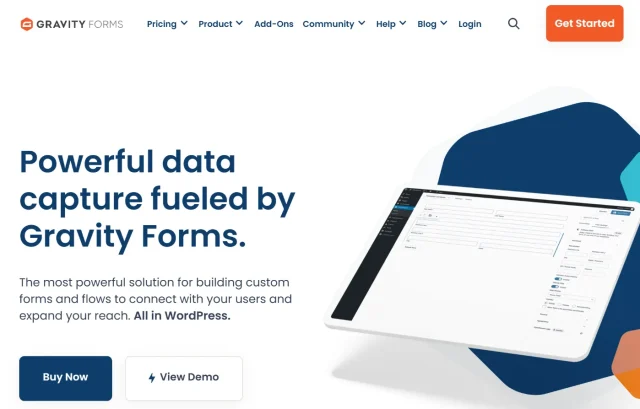
Gravity Forms is not just a form builder; it is a data management platform. While it lacks a free version, it justifies its price tag with unparalleled flexibility and ecosystem support.
Key features
- Advanced Fields: Supports complex fields for weighted scoring, file uploads, and intricate ranking systems.
- Ecosystem Integrations: Connects seamlessly with virtually any third-party service (Salesforce, HubSpot, Slack, Trello) to route data where it’s needed.
- Workflow Automation: Can trigger complex workflows on your site, such as registering a user or creating a post based on survey answers.
- Accessibility Compliant: Built with WCAG 2.0 AA compliance in mind, essential for government and education sectors.
Pros
- Extremely stable and developer-friendly code that rarely conflicts with themes.
- Massive library of official and third-party add-ons to extend functionality indefinitely.
- Detailed entry management allows you to edit and manage survey responses easily.
Cons
- There is no free version to test before buying.
- The interface, while functional, looks a bit dated compared to modern drag-and-drop builders.
Verdict
Gravity Forms is the heavy lifter of the group. It might be overkill for a simple poll, but for serious data collection and application building, it is unbeatable.
3. Fluent Forms
Section titled 3. Fluent FormsFreemium | Ease of Use: 9/10 | Logic: 9/10 | Performance: 10/10 | Reporting: 9/10 | Value: 10/10 | Overall: 9.4/10
Ideal use case: This is perfect for performance marketers and website owners who are obsessed with Core Web Vitals and site speed. If you are running high-volume traffic campaigns and need a survey that loads instantly on mobile devices, Fluent Forms is the right pick.
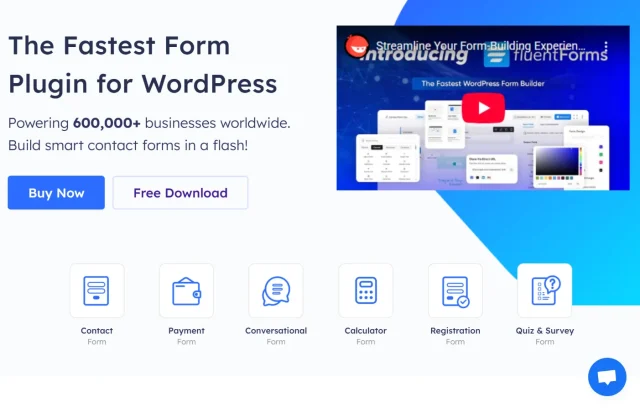
Fluent Forms has gained a massive following by positioning itself as the faster, more lightweight alternative to the big names. In my testing, it lived up to the hype, having the smallest footprint on page load speeds.
Key features
- Conversational Forms: A standout feature in the Pro version that mimics Typeform’s “one question at a time” experience, significantly boosting completion rates.
- Visual Data Reporting: beautiful charts and graphs generated automatically from submission data.
- Lightweight Codebase: Designed specifically to load minimal assets (CSS/JS) to prevent slowing down your site.
- Pre-built Logic: Advanced conditional logic is included even in lower tiers compared to competitors.
Pros
- The “Conversational Forms” feature is included in the Pro plan and looks fantastic.
- Cost-effective compared to competitors; the license often includes features others charge extra for.
- Excellent data visualization tools built right into the dashboard.
Cons
- The integrations ecosystem is slightly smaller than Gravity Forms, though it covers all the majors like MailChimp and HubSpot.
Verdict
Fluent Forms allows you to create sophisticated, high-converting conversational surveys without slowing down your site. It is arguably the best value-for-money proposition on this list.
4. UserFeedback
Section titled 4. UserFeedbackFreemium | Ease of Use: 10/10 | Logic: 6/10 | Performance: 9/10 | Reporting: 8/10 | Value: 8/10 | Overall: 8.8/10
Ideal use case: This is essential for e-commerce store owners and product managers. If you need to understand why people are abandoning their carts or bouncing from a landing page, UserFeedback captures that sentiment in the moment.
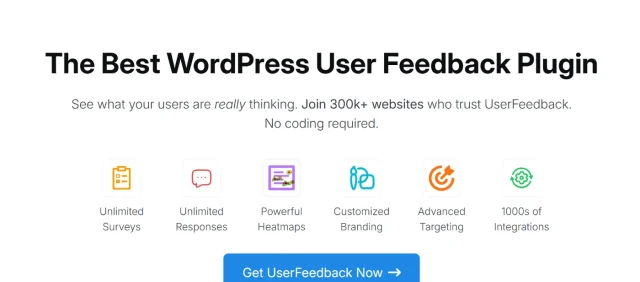
Most survey plugins require the user to visit a specific page or scroll to a form. UserFeedback flips this model by prompting users with a simple question widget, usually in the corner of the screen, as they browse.
Key features
- Micro-Survey Widget: A slide-in widget that asks simple questions without requiring the user to leave the page.
- Smart Targeting: Display surveys based on specific user behaviors (e.g., scrolled 50%, spent 30 seconds on page).
- Device Targeting: Show specific questions only to mobile or desktop users.
- Google Analytics Integration: Feeds data directly into GA4 for comprehensive analysis.
Pros
- High engagement rates because the surveys are low-friction and easy to answer.
- Great targeting options help you ask the right question at the right time.
- Setup takes literally minutes.
Cons
- Not suitable for long, multi-page questionnaires; it is designed for short, punchy feedback.
- Logic capabilities are limited compared to full form builders.
Verdict
UserFeedback stands apart from traditional survey tools. It’s not designed for in-depth market research, but for quick, actionable, real-time website insights, it’s one of the strongest options available.
5. Formidable Forms
Section titled 5. Formidable FormsFreemium | Ease of Use: 6/10 | Logic: 10/10 | Performance: 8/10 | Reporting: 10/10 | Value: 9/10 | Overall: 9.0/10
Ideal use case: This is the tool for data-driven websites, real estate directories, or internal corporate dashboards. If you need to collect employee feedback and immediately display aggregated results on an intranet page, Formidable handles it natively.
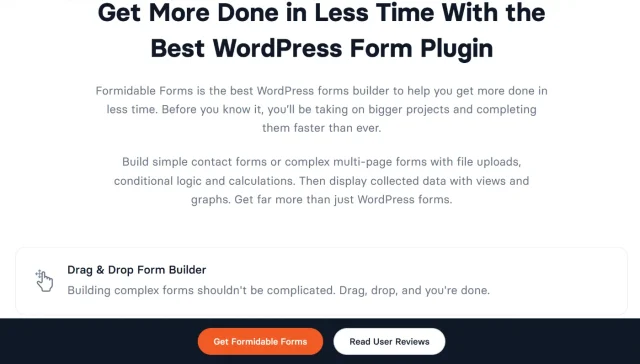
Formidable Forms promotes itself as the most advanced WordPress form builder, and they aren’t lying. It goes beyond collecting data; it allows you to display that data on the front end of your site.
Key features
- Views: This unique feature allows you to display survey data on the front end of your site (e.g., directories, listings, tables).
- Visual Styler: Customize the look of your forms deeply without needing to write custom CSS.
- Advanced Calculators: Create complex quizzes, cost estimators, or scored surveys.
- Repeater Fields: Allow users to add multiple sets of answers (e.g., listing multiple family members in one survey).
Pros
- Unmatched capability to turn survey data into public-facing content.
- Strong calculator features for creating quizzes or cost estimators.
- Very flexible for developers who want to customize the output.
Cons
- Steeper learning curve than WPForms; the advanced features require some time to master.
- Can be overwhelming for a novice just wanting a simple contact form.
Verdict
If your goal is to use the data publicly after you collect it, Formidable Forms is the only plugin that does this elegantly without custom coding.
6. Quiz and Survey Master
Section titled 6. Quiz and Survey MasterFreemium | Ease of Use: 7/10 | Logic: 8/10 | Performance: 7/10 | Reporting: 7/10 | Value: 8/10 | Overall: 8.5/10
Ideal use case: This is perfect for educational sites, viral content blogs (think BuzzFeed-style quizzes), and training portals. If you want to test user knowledge or make the survey process fun, QSM is the specialist here.

As the name implies, QSM focuses heavily on the “Quiz” aspect, but it is a potent survey tool as well. It’s particularly good at gamifying the feedback process.
Key features
- Grading System: Robust logic for grading surveys, offering scores, and providing pass/fail results.
- Leaderboards: Gamify the experience by showing top scores to encourage competition.
- Certificates: Automatically generate and email certificates to users who complete or pass a survey.
- Customizable Text: almost every label, button, and message can be customized to fit your brand tone.
Pros
- Extremely customizable text for every part of the survey.
- The core plugin is free and very feature-rich compared to other “Lite” versions.
- Great for educational purposes.
Cons
- The user interface is not as polished or modern as WPForms or Fluent Forms.
- Many advanced features (like reporting) are sold as separate add-ons, which can become costly.
Verdict
QSM is a workhorse for quizzes and scored surveys. It’s not the prettiest option out of the box, but it offers deep functionality for gamification that others miss.
7. Forminator
Section titled 7. ForminatorFree | Ease of Use: 9/10 | Logic: 8/10 | Performance: 7/10 | Reporting: 8/10 | Value: 10/10 | Overall: 9.3/10
Ideal use case: This is the best choice for non-profits, budget-conscious startups, and hobbyists. If you have zero budget but need a plugin that looks premium and handles calculations or payments, Forminator is the answer.
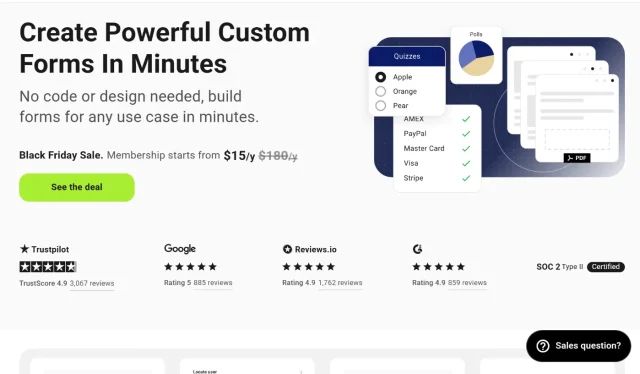
Forminator by WPMU DEV disrupts the market by giving away features that other plugins charge for. It is a completely free plugin (with a pro upgrade) that includes payments, polls, and calculations.
Key features
- Interactive Polls: Create polls with real-time results displayed to the user after voting.
- Calculations & Logic: Includes features for free that other plugins charge for, such as conditional logic and calculated fields.
- Payment Integration: Supports Stripe and PayPal natively in the free version.
- Modern UI: The drag-and-drop builder is sleek, clean, and uses Material Design principles.
Pros
- Incredible value; almost all “Pro” features in other plugins are free here.
- Modern, material-design inspired interface.
- No strict limits on fields or submissions in the free version.
Cons
- It can be a bit heavier on database resources compared to Fluent Forms.
- As part of the WPMU DEV ecosystem, it will frequently prompt you to check out their other services.
Verdict
Forminator is easily the best free survey plugin available. It doesn’t cripple its features to force an upgrade, making it a generous and powerful tool for most users.
8. Typeform
Section titled 8. TypeformFree | Ease of Use: 9/10 | Logic: 8/10 | Performance: 9/10 | Reporting: 8/10 | Value: 6/10 | Overall: 8.0/10
Ideal use case: This is for brands where design and brand image are everything. If you are a design agency or a high-end product company, the slick experience of Typeform matches that aesthetic better than a standard form.
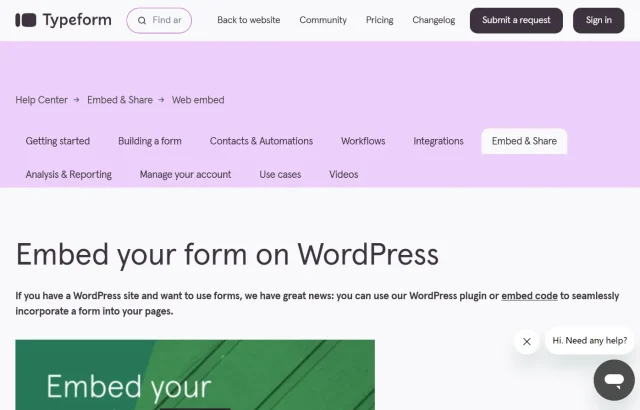
Technically, this is a connector plugin. Typeform is a standalone SaaS platform, but their WordPress plugin allows you to embed their famous conversational forms seamlessly into your site.
Key features
- Conversational Interface: The famous “one question at a time” flow with smooth animations.
- SaaS Bridge: The plugin acts as a connector, embedding forms hosted on Typeform’s servers.
- Logic Jumps: Visual builder for creating complex paths through the survey questions.
- Video Interaction: Allows you to include video clips easily within questions.
Pros
- The best user interface (UI) for the respondent, hands down.
- Excellent mobile experience.
- Data is stored off-site, meaning it won’t bloat your WordPress database.
Cons
- It is expensive. You pay a monthly subscription to Typeform which is generally higher than buying a WordPress plugin license.
- Data is not stored on your server (which can be a Pro or Con depending on your data sovereignty needs).
Verdict
If you have the budget and prioritize aesthetics and completion rates above all else, Typeform is a luxury choice that delivers results.
9. YOP Poll
Section titled 9. YOP PollFree/Paid | Ease of Use: 8/10 | Logic: 4/10 | Performance: 7/10 | Reporting: 6/10 | Value: 7/10 | Overall: 7.8/10
Ideal use case: This is great for news sites, community blogs, or political pages that want to run a quick “Question of the Day.” It is strictly for polling, not detailed feedback.
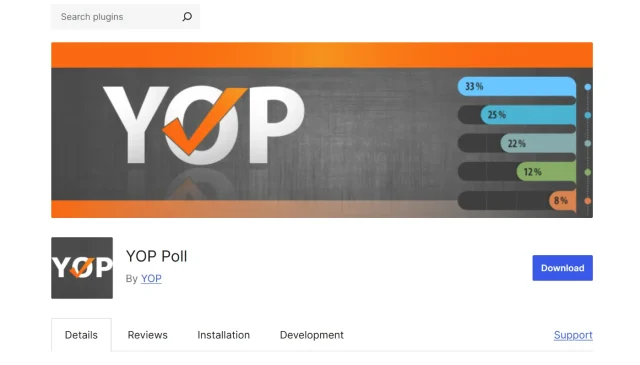
Sometimes you don’t need a complex multi-page survey with conditional logic. Sometimes you just need to ask: “What is your favorite color?” YOP Poll specializes in this.
Key features
- Scheduling: Set start and end dates for your polls to automate your engagement strategy.
- Vote Restrictions: Ban users from voting multiple times based on cookies, IP addresses, or user roles.
- Instant Results: flexible options for how and when to display results to the users (e.g., after vote, before vote).
- Archive: Automatically creates an archive of past polls for users to browse.
Pros
- Very simple setup for basic polling needs.
- Good security measures to prevent vote spamming.
- Scheduling features allow you to automate polls for the week.
Cons
- The interface is dated and not very “WordPress native.”
- It is strictly a polling tool; it struggles if you try to use it for complex feedback surveys.
Verdict
You don’t need heavy gear for a simple task. If all you need is a straightforward poll, YOP Poll is the perfect lightweight tool for the job.
10. Crowdsignal
Section titled 10. CrowdsignalFreemium | Ease of Use: 8/10 | Logic: 7/10 | Performance: 10/10 | Reporting: 9/10 | Value: 8/10 | Overall: 8.5/10
Ideal use case: This is the choice for enterprise corporations and government entities. When you need to be 100% sure the plugin won’t break your site during a high-traffic surge, you trust the team that built WordPress.
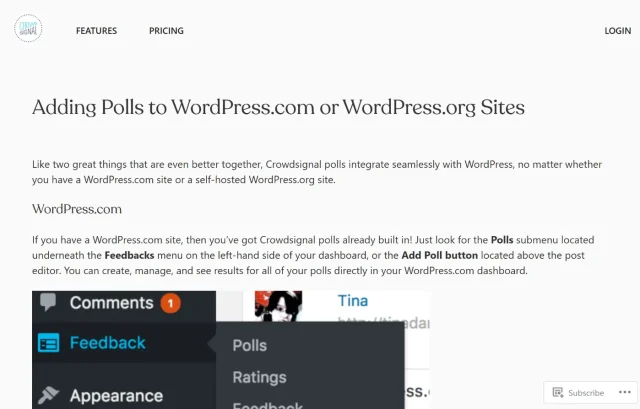
Formerly known as Polldaddy, Crowdsignal is built by Automattic – the same company behind WordPress.com. This pedigree ensures it integrates perfectly with the WordPress block editor.
Key features
- Block Editor Native: Built by Automattic, it integrates perfectly as a native block in Gutenberg.
- Cloud Processing: Offloads survey processing to Crowdsignal servers, ensuring site speed remains high.
- Spam Protection: Advanced bot filtering and spam protection features.
- Export Tools: Powerful export options for analyzing data in external tools.
Pros
- Native integration with the WordPress Block Editor feels seamless.
- Extremely reliable and scalable for high-traffic sites.
- Backed by Automattic, ensuring long-term support and updates.
Cons
- Requires a WordPress.com account to function.
- The styling options can feel a bit restrictive compared to a visual builder like Elementor or WPForms.
Verdict
Crowdsignal is the safe, reliable, corporate choice. It’s not the flashiest, but it will never let you down under pressure.
Comparison table
Section titled Comparison tableWhich WordPress survey plugin is right for you?
Section titled Which WordPress survey plugin is right for you?If you’re still unsure, here’s a simpler way to think about it.
- Just want something easy that works? Go with WPForms.
- Care about speed and performance? Fluent Forms is a great choice.
- Want advanced features or workflows? Gravity Forms or Formidable Forms are better suited to more complex setups.
- Want quick feedback without full surveys? UserFeedback is ideal for short, targeted questions.
- Don’t want to pay yet? Forminator gives you a lot for free.
Most WordPress users will be happy with WPForms or Fluent Forms. They strike a good balance between simplicity and flexibility without overcomplicating things.
Keeping your surveys protected
Public forms can attract spam, especially if they’re open to everyone.
Adding basic protection (like a security plugin) helps ensure your responses come from real people and not bots.
Conclusion
Section titled ConclusionThere isn’t one “best” WordPress survey plugin, it depends on how you plan to use it.
If you want something simple that just works, WPForms is a safe choice. If performance matters, Fluent Forms is hard to beat. And if you’re building something more advanced, Gravity Forms or Formidable Forms give you the flexibility to do it properly.
The important thing is choosing a tool that fits how you work in WordPress and makes it easy to collect and understand feedback, without slowing your site down or overcomplicating things.
One thing that’s easy to overlook is what happens to that data once you’ve collected it. Survey responses can quickly build up, and losing them during an update or error is more common than you’d think.
That’s where having reliable backups in place makes a difference. Tools like UpdraftPlus Premium help make sure your survey data, and your entire site, is protected without adding extra complexity to your setup.
FAQs
Section titled FAQsWhich is the best free WordPress survey plugin?
For pure value, Forminator is the best free option because it includes advanced features like payment collection, calculations, and conditional logic that others lock behind a paywall. However, WPForms Lite is often preferred by beginners because its drag-and-drop interface is easier to learn.
Does WordPress have a built-in survey tool?
No, WordPress does not have a native survey tool out of the box. While you can technically use the default “Comment” system to gather feedback, it is unstructured and hard to analyze. You need a dedicated plugin like WPForms, Gravity Forms, or Crowdsignal to create structured surveys and visualize the data properly.
Do survey plugins slow down my website?
They can if they are not optimized. Some plugins load heavy scripts (CSS and JavaScript) on every single page of your site, even where no survey exists. Fluent Forms is highly rated for performance because it is modular and lightweight. To prevent speed issues, always use a caching plugin and only load scripts where necessary.
Can I export my survey data to Excel or Google Sheets?
Yes. Most premium plugins (like Gravity Forms and WPForms Pro) allow one-click exports to CSV or Excel files. For Google Sheets, plugins like Fluent Forms often include direct integrations, allowing responses to populate a spreadsheet in real-time as users submit them.
How do I create a survey that users actually finish?
To boost completion rates, use a plugin that offers “Conversational Forms” (like Fluent Forms or Typeform). These display one question at a time, which feels less overwhelming than a long list of questions. Additionally, keep your survey short and use conditional logic to hide irrelevant questions.
What is the difference between a poll and a survey?
A poll is usually a single question with predefined answers (e.g., “Vanilla or Chocolate?”), designed for quick engagement. A survey involves multiple questions and often includes open-ended text fields for detailed feedback. If you only need polls, use a lightweight tool like YOP Poll; for deep insights, use WPForms.
Can I limit who takes my survey?
Yes. Advanced plugins like Crowdsignal and Gravity Forms allow you to restrict surveys to logged-in users only. You can also limit entries by IP address or browser cookies to prevent the same person from filling out the survey multiple times.
Is it safe to store survey data in my WordPress database?
Generally, yes, but databases can become corrupted or bloated with thousands of entries. It is important to perform regular backups with tools like UpdraftPlus.
What is the best WordPress survey plugin?
WPForms is the best all-round WordPress survey plugin for most users thanks to its ease of use and built-in reporting. Fluent Forms is a strong alternative if performance is a priority, while Gravity Forms and Formidable Forms are better suited to more advanced setups.
About the author

Elvira Mishra
Elvira has over four years of experience creating and designing content in WordPress. Her background spans multiple digital disciplines, including marketing, SEO, user experience, and human computer interaction.
Categories
UpdraftPlus
Get all our premium features. Direct site-to-site migration, incremental backups, back up automatically before updates and a whole lot more.
From just $70 for the year.
More stories
-

5 WordPress Web Design Tips to Improve Your Website
Good web design is about more than appearance. Explore practical WordPress web design tips to improve your website's layout, navigation, mobile responsiveness, accessibility and performance, helping you create a better experience for your visitors.
-
Best AI Website Builders Compared
AI website builders can help you design, write and launch a website in minutes. Compare the best AI-powered website builders based on ease of use, features, customisation, pricing and performance to find the right solution for your next project.
-

How incremental backups save time and storage in WordPress
Incremental backups only save the changes made since your last backup, helping you reduce storage usage, speed up backups and lower server load. Learn how they work and why they're an essential part of an efficient WordPress backup strategy.
-
Best WordPress Website Builders Compared
Discover the best WordPress website builders for every skill level. Compare features, ease of use, pricing and performance to choose the right builder for your blog, business or online store.
