Best plugins for affiliate marketers
Category Guides and resources
Topics Performance optimization, Plugin comparison,

Running an affiliate site involves more than adding referral links to your content. You need to manage those links, understand what visitors are clicking, keep your site running quickly and securely, and make it easy for readers to find the products or services you’re recommending.
The right WordPress plugins can make those jobs much easier, but you don’t need a plugin for everything. A smaller, well-chosen stack is usually more useful than installing lots of tools with overlapping features.
In this guide, we’ll look at the best WordPress plugins for affiliate marketers, covering link management, analytics, Amazon product displays, performance, security and conversions. We’ll also cover tools for businesses that want to take the other side of affiliate marketing and run their own affiliate programme.
Key takeaways
Section titled Key takeaways- Pretty Links and ThirstyAffiliates help you organise, manage and track affiliate links from your WordPress dashboard.
- AAWP is built specifically for Amazon Associates sites, with tools for creating product displays and comparison tables.
- Burst Statistics can show you which outbound links visitors are clicking, while OptinMonster and AdSanity can support conversion and promotional campaigns.
- WP-Optimize and AIOS don’t manage affiliate links directly, but can help keep an affiliate site fast and secure as it grows.
- AffiliateWP and Easy Affiliate are designed for businesses that want to run their own affiliate programmes rather than promote other companies’ products.
What is affiliate marketing?
Section titled What is affiliate marketing?Affiliate marketing is a way to earn commission by recommending another company’s products or services to your audience. The basic process is straightforward:
- You join a company’s affiliate programme and receive a unique tracking link.
- You add that link to relevant content on your website.
- When someone follows your link and completes a qualifying purchase or action, you may earn a commission.
The process itself is simple, but managing an affiliate site can become more complicated as it grows. You may have links spread across hundreds of posts, different affiliate programmes to keep track of and a growing need to understand which content and recommendations are actually getting clicks.
WordPress plugins can help with many of these tasks, from managing affiliate links and creating product displays to tracking visitor behaviour and keeping your site performing well.
How WordPress plugins can help affiliate marketers
Section titled How WordPress plugins can help affiliate marketersYou don’t need a collection of specialist plugins to start affiliate marketing. If you’re managing a small number of links, adding and updating them manually may be perfectly manageable.
As your site grows, the right plugins can take some of the repetitive work off your hands. A link management plugin, for example, can give you one place to organise and update affiliate URLs. Analytics tools can show you which outbound links visitors are clicking, while product display plugins can make comparisons and recommendations easier for readers to navigate.
There are also parts of running an affiliate site that aren’t unique to affiliate marketing but still matter. Performance plugins can help keep content-heavy pages loading quickly, security plugins can protect the site your affiliate income depends on, and conversion tools can help you make better use of the traffic you’re already attracting.
You won’t need every type of plugin in this guide. The aim is to identify where your current setup is creating extra work or holding your site back, then choose the tools that solve those specific problems.
Best WordPress plugins for affiliate marketers at a glance
Section titled Best WordPress plugins for affiliate marketers at a glanceSome of these plugins manage affiliate marketing directly, while others support the website behind it. You probably won’t need all of them. For example, a content-led affiliate site might combine a link management tool with analytics and performance plugins, while a business running its own affiliate programme will have a very different setup.
If you’re building out your wider WordPress toolkit, our guide to must-have WordPress plugins covers other useful options beyond affiliate marketing.
How we chose these plugins
Section titled How we chose these pluginsAffiliate marketers use WordPress plugins for very different jobs, so comparing every tool against the same set of features wouldn’t be particularly useful. Instead, we looked at how well each plugin solves the specific problem it’s designed for and how useful that problem is to someone running an affiliate site.
Our recommendations consider:
- Usefulness for affiliate marketers: Does the plugin solve a genuine problem, such as managing links, tracking clicks, improving performance or protecting the site?
- Ease of use: Is it straightforward to set up and manage within WordPress?
- Features: Does it provide the functionality you’d expect for its particular use case without adding unnecessary complexity?
- Free vs premium options: Is there a useful free version, and what additional functionality do paid plans provide?
- Fit within a WordPress stack: Does the plugin have a clear role alongside the other tools an affiliate marketer might already be using?
Because these plugins serve different purposes, we haven’t ranked them from best to worst. Instead, we’ve highlighted what each one is best suited to so you can choose the tools that fit your own affiliate setup.
The best WordPress plugins for affiliate marketers
Section titled The best WordPress plugins for affiliate marketersThere’s no single plugin that covers everything an affiliate marketer might need. The tools below solve different parts of the job, from managing affiliate links and tracking clicks to improving site performance, protecting your WordPress installation and running your own affiliate programme.
You won’t need them all. Start with the areas that matter most to your site and build your plugin stack from there.
1. Pretty links
Section titled 1. Pretty linksFreemium | Speed: 9/10 | SEO: 9/10 | Ease of Use: 8/10
Best for: Bloggers, publishers and content creators who want to manage, organise and track affiliate links from one place.

Pretty Links gives you a central place to create, organise and manage affiliate links within WordPress. Instead of adding long affiliate URLs directly to your content, you can create shorter links using your own domain and manage their destinations from your WordPress dashboard.
This becomes particularly useful as your affiliate content grows. If a destination URL changes, you can update the link in Pretty Links rather than finding and replacing it everywhere you’ve used it. You can also track clicks to get a better idea of which links are attracting attention.
Key features
- Create shorter, branded URLs using your own domain
- Manage affiliate links from one WordPress dashboard
- Track link clicks and view reports
- Choose from different redirect types
- Automatically link keywords to selected URLs with premium plans
Pros
- Makes larger collections of affiliate links easier to organise and update
- Free version available for getting started
- Click tracking helps you see which links visitors are using
- Branded links can also be useful when sharing URLs outside your website
Cons
- Features such as automatic keyword linking require a paid plan
- Some of the more advanced features may be unnecessary if you only manage a small number of affiliate links
Verdict
Pretty Links is a good choice if you want a straightforward way to manage affiliate links without editing them individually across your content. The free version covers the basics, while the paid plans add more automation and reporting features for sites with a larger affiliate operation. If your main challenge is keeping a growing collection of affiliate links organised and easy to update, Pretty Links is a strong place to start.
2. ThirstyAffiliates
Section titled 2. ThirstyAffiliatesFreemium | Speed: 8/10 | SEO: 9/10 | Ease of Use: 9/10
Best for: Publishers and affiliate marketers managing a large number of affiliate links who want more tools for organising and maintaining them.

ThirstyAffiliates is built specifically for managing affiliate links within WordPress. You can organise links into categories, insert them into content from the WordPress editor and manage their destinations from one place, which becomes increasingly useful as the number of affiliate links on your site grows.
The premium version adds features for more complex affiliate setups, including geolocation, automatic keyword linking and link uncloaking. The latter can be useful when working with affiliate programmes that don’t allow cloaked links, although you should always check the terms of each programme you join.
Key features
- Organise affiliate links into categories
- Manage and insert links from within WordPress
- Link uncloaking for affiliate programmes that require direct destination URLs
- Geolocation to direct visitors to different URLs based on location
- Automatic keyword linking with premium plans
Pros
- Good organisation tools for sites managing lots of affiliate links
- Free version available for getting started
- Links can be added while working in the WordPress editor
- Premium features support more complex affiliate setups
Cons
- Features such as geolocation and automatic keyword linking require a paid plan
- May offer more functionality than smaller affiliate sites need
Verdict
ThirstyAffiliates is a good fit for publishers who expect their affiliate link library to grow over time. Its organisation and link management features make it easier to keep track of URLs across a larger content library, while the premium features add more control for international audiences and more complex affiliate programmes. If keeping a large number of affiliate links organised is your main priority, it’s worth considering alongside Pretty Links.
3. WP-Optimize
Section titled 3. WP-OptimizeFreemium | Speed: 10/10 | SEO: 9/10 | Ease of Use: 9/10
Best for: Affiliate marketers who want to improve site performance and keep content-heavy pages loading quickly as their website grows.
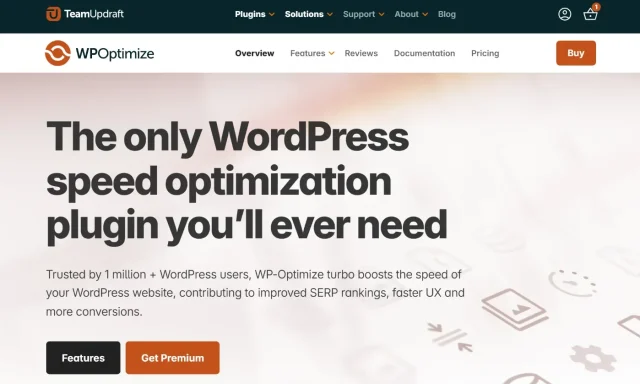
WP-Optimize isn’t an affiliate marketing plugin, but site performance matters when your content depends on visitors reading reviews, browsing comparisons and clicking through to recommended products. As an affiliate site grows, larger image libraries, database content and additional plugins can all add to the amount of work WordPress has to handle.
WP-Optimize brings several performance tools together in one plugin, including caching, database optimisation, image compression and minification. This makes it a useful supporting tool for affiliate marketers who want to keep their WordPress site running efficiently without installing separate plugins for each area.
Key features
- Page caching to help pages load more efficiently
- Database optimisation to clean up unnecessary data such as old post revisions and spam comments
- Image compression to reduce the file size of product images and other media
- Minification for CSS and JavaScript files
Pros
- Combines several WordPress performance tools in one plugin
- Free version includes useful optimisation features
- Particularly useful for content and image-heavy affiliate sites
- Lets you manage several areas of site optimisation from one dashboard
Cons
- Some features and more advanced controls require WP-Optimize Premium
- Caching and minification settings may need testing to make sure they work correctly with your site’s theme and plugins
Verdict
WP-Optimize is worth considering if performance is becoming a concern as your affiliate site grows. It won’t manage your affiliate links or track commissions, but it can help with the site those activities depend on by giving you tools to optimise your database, images, caching and front-end files from one place. For affiliate sites publishing lots of reviews, comparisons and product imagery, that makes it a useful part of the wider WordPress toolkit.
Keep your affiliate site running smoothly
As your content, images and plugins grow, keeping on top of performance becomes more important. WP-Optimize brings caching, database optimisation, image compression and minification together in one place.
4. AffiliateWP
Section titled 4. AffiliateWPPremium | Speed: 8/10 | SEO: 8/10 | Ease of Use: 7/10
Best for: Businesses, ecommerce stores and course creators that want to run their own affiliate programme and manage affiliates from WordPress.

AffiliateWP is different from link management tools such as Pretty Links and ThirstyAffiliates. Rather than helping you promote other companies’ products, it lets you create and manage your own affiliate programme from WordPress.
It’s designed for businesses that sell products or services online and want to recruit affiliates to promote them. AffiliateWP integrates with popular WordPress ecommerce and membership tools, including WooCommerce, and gives you a central place to manage affiliates, track referrals and oversee commissions.
Key features
- Manage affiliates and referrals from your WordPress dashboard
- Track affiliate visits, referrals and earnings
- Tools for managing affiliate payouts
- Customisable affiliate registration and onboarding
- Integrations with WooCommerce and other popular WordPress plugins
Pros
- Keeps affiliate programme management within WordPress
- Integrates with popular ecommerce, membership and form plugins
- Provides reporting for monitoring referrals and affiliate performance
- Suitable for businesses that want more control over their own affiliate programme
Cons
- No free version available
- More functionality than you need if you only want to promote other companies as an affiliate
Verdict
AffiliateWP is a strong option for WordPress businesses that want to create and manage their own affiliate programme. It brings affiliate registration, referral tracking, commissions and programme management into WordPress, making it particularly relevant for ecommerce stores, membership sites and businesses selling digital products. If you’re looking for a plugin to manage the affiliate links you use to promote other brands, however, Pretty Links or ThirstyAffiliates would be a better fit.
5. Easy affiliate
Section titled 5. Easy affiliatePremium | Speed: 8/10 | SEO: 8/10 | Ease of Use: 8/10
Best for: WordPress businesses that want a straightforward way to set up and manage their own affiliate programme.
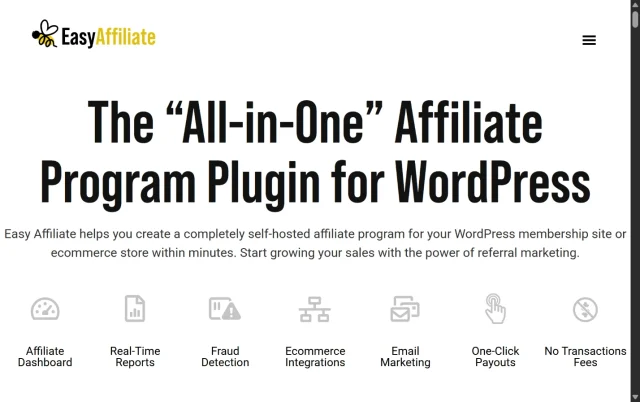
Easy Affiliate is designed to make setting up and managing an affiliate programme within WordPress straightforward. Like AffiliateWP, it’s aimed at businesses that want other people to promote their products or services rather than publishers looking to manage outbound affiliate links.
The setup process guides you through creating your programme, while affiliates get their own dashboard where they can access links and monitor their performance. It also integrates with popular WordPress ecommerce and membership tools, making it a practical option if you already use those platforms.
Key features
- Guided setup for creating an affiliate programme
- Dedicated dashboard for affiliates
- Referral and commission tracking
- Integrations with WooCommerce and MemberPress
- Fraud detection tools for identifying potentially suspicious referral activity
Pros
- Straightforward setup and programme management
- Affiliate dashboard gives partners access to their own performance information
- Integrates with popular WordPress ecommerce and membership tools
- Includes tools for monitoring potentially suspicious affiliate activity
Cons
- No free version available
- Businesses with more complex affiliate programme requirements may want to compare its advanced features with alternatives such as AffiliateWP
Verdict
Easy Affiliate is a good option for WordPress businesses that want to launch their own affiliate programme without making the setup unnecessarily complicated. Its guided setup, affiliate dashboard and integrations make it particularly suitable for businesses that value ease of use. If you’re choosing between Easy Affiliate and AffiliateWP, it’s worth comparing the specific integrations and programme management features you need before deciding which is the better fit.
6. AAWP
Section titled 6. AAWPPremium | Speed: 7/10 | SEO: 8/10 | Ease of Use: 7/10
Best for: Publishers and affiliate marketers who use Amazon Associates and want to create product displays and comparison tables within WordPress.
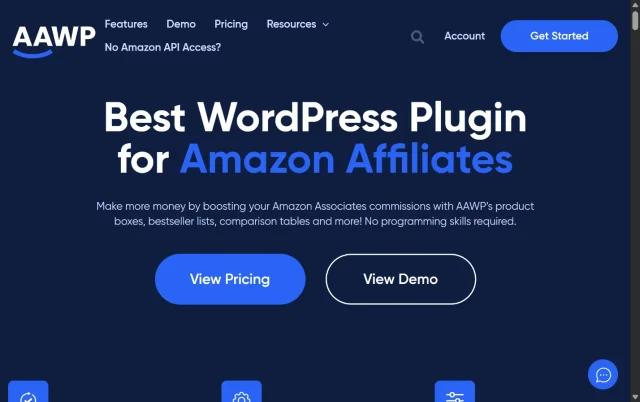
AAWP is built specifically for WordPress publishers using the Amazon Associates programme. It connects with Amazon’s Product Advertising API to display product information on your site, making it easier to create product boxes, comparison tables and other affiliate content without adding everything manually.
This is particularly useful for product-focused affiliate sites where details such as pricing and availability may change over time. AAWP can pull product data from Amazon automatically, reducing the amount of manual updating required across your content.
Key features
- Product information pulled through the Amazon Product Advertising API
- Customisable product boxes for displaying individual recommendations
- Comparison tables for presenting several products alongside each other
- Bestseller and new-release lists
- Geotargeting options for international visitors
Pros
- Designed specifically for Amazon Associates websites
- Reduces the need to manually maintain product information
- Makes it easier to create product boxes and comparison tables
- Offers several ways to display Amazon products within WordPress
Cons
- No free version available
- Requires access to Amazon’s
- Product Advertising API
- Only useful if Amazon Associates forms part of your affiliate strategy
Verdict
AAWP is worth considering if Amazon Associates is an important part of how you monetise your WordPress site. Its main advantage is making Amazon product information easier to display and maintain, particularly if you regularly publish reviews, buying guides and product comparisons. If you only occasionally link to Amazon, however, you may not need a dedicated plugin just for those links.
7. Burst statistics
Section titled 7. Burst statisticsFreemium | Speed: 10/10 | SEO: 9/10 | Ease of Use: 9/10
Best for: Affiliate marketers who want privacy-friendly WordPress analytics and an easy way to track outbound link clicks from their site.
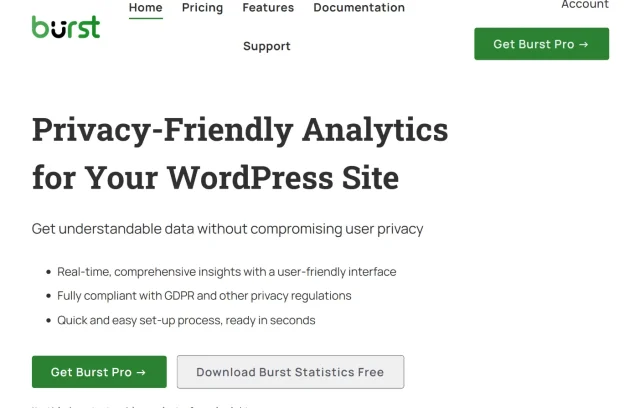
Burst Statistics is a privacy-friendly analytics plugin that runs within WordPress. For affiliate marketers, one of its most useful features is outbound link tracking, which can help you see which external links visitors click when they leave your site.
This gives you another way to understand how your affiliate content is performing. For example, you can compare clicks across product reviews, buying guides and individual recommendations to see which links are attracting the most attention.
Key features
- Outbound link tracking to monitor clicks on affiliate and other external links
- Privacy-friendly analytics with cookieless tracking options
- Analytics data available directly within your WordPress dashboard
- Goals for tracking important visitor actions
- UTM campaign tracking for measuring promotional traffic
Pros
- Useful for understanding which affiliate links visitors are clicking
- Keeps analytics within the WordPress dashboard
- Privacy-focused approach to website analytics
- Free version available for getting started
Cons
- Doesn’t manage, shorten or cloak affiliate links, so you’ll need a separate tool if you want those features
- Some additional analytics and reporting features require Burst Pro
Verdict
Burst Statistics is a useful addition if you want to understand what visitors do before they leave your site through an affiliate link. It won’t tell you whether a click ultimately resulted in a sale you’ll normally need your affiliate programme’s reporting for that but it can show which links and recommendations are attracting clicks. Used alongside a link management plugin, that gives you a clearer picture of how visitors interact with your affiliate content.
See which affiliate links get the most clicks
Burst Statistics helps you track outbound link clicks and visitor behaviour from your WordPress dashboard, giving you a clearer picture of which recommendations are getting your audience’s attention.
8. AdSanity
Section titled 8. AdSanityPremium | Speed: 8/10 | SEO: 8/10 | Ease of Use: 8/10
Best for: Affiliate marketers who use banner ads or other visual promotions and want to manage, schedule and track them from WordPress.

Text links aren’t the only way to promote affiliate offers. If your affiliate partners provide banners or other promotional graphics, AdSanity gives you a central place to manage and display them across your WordPress site.
You can place ads in different areas of your site and schedule them to appear for specific periods. This can be particularly useful for time-sensitive promotions, such as Black Friday offers, where you don’t want to manually add and remove banners when a campaign starts or ends.
Key features
- Manage self-hosted and external ads from WordPress
- Track impressions and clicks on individual ads
- Place banners using blocks, widgets and shortcodes
- Schedule start and end dates for time-sensitive promotions
Pros
- Keeps visual affiliate promotions organised in one place
- Scheduling is useful for limited-time offers and seasonal campaigns
- Provides reporting on ad impressions and clicks
- Flexible placement options across your WordPress site
Cons
- No free version available
- Probably unnecessary if you mainly use text-based affiliate links
Verdict
AdSanity is worth considering if banner ads and visual promotions are an important part of your affiliate strategy. Its biggest advantage is making those campaigns easier to manage, particularly when you’re running several promotions or working with offers that have specific start and end dates. If your affiliate content relies mainly on contextual text links, however, a dedicated ad management plugin may be more than you need.
9. OptinMonster
Section titled 9. OptinMonsterPremium | Speed: 8/10 | SEO: 8/10 | Ease of Use: 9/10
Best for: Affiliate marketers who want to grow an email list and create targeted campaigns around their content and offers.

Affiliate visitors won’t always make a purchase on their first visit, and many may not return to your site. OptinMonster is a lead generation and conversion optimisation tool that can help you turn some of that traffic into email subscribers.
You can create pop-ups, floating bars and other campaigns, then control where and when they appear. For an affiliate site, this could mean showing a relevant email sign-up form alongside a buying guide or creating a targeted campaign for visitors reading about a particular product category.
Key features
- Drag-and-drop campaign builder for pop-ups, floating bars and other forms
- Exit-intent technology for displaying campaigns as visitors prepare to leave
- Page-level targeting for showing different campaigns on specific content
- A/B testing for comparing different campaign designs and messaging
- Integrations with popular email marketing platforms
Pros
- Useful for building an email audience around your affiliate content
- Targeting options let you tailor campaigns to different pages and audiences
- A/B testing can help you understand which campaigns perform better
- Integrates with a wide range of email marketing services
Cons
- No free version available
- Pop-ups and other campaigns need to be used carefully so they don’t disrupt the visitor experience
Verdict
OptinMonster is most useful for affiliate marketers who want to build an audience beyond one-off visits from search or social media. Its targeting tools let you create campaigns that are relevant to the content someone is already viewing, while its email integrations can help turn interested readers into subscribers. If email marketing isn’t part of your affiliate strategy, however, you may not need a dedicated lead generation tool.
10. AIOS (All in one security)
Section titled 10. AIOS (All in one security)Freemium | Speed: 9/10 | SEO: 8/10 | Ease of Use: 8/10
Best for: Affiliate marketers who want to strengthen their WordPress security and protect the site their content and affiliate activity depend on.
AIOS isn’t an affiliate-specific plugin, but security becomes increasingly important when your website generates traffic, contains valuable content and contributes to your income. A compromised WordPress site can disrupt your content, affect access to your site and potentially interfere with the links and pages your affiliate activity relies on.
AIOS brings a range of WordPress security features together in one plugin, covering areas such as login protection, firewall rules, file monitoring and spam prevention. This makes it a useful supporting tool for affiliate marketers who want to strengthen their site’s security without managing several separate security plugins.
Key features
- Login security including login attempt limits and options for protecting the WordPress login page
- Firewall protection to help block suspicious and malicious requests
- File change detection to help identify unexpected changes to your site’s files
- Spam prevention for reducing unwanted comment spam
Pros
- Combines several WordPress security features in one plugin
- Free version includes a broad range of security tools
- Security dashboard helps you review and manage different areas of your site’s protection
- Useful for strengthening the security of a growing affiliate website
Cons
- Some additional security features and controls require AIOS Premium
- The number of available settings can take some time to work through if you’re new to WordPress security
Verdict
AIOS is worth considering as your affiliate site becomes a more valuable part of your business. It won’t help you manage affiliate links or track commissions, but it can help protect the WordPress site those activities depend on. With login protection, firewall rules, file monitoring and spam prevention available from one place, it provides a practical way to strengthen your WordPress site’s security.
Protect the site behind your affiliate income
AIOS brings firewall protection, malware scanning and other WordPress security features together in one place, helping you strengthen the site your affiliate business depends on.
How to choose the right plugins for your affiliate site
Section titled How to choose the right plugins for your affiliate siteYou don’t need to install every plugin in this guide. Start by looking at how you currently manage your affiliate site and identify the tasks that are taking the most time or causing the biggest problems.
A typical setup might include:
- Choose a link management plugin if you’re regularly adding affiliate links to your content. Pretty Links or ThirstyAffiliates can help you organise and update those links from one place.
- Add specialist tools where you need them. For example, Amazon Associates publishers may benefit from AAWP, while AdSanity can help if you regularly manage affiliate banners and visual promotions.
- Track how visitors interact with your content. Burst Statistics can show you which outbound links visitors are clicking, while your individual affiliate platforms can tell you which referrals result in commissions.
- Keep an eye on site performance. As your content, images and plugin stack grow, tools such as WP-Optimize can help you manage caching, image compression and database optimisation.
- Protect your WordPress site. If your website contributes to your income, strengthening its security with a plugin such as AIOS can help protect the site your affiliate activity depends on.
- Only add tools that solve a genuine problem. More plugins don’t automatically mean a better affiliate site. Keep your setup focused and remove tools you no longer need.
If you’re running your own affiliate programme rather than promoting other companies, your setup will look different. In that case, a tool such as AffiliateWP or Easy Affiliate can handle affiliate registration, referrals and commissions directly from WordPress.
Conclusion
Section titled ConclusionThere isn’t one WordPress plugin every affiliate marketer needs. The right setup depends on how you make money from your site and which parts of your workflow you want to make easier.
If you’re managing a growing number of affiliate links, Pretty Links or ThirstyAffiliates are sensible places to start. Amazon-focused publishers may find AAWP useful for product displays and comparisons, while businesses that want to recruit their own affiliates should look towards AffiliateWP or Easy Affiliate.
From there, think about the website supporting your affiliate activity. WP-Optimize can help you manage site performance as your content and media library grow, while Burst Statistics can show you which outbound links visitors are clicking. Security, lead generation and ad management tools can then be added if and when your site needs them.
The important thing is not to build the biggest plugin stack. Start with the tools that solve a genuine problem for your affiliate site, see how they fit into your workflow and add more only when there’s a clear reason to do so.
Protect the site behind your affiliate income
You’ve put a lot of work into building your affiliate site. UpdraftPlus Premium makes it easy to back everything up and get your site running again quickly if something goes wrong.
FAQs
Section titled FAQsCan I do affiliate marketing on WordPress without plugins?
Yes. You can add affiliate links to WordPress manually, and that may be enough if you’re only managing a small number. As your site grows, a link management plugin can make it easier to organise and update affiliate URLs without editing individual posts every time something changes.
Do affiliate plugins slow down WordPress?
Any plugin can add some overhead to your site, but the impact depends on what the plugin does, how it’s built and your overall setup. It’s better to choose plugins that serve a clear purpose and remove ones you no longer use. If performance becomes an issue, WP-Optimize can help with caching, image compression, database optimisation and minification.
Are there free WordPress plugins for affiliate marketers?
Yes. Pretty Links and ThirstyAffiliates both offer free versions for managing affiliate links, while tools such as Burst Statistics, WP-Optimize and AIOS also have free versions for analytics, performance and security. Other tools in this guide, including AAWP and AffiliateWP, require a paid plan.
Is link cloaking bad for SEO?
Link cloaking itself isn’t necessarily bad for SEO, but affiliate links should be implemented correctly. Google recommends marking paid and affiliate links with the rel=”sponsored” attribute. You should also check the rules of individual affiliate programmes, as some may restrict how their links can be redirected or displayed.
What is the best WordPress plugin for Amazon affiliate marketing?
AAWP is specifically designed for publishers using Amazon Associates. It can pull product information through Amazon’s Product Advertising API and create product boxes, comparison tables and other product displays within WordPress. Whether you need it will depend on how heavily your site relies on Amazon affiliate content.
Can I use multiple affiliate plugins on one WordPress site?
Yes, as long as each plugin has a clear purpose. You might use Pretty Links to manage affiliate URLs, Burst Statistics to track outbound clicks and WP-Optimize to help with site performance. Avoid installing several plugins that do the same job, as this can add unnecessary complexity to your WordPress setup.
About the author

Elvira Mishra
Elvira has over four years of experience creating and designing content in WordPress. Her background spans multiple digital disciplines, including marketing, SEO, user experience, and human computer interaction.
Categories
WP-Optimize
Get all our premium features. Lazy loading, pre-load key requests, Cloudfare integration. Optimize individual tables, delete unused images and more.
From just $49 for the year.
More stories
-

10 Best WordPress Plugins for Agencies in 2026
Discover the best WordPress plugins for agencies, from backups and security to performance optimisation and site management. Explore tools that make managing multiple client websites easier and more efficient.
-

Direct WordPress site-to-site migration: A step-by-step guide
Learn how direct WordPress site-to-site migration works and how to move your website between hosts or domains without manually transferring files.
-

5 WordPress Web Design Tips to Improve Your Website
Good web design is about more than appearance. Explore practical WordPress web design tips to improve your website's layout, navigation, mobile responsiveness, accessibility and performance, helping you create a better experience for your visitors.
-
Best AI Website Builders Compared
AI website builders can help you design, write and launch a website in minutes. Compare the best AI-powered website builders based on ease of use, features, customisation, pricing and performance to find the right solution for your next project.
